

Shape Key Collections for Blender
shape key collections addon
Shape Key Collections v3.6 for Blender – Advanced Shape Key Manager & Animation Tool
Download Shape Key Collections v3.6 for Blender on Windows, Mac, and Linux, a powerful shape key management add-on that organizes, catalogs, and animates shape keys with intelligent collections and blending controls. Perfect for character animators, facial riggers, and technical artists who need advanced shape key workflows beyond Blender’s native tools .
Key Features of Shape Key Collections v3.6:
- Shape Key Organization: Group shape keys into named collections for easy management
- Collection Blending: Blend between entire shape key collections with master controls
- Expression Sets: Create named expression sets—happy, sad, angry, surprised—and switch instantly
- Morph Targets: Combine multiple shape keys into morph targets for complex deformations
- Driver Integration: Connect shape key collections to custom properties or bone drivers
- Batch Operations: Apply operations to multiple shape keys simultaneously
- Preset System: Save and load shape key configurations for reuse across characters
- Animation Tools: Keyframe collection blending for animated expressions
- Real-Time Preview: See shape key blends update instantly
- v3.6 Updates: Enhanced organization tools, improved blending, and compatibility with Blender 4.0+
Perfect For:
- Character animators managing facial expression shape keys
- Facial riggers organizing complex blend shape setups
- Game developers creating morph targets for characters
- Technical artists building driver-driven deformation systems
- Anyone needing advanced shape key management in Blender
System Requirements:
- Blender 3.6, 4.0, 4.1, 4.2, 4.3
- Windows 10/11 (64-bit), macOS, or Linux
- 4GB RAM minimum (8GB+ recommended)
- 15MB available disk space
Installation:
- Download the add-on zip file
- In Blender, go to Edit > Preferences > Add-ons
- Click “Install” and select the downloaded zip file
- Enable the add-on by checking the box next to “Shape Key Collections”
Note: Shape Key Collections transforms Blender’s shape key workflow by adding organization, collection blending, and expression set management . The ability to blend between entire shape key collections makes it essential for character animators and facial riggers . Version 3.6 includes full compatibility with Blender 4.0 and above . Designed for Blender 3.6 and above . Perfect for advanced shape key management . Essential for any shape key workflow .
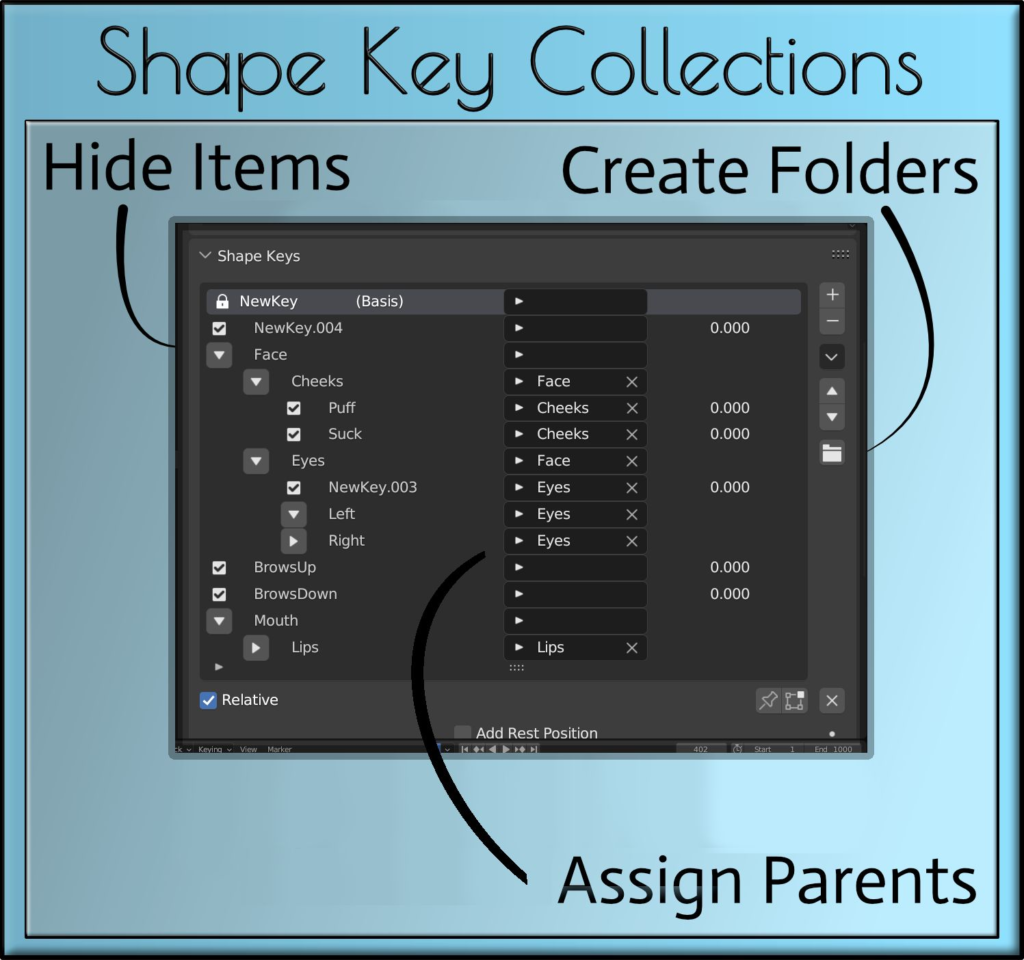
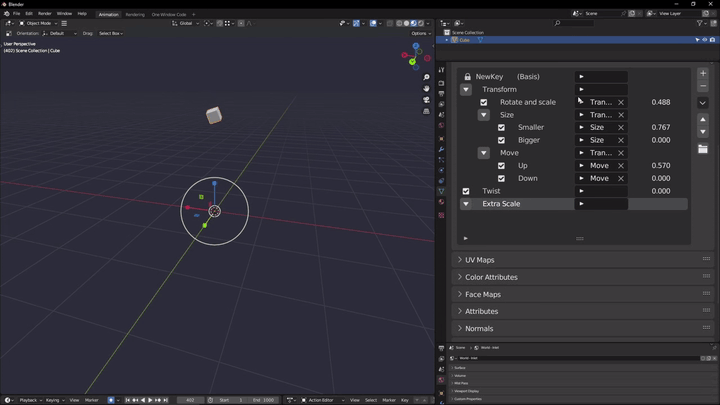
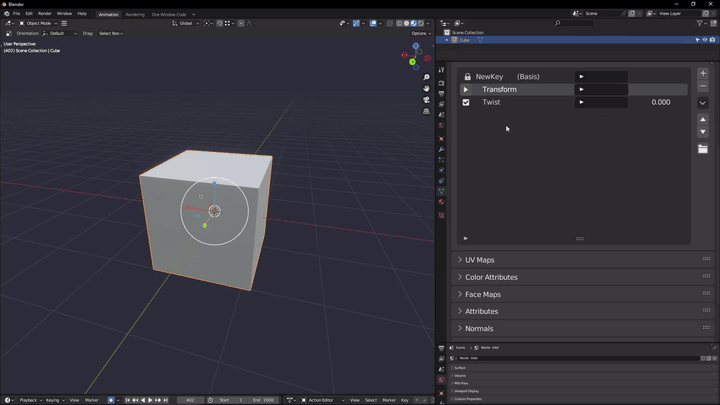
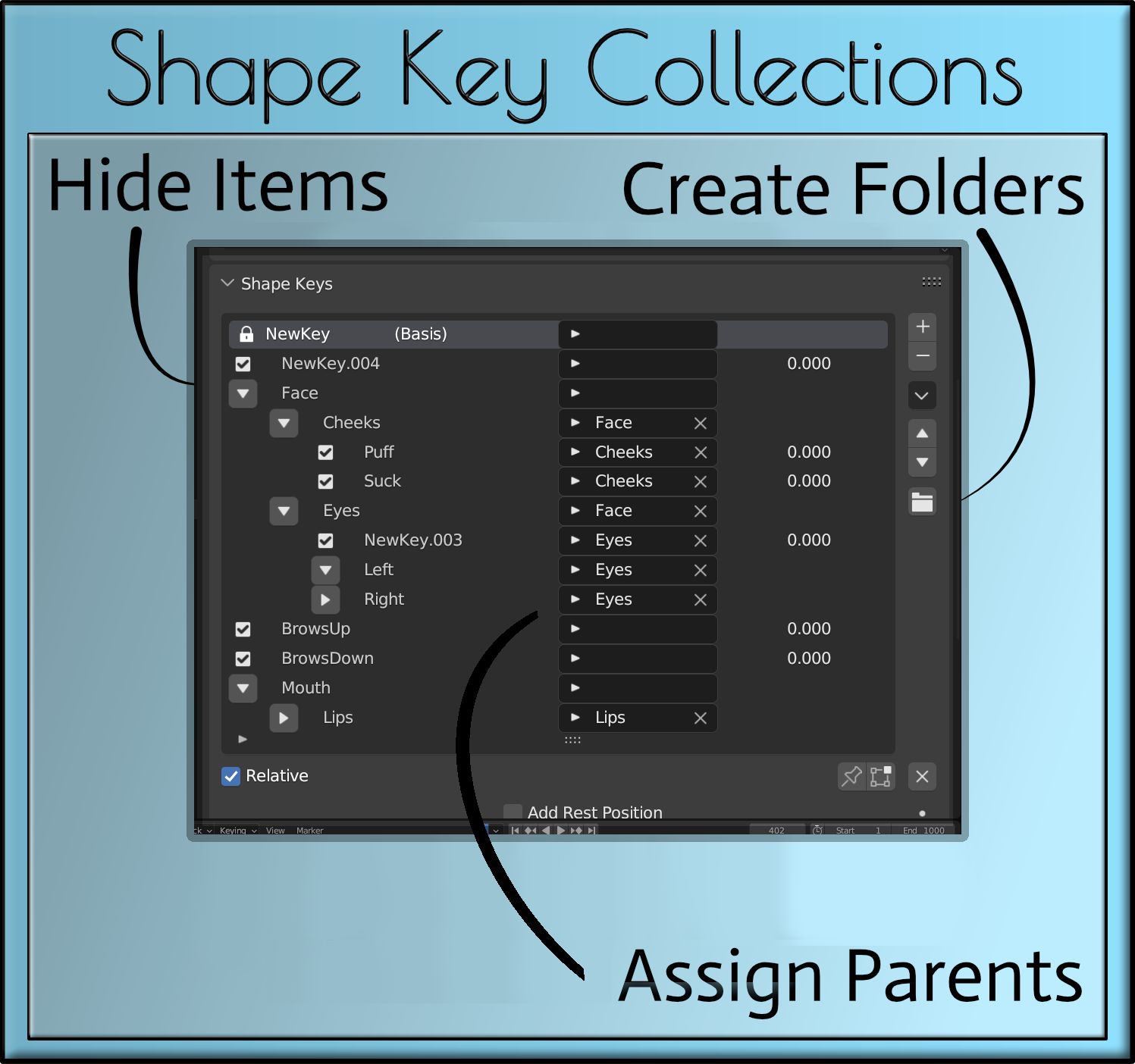
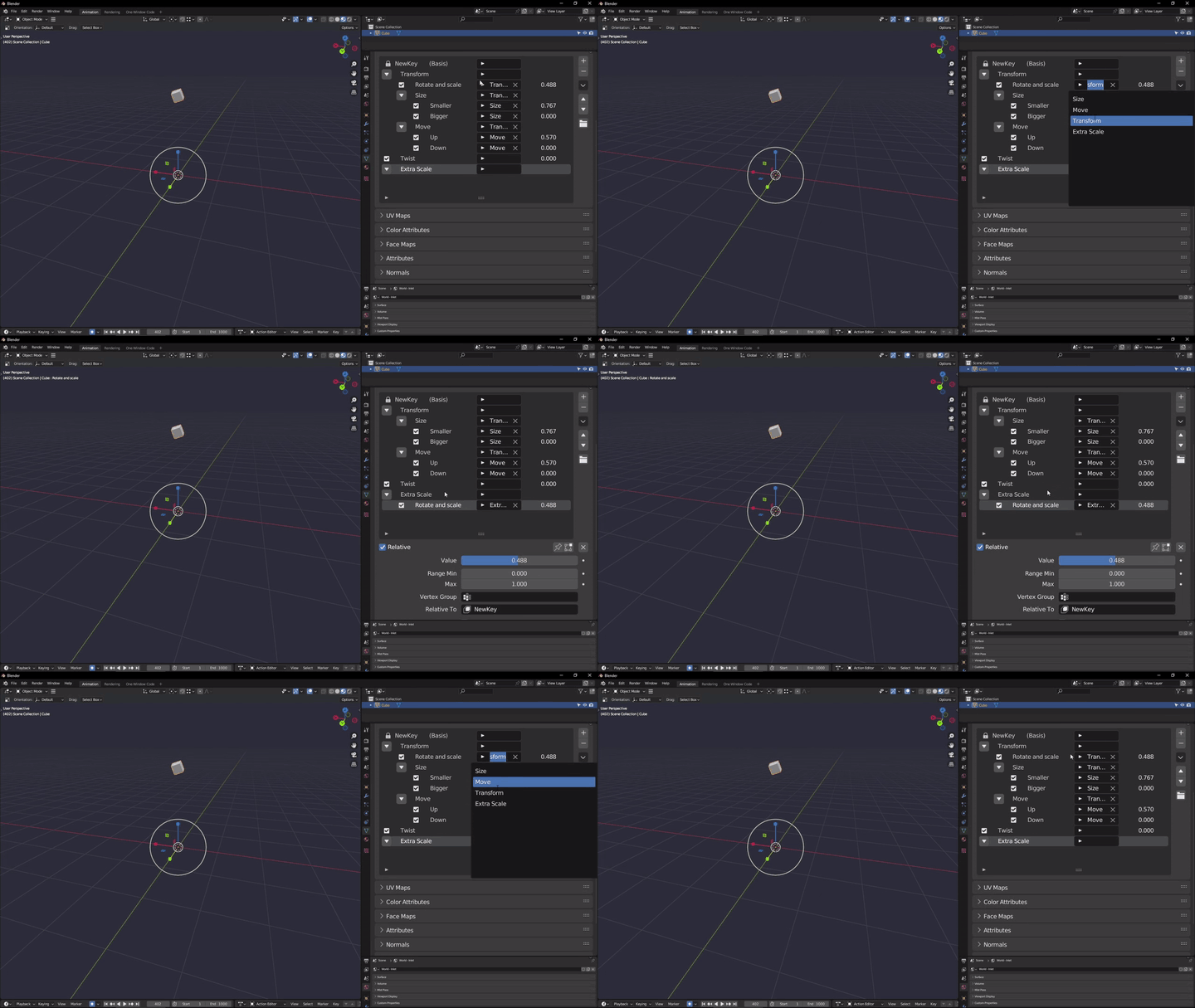
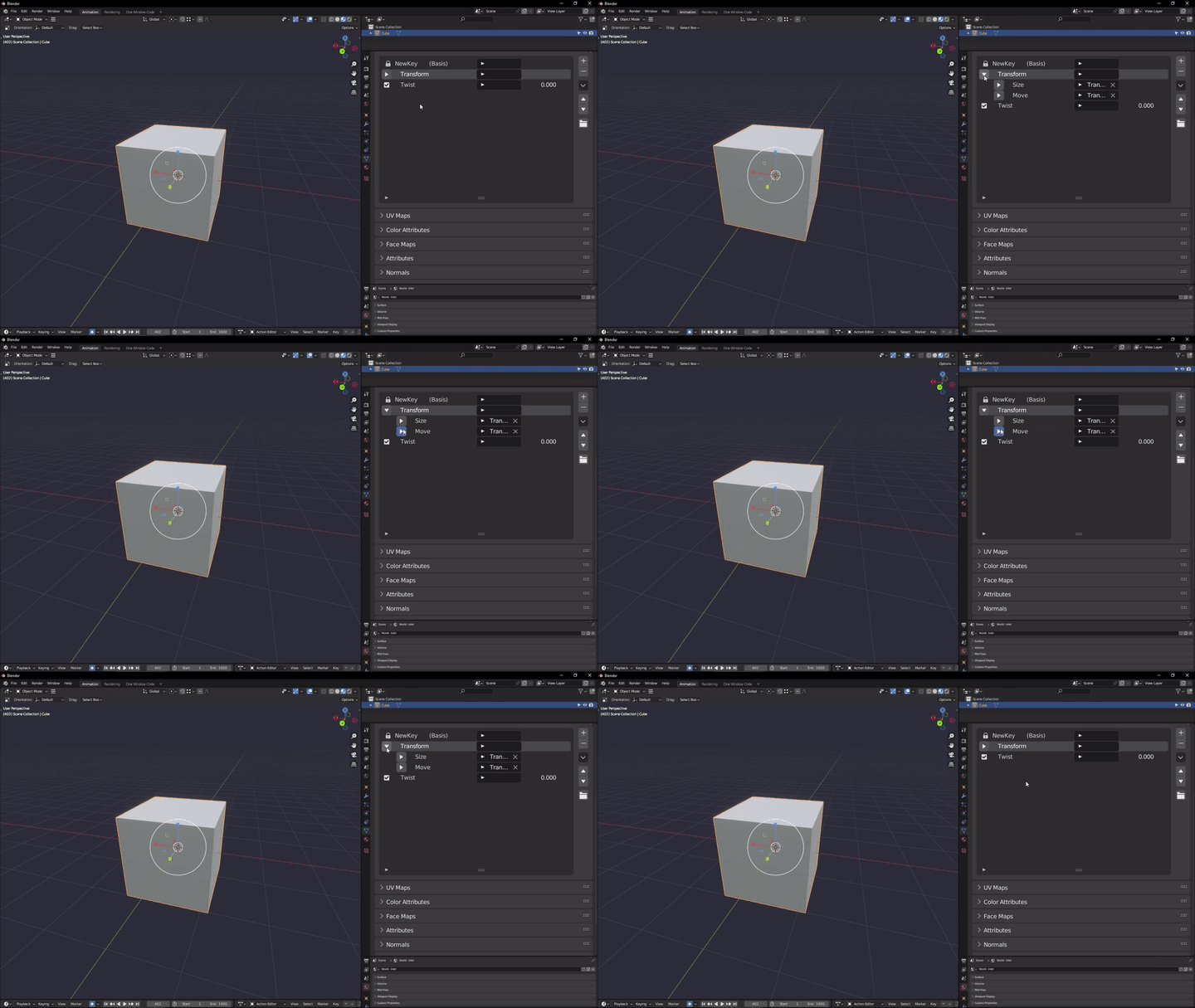
Organizing shape keys used to be a nightmare because you couldn’t give them a folder structure in native Blender.
This is where Shape Key Collections saves the day and allows for full control over your shape keys. Bring structure to the chaos, a folder structure, that is.
With this new management system you can rename and organize which shape keys go in which folder and subfolder, including the benefit of subfolders for full tidiness and ease of use.
The Master Shape Keys addon contains this addon in its full version – https://blendermarket.com/products/master-shape-keys
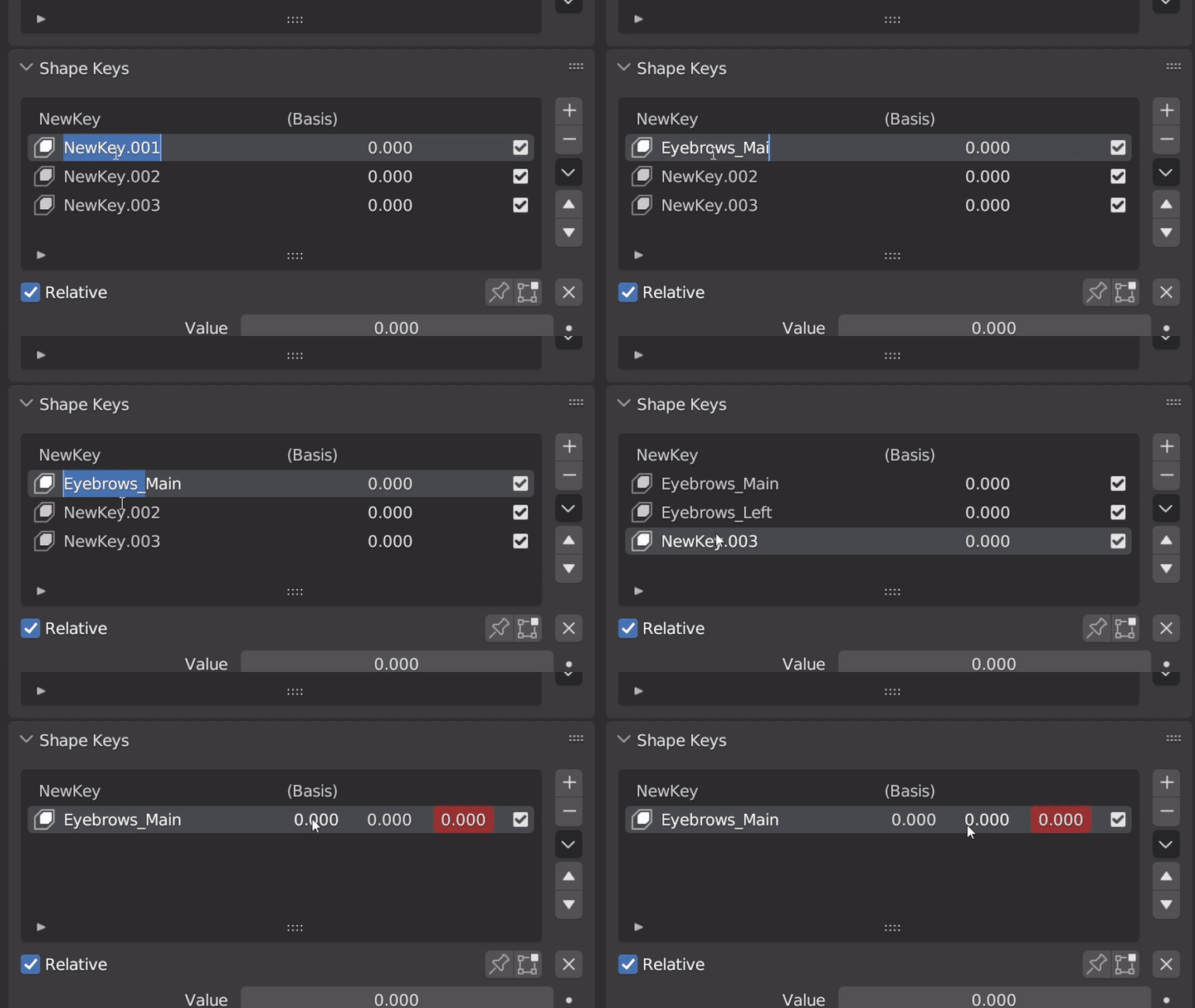
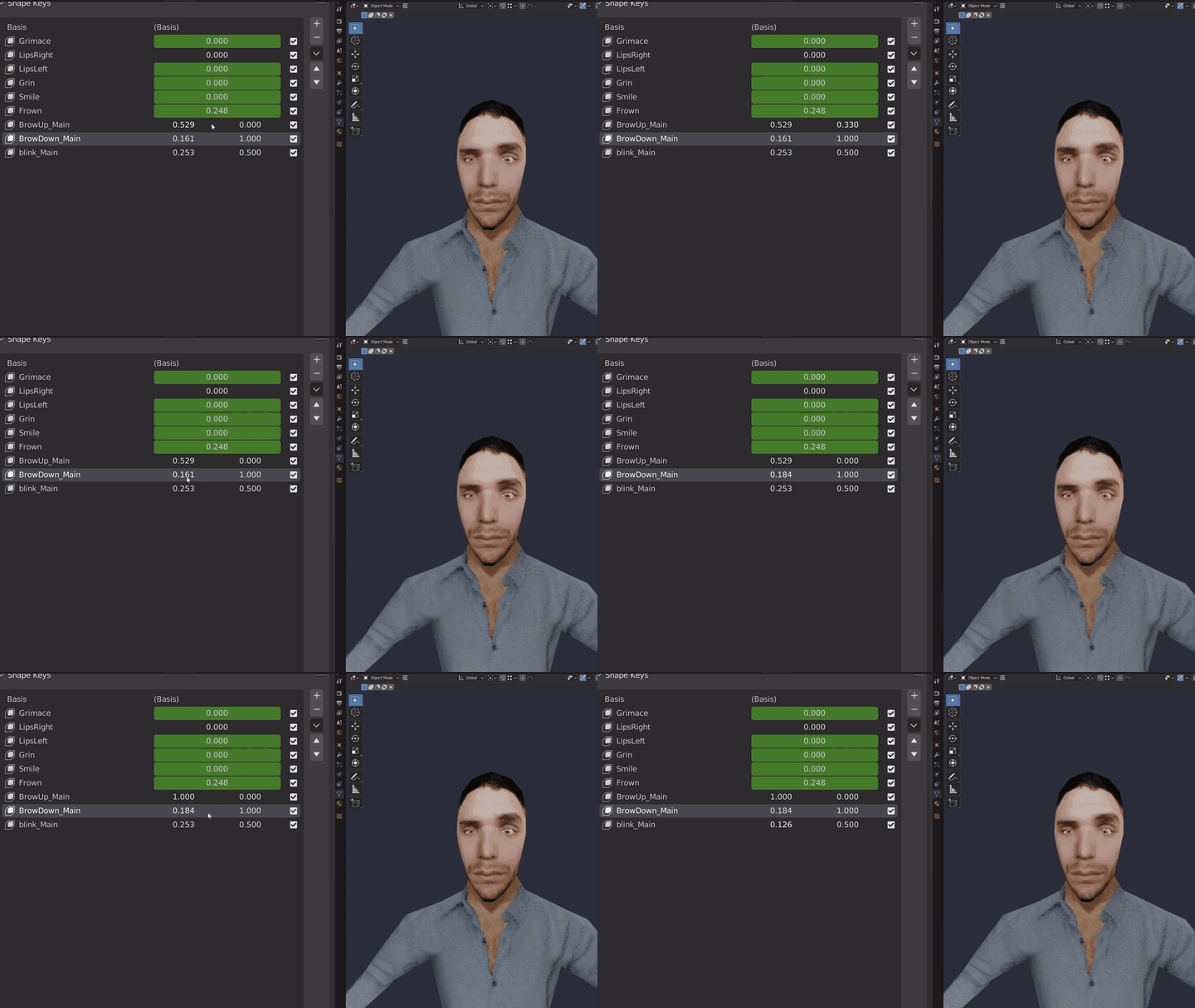
Split Keys
Put together up to three shape keys and display each value in one place. This allows you to group related shape keys for easier management and control over your mesh. An example would be the left and right eyebrow as shape key 1 and 2, while the 3-rd would be both of them together.
Vertex Group Collections – allows for a folder structure for vertex group management – https://blendermarket.com/products/vertex-group-collectionsGrease Pencil Collections – allows for a folder structure for Grease Pencil layers – https://blendermarket.com/products/grease-pencil-collections
CHANGELOGVersion 3.4
- Added Split Keys for additional functionality
- Bugfixes
Version 3.3
- You can now duplicate a folder and its entire shape key contents with the ‘Duplicate’ button in the drop-down menu
Version 3.2
- Fixed selecting a new shape key when removing a shape key
Version 3.1
- Allowed user to add/apply Modifiers shape keys
Version 3.0
- Major code overhaul fixing issues like stability, performance and usability
- Refresh button removed, while fixing the problem of shape keys not showing up on 1-st time install
- Targeting folders now can be directly done in the list, instead of under it
- Working with the UI now feels smoother and accurate
Supercharge your 3D creation workflow with premium selection of Blender Add-ons. Whether you are modeling intricate characters, sculpting realistic environments, or animating cinematic sequences, the right add-on can transform how you work inside Blender. Our curated collection includes powerful tools for UV unwrapping, procedural texture generation, rigging automation, rendering optimization, and more—each rigorously tested for compatibility with the latest Blender versions. Eliminate tedious manual processes and unlock advanced functionality that lets you focus on what matters most: bringing your creative vision to life. Explore our full range of professional Blender plugins today and take your 3D projects to the next level.
➡️ ➡️ For more Blender Plugins 😀 😀
Reviews
There are no reviews yet.