
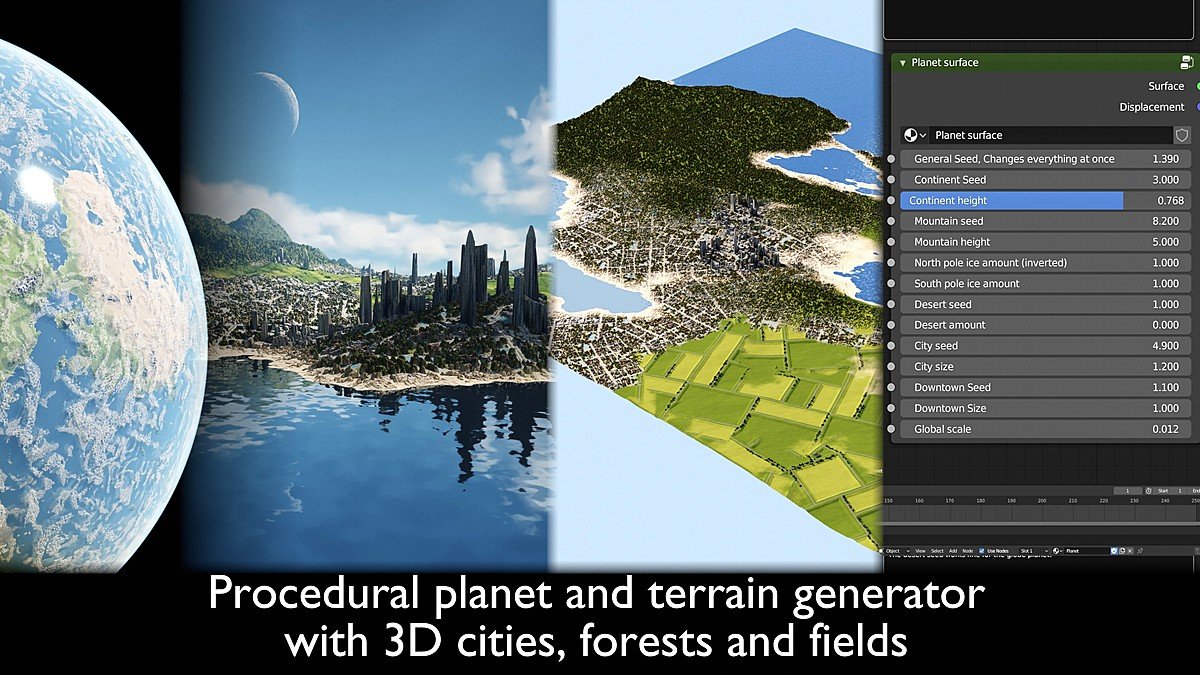
SHC Procedural planet and terrain tool
SHC Procedural Planet and Terrain Tool for Blender
The Ultimate Procedural World Generation System with 3D Cities, Forests, and Fields
Download the SHC Procedural Planet and Terrain Tool today. Consequently, you can generate entire worlds with realistic terrain, volumetric clouds, and detailed 3D cities using a single, powerful procedural system. Because sci-fi artists, game developers, and VFX professionals frequently require convincing planetary environments, having access to a versatile generation tool is absolutely essential. Nevertheless, creating seamless globe planets with diverse biomes, cities, and vegetation from scratch can consume countless hours of production time . Fortunately, the SHC tool completely eliminates this bottleneck. Moreover, it provides a complete procedural solution that works directly within Blender Cycles without requiring any additional plugins or addons . In short, you can create breathtaking worlds—from deep space to surface-level detail—with remarkable speed and flexibility.
Two-in-One System: Planet and Terrain Generators
The core of this tool lies in its dual-file structure, offering both spherical and flat terrain generation. For instance, the package includes two separate .blend files: a procedural globe complete with a moon and Mars in its orbit, and a terrain generator capable of producing square terrain chunks at any scale . Furthermore, both generators use the identical node setup, ensuring consistency whether you are working on a planetary scale or a localized 750km terrain chunk . Since the terrain is generated using procedural noise, every seed produces a unique result, providing endless variation for your projects . Consequently, you can seamlessly transition from space to surface animations without any visible seams or loss of detail .
Comprehensive Terrain Types and Biomes
Professional world-building demands diverse and realistic landscapes. Therefore, this tool includes an extensive library of terrain types and biomes. For example, you can generate continents, islands, mountain ranges, rivers, canyons, rolling hills, and coastal cliffs . Additionally, the system supports a wide variety of biomes including spruce forests, jungles, deserts, snowy regions, red deserts, farm fields, and even detailed 3D cities ranging from mini villages to sprawling 200km metropolitan areas . The city generation includes distinct districts such as suburbs, commercial zones, industrial areas, historic centers, and skyscraper downtowns complete with supertall buildings and parks . Thus, your worlds will feature rich, believable environments suitable for cinematic renders or game backgrounds.
Advanced Atmosphere and Cloud Systems
Atmospheric effects are crucial for convincing planetary renders. Accordingly, this tool includes a procedural volumetric cloud layer that maintains its detail whether viewed from space or the surface . Furthermore, a volumetric atmosphere creates the blue sky visible from the surface, automatically shifting to orange and red hues when the sun is low, producing stunning sunset effects . The night side of the planet features animated city lights visible from space, while the skybox includes stars and the Milky Way for added realism . Consequently, your renders will achieve a professional, cinematic quality with minimal manual setup.
Performance Optimization and System Requirements
Rendering detailed, high-resolution planets requires careful performance management. However, this tool is optimized to maximize detail while minimizing memory usage. For example, the package includes two planet file variations: a single object sphere and a sphere separated into chunks . The chunked version allows you to disable displacement modifiers for surface areas outside the camera view, significantly reducing memory consumption . It is recommended to have at least 8GB of RAM (32GB recommended for 4K renders), and a modern GPU with 6GB of VRAM for optimal Cycles rendering performance . The terrain generator uses adaptive subdivision to create polygons based on viewer distance, ensuring efficient rendering at all scales . Thus, you can achieve stunning results even on modest hardware.
Flexible Customization and Seed Controls
Professional artists require fine-grained control over their procedural results. Therefore, the tool exposes 14 sliders in the shader node that allow complete control over terrain and planet configuration . For instance, you can adjust global seed parameters to randomize the entire world, while also using specific controls for mountain placement, desert locations, and city distribution . The system also allows you to increase or decrease specific biomes—for example, creating a 100% snow or desert planet, or filling entire continents with skyscrapers . Furthermore, advanced users can import custom objects, though the tool uses a 1:1000 scale, so only large-scale objects like space elevators are recommended . Consequently, your creative possibilities are virtually limitless.
Perfect for Sci-Fi Artists and VFX Professionals
This tool is particularly well-suited for sci-fi environment artists creating alien worlds and space backgrounds for film and animation . Similarly, game developers will appreciate the ability to generate expansive, detailed terrain for open-world games . Additionally, motion designers and VFX artists creating cinematic space sequences or planetary fly-bys will find the seamless animations and high-detail renders invaluable . Ultimately, the SHC Procedural Planet and Terrain Tool accelerates your entire world-building and visualization pipeline.
Important Limitations and Considerations
To ensure the best experience, several important limitations should be noted. For instance, this tool is designed exclusively for the Cycles render engine and is not recommended for use with Eevee, as displacement will not function correctly . Furthermore, the desert seed setting is disabled in the terrain generator due to shading bugs, though the desert amount control still works fine . The global seed should be set between -5 and 5, as values outside this range may introduce glitches . Finally, extremely high-resolution renders with a high focal length may require significant RAM due to the adaptive subdivision system . Therefore, careful scene planning and understanding these constraints will help you achieve optimal results.
Installation and Usage Guide
The installation process is refreshingly simple. First, download the .blend file from your library. Next, open Blender and navigate to File > Open to load the planet or terrain generator file . Since this is not a plugin but a complete project file, no installation through Blender’s Preferences is necessary . Finally, access the shader node parameters in the Shader Editor to begin customizing your world, adjusting seed values, biome distributions, and terrain height to achieve your desired result . Thus, your professional world-building workflow will be ready instantly.
What is Included Inside?
The pack contains the complete SHC Procedural Planet and Terrain Generator system . Furthermore, it includes both the spherical planet and flat terrain generator files, a procedural volumetric atmosphere and cloud system, and detailed 3D city and vegetation textures . Additionally, you receive a stylized map to help locate biomes and cities, an instructional video guide, and a closeup water object to fix visible errors near the water surface . Ultimately, you receive everything needed for professional procedural world generation.
Final Thoughts on the Tool
Effortless procedural world generation evokes profound creative freedom. Therefore, this tool provides the ultimate foundation for your sci-fi and environmental projects. You can generate entire planets with diverse biomes and 3D cities with unprecedented ease. Consequently, your world-building vision becomes a stunning reality.
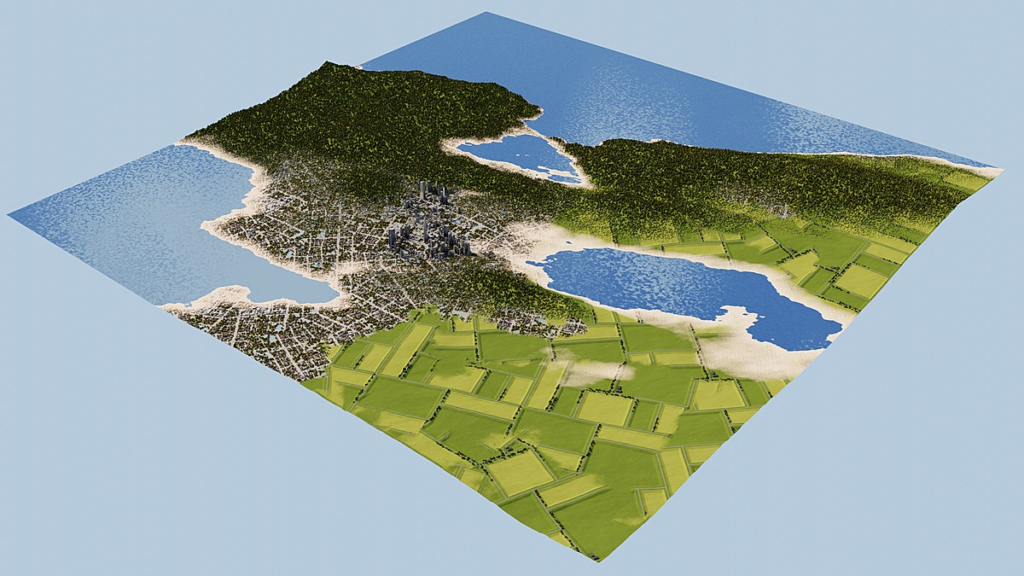
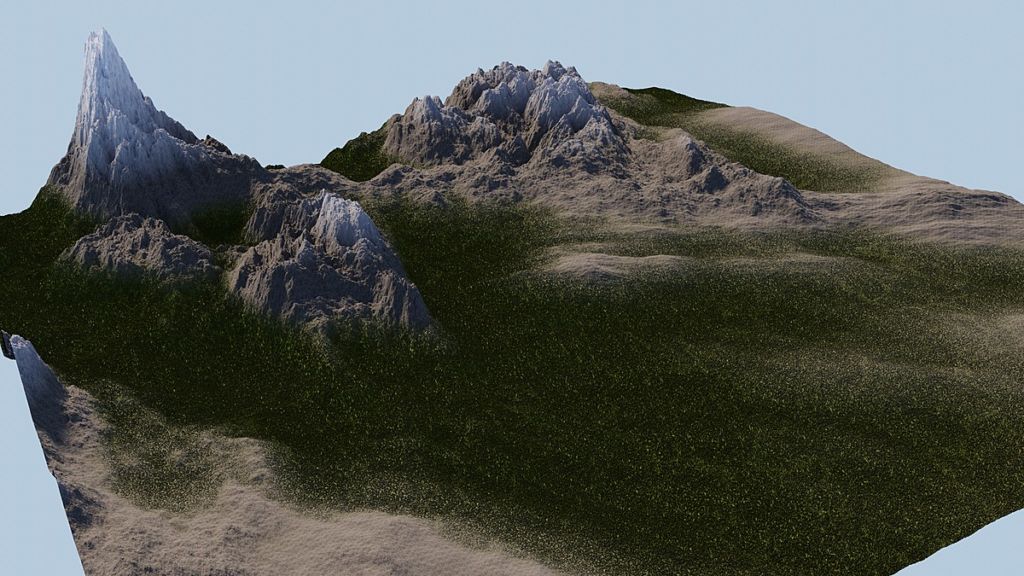
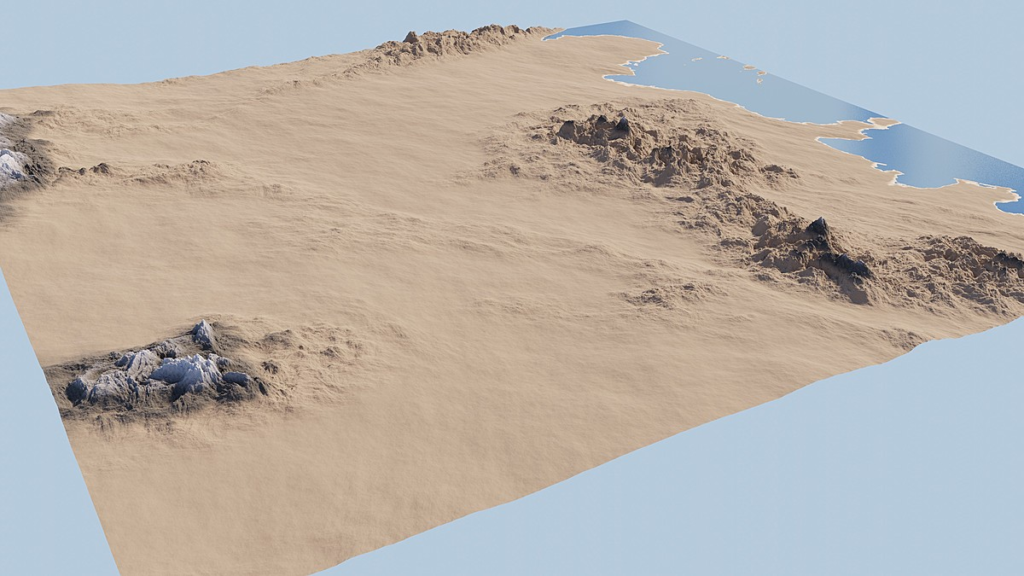
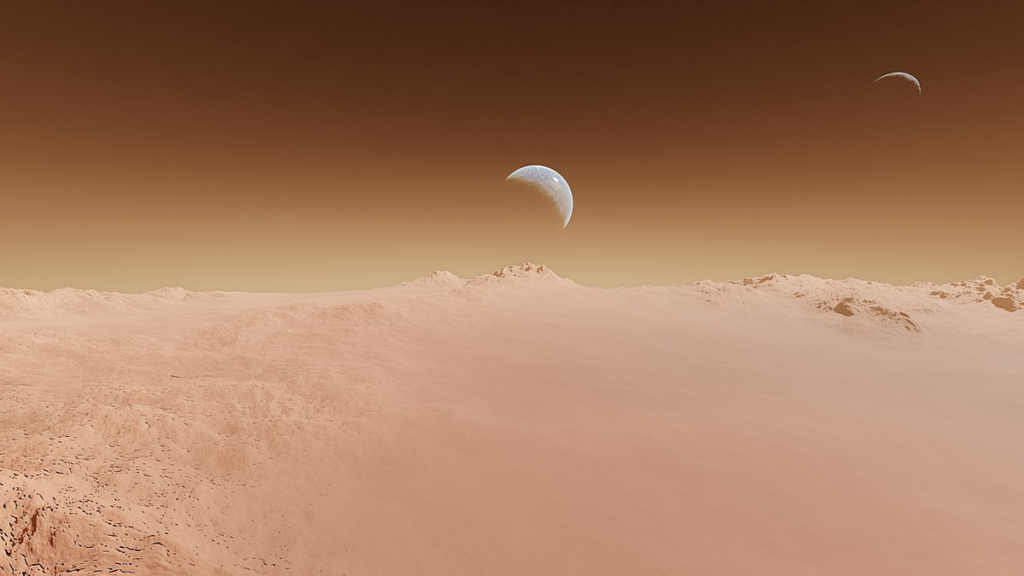
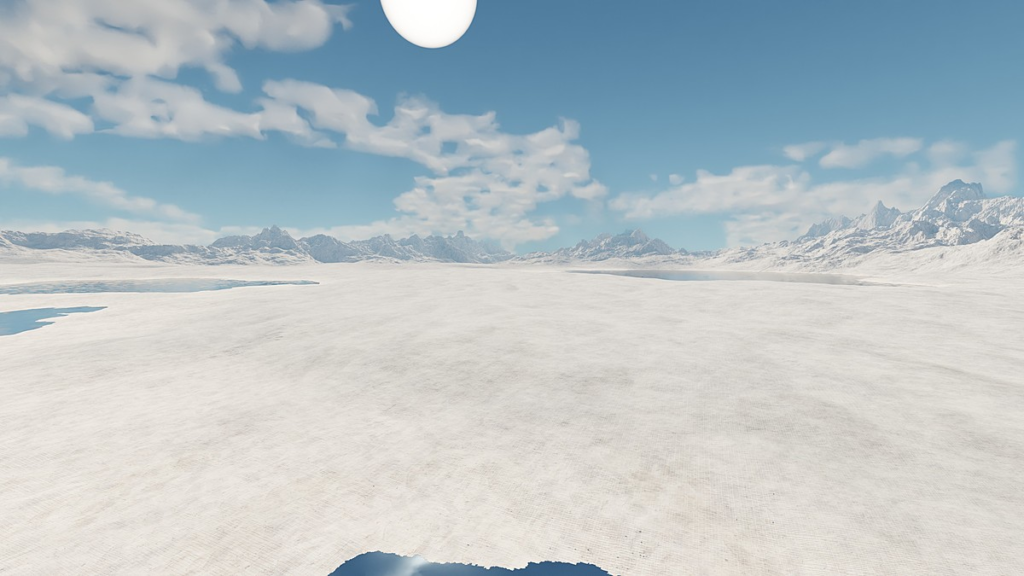
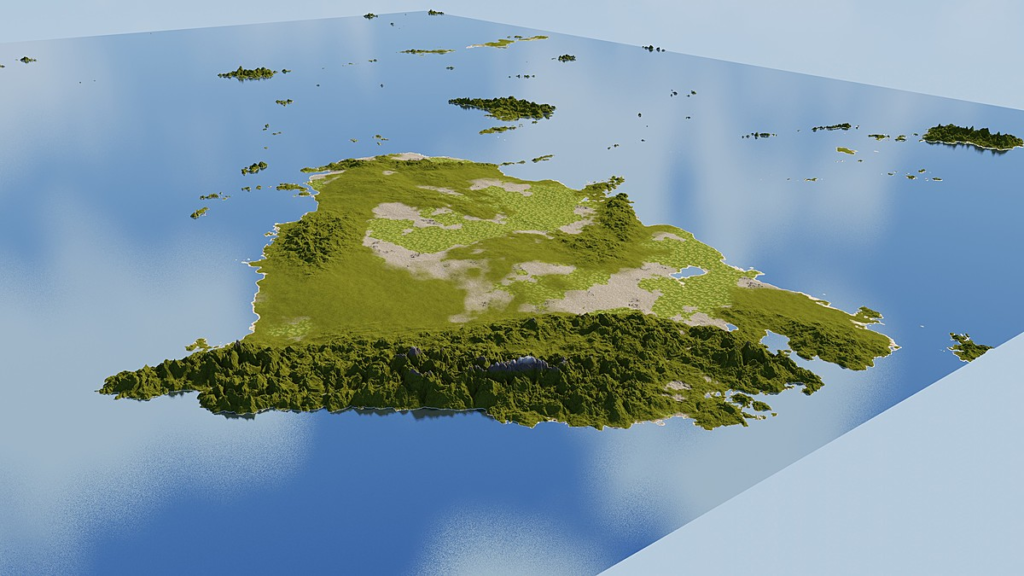
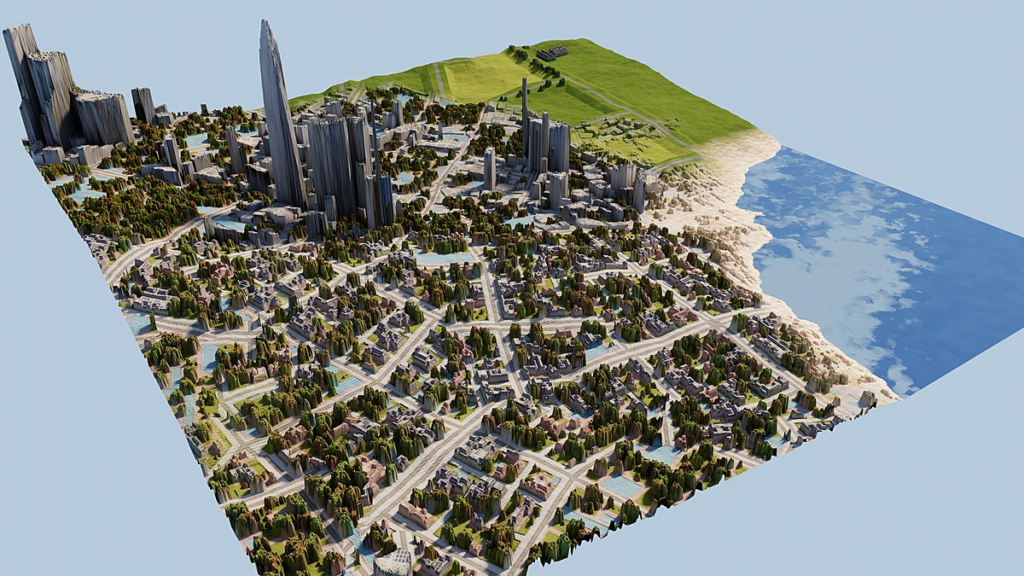
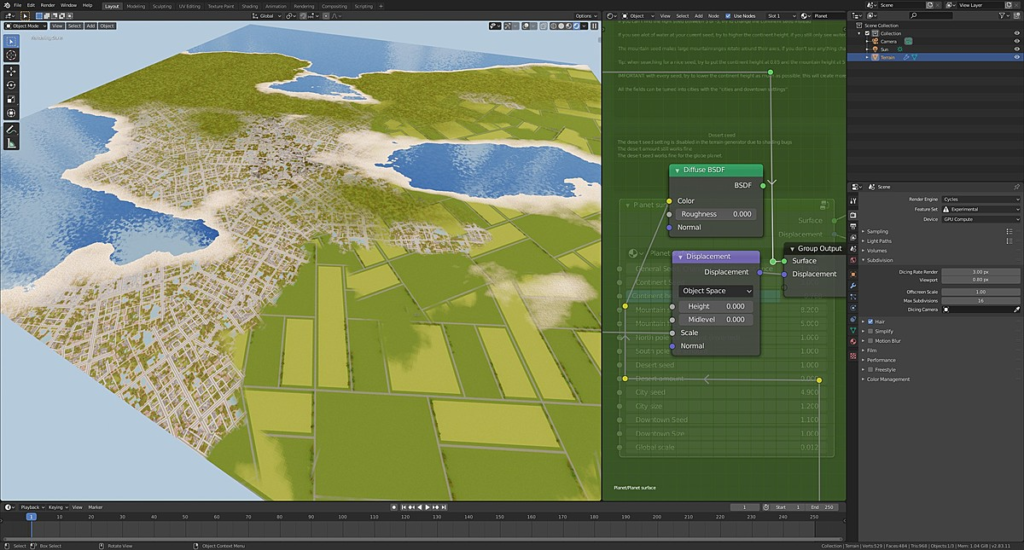
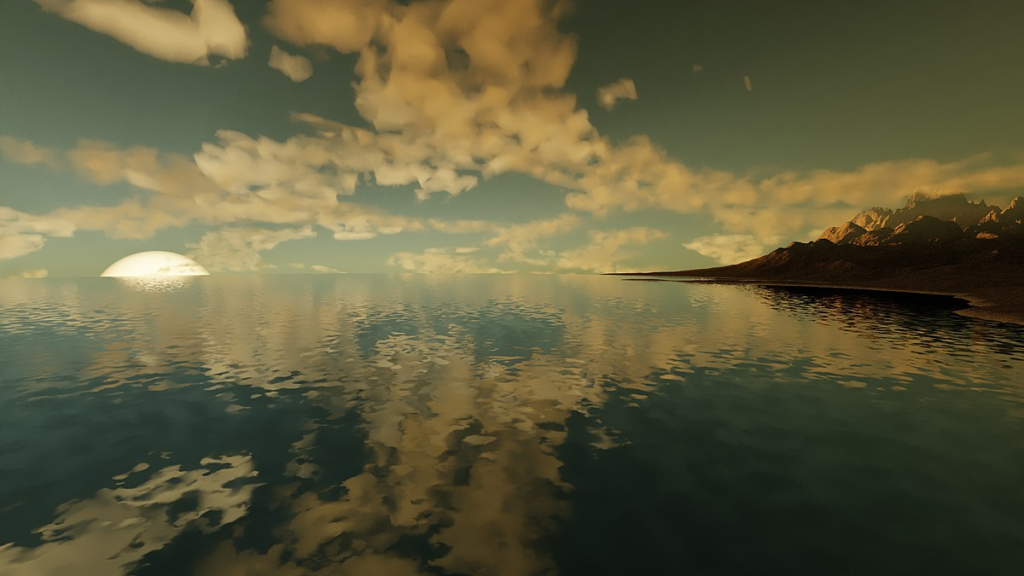
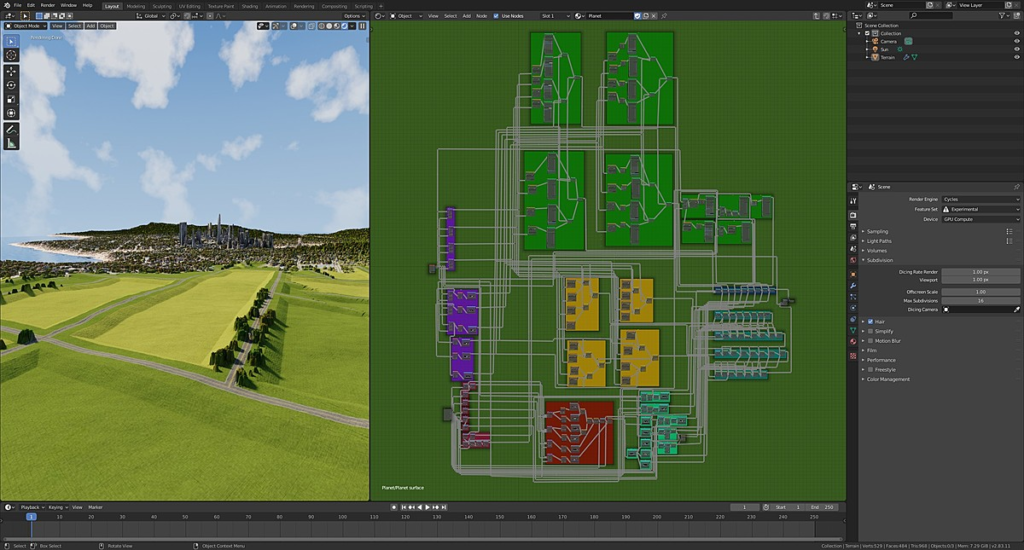
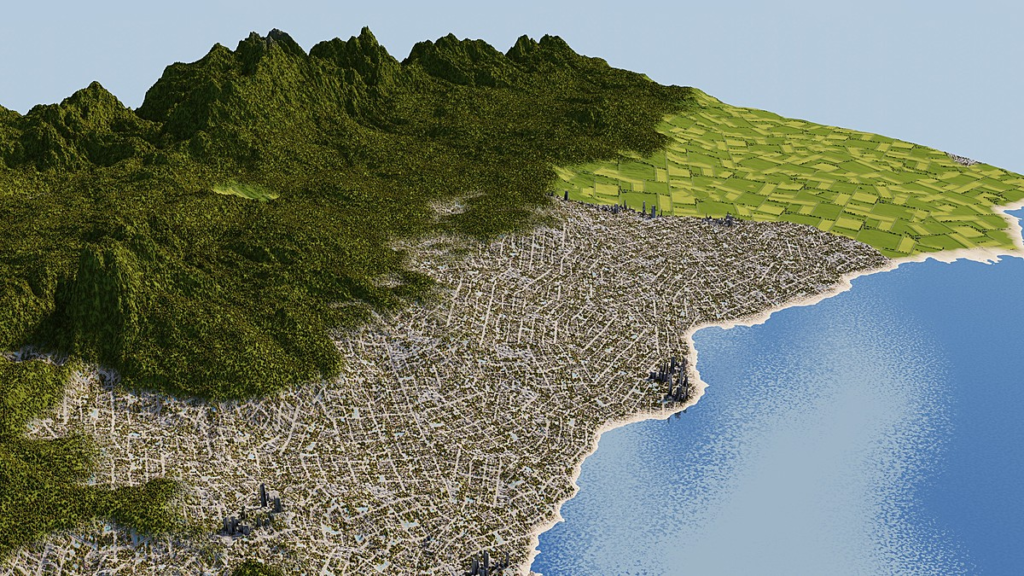
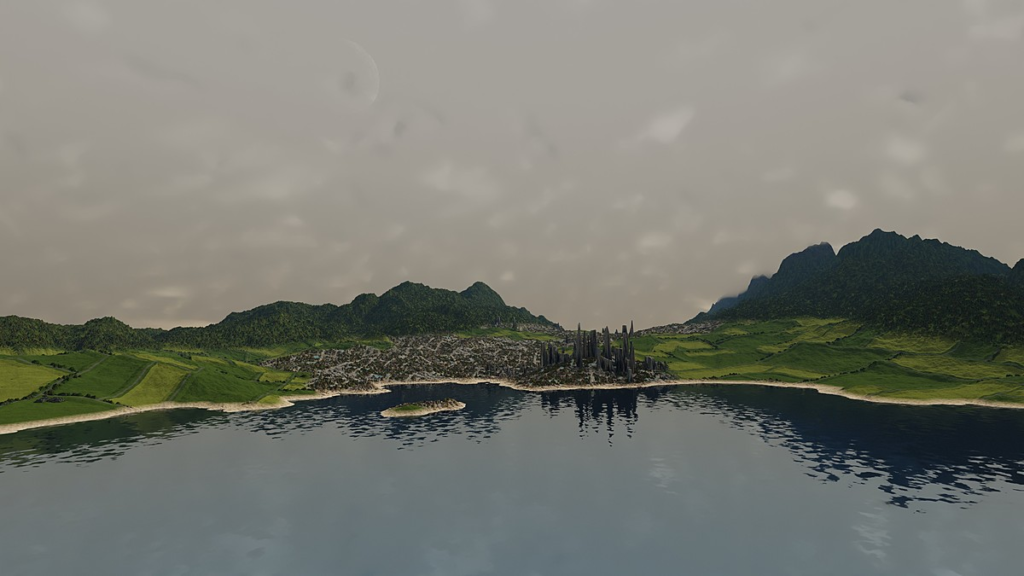
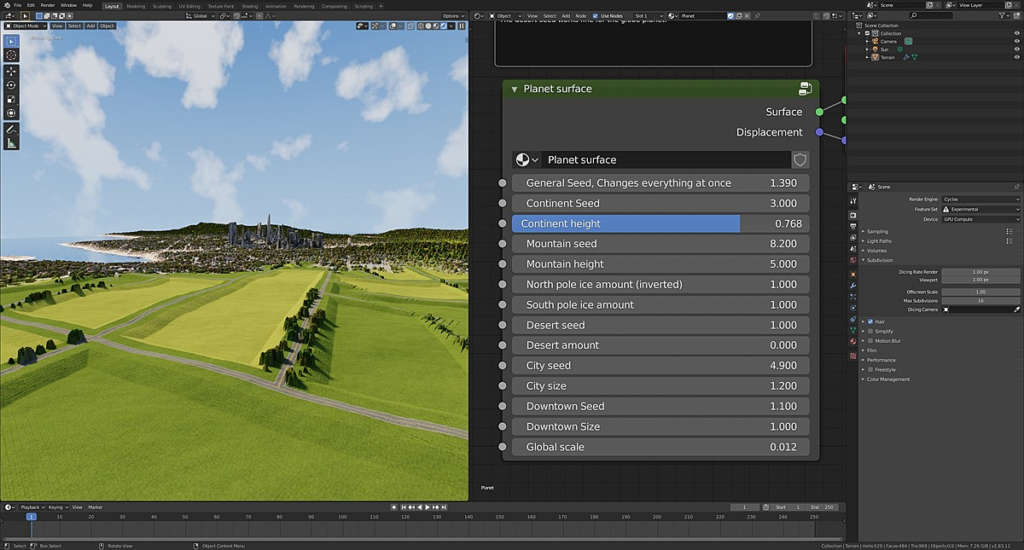
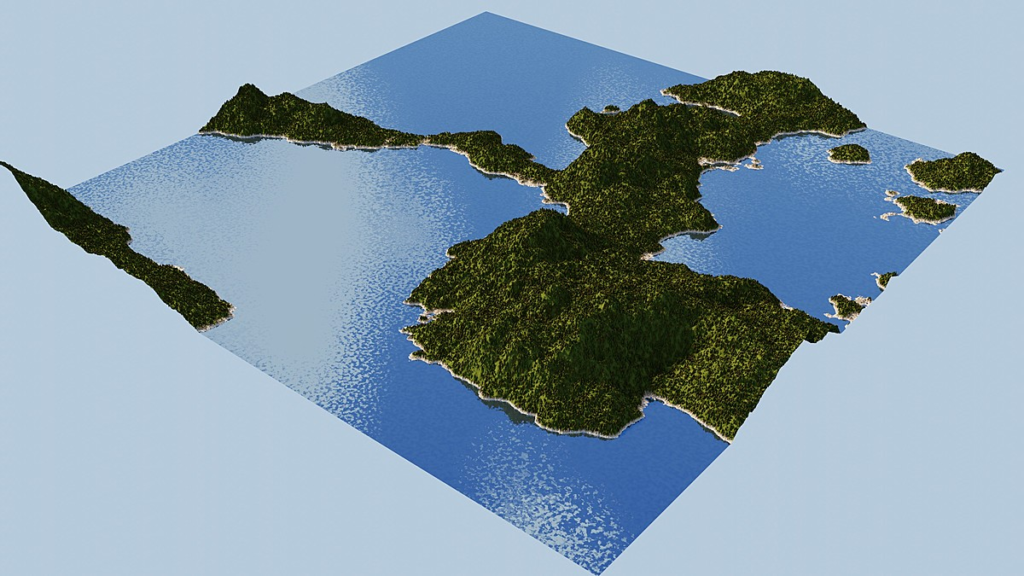
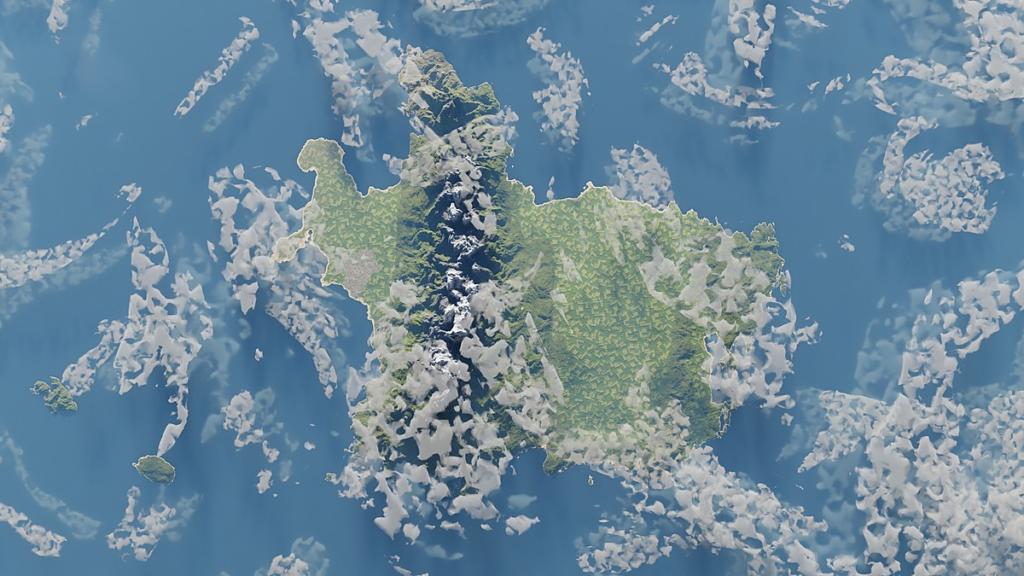
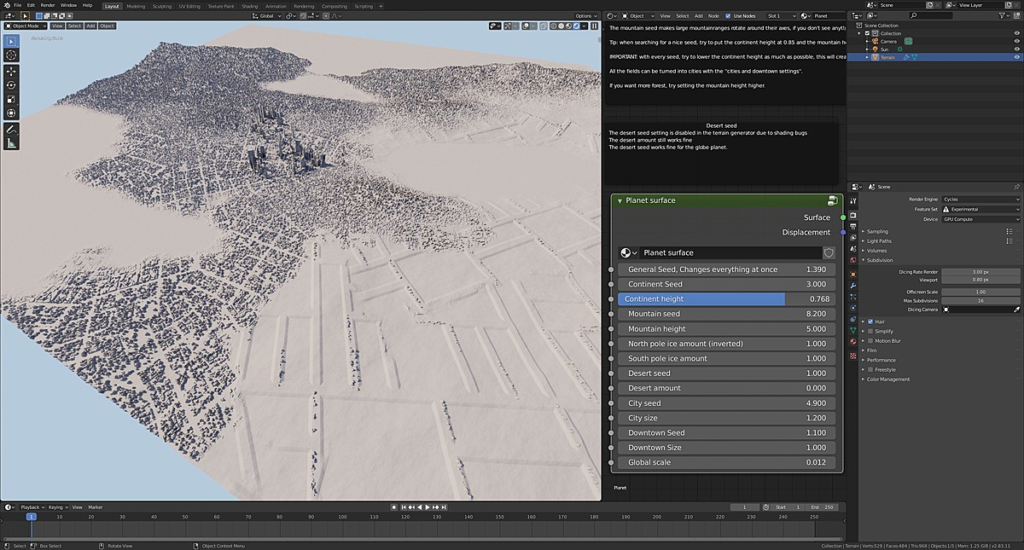
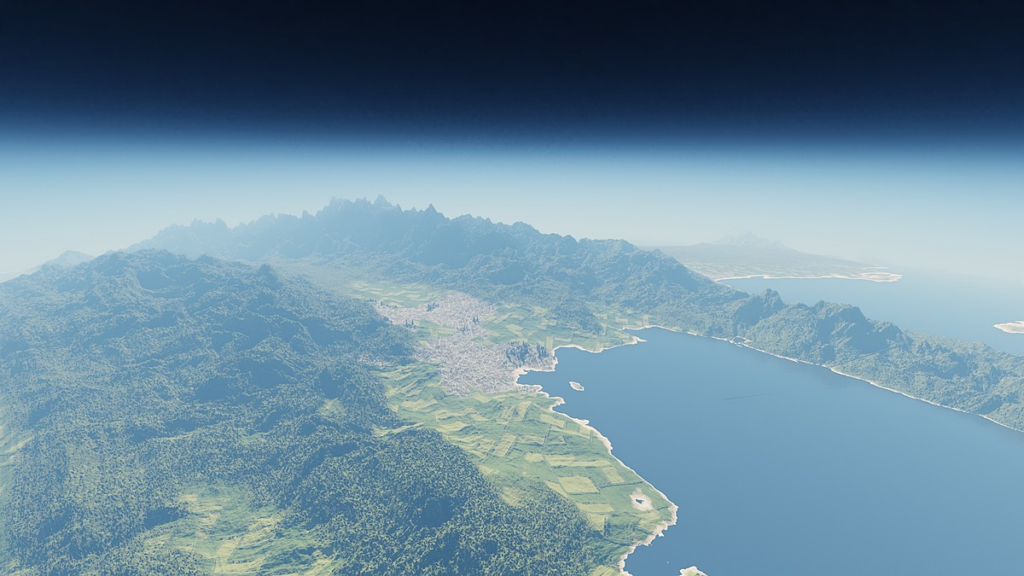
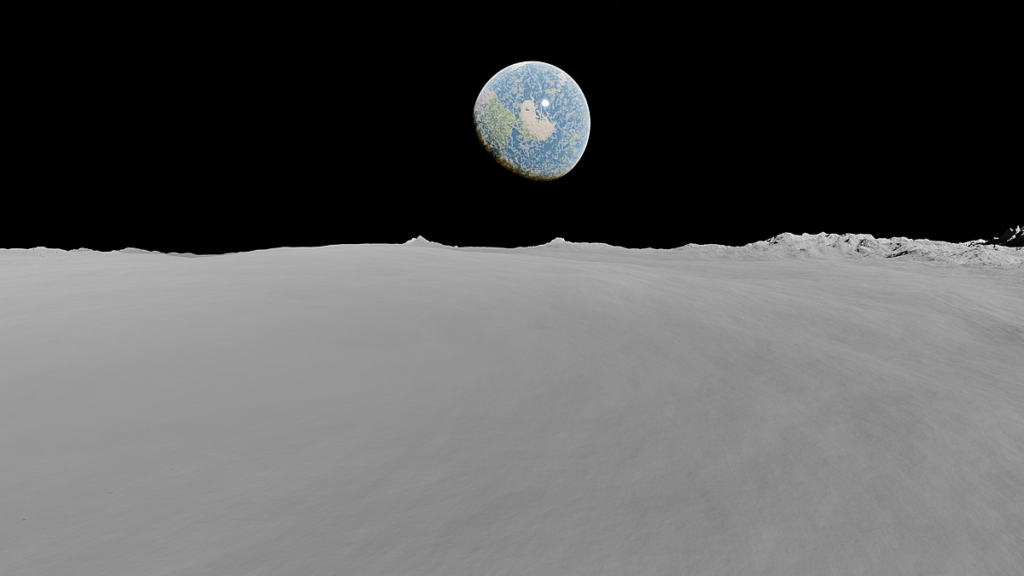
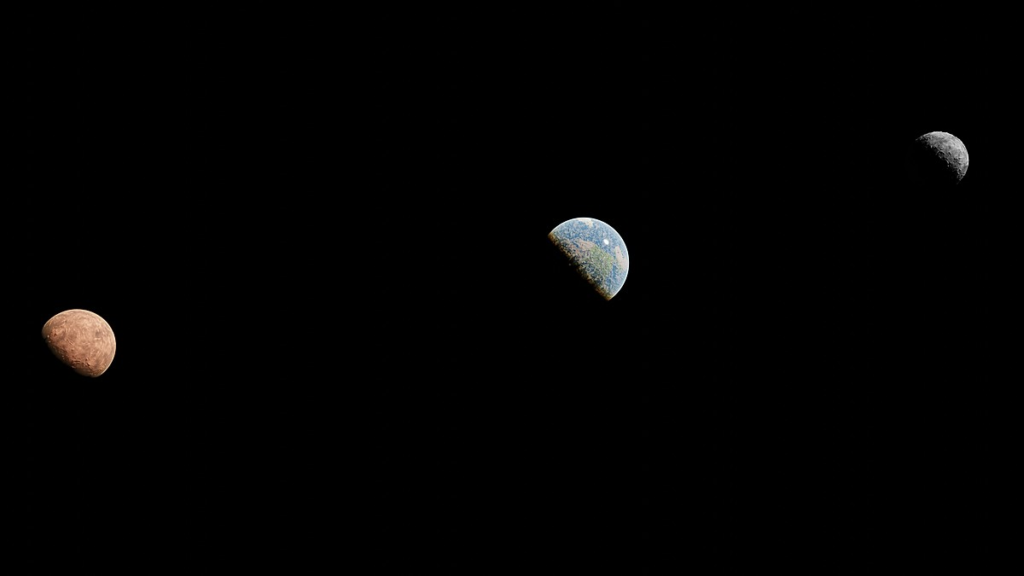
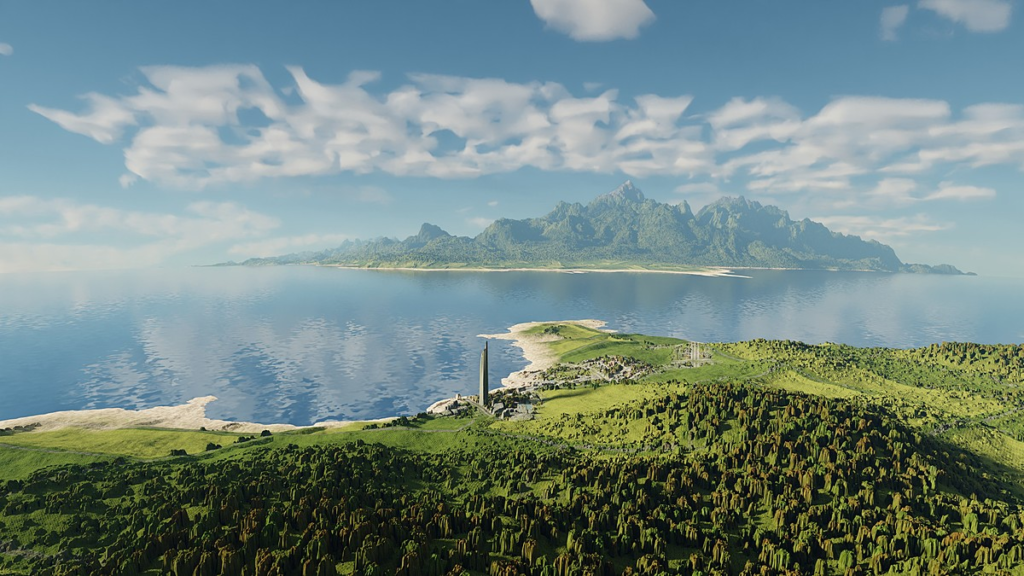
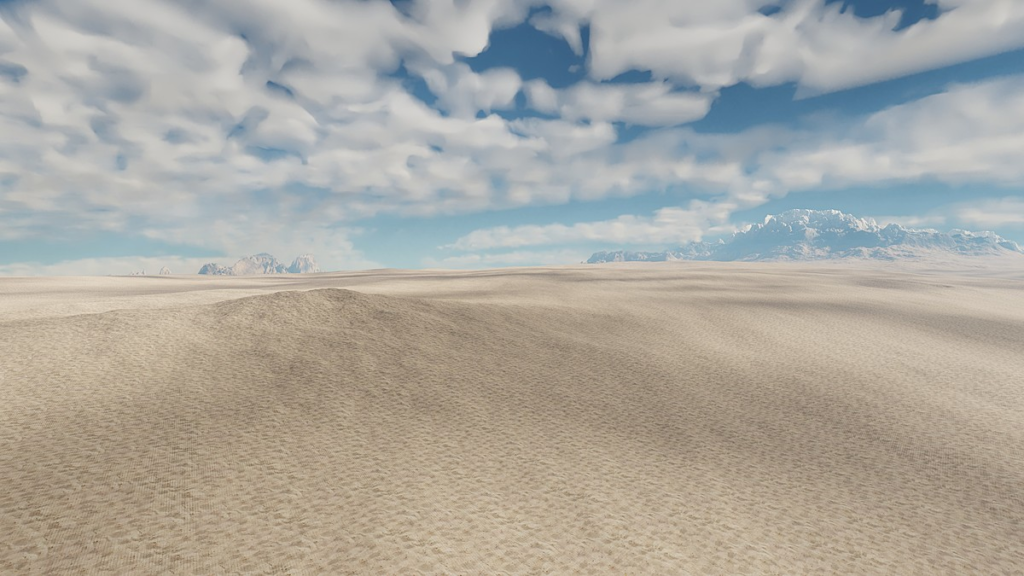
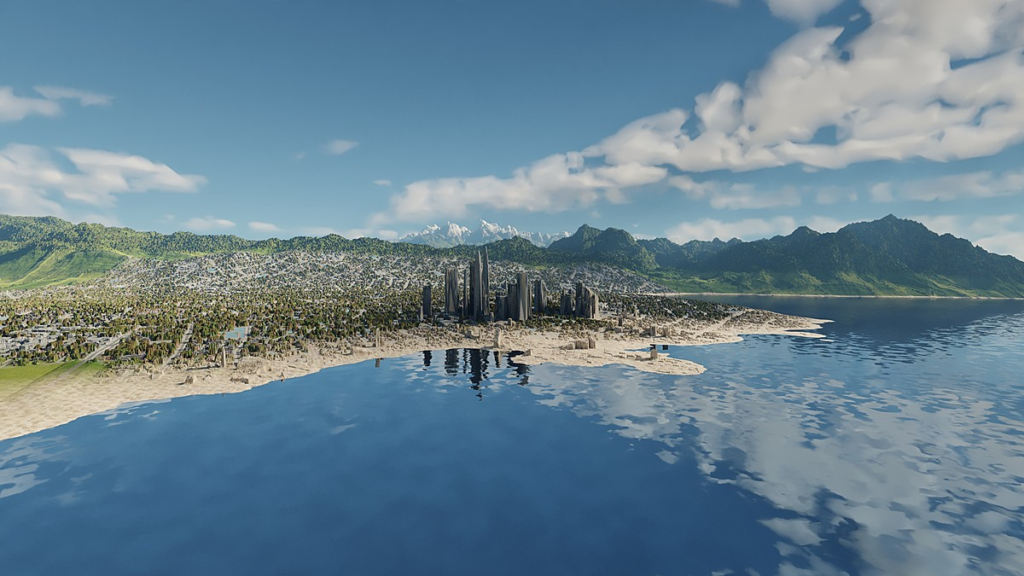
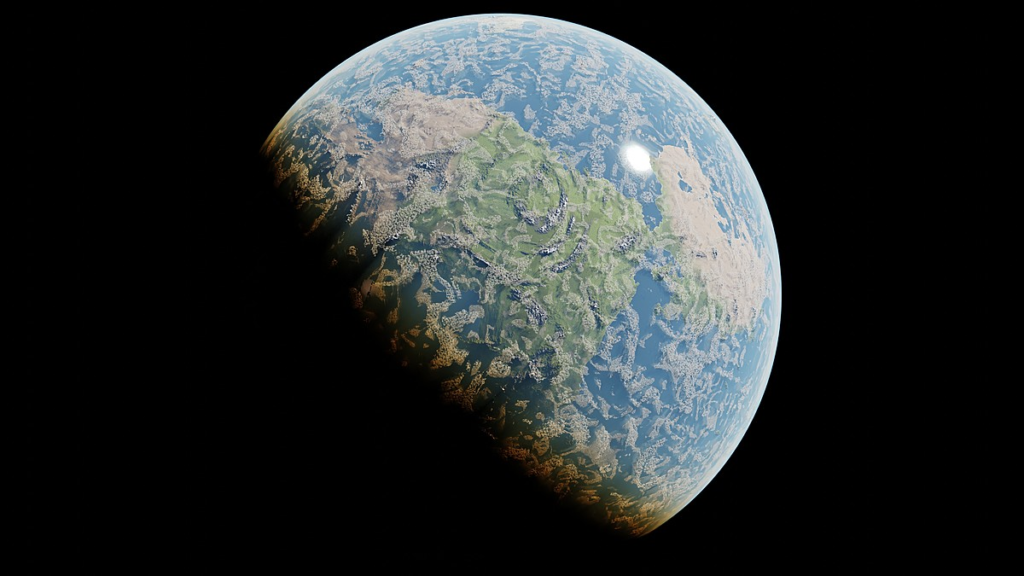
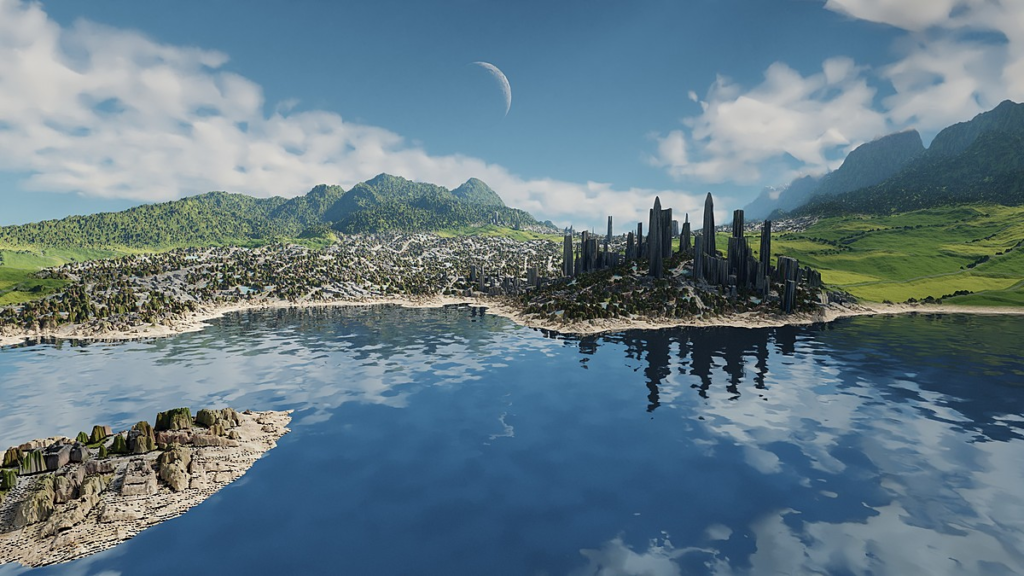
This is a procedural planet and terrain generation tool for blender! (developed on blender 2.83.11)
Down below is a instruction discription thats also added as a note in the files.
All images that don’t show a flat square plane are actually made on the round planet inside the atmosphere.
This tool comes with 2 blend files:
- A procedural globe with a moon and mars in it’s orbit.
- A terrain generator that is able to generate a square part of terrain in any scale.
It is able to randomly generate a seamless globe planet with continents, mountain ranges, deserts, snowy poles and actual 3D cities, forests and farm fields.
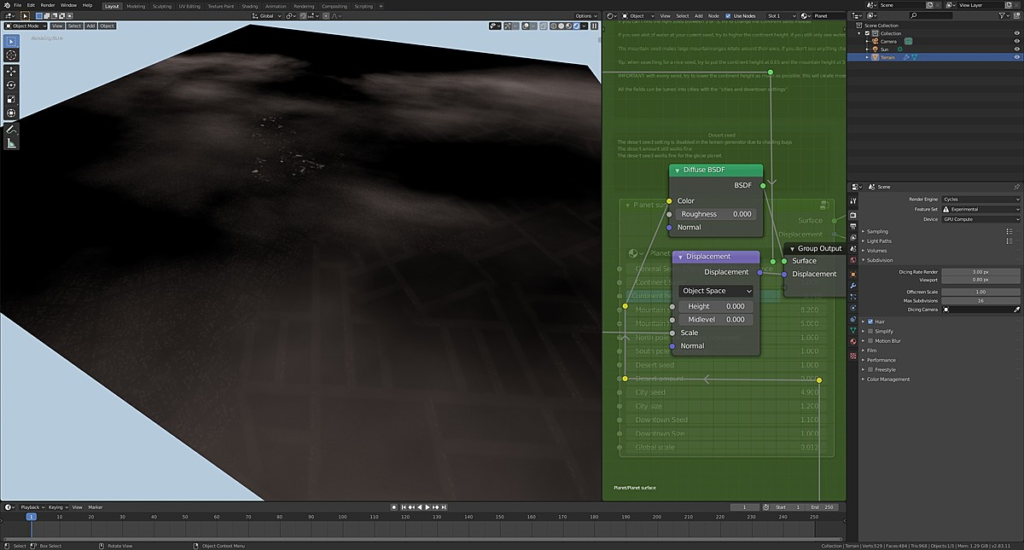
Its using a shader node that has 14 sliders to completely set up the scale and type of terrain or planet.
Both the planet and terrain generator use the same node setup
The terrains are generated using a procedural black and white displacement map, mixed shaders and adaptive displacement to create the polygons needed to create the required detail.
This tool is generating terrain using procedural noise, so you get a random result for every seed.
The location and shape of cities and forests are based on procedural noise aswell, but the skyscrapers, residential area, forests and farmfields are displayed using jpeg textures and displacement.
These textures and displacements are made with the assets from my modular city project.
the jpeg textures for the skyscrapers, residential area, forests and farmfields use several randomly mixed vectors to remove tiling effects and give the whole result a more organic look.
The atmosphere of the planet is a volume that creates the blue sky for renders from the surface and automaticly gets red when the sun is low.
The clouds are on 2 layers and use a procedural volumectric setup aswell
This tool can be used for:
- High altitude renders (for airplanes for example)
- Creating terrain for backgrounds
- Seamless animations that go from low altitude into space
- outer space renders
- HDRI creation
- baking a terrain displacement map (the displacement output has to be connected to the diffuse output and you would need to create a 2nd UVmap to bake it on).
The images are orginally 4K renders took about 15 to 20 minutes on a RTX2070 for the planet (the flat texture generator renders are much quicker)
The video features 1080p 32 sample frames that took about 1 minute and 40 seconds per frame
The images that orginally are 4K are possible on a system with 16GB ram
_____________________________________________________
Instructions (also in files folder)
–These instructions are mainly for the flat terrain generator, but also apply to the spherical planet.–
You won’t need any plugins, it runs on default blender. the files are developed on Blender 2.83.11
This tool only works with Cycles.
Using eevee isn’t recommended, the displacement won’t work and you get alot of lag because of the complex node setup.
_______________
With default settings (for 1920×1080 renders) the planet and the terrain generator use about 5gb of ram for a render
-Using a higher focal length for the camera uses more ram (since terrain thats far away appears larger and will get more geometry by the adaptive subdivision)
-Using a higher resolution for renders will use more ram (since the adaptive subdivision is based on the amount of pixels)
-Using a lower dicing rate for the subdivision will use more ram (since the dicing rate determines how much geometry each pixel will get)
________________
The desert seed setting is disabled in the terrain generator due to shading bugs
The desert amount still works fine
The desert seed works fine for the globe planet.
________________
The terrain generator uses adaptive subdivision by default. it creates polygons based on the distance of the viewer, if the scene’s details appears to be too low, try to get out of the rendered viewport and intialise the rendered viewport again.
Supercharge your 3D creation workflow with premium selection of Blender Add-ons. Whether you are modeling intricate characters, sculpting realistic environments, or animating cinematic sequences, the right add-on can transform how you work inside Blender. Our curated collection includes powerful tools for UV unwrapping, procedural texture generation, rigging automation, rendering optimization, and more—each rigorously tested for compatibility with the latest Blender versions. Eliminate tedious manual processes and unlock advanced functionality that lets you focus on what matters most: bringing your creative vision to life. Explore our full range of professional Blender plugins today and take your 3D projects to the next level.
➡️ ➡️ For more Blender Plugins 😀 😀
Reviews
There are no reviews yet.