
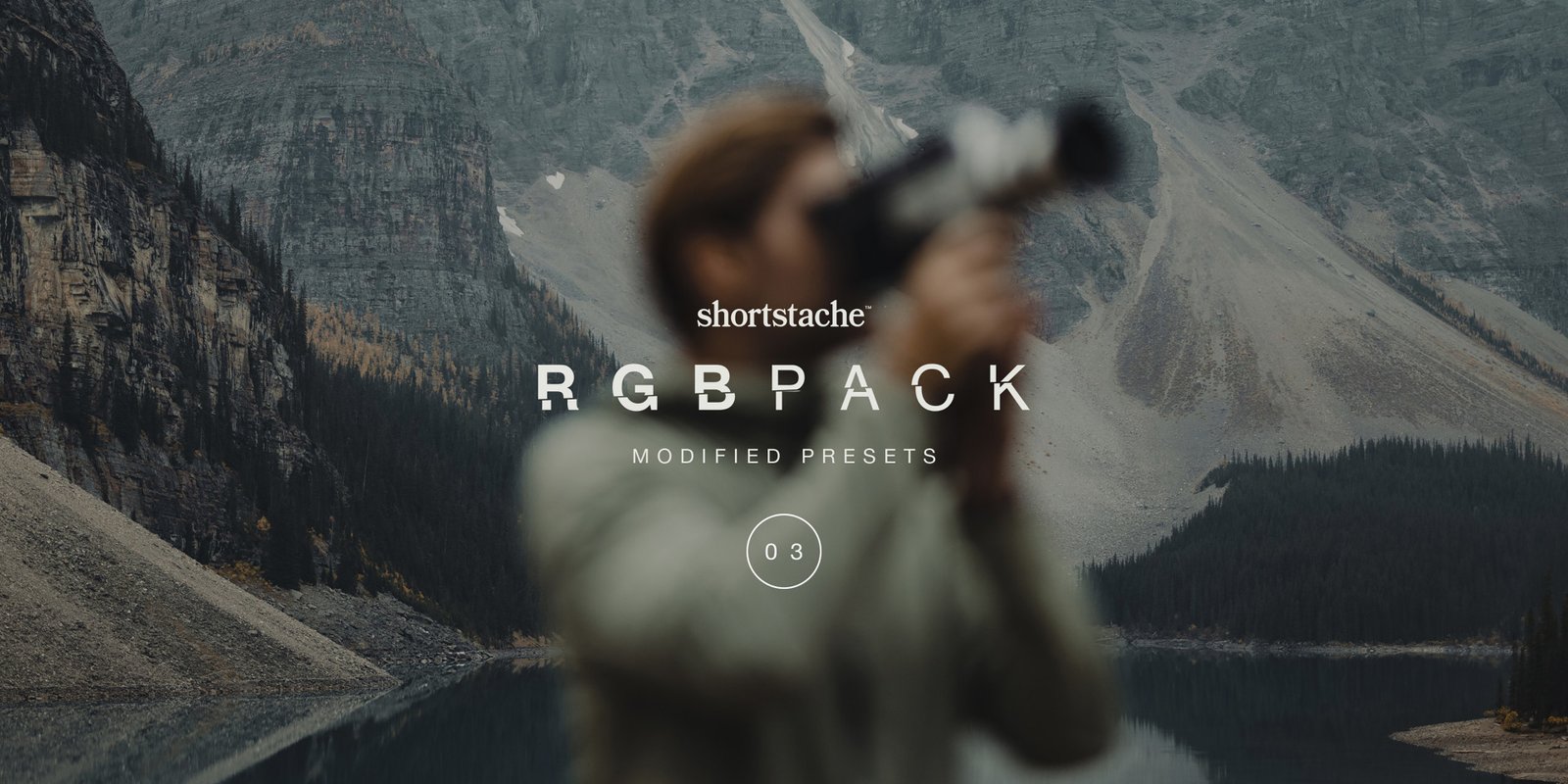
Shortstache RGB
Shortstache RGB for Photoshop – The Ultimate Color Grading, LUT & Digital Color Science Toolkit
Download Shortstache RGB for Adobe Photoshop, a premium, professionally curated color grading suite designed by the renowned digital artist Shortstache. This comprehensive toolkit brings the precision of cinematic color science and the creativity of modern digital art into a seamless, non-destructive Photoshop workflow. Whether you are color grading photo manipulations, enhancing 3D renders, or creating vibrant digital art, Shortstache RGB provides the exact color presets, LUTs (Look-Up Tables), and grading tools you need to achieve that signature, eye-catching aesthetic.
Key Features of Shortstache RGB:
- Signature Color Grading Presets: Instantly apply Shortstache’s iconic color styles, including Vibrant Pop, Moody Cinematic, Neon Noir, Pastel Dream, High-Contrast Edgy, and Warm Vintage. Each preset is built on non-destructive Adjustment Layers for complete creative control.
- Professional-Grade LUT Library: Over 100+ custom
.CUBELUTs meticulously crafted for different moods, genres, and lighting conditions. Includes specialized LUTs for daylight, tungsten, mixed lighting, underwater, sci-fi, fantasy, and retro film aesthetics. - RGB Channel Mixer Presets: Advanced channel mixing tools that allow you to independently adjust the Red, Green, and Blue channels for precise color separation, cross-processing effects, and unique color grading that goes beyond simple hue/saturation adjustments.
- Color Harmony & Palette Generator: Built-in tools to instantly generate complementary, analogous, triadic, and split-complementary color palettes based on your image’s dominant colors, ensuring perfect color harmony in every composition.
- Selective Color Grading Masks: Pre-configured actions that automatically create luminosity masks, color range selections, and frequency-based masks, allowing you to apply different color grades to highlights, midtones, and shadows independently.
- HSL & Curves Power Panel: A custom Photoshop panel that gives you one-click access to advanced Hue/Saturation/Lightness adjustments and RGB Curves presets, streamlining the color grading workflow for speed and precision.
- Non-Destructive Smart Object Workflow: Every preset, LUT, and action is designed to work within Smart Objects and Adjustment Layers, ensuring you can tweak, modify, or remove any color grade at any time without destroying your original image data.
- Color Matching & Consistency Tools: Includes actions to match the color temperature, tint, and overall grade between multiple images, perfect for creating cohesive social media feeds, portfolio pieces, or multi-image campaigns.
Perfect For:
- Photo Manipulators & Digital Artists who need to seamlessly blend multiple images together by unifying their color temperature, contrast, and overall mood.
- Portrait & Fashion Photographers looking to achieve that highly sought-after, vibrant, and cinematic color aesthetic for client work and personal projects.
- Content Creators & Influencers maintaining a consistent, recognizable color grade across Instagram feeds, YouTube thumbnails, and social media content.
- 3D Artists & Renderers adding final color grading and post-production polish to their renders, removing the sterile “CGI look” with cinematic color science.
- Graphic Designers & Brand Strategists creating on-brand color palettes and ensuring color consistency across marketing materials, advertisements, and digital campaigns.
- Film & Video Editors using the LUTs in Photoshop for still frame grading, poster design, and promotional material that matches their video projects.
System Requirements:
- Software: Adobe Photoshop CC 2020 or newer (Required for advanced Adjustment Layers, Smart Objects, and LUT compatibility).
- OS: Windows 10/11 (64-bit) or macOS 10.15+.
- File Formats Included:
.CUBE(LUTs),.ATN(Actions),.PSD(Templates with Adjustment Layers), and.PNG(Color Reference Charts). - RAM: 8GB minimum (16GB+ recommended for handling complex multi-layer color grading setups).
- Storage: Approximately 500MB – 1.5GB for the fully uncompressed master files.
Installation / How to Use:
- Download and extract the Shortstache RGB
.ziparchive to a permanent folder on your hard drive. - Install LUTs: In Photoshop, create a Color Lookup Adjustment Layer, click the 3D LUT File dropdown, select Load 3D LUT, and navigate to the
.CUBEfiles in the LUTs folder. - Install Actions: Open the Actions panel, click the hamburger menu, select Load Actions, and load the included
.ATNfile. - Basic Color Grading Workflow: Open your image, convert your base layer to a Smart Object, and simply double-click any action in the Shortstache RGB folder to apply the color grade.
- Fine-Tuning: Because everything is non-destructive, you can expand the Adjustment Layers to tweak the exact opacity, hue, saturation, and blend modes to perfectly match your specific image.
- Using LUTs Independently: Apply a Color Lookup Adjustment Layer, select your desired Shortstache LUT from the dropdown, and adjust the layer opacity (typically 40-80%) to blend the grade naturally with your original image.
What’s Included in the Pack?
- The Signature Preset Collection: 50+ one-click color grading actions covering every major aesthetic from vibrant pop to moody cinematic.
- The Professional LUT Library: 100+
.CUBEfiles optimized for photography, digital art, 3D renders, and video stills. - RGB Channel Mixer Pack: 30+ advanced channel mixing presets for unique color separation and cross-processing effects.
- Selective Grading Actions: 20+ automated masking actions for highlights, midtones, shadows, and specific color ranges.
- Color Harmony Tools: Custom scripts and templates for generating and applying complementary color palettes.
- The HSL Power Panel: A custom Photoshop panel for rapid Hue/Saturation/Lightness adjustments.
Note:
Shortstache RGB is built on the philosophy that color is emotion. The difference between a good image and a great image often comes down to the color grading—the subtle shifts in temperature, the pop of saturation in the highlights, the mood created by the shadows. Shortstache has distilled years of color theory expertise and practical grading experience into this comprehensive toolkit, giving you instant access to professional-grade color science. Whether you are trying to match the vibrant, punchy aesthetic of modern digital art or the moody, cinematic look of a Hollywood blockbuster, Shortstache RGB provides the precise tools you need to make your images not just seen, but felt. By combining technical precision with creative flair, this pack ensures your color grading is always intentional, impactful, and unforgettable.
RGB
This pack is tailored to thrive within warmer scenes (red), neutral and green scenes (green) and finally cooler scenes (blue). Hence the name RGB. These presets offer flexibility and multi-functionality and give that deep cinematic tonal range while also stylizing your photos.
Stache Preset Bundle
Includes:
• Basesets (Shortstache)
• Past and Present (Shortstache)
• RGB (Shortstache)
• City Sauce (Shortstache)
• Frontier (Shortstache)
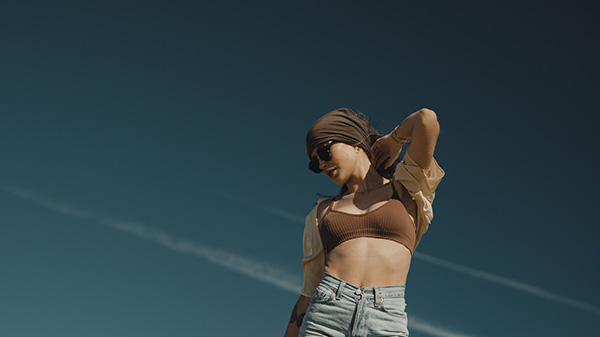
COOLITH
The Coolith presets are rich with color and undertone, but can enhance your blues, manipulate them, or tone them down completely. These offer a wide range of usage and can be applied to any image. Doesn’t matter if it’s a “cool” image, these presets will dial it in and not limit you whatsoever!
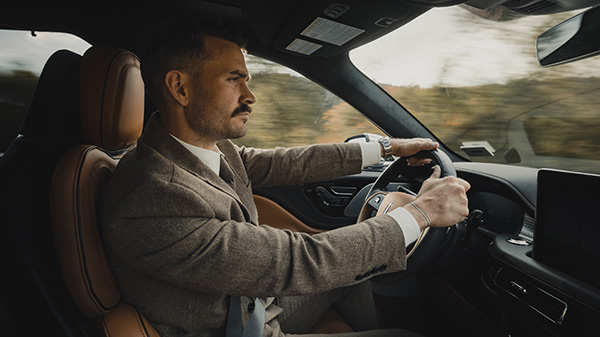
GREENITH
The Greenith presets stand as a neutral ground between the other two in this pack. Wide range of usage and overall a strong cinematic deep tone. These presets specialize in manipulating the greens to tone them up, down, or shift in the overall hue. Such a quick fix to dial in greens!
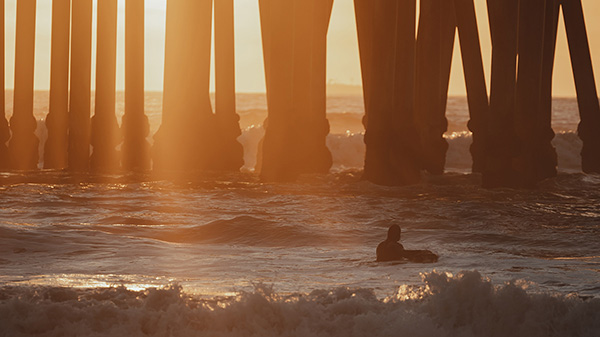
WARMITH
The Warmith presets are designed to have a little more style. Rich hues and warmer undertones give off the balance of warm and cold. These offer a more vintage yet modern sleek look to enhance your images. Wide range of usage especially in neutral portraits.
Gallery


Elevate your creative projects instantly with our premium collection of high-quality Photoshop assets. Whether you are a seasoned graphic designer or a budding photo editor, our meticulously crafted bundles offer everything from dynamic lighting overlays and realistic shadows to versatile textures and custom shapes. Save countless hours of tedious work and unlock a new realm of professional possibilities without breaking your budget. Each download is fully layered, easy to install, and compatible with the latest Photoshop versions, ensuring a seamless workflow. Stop wrestling with complex edits and start producing jaw-dropping results that will impress your clients and elevate your portfolio. Browse our library today to find the perfect tools for photo manipulation, digital art, web design, and transform your creative process with assets trusted by thousands of designers worldwide.
Reviews
There are no reviews yet.