
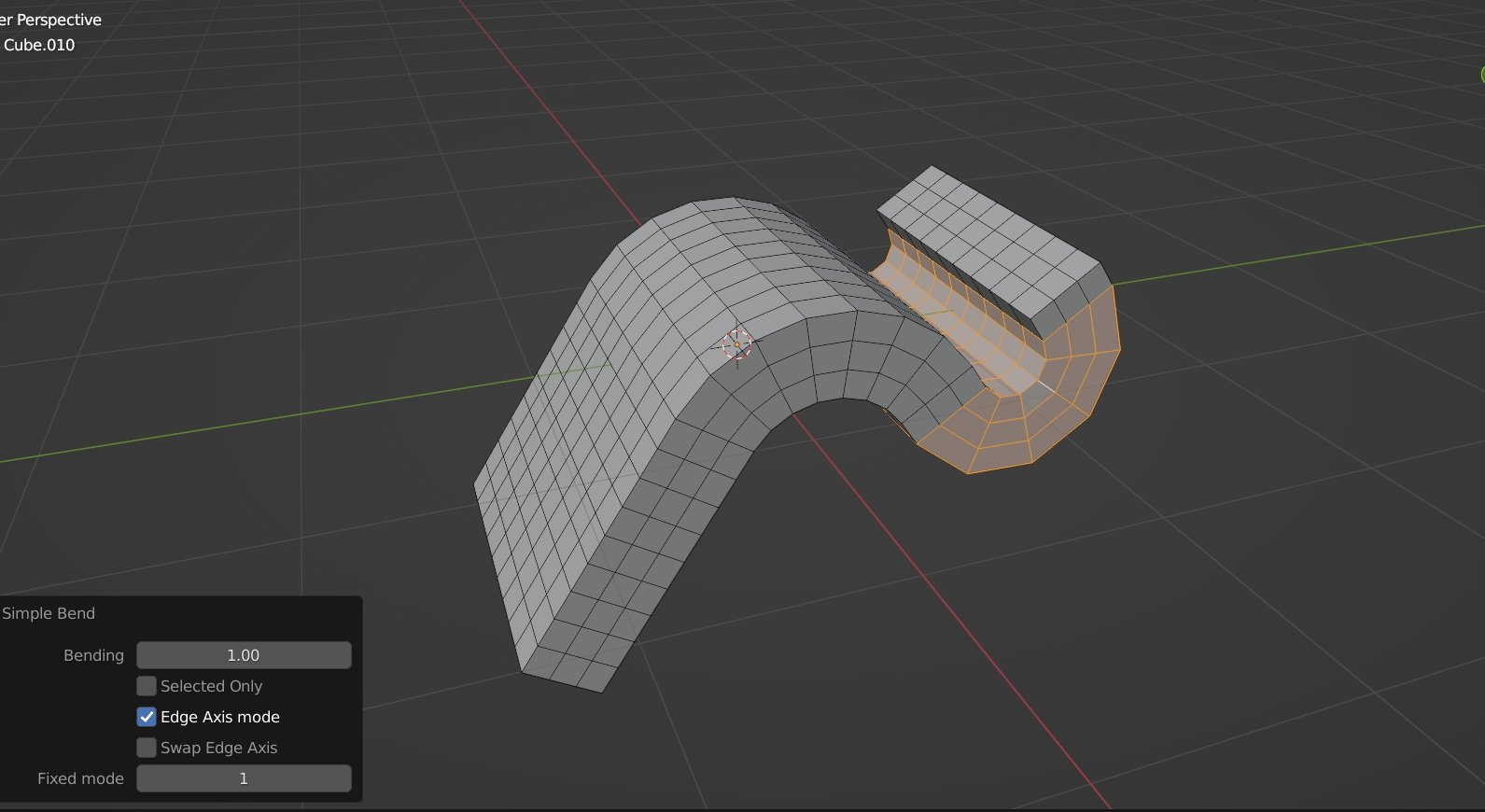
Simple Bend for Blender
simple bend addon
Simple Bend v2.2.0 for Blender – Non-Destructive Mesh Bending & Deformation Tool
Version: V2.2.0
File Size: 30 MB
Download Simple Bend v2.2.0 for Blender on Windows, Mac, and Linux, a powerful, non-destructive bending add-on that lets you bend, twist, taper, and deform meshes with intuitive controls. Perfect for hard-surface modelers, product designers, and motion graphics artists who need flexible deformation without permanent topology changes .
Key Features of Simple Bend v2.2.0:
- Non-Destructive Bending: Bend meshes along any axis with adjustable angle and center point
- Twist Deformation: Twist meshes around any axis with adjustable angle and falloff
- Taper Control: Taper meshes from adjustable base points with independent X/Y scaling
- Stretch & Squash: Elastic deformation with adjustable intensity and falloff
- Multiple Deformation Types: Bend, twist, taper, stretch, squash, shear, and custom combinations
- Axis Control: Deform along X, Y, or Z axes independently
- Falloff Options: Linear, smooth, or custom falloff curves for edge control
- Real-Time Preview: See deformation results update instantly
- Modifier-Based: Fully adjustable parameters at any time
- v2.2.0 Updates: New deformation types, enhanced controls, and compatibility with Blender 4.0+
Perfect For:
- Hard-surface modelers creating curved mechanical parts
- Product designers visualizing bent or tapered products
- Motion graphics artists creating flowing ribbon effects
- Architectural modelers adding curved structural elements
- Anyone needing non-destructive bending in Blender
System Requirements:
- Blender 3.6, 4.0, 4.1, 4.2, 4.3
- Windows 10/11 (64-bit), macOS, or Linux
- 4GB RAM minimum (8GB+ recommended)
- 10MB available disk space
Installation:
- Download the add-on zip file
- In Blender, go to Edit > Preferences > Add-ons
- Click “Install” and select the downloaded zip file
- Enable the add-on by checking the box next to “Simple Bend”
Note: Simple Bend provides powerful, non-destructive mesh deformation tools for Blender, making it easy to bend, twist, and taper objects without permanent topology changes . The intuitive controls and real-time preview make it essential for hard-surface modelers, product designers, and motion graphics artists . Version 2.2.0 includes full compatibility with Blender 4.0 and above . Designed for Blender 3.6 and above . Perfect for flexible mesh deformation . Essential for any modeling workflow .
(Note : This Simple Bend is the old version. There is another new product called “Simple Bend Ex” )
Simple Bend is a handy tool for bending sub-divided mesh.
- You add the edge-loops or sub-divide your mesh
- Select the faces for bending (it can be all faces of just the middle parts)
- Run the tool, Drag on the yellow axis to bend.


You can bend the selected mesh easily by dragging on the on-screen axis.
Also you can bend the select part only, and let the connected geometries to follow. (Press C key to choose the part)

Edge Axis mode
This is the advanced mode for Simple Bend. It is very useful for bending at any self-defined angle.
It works as follow :
- The tool read your “last-selected edges” for its bending axis and direction. It needs two edges, and they mush not be co-linear (same direction).
- In order to use this mode, you have to switch to Blender’s Edge mode, select the part, hold the Shift key, then un-select the “2 edges”, then re-select the “2 edges” (this procedure will make those edges to become the last selection in blender), then run the tool.
You may watch the follow gif for simple understanding :
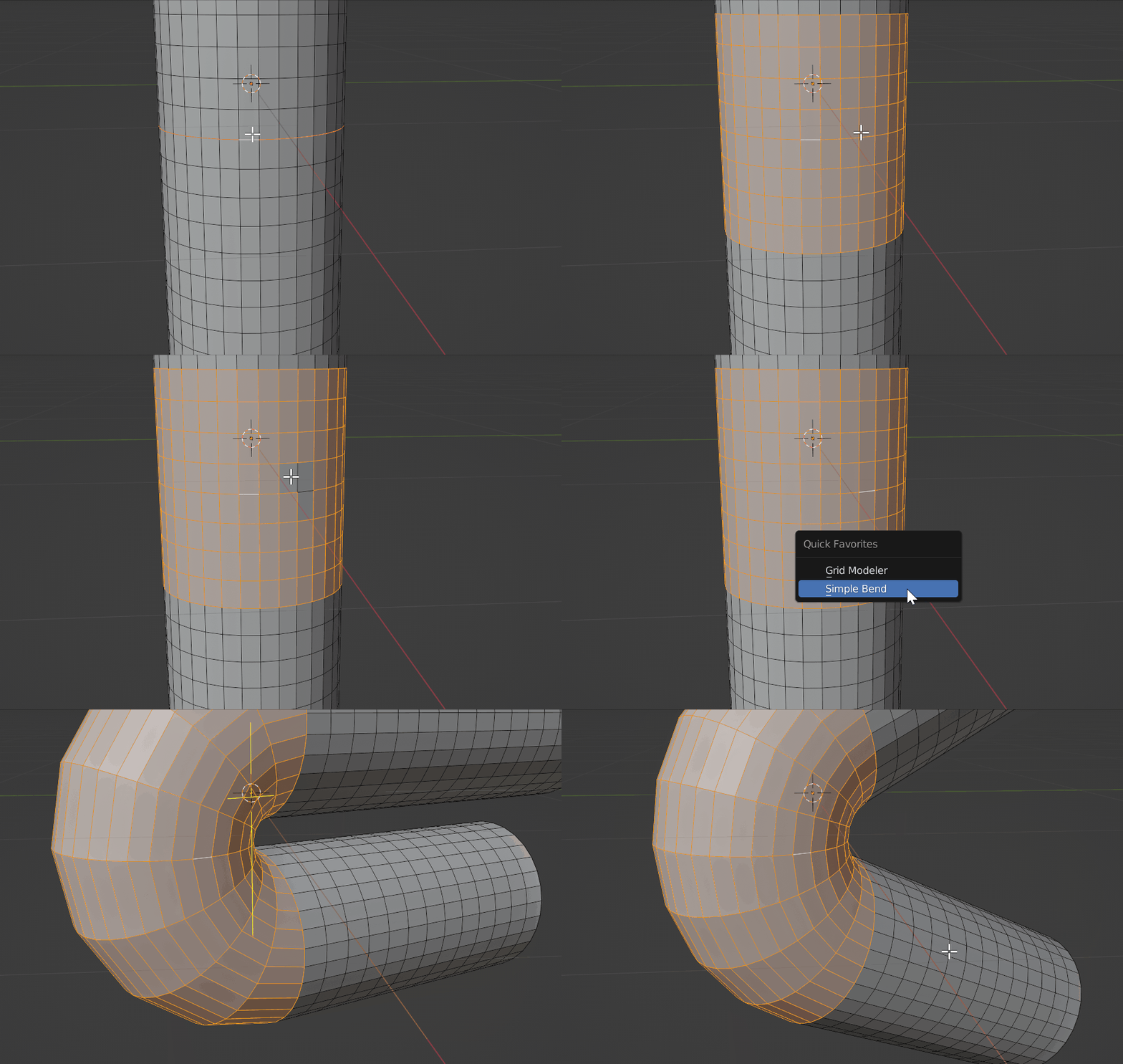
Please note that, from the above gif, when you select the last two edge, the selection order is important :
First edge : Mesh direction.
Second edge : Bending direction.
They have the following meaning :

(When you run the tool, you can also press the W key to swap the axis. )
Usage
=== Please watch this tutorial :
Blender Edit mode > Switch to Face mode or Edge mode.
( Note : Some users reszied their object in Object mode before using the tool, the result will become strange. Please resize the mesh in Edit mode)
There are two modes for the tool :
For Basic mode : Use Face mode to run the tool
For Edge axis mode : Use Edge mode to run the tool
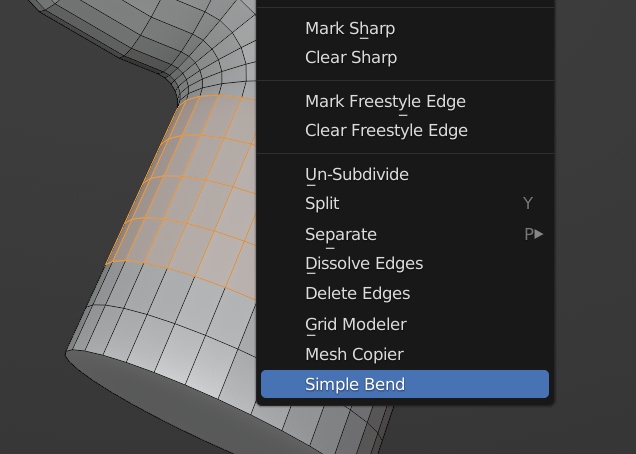
Right click on the 3D viewport, then select “Simple Bend” at the bottom of the pop-up menu (blender’s context menu).

On Screen Key
S key : Only modify the selected vertices. it can be useful when you only select the surface of a mesh, and you want to bend the surface manually.
W key : Swap the bending Axis. It will change the bending direction.
C key : Bend only one side instead of bending both side. Press C key repeatedly to switch between different part.
Q key : Confirm the bending
Shift key : You can hold Shift key to snap the bending amount to 5 degree unit.
After bending the mesh, press Q key to confirm.
Common Problems
Please read the below guidelines before install
- Do not unzip the addon zip file when you install it, otherwise blender will not install it correctly and cause errors.
- If you installed the unzipped files, you should now uninstall the addon and remove them. Re-install it again (select the zip file during install)
- When you are modeling in Blender, do not Scale object in “Object mode”, otherwise it will confuse blender’s mesh data for the addons. Please Scale things in “Edit mode” only. (select all then S key)
Supercharge your 3D creation workflow with premium selection of Blender Add-ons. Whether you are modeling intricate characters, sculpting realistic environments, or animating cinematic sequences, the right add-on can transform how you work inside Blender. Our curated collection includes powerful tools for UV unwrapping, procedural texture generation, rigging automation, rendering optimization, and more—each rigorously tested for compatibility with the latest Blender versions. Eliminate tedious manual processes and unlock advanced functionality that lets you focus on what matters most: bringing your creative vision to life. Explore our full range of professional Blender plugins today and take your 3D projects to the next level.
➡️ ➡️ For more Blender Plugins 😀 😀
Reviews
There are no reviews yet.