
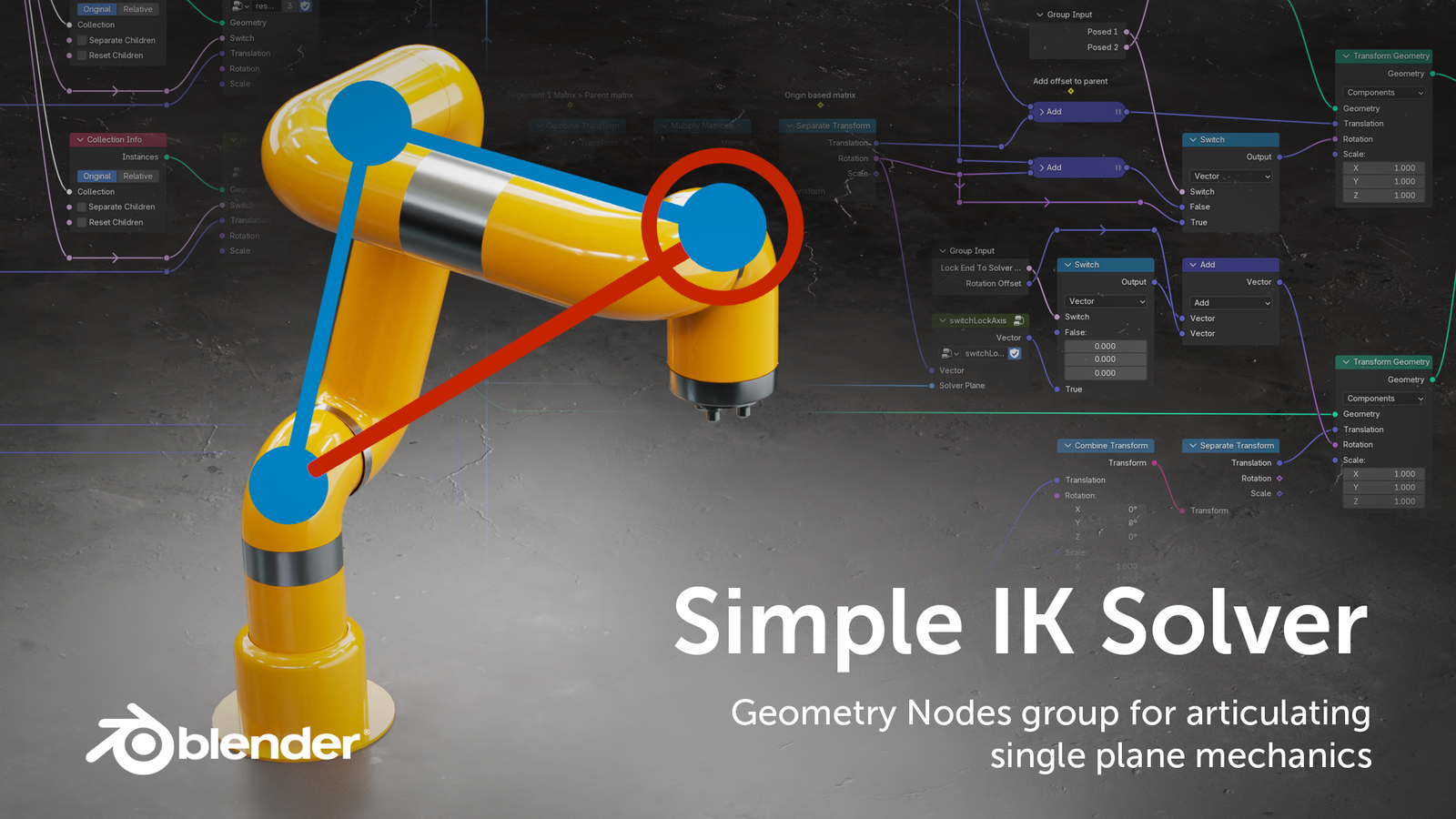
Simple IK Solver Node Group for Blender
The Ultimate Geometry Nodes-Based Inverse Kinematics System for Mechanical Rigs
Download the Simple IK Solver Node Group today. Consequently, you can set up basic mechanical articulations directly within Geometry Nodes. This approach bypasses traditional armatures and complex bone systems entirely. Because procedural animation and mechanical rigging require efficient, non-destructive workflows, Geometry Nodes-based IK offers an elegant solution. Nevertheless, setting up basic inverse kinematics in Blender typically requires creating an armature. You also need to define bone chains and manage constraints. This process can feel overly complex for simple mechanical setups. Fortunately, this node group eliminates that entire bottleneck. Moreover, it leverages the powerful new Matrix nodes introduced in Blender 4.2. These nodes enable sophisticated IK calculations entirely within the node tree. In short, you can build and animate basic mechanical structures with remarkable speed and procedural flexibility.
Pure Geometry Nodes IK Implementation
The core of this addon lies in its innovative use of Geometry Nodes. The Simple IK Solver is a fully self-contained node group. It performs IK calculations using only native Geometry Nodes logic. This approach requires no external scripts or armature data. The system works specifically for rigging simple mechanisms. Robotic arms, linkage systems, and basic mechanical joints benefit most from this approach. Furthermore, because the system operates entirely within the Geometry Nodes modifier stack, the results remain fully procedural and easily adjustable. Consequently, you can create dynamic, mechanical animations that update instantly as you adjust control points or targets.
Seamless Blender 4.2+ Integration
The Simple IK Solver works exclusively with Blender 4.2 and later versions. This compatibility is crucial for proper functionality. The node group relies on the new Matrix nodes and data types introduced in this update. These nodes perform the complex mathematical operations required for accurate IK solving within Geometry Nodes. As a result, the tool integrates flawlessly with Blender’s latest features. This ensures optimal performance and future-proofing for your workflows. However, please note that this node group is not compatible with earlier Blender versions. The dependency on Matrix data types makes older versions unsuitable for this tool.
Production-Tested and Community Supported
While the Simple IK Solver is a powerful tool, you should consider its scope and limitations. The developer notes that they have tested it in production scenarios. However, it may prove insufficient under certain specific or highly demanding conditions. Therefore, this tool works best for simple mechanical rigs. It does not replace complex character animation systems. Fortunately, the package includes comprehensive tutorial files and sample scenes. These resources help you understand its capabilities and integrate it effectively into your projects. Additionally, an active online community is available for support and troubleshooting.
Perfect for Hard-Surface Modelers and Technical Artists
This node group particularly suits hard-surface modelers. They create mechanical assets like robotic arms, cranes, or industrial equipment. Similarly, technical artists and procedural designers will appreciate embedding IK logic directly into their Geometry Nodes setups. Additionally, anyone exploring procedural animation without traditional rigging overhead will find this tool an excellent entry point. The node group provides a gentle introduction to advanced procedural techniques.
System Requirements and Compatibility
The node group requires Blender 4.2 or newer. This requirement stems from its reliance on Matrix node data types. The product comes as a Blender scene file (.blend) containing the node group. You can append this file to your projects. The tool works across all major operating systems that support Blender 4.2+. You will need a standard workstation with at least 8GB of RAM.
Installation and Usage Guide
To install, first download the .blend file from your library. Next, open your target Blender project and navigate to File > Append. Then, navigate to the downloaded .blend file and select the NodeTree containing the Simple IK Solver. After that, append it to your project. Finally, in the Geometry Nodes modifier of your object, add the Simple IK Solver node group. Connect your geometry, control points, and target inputs to begin building your mechanical rig. Thus, your procedural IK workflow will be ready instantly.
What is Included Inside?
The pack contains two Blender scene files. The first is SimpleIkSolver.blend, which includes only the core node group for a clean import. The second is SimpleIkSolver_samples.blend, which contains all the tutorial example scenes demonstrating practical applications of the solver. Additionally, you receive access to a video tutorial walkthrough covering setup, configuration, and animation.
Final Thoughts on the Addon
Effortless Geometry Nodes-based IK solving evokes profound creative freedom. Therefore, this node group provides the ultimate foundation for your procedural mechanical rigging workflows. You can build and animate simple mechanical systems with unprecedented ease and flexibility. Consequently, your mechanical rigging vision becomes a stunning reality.
The Simple IK Solver is a Geometry Nodes group which allows to setup simple mechanics without the need of setting up an armature. This way basic articulation can be build into a single setup while leveraging the power of Geometry Nodes, without having to revert to armatures.
Watch theTutorial Videofor a full walkthrough (or use the video chapters to save time)
Compatibility
Blender 4.2 and later
The node group doesn’t work with previous versions because of the new Matrix nodes and data types in 4.2.
Supercharge your 3D creation workflow with premium selection of Blender Add-ons. Whether you are modeling intricate characters, sculpting realistic environments, or animating cinematic sequences, the right add-on can transform how you work inside Blender. Our curated collection includes powerful tools for UV unwrapping, procedural texture generation, rigging automation, rendering optimization, and more—each rigorously tested for compatibility with the latest Blender versions. Eliminate tedious manual processes and unlock advanced functionality that lets you focus on what matters most: bringing your creative vision to life. Explore our full range of professional Blender plugins today and take your 3D projects to the next level.
➡️ ➡️ For more Blender Plugins 😀 😀
Reviews
There are no reviews yet.