
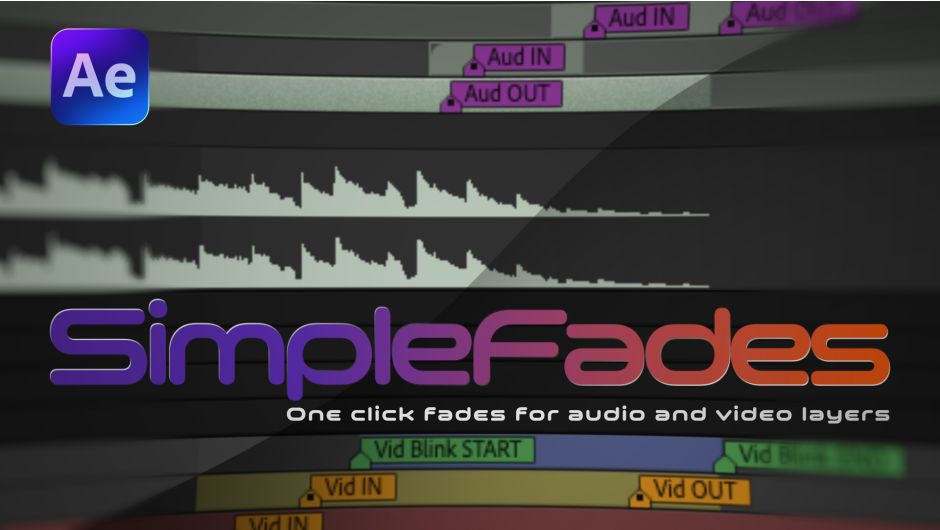
SimpleFades for After Effects
SimpleFades V1.0 for After Effects
The Ultimate One-Click Fade and Transition Tool for After Effects
Download SimpleFades V1.0 today. Consequently, you can instantly apply smooth, professional fades to any layer without manually adjusting opacity keyframes. Because motion designers constantly need quick transitions for lower thirds, titles, and scene changes, having a dedicated fade tool is absolutely essential.
Nevertheless, navigating the timeline to set start and end opacity keyframes interrupts your creative flow. Fortunately, SimpleFades eliminates this tedious process completely. Moreover, it provides a streamlined interface to generate perfect fades in seconds. In short, you can speed up your entire editing workflow.
Instant Fade Generation and Customization
The core of this script lies in its ability to automate standard fade animations. For instance, you can apply a simple fade-in, fade-out, or both with a single click. Furthermore, you can define the exact duration of the fade in frames or seconds directly within the panel.
Additionally, the tool automatically applies smooth easing to the opacity curve. Since the fades are procedurally generated, you avoid the stiff, linear look of manual keyframes. Consequently, your transitions will always feel professional and polished.
Advanced Offset and Timing Controls
Professional workflows often require precise timing adjustments. Therefore, SimpleFades provides advanced controls for your animations. For example, you can offset the fade timing relative to the layer’s in or out point.
Furthermore, the script allows you to apply fades across multiple selected layers simultaneously. Additionally, you can customize the easing curve type, choosing between gentle ease-in-out or snappy linear fades. Since the tool offers granular timing control, you can perfectly match the rhythm of your edit. Thus, your sequences maintain perfect pacing.
Seamless Workflow and Native Integration
Creative momentum requires fast, responsive tools. Accordingly, SimpleFades runs natively inside After Effects for optimal performance. For instance, the interface docks neatly into any workspace panel.
Furthermore, it supports keyboard shortcuts, allowing you to execute fades without touching the mouse. Additionally, the tool is fully compatible with native keyframes, meaning you can still tweak the results manually if needed. Since the script is extremely lightweight, it never slows down your workstation. Consequently, you can iterate rapidly and deliver projects on time.
Perfect for Motion Designers, Editors, and Content Creators
This script is particularly well-suited for motion designers creating broadcast graphics and social media templates. Similarly, video editors will appreciate the ability to quickly add transitions to interviews and b-roll. Additionally, content creators producing YouTube videos and ads will find the rapid fade generation invaluable. Ultimately, SimpleFades V1.0 accelerates your entire post-production pipeline.
System Requirements and Compatibility
SimpleFades V1.0 supports After Effects versions 2022, 2023, 2024, 2025, and 2026. It works on both Windows and macOS operating systems. The script is available as a standard JSX file for easy installation. You will need a standard workstation with at least 8GB of RAM.
Installation and Usage Guide
To install, first download the script file from your library. Next, close Adobe After Effects if it is running. Then, copy the script to your After Effects Scripts folder. After that, ensure “Allow Scripts to Write Files and Access Network” is enabled in After Effects Preferences under Edit > Scripting & Expressions.
Finally, launch After Effects and navigate to Window > SimpleFades. Select your layers, choose your fade type and duration, and click Apply. Thus, your streamlined fading workflow will be ready instantly.
What is Included Inside?
The pack contains the complete SimpleFades V1.0 script for After Effects. Furthermore, it includes the instant fade generation engine and advanced offset and timing controls. Additionally, you receive seamless native integration and keyboard shortcut support. Ultimately, you receive everything needed for professional fade creation.
Final Thoughts on the Script
Effortless fade generation evokes profound creative freedom. Therefore, this script provides the ultimate foundation for your motion design workflows. You can transition between scenes with unprecedented speed and consistency. Consequently, your creative vision becomes a stunning reality.
Create fades with a single click for audio and video layers. Also generate automated blinks and flickers with a single button, that you can later tweak as you wish.
SimpleFades
A lightweight, responsive After Effects script panel designed to streamline the process of applying and managing fades and blinks across audio and video layers. It replaces the tedious process of manually placing keyframes, using smart markers and expressions to keep your workflow fast and simple.
Add Fades with one click

Add fades to Audio layers

Drag markers to adjust the fades duration

Add Linear, faded, and random Blinks

Slider controls to customize your Blinks

Check the SimpleFades Quick Tutorial video
- 0:00 Intro
- 0:13 Adding fades
- 0:31 Adjusting fades duration
- 0:41 Removing fades
- 1:21 Eased vs. Linear
- 1:43 Adding Blinks
- 2:00 Tic Tac Blinks
- 2:12 Linear Blinks
- 2:29 Adjust Blinks start and end points
- 3:00 Customizing Blinks
- 3:22 Opacity threshold
- 4:10 Asymmetric Blinks
- 4:27 Invert Blinks
- 4:55 Flickery (random) Blinks
- 6:19 Adding fades to audio layers
- 7:12 Updating audio waveforms
- 7:33 Adding Blinks to audio layers
Elevate your motion graphics workflow with premium collection of After Effects plugins. Whether you are a seasoned professional or just starting your VFX journey, powerful tools designed to streamline complex tasks, unlock creative possibilities, and save you hours of rendering time. From stunning glitch effects and seamless transitions to advanced 3D extrusion and text animation tools, each plugin in our library is rigorously tested for compatibility with the latest versions of Adobe after Effects. Enhance your video production value today and download industry-leading plugins that help you create breathtaking visuals without the technical headaches. Browse our full range and find the perfect extension to supercharge your editing suite now.
➡️ ➡️ For more after effects Plugins 😀 😀
➡️ ➡️ System requirements AE
Reviews
There are no reviews yet.