
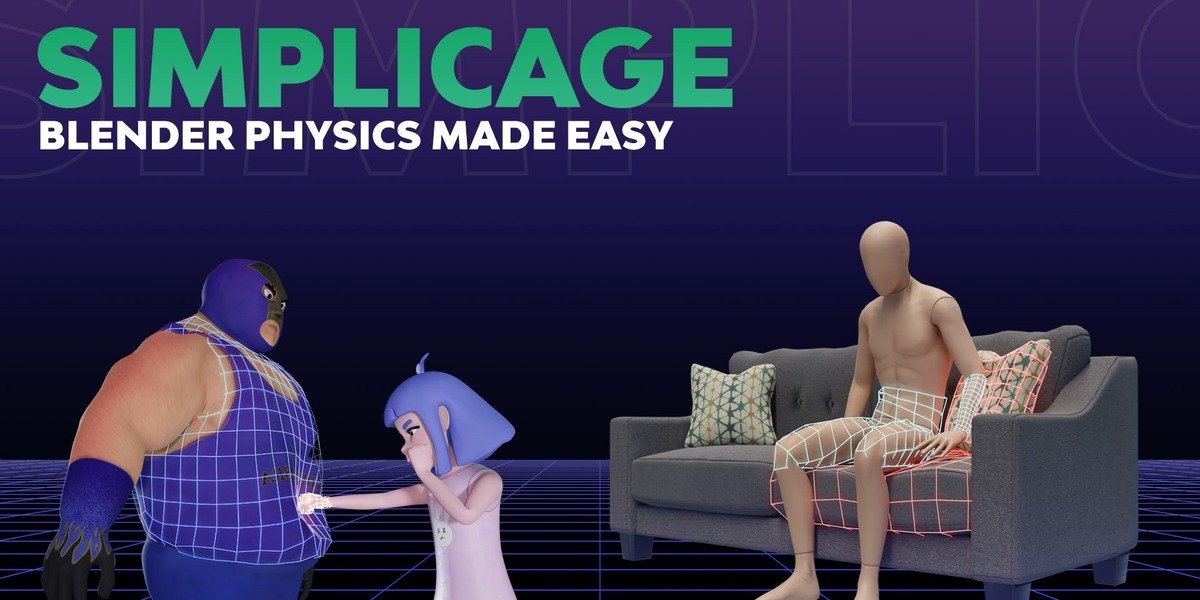
Simplicage for Blender
Simplicage v1.2.0 for Blender
The Ultimate Physics Cage and Collision Mesh Generation Tool
Download Simplicage v1.2.0 today. Consequently, you can generate physics-ready cages and collision meshes for your 3D models in a matter of seconds . Because realistic physics simulations require properly prepared collision geometry, having access to efficient generation tools is absolutely essential. Nevertheless, manually creating and setting up physics cages for cloth simulations can be a tedious, error-prone process that consumes significant production time . Fortunately, Simplicage completely eliminates this frustrating bottleneck. Moreover, it automates the entire workflow, allowing you to focus on your creative animation rather than technical setup. In short, you can achieve professional cloth physics results with minimal effort and maximum speed.
Core Physics Cage and Collision Box Generation
The foundation of this addon lies in its robust generation capabilities. For instance, you can generate physics-ready cages directly from your model’s mesh, from selected bones, or from specific vertex groups . These cages are specifically designed to work with Blender’s cloth physics system, ensuring realistic collisions and interactions . Furthermore, the addon can also generate simple collision boxes from the same sources, providing a lightweight alternative for objects that do not require detailed cage geometry . Since the generation process is automated, you can set up complex physics scenes in a fraction of the time it would take manually . Consequently, you can iterate on your simulations more freely and efficiently.
Preset System and Quick Bake Management
Professional physics workflows benefit from consistent, reusable configurations. Therefore, Simplicage includes a versatile presets system that comes with several default configurations for the most common applications . Additionally, you can create and share your own presets within the community, with a dedicated preset sharing channel available for cloth modifier setups . For managing your physics cages, the addon provides a comprehensive tool that allows you to view, edit, and quickly bake your cages directly from the interface . This streamlines the entire process from generation to final simulation.
Blender Versions and Technical Notes
It is important to note that this addon is not designed for absolute beginners . Instead, it is intended for users who already understand the fundamentals of physics cages and cloth simulation in Blender . For those new to the concept, the developer recommends watching the available tutorial video before diving in . The addon is compatible with Blender versions 3.2 through 4.3, ensuring broad support across different production environments . Additionally, an active Discord community is available for support, tips, and troubleshooting .
Perfect for Animators and VFX Artists
This addon is particularly well-suited for character animators who need realistic cloth and fabric interactions. Similarly, VFX artists working on complex physics simulations will appreciate the speed and efficiency of the cage generation tools. Additionally, technical artists looking to streamline their physics setup pipelines will find the preset and baking system invaluable. Ultimately, Simplicage accelerates your entire physics and animation pipeline.
System Requirements and Compatibility
The addon supports Blender versions 3.2 through 4.3 . Furthermore, it works across all major operating systems including Windows, macOS, and Linux. You will need a standard workstation with at least 8GB of RAM, though system requirements are minimal given the addon’s lightweight nature.
Installation and Usage Guide
To install, first download the zip file from your library. Next, open Blender and navigate to Edit Preferences. Then, select Add-ons and click Install. After that, locate and select the downloaded zip file, then enable the Simplicage addon . Finally, select your model, open the Simplicage panel, choose your generation method (mesh, bones, or vertex groups), adjust settings or apply a preset, and generate your physics cage. Use the management tools to bake and finalize your simulation setup . Thus, your professional physics workflow will be ready instantly.
What is Included Inside?
The pack contains the complete Simplicage addon with all features from v1.2.0. Furthermore, it includes the cage and collision box generation systems, the presets system, and the management and baking tools . Additionally, you receive access to the community Discord server for support and preset sharing . Ultimately, you receive everything needed for professional physics cage generation.
Final Thoughts on the Addon
Effortless physics cage generation evokes profound creative freedom. Therefore, this addon provides the ultimate foundation for your cloth simulation workflows. You can create realistic physics interactions with unprecedented speed and simplicity. Consequently, your physics simulation vision becomes a stunning reality.
Simplicage automates the whole process explained in the video above for you
It is a complete set of tools that will let you setup physics for your animations in a matter of seconds.
The main features are the following.
- Generation of physics-ready cages from mesh, bone selection or vertex groups.
- Generation of collision boxes from mesh, bone selection or vertex groups.
- Presets system, with some available by default for most common applications.
- Tool to manage available cages, and quickly bake them.
- Tutorial:
Supercharge your 3D creation workflow with premium selection of Blender Add-ons. Whether you are modeling intricate characters, sculpting realistic environments, or animating cinematic sequences, the right add-on can transform how you work inside Blender. Our curated collection includes powerful tools for UV unwrapping, procedural texture generation, rigging automation, rendering optimization, and more—each rigorously tested for compatibility with the latest Blender versions. Eliminate tedious manual processes and unlock advanced functionality that lets you focus on what matters most: bringing your creative vision to life. Explore our full range of professional Blender plugins today and take your 3D projects to the next level.
➡️ ➡️ For more Blender Plugins 😀 😀
Reviews
There are no reviews yet.