
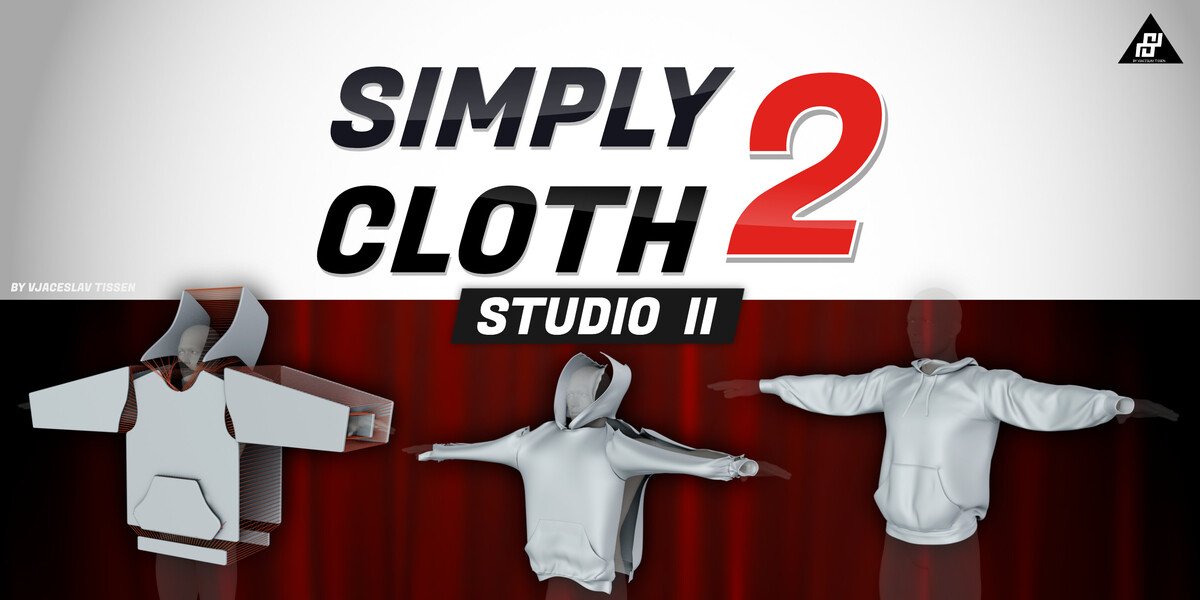
Simply Cloth Pro for Blender
simply cloth pro addon
SimplyClothPro v3.1 for Blender – Professional Cloth Simulation & Fabric Design Toolkit
Version: V3.1
Download SimplyClothPro v3.1 for Blender on Windows, Mac, and Linux, a comprehensive cloth simulation add-on that provides advanced controls for creating realistic fabrics, garments, and soft surfaces. From flowing curtains to detailed clothing, this tool gives you professional-grade cloth simulation with intuitive controls and real-time feedback .
Key Features of SimplyClothPro v3.1:
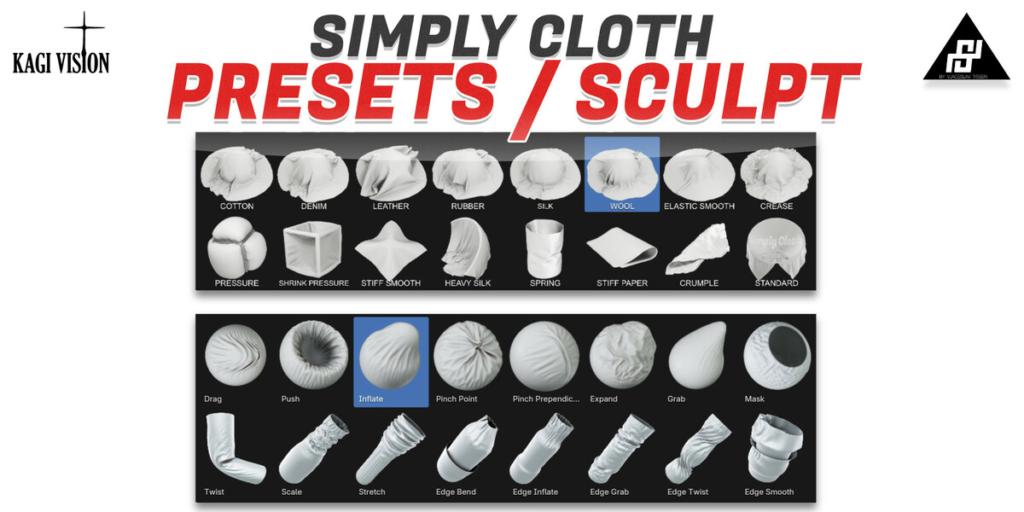
- Fabric Preset Library: Extensive presets—cotton, silk, denim, leather, wool, rubber, and custom materials
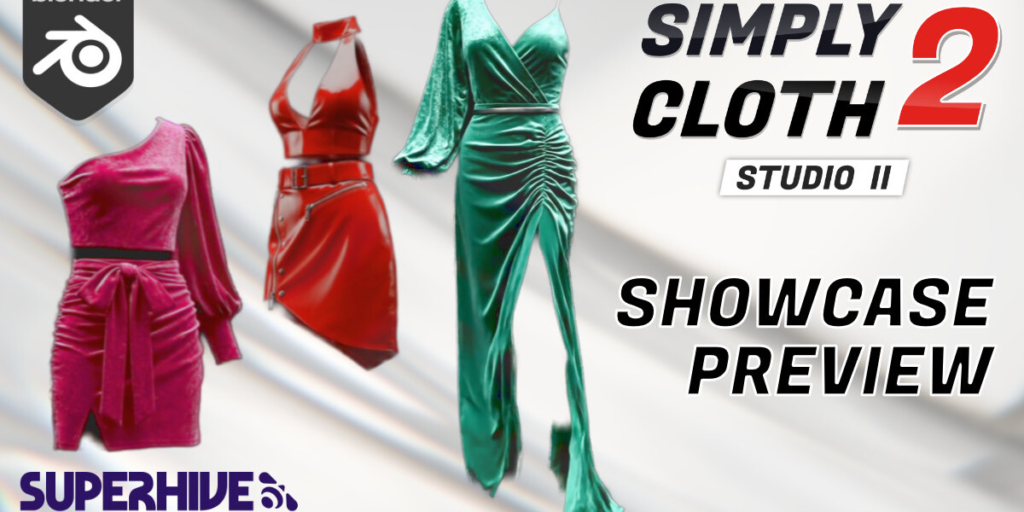
- Garment Simulation: Specialized tools for clothing simulation—t-shirts, dresses, pants, and accessories
- Multi-Layer Cloth: Simulate layered fabrics with accurate interaction between layers
- Wind & Force Fields: Add environmental forces—wind, gravity, turbulence—to cloth simulations
- Tear & Damage: Simulate tearing, ripping, and wear effects on fabric
- Stitching System: Create stitched seams and fabric connections
- Collision Geometry: Automatic collision detection with character meshes and scene objects
- Simulation Caching: Efficient caching for long, complex simulations
- Baking & Export: Bake simulations to Alembic or keyframes for use in other software
- v3.1 Updates: New fabric types, enhanced collision detection, and compatibility with Blender 4.0+
Perfect For:
- Character artists simulating clothing on 3D characters
- VFX professionals creating fabric effects for film
- Product designers visualizing soft goods and packaging
- Architectural visualization artists adding curtains and upholstery
- Anyone needing professional cloth simulation in Blender
System Requirements:
- Blender 3.6, 4.0, 4.1, 4.2, 4.3
- Windows 10/11 (64-bit), macOS, or Linux
- 4GB RAM minimum (8GB+ recommended)
- 50MB available disk space
Installation:
- Download the add-on zip file
- In Blender, go to Edit > Preferences > Add-ons
- Click “Install” and select the downloaded zip file
- Enable the add-on by checking the box next to “SimplyClothPro”
Note: SimplyClothPro v3.1 provides professional cloth simulation capabilities for Blender, with advanced controls for fabric behavior, garment simulation, and environmental interaction . The extensive preset library and real-time feedback make it essential for character artists, VFX professionals, and product designers . Version 3.1 includes full compatibility with Blender 4.0 and above . Designed for Blender 3.6 and above . Perfect for realistic fabric simulation . Essential for any cloth simulation workflow .
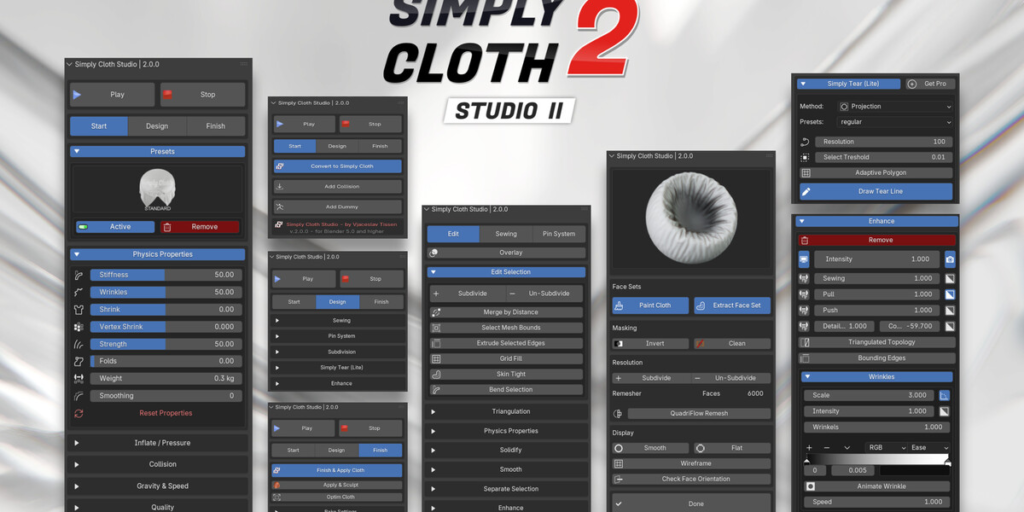
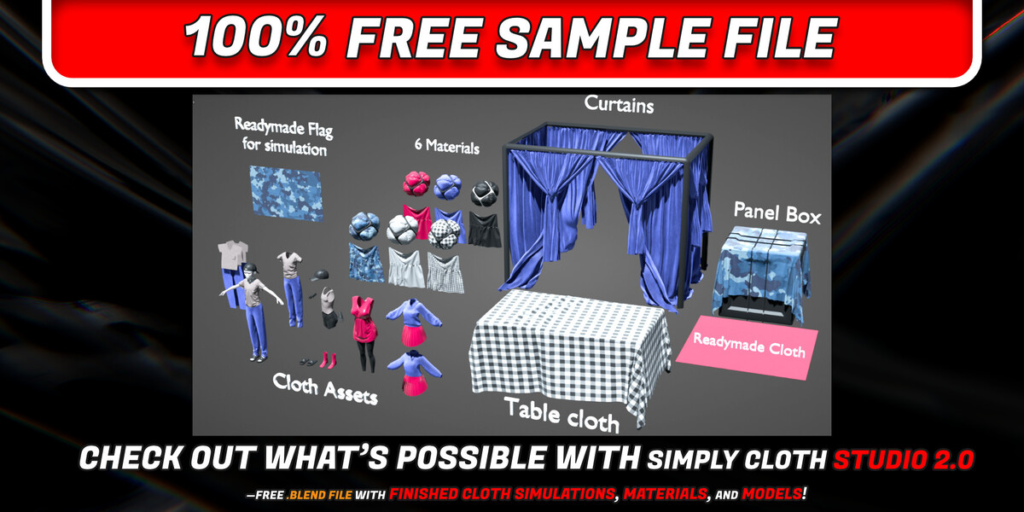
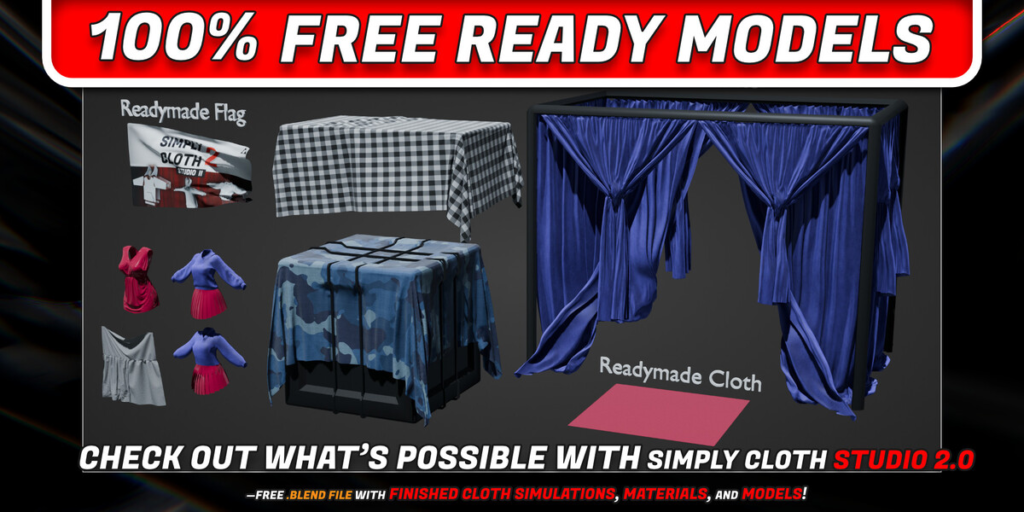
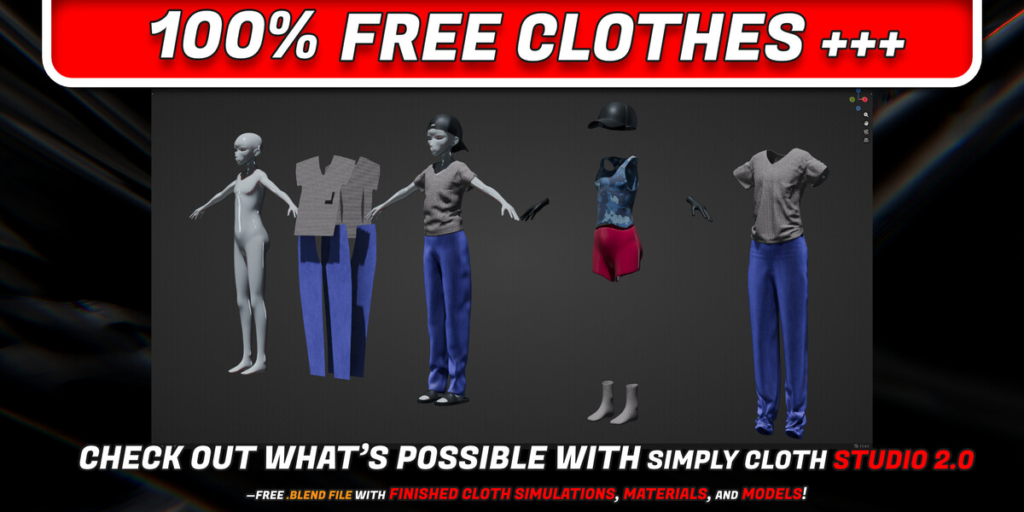
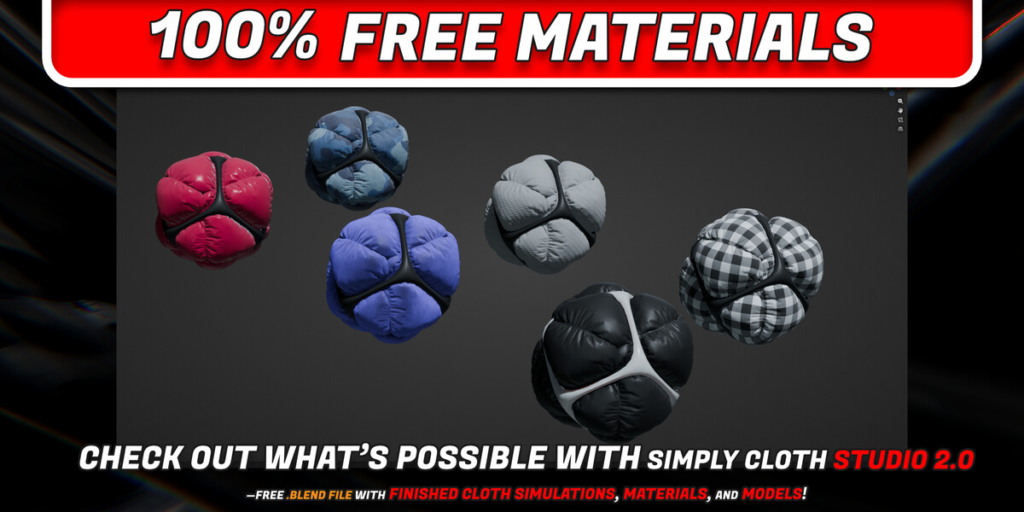
Simply Cloth Studio 2 is completely rebuilt from the ground up for Blender 5.0. This version introduces a modern new interface, a completely new adaptive wrinkle recognition system, and significant performance improvements for a smoother, faster workflow. It also includes many bug fixes and gives users a more stable experience. Since this is a complete rebuild, please reach out to me directly if you find anything off.
You spend less time on initial setup and technical guesswork. v2.0.0.2 helps you establish a working simulation quickly, giving you more time to iterate and integrate it into your scene.
Documentation is available in both US English and Japanese, and can be downloaded directly from your account’s order.
KEY HIGHLIGHTS
- New Window Management System (UI)
- Improved Performance
- Modern User Interface
- Adaptive Wrinkle Recognition System
- Adaptive Subdivision for Wrinkle Maps
FIXES
- Multiple Bug Fixes
- Resolved Various Performance Issues
- Fixed Paint Cloth Extract Bug
- Corrected UI in Cloth Sculpt Brushes
- Keyframe Baking Fixed
- Resolved Shape Key Custom Cache Issue
- Addressed Several Edit Mode UI Issues
- Enhanced UI Improvements
- Geometry Nodes Compatibility
Full Video Tutorial for Simply Cloth Studio v.2.0 – for Blender 5.0 and higher
Modern User Interface Preview

Adaptive Wrinkles Generator
Generate adaptive wrinkles and adjust the Threshold, Subdivision, and Modifier Position. Merge Distance is only necessary if the scale is significantly different from the default. In such cases, adjust the Merge Distance to achieve good shading. Subdivision Levels only need to be used if special details are needed inside the wrinkles. Generate Adaptive Wrinkles generate from the current frame and a weight map where the angle of edges is calculated to weight paint more or less.


Simply Tear – Lite Functions in Design Panel
Get Pro version here: Simply Tear – by Omid Ghotbi


Pricing Options:
Simply Cloth Studio is available in four different versions to suit different needs and budgets:
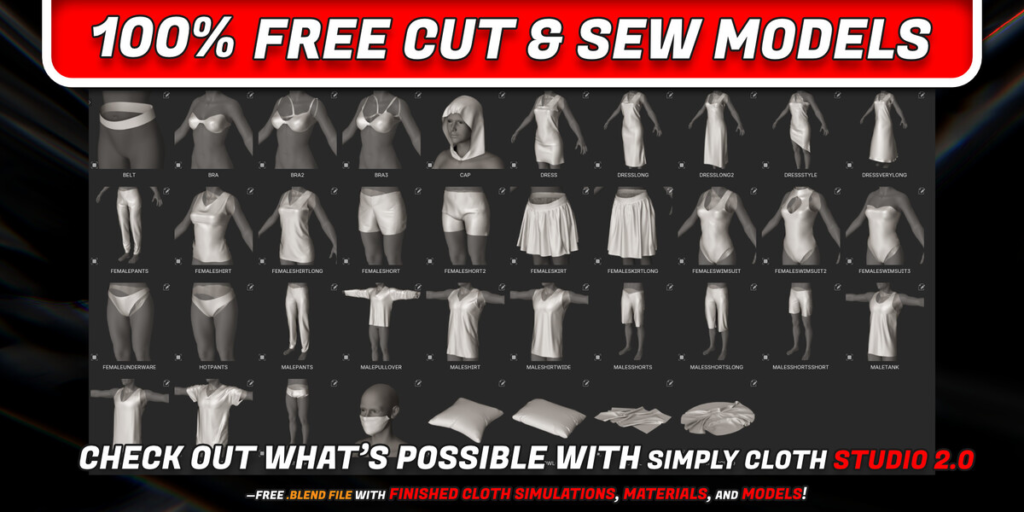
100% Free Assets / Gift for you
- 100% free Simply Cloth Testing Assets. Test the Models Quality or Take the Gift for own usage. Models, Materials and Cut and Sew Patterns
- “Download a free .blend file made with the addon — see the results for yourself.”
- “Contains pre-made cloth simulations and materials. Open it, press Play, or copy/paste into your projects.”
- “No purchase required. Just a free sample of the addon’s output.”
Example Workflow: Learn the Process Through 9 Scenes + Free Sample Pack fully included
If you decide to purchase the full Simply Cloth Studio 2.0 Addon later, the price of this Example Pack will be deducted from the total.
You’ll only pay the difference — so you’re not buying twice, you’re investing step by step.
- “A collection of 9 different cloth scenes built with Simply Cloth Studio 2.0.”
- “Open, press Play, tweak settings, and see how the addon works — no license needed.”
- “Perfect for trying ideas before you buy, or learning by example.”+Simply Cloth Testing Assets (Models, Materials + Cut and Sew Pattern which included in free option)
Check out video (wip) for to see the 100% free pack and example workflow:
1. Simply Cloth Studio 2.0 – $36
- Full Functionality
- The full version of Simply Cloth Studio. This version includes all cloth creation and simulation tools, including advanced features such as pinning, sewing, and the full range of cloth presets.
2. Simply Cloth Studio + Cut & Sew Asset Library – $66
- Full Addon + Cut & Sew Patterns Library
- This version includes everything from the $36 Studio version and adds the Cut & Sew Asset Library, giving you access to a library of 200+ pre-made garment patterns that you can instantly apply to your projects. This is perfect for users who want to jump-start their clothing creation process.
3. Full Commercial License – $270
- Industry Studio License (5 Seats)
- Designed for professional studios or companies, this version allows up to 3 seats per industry sector and includes both the full Simply Cloth Studio addon and the Cut & Sew Asset Library . This license is ideal for teams working in game design, film, and 3D visualization who need to work collaboratively.
Contact (ENG, GER, RUS)
—————————————————————————————
- email: simplyaddons@gmail.com
- discord: https://discord.gg/uABYNfQtTk
The content on this page encompasses all features and information from Simply Cloth Studio, version 1.5.
Simply Cloth Studio v.1.5 – Cloth Simulation Addon for Blender
Simply Cloth Studio is the must-have tool for streamlining cloth-related tasks in Blender. Whether you’re an experienced user or just starting out, this addon simplifies the setup process, ensuring a quicker and more user-friendly workflow. With our powerful presets, you can customize effortlessly—no extensive knowledge of cloth physics settings is required.
For a smooth onboarding experience, all necessary information, including how to install and use the addon, is available in our comprehensive documentation , beginner tutorials, and FAQ section. Plus, we offer excellent customer support via email and our active Discord community. We’re always ready to assist with any questions you have, ensuring you get the most out of Simply Cloth Studio.
This addon is designed to optimize your workflow, making it an invaluable tool for quickly setting up and testing cloth objects in Blender. While a basic understanding of Blender is recommended, Simply Cloth Studio provides a smoother, more efficient experience for users of all skill levels.
Key Features:
- Easy Cloth Simulation: Create cloth objects in seconds and simulate realistic behaviors with built-in physics and wind settings.
- Cut & Sew: Design clothing patterns from scratch or use predefined templates to quickly create custom garments.
- Advanced Pin System: Precisely control how and where your cloth interacts with other objects by pinning specific parts of the mesh.
- Collision & Self-Collision: Manage how your cloth interacts with itself and other objects to avoid penetration issues.
- Sewing System: Seamlessly sew separate cloth pieces together in Blender using edge or vertex combinations.
- Dynamic Presets: Choose from a library of preset cloth types like silk, denim, and cotton.
- Customizability: Fine-tune every aspect of your cloth simulations, from wrinkle settings to gravity effects.
- Over 200+ assets included in the asset libraries: Access a wide variety of pre-made patterns and assets to accelerate your workflow.
Full In-Depth Walkthrough
Latest Version
Beginner Tutorial
Pricing Options:
Simply Cloth Studio is available in four different versions to suit different needs and budgets:
1. Simply Cloth Studio – $36
- Full Functionality
- The full version of Simply Cloth Studio. This version includes all cloth creation and simulation tools, including advanced features such as pinning, sewing, and the full range of cloth presets.
2. Simply Cloth Studio + Cut & Sew Asset Library – $66
- Full Addon + Cut & Sew Patterns Library
- This version includes everything from the $36 Studio version and adds the Cut & Sew Asset Library, giving you access to a library of 200+ pre-made garment patterns that you can instantly apply to your projects. This is perfect for users who want to jump-start their clothing creation process.
3. Full Commercial License – $170
- Industry Studio License (3 Seats)
- Designed for professional studios or companies, this version allows up to 3 seats per industry sector and includes both the full Simply Cloth Studio addon and the Cut & Sew Asset Library . This license is ideal for teams working in game design, film, and 3D visualization who need to work collaboratively.
The Difference Between Simply Cut & Sew Asset Library and Simply Clothing Pack
Simply Cut & Sew Asset Library (included in the $63 version):
This library offers 200+ sewing patterns and various accessories. These patterns are specifically designed to work within the addon’s simulation environment, allowing for customization and manipulation during the cloth creation process. They are ideal for users who want flexibility in creating and tailoring garments with full control over cloth simulation inside Blender.
Key Features:
- Flat, raw patterns that you can cut and sew to fit any character or object.
- Designed to be fully customizable for cloth simulation.
- Best for artists who want complete control over garment creation, from design to final simulation.
Simply Clothing Pack (Sold Separately):
The Simply Clothing Pack, on the other hand, offers the exact same 200+ assets but in a pre-simulated and finished form. These clothing items are ready-made and don’t require the Simply Cloth Studio addon. They can be used directly with characters inside Blender, making them perfect for artists who want quick, ready-to-use garments without going through the simulation and customization process.
Key Features:
- Pre-simulated garments that are fully modeled and ready for use in your scenes.
- No simulation or extra customization required.
- Perfect for artists who need to quickly apply clothing to characters for immediate results.
Note:
While both products feature the exact same assets, the key difference is the workflow. The Simply Cut & Sew Asset Library is for those who want full control over the simulation and customization of cloth, while the Simply Clothing Pack is for users who prefer ready-to-use clothing assets with no simulation required.
Supercharge your 3D creation workflow with premium selection of Blender Add-ons. Whether you are modeling intricate characters, sculpting realistic environments, or animating cinematic sequences, the right add-on can transform how you work inside Blender. Our curated collection includes powerful tools for UV unwrapping, procedural texture generation, rigging automation, rendering optimization, and more—each rigorously tested for compatibility with the latest Blender versions. Eliminate tedious manual processes and unlock advanced functionality that lets you focus on what matters most: bringing your creative vision to life. Explore our full range of professional Blender plugins today and take your 3D projects to the next level.
➡️ ➡️ For more Blender Plugins 😀 😀
Reviews
There are no reviews yet.