
smart fill for Blender
smart fill addon
Smart Fill v1.4.0 for Blender – Intelligent Mesh Hole Filling & Topology Repair Tool
Version: V1.4.0
Download Smart Fill v1.4.0 for Blender on Windows, Mac, and Linux, a powerful add-on that intelligently fills holes, gaps, and missing geometry in meshes with clean, usable topology. Perfect for 3D scanning cleanup, model repair, and preparing models for 3D printing—generate watertight meshes with proper edge flow .
Key Features of Smart Fill v1.4.0:
- Intelligent Hole Filling: Automatically fills holes with clean topology that matches surrounding edge flow
- Edge Flow Matching: Generated geometry follows the edge orientation of surrounding faces
- Multi-Hole Support: Fill multiple holes simultaneously or individually
- Quad/Triangle Output: Choose between all-quad or triangulated fill results
- Boundary Detection: Automatically detects and highlights hole boundaries
- Fill Preview: See fill results before committing
- Bridge Tool: Connect two edge loops with clean bridging geometry
- Patch Tool: Create custom patches for complex hole shapes
- Performance Optimized: Fast filling for high-density meshes
- v1.4.0 Updates: Enhanced edge flow, improved hole detection, and compatibility with Blender 4.0+
Perfect For:
- 3D scanning professionals cleaning up captured data
- Game developers repairing imported models
- 3D printing enthusiasts creating watertight meshes
- Character artists filling holes in sculpted models
- Anyone needing intelligent hole filling in Blender
System Requirements:
- Blender 3.6, 4.0, 4.1, 4.2, 4.3
- Windows 10/11 (64-bit), macOS, or Linux
- 4GB RAM minimum (8GB+ recommended)
- 10MB available disk space
Installation:
- Download the add-on zip file
- In Blender, go to Edit > Preferences > Add-ons
- Click “Install” and select the downloaded zip file
- Enable the add-on by checking the box next to “Smart Fill”
Note: Smart Fill provides intelligent hole filling for Blender, creating clean, usable topology that matches surrounding edge flow . The bridge and patch tools make it essential for 3D scanning cleanup, model repair, and 3D printing preparation . Version 1.4.0 includes full compatibility with Blender 4.0 and above . Designed for Blender 3.6 and above . Perfect for mesh repair and hole filling . Essential for any cleanup workflow .
NEWEST FEATURES: 1.4.0:
- New options in the add-on settings to easily change all of Smart Fill’s hotkeys.
- Updated Smart Fill code to work on Blender 2.93
- should work on earlier versions as well.
What it does
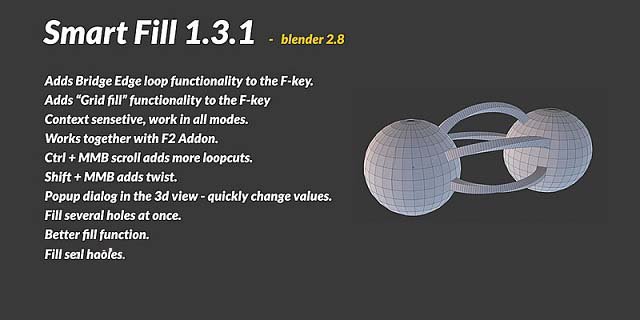
This addon extends the functionally of the fill tool that by default is mapped to the F key in Blender.
FEATURES
- Combines,Grid fill,fill,Bridge edge loops, and much more – all on the f-key.
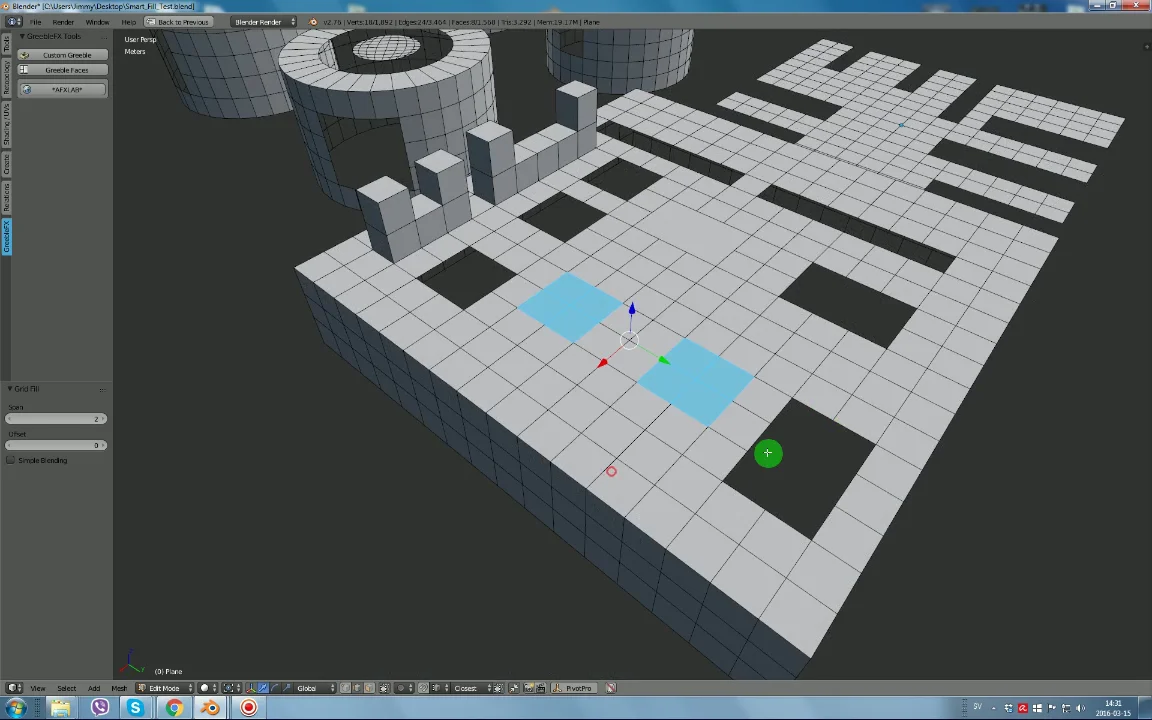
- Grid fill several holes at once.
- Grid fill open loops as well.
- popup dialog with all the options (can be turned off).
- make arches, super fast (still can be improved)
- Shift + CTRL adds extra functions depending on the operation,here are a couple of examples:
a. Normal fill, CTRL+MMB add loopcuts. SHIFT+MMB adds twist.
b. Bridge edge loops, same as above.
c. Grid fill, CTRL+MMB Change offset value. SHIFT+MMB change span value.
- ctrl + MMB up. repeat last value.
- Works with the F2.
- Context sensetive, works in all modes.
Supercharge your 3D creation workflow with premium selection of Blender Add-ons. Whether you are modeling intricate characters, sculpting realistic environments, or animating cinematic sequences, the right add-on can transform how you work inside Blender. Our curated collection includes powerful tools for UV unwrapping, procedural texture generation, rigging automation, rendering optimization, and more—each rigorously tested for compatibility with the latest Blender versions. Eliminate tedious manual processes and unlock advanced functionality that lets you focus on what matters most: bringing your creative vision to life. Explore our full range of professional Blender plugins today and take your 3D projects to the next level.
➡️ ➡️ For more Blender Plugins 😀 😀
Reviews
There are no reviews yet.