
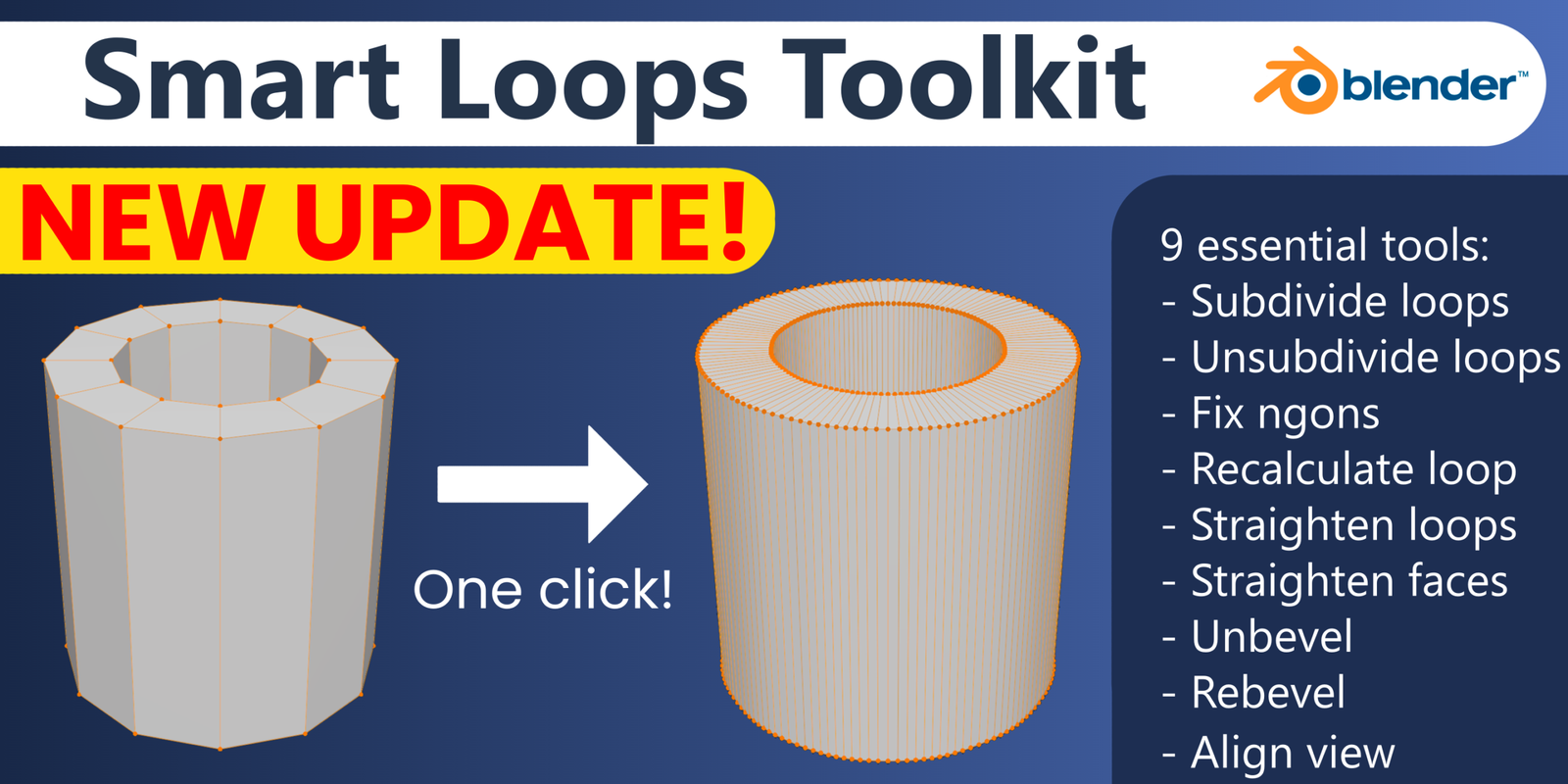
smart loops toolkit for Blender
smart loops toolkit addon
Smart Loops Toolkit v1.0.4 for Blender – Advanced Edge Loop & Topology Management Tool
Version: V1.0.4
File Size: 10 MB
Download Smart Loops Toolkit v1.0.4 for Blender on Windows, Mac, and Linux, a professional edge loop and topology management add-on that provides advanced tools for creating, editing, and optimizing edge loops. Perfect for hard-surface modelers, character artists, and technical artists who need precise control over mesh topology .
Key Features of Smart Loops Toolkit v1.0.4:
- Edge Loop Creation: Create edge loops with adjustable falloff and curvature following
- Loop Slide: Slide edge loops along surfaces with adaptive spacing
- Loop Relax: Smooth uneven edge loops while preserving shape
- Loop Reduction: Reduce edge loop density in specified regions
- Loop Select: Advanced edge, face, and vertex loop selection tools
- Pole Management: Identify and fix topology poles (N-gons with extra edges)
- Quadrangulate: Convert triangulated meshes back to quads intelligently
- Edge Flow Visualization: Color-coded display of edge flow quality
- Real-Time Preview: See topology changes update instantly
- v1.0.4 Updates: Enhanced selection tools, improved loop relaxation, and compatibility with Blender 4.0+
Perfect For:
- Hard-surface modelers maintaining clean topology for subdivision
- Character artists creating efficient edge loops for deformation
- Technical artists optimizing meshes for animation
- Game developers preparing assets for real-time engines
- Anyone needing advanced edge loop management in Blender
System Requirements:
- Blender 3.6, 4.0, 4.1, 4.2, 4.3
- Windows 10/11 (64-bit), macOS, or Linux
- 4GB RAM minimum (8GB+ recommended)
- 10MB available disk space
Installation:
- Download the add-on zip file
- In Blender, go to Edit > Preferences > Add-ons
- Click “Install” and select the downloaded zip file
- Enable the add-on by checking the box next to “Smart Loops Toolkit”
Note: Smart Loops Toolkit provides professional edge loop management for Blender, with advanced tools for creating, sliding, relaxing, and optimizing edge loops . The loop selection and topology visualization make it essential for hard-surface modelers, character artists, and technical artists . Version 1.0.4 includes full compatibility with Blender 4.0 and above . Designed for Blender 3.6 and above . Perfect for precise topology management . Essential for any modeling workflow .
Smart Loops Toolkit is a comprehensive set of tools designed to supercharge your Blender modeling workflow. In a matter of seconds upscale the resolution of your geometry, undo/redo your bevels and much more – without distorting the other parts mesh of the mesh!
Subdivide loops tool
https://cdn.iframe.ly/api/iframe?url=https%3A%2F%2Fyoutu.be%2FGmPIEO5J9sU&key=31708e31359468f73bc5b03e9dcab7da
Unsubdivide loops tool
Fix ngons tool
https://cdn.iframe.ly/api/iframe?url=https%3A%2F%2Fyoutu.be%2FaEBM3pBAlPw&key=31708e31359468f73bc5b03e9dcab7da
Recalculate loop tool
https://cdn.iframe.ly/api/iframe?url=https%3A%2F%2Fyoutu.be%2FlXP8ypVPsjQ&key=31708e31359468f73bc5b03e9dcab7da
Straighten loops tool
https://cdn.iframe.ly/api/iframe?url=https%3A%2F%2Fyoutu.be%2FcbaMMnJUNp4&key=31708e31359468f73bc5b03e9dcab7da
Straighten faces tool
https://cdn.iframe.ly/api/iframe?url=https%3A%2F%2Fyoutu.be%2FrCWcR6EjYOY&key=31708e31359468f73bc5b03e9dcab7da
Unbevel and Rebevel tools
https://cdn.iframe.ly/api/iframe?url=https%3A%2F%2Fyoutu.be%2FC3CoSf7mX4U&key=31708e31359468f73bc5b03e9dcab7da
Align view tool
https://cdn.iframe.ly/api/iframe?url=https%3A%2F%2Fyoutu.be%2FGCdYzpjoOwo&key=31708e31359468f73bc5b03e9dcab7da
Accessing the tools
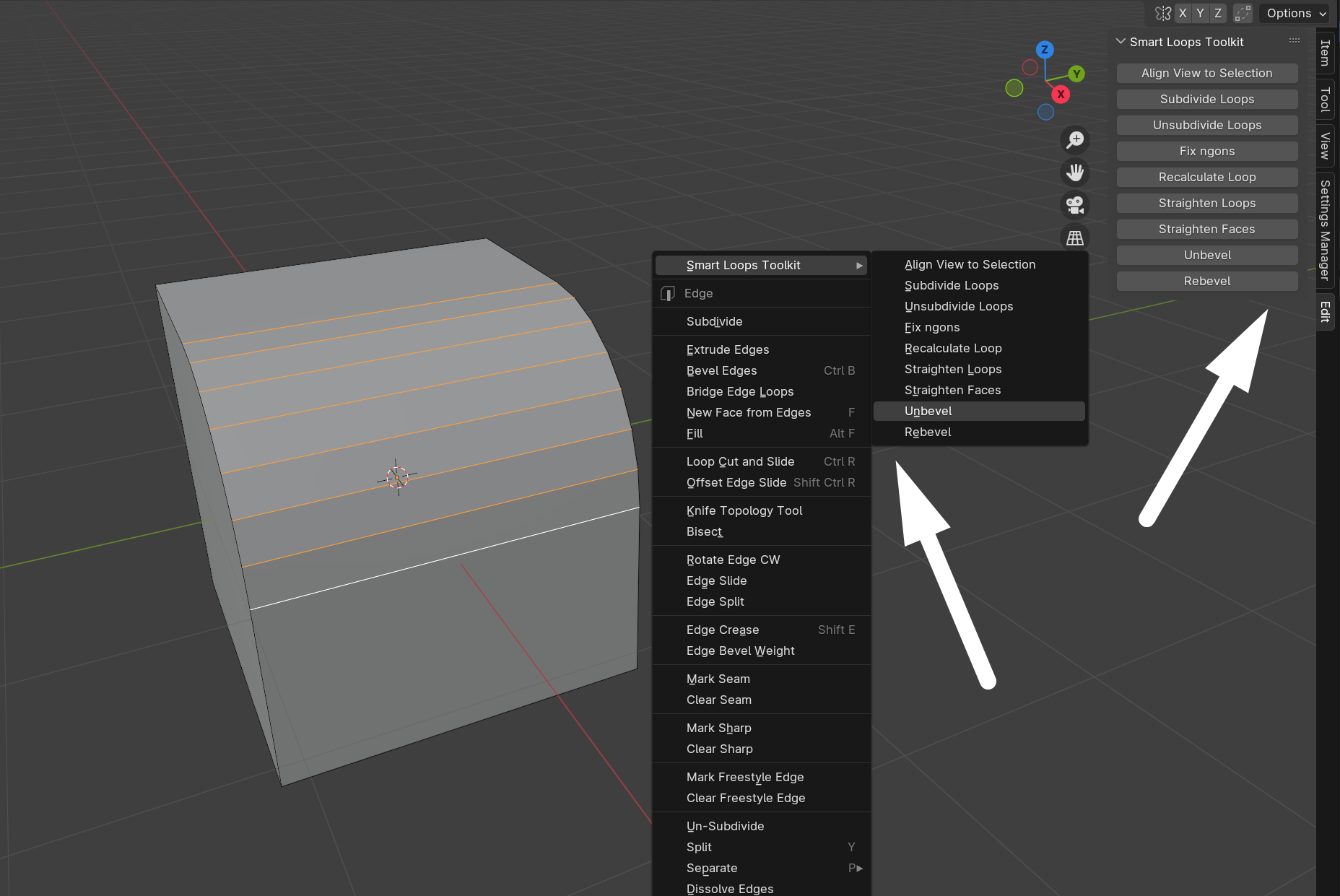
All of the tools can be accessed either through the N-Panel under the Edit tab or via the right mouse button in edit mode.
Changelog:
- v1.0.0:
- Initial release
- v1.0.1:
- Bug fixes, improved stability
- Added closed curve option for the subdivide loops tool
- v1.0.2:
- Fixed a bug where some tools threw an error when working on small objects and unit scale lower or equal to 1.0
- v1.0.3:
- Improved the stability and functionality of the unbevel (rebevel) tool; supporting more use cases
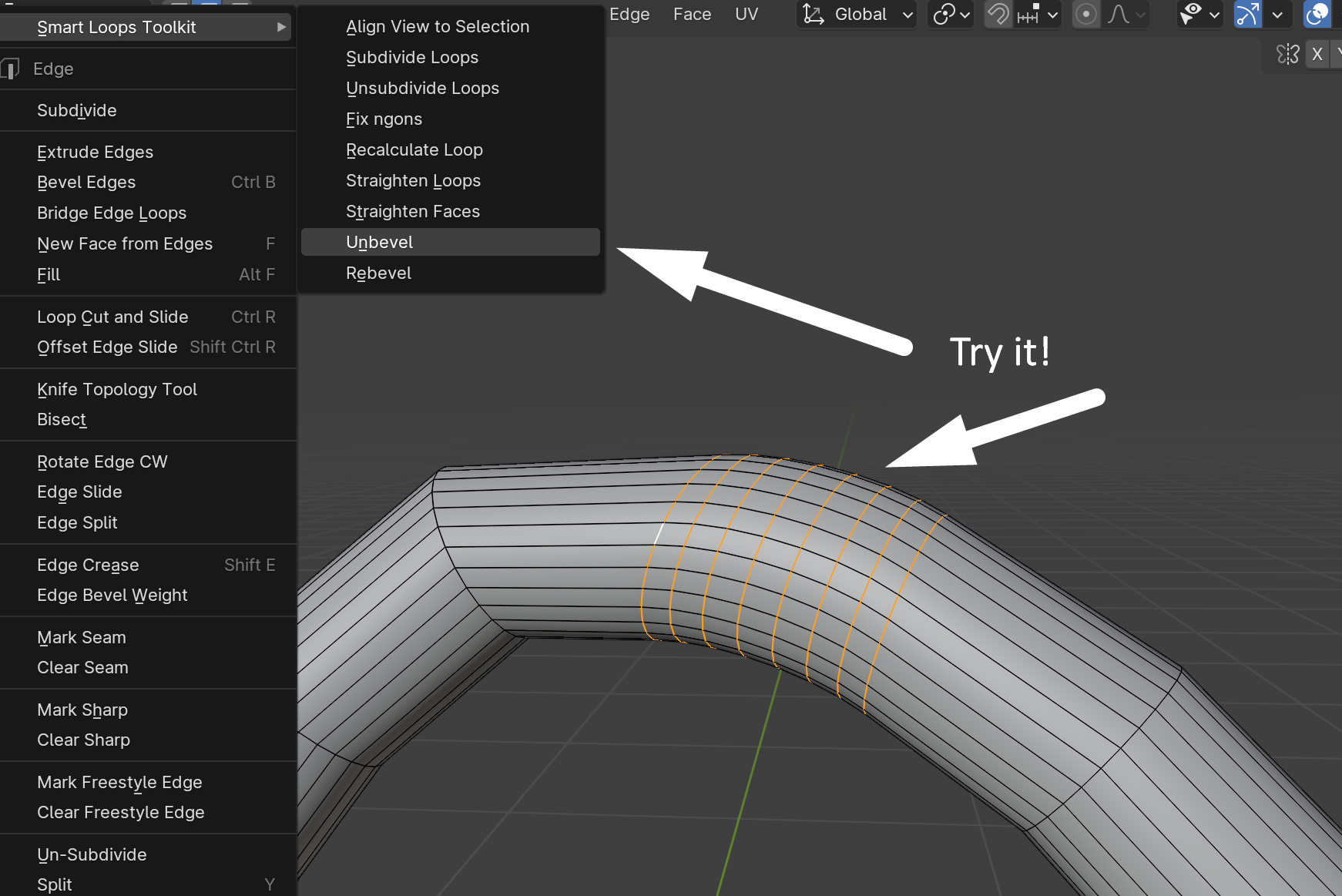
- Improved the stability and functionality of the unbevel (rebevel) tool; supporting more use cases
- v1.0.4:
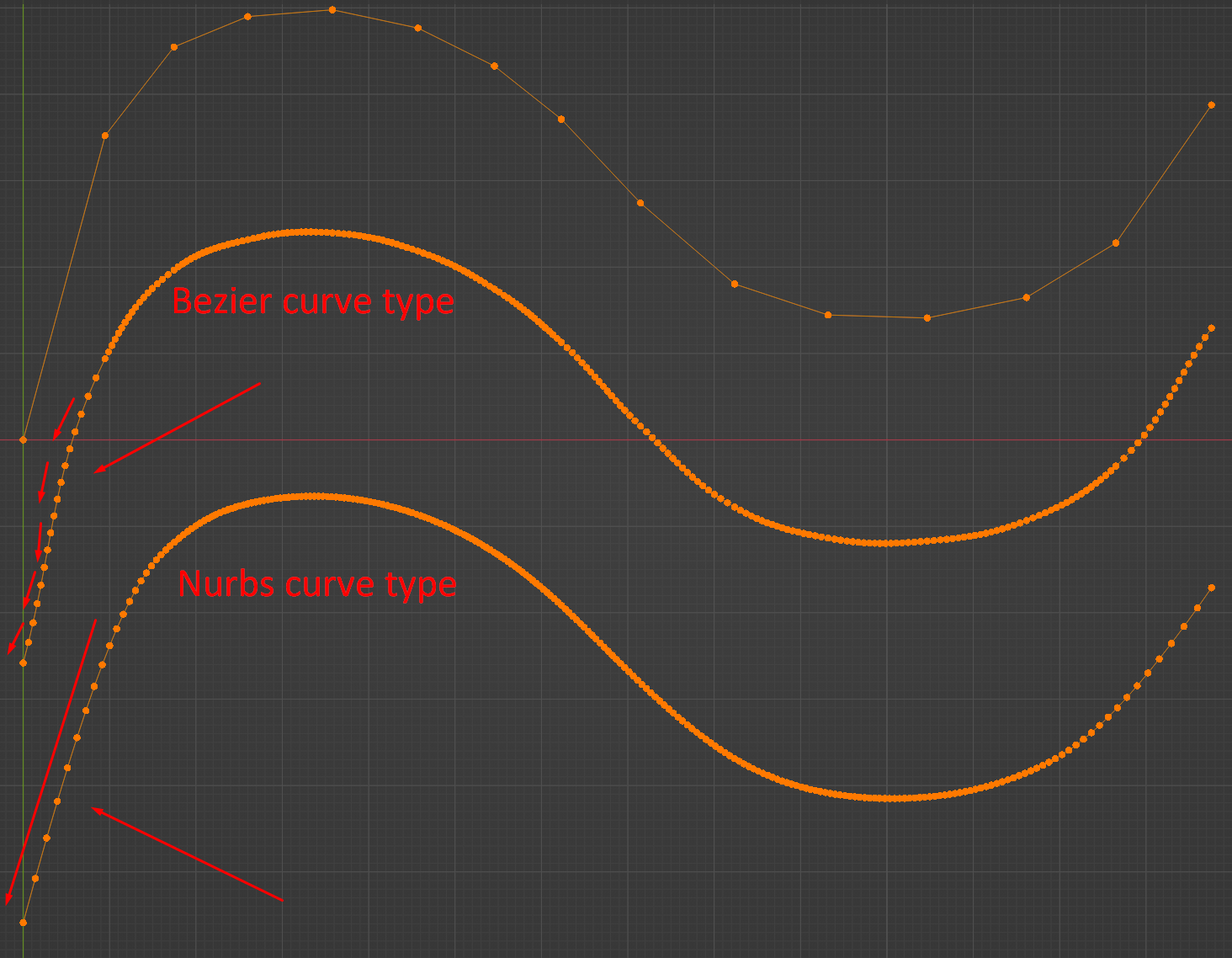
- Added curve types property to the subdivision loops operator. The default (bezier) type was problematic in some use cases. Please note that projection modes are not valid for nurbs curves.
- v1.1.0:
- Added Unsubdivide Loops Tool
- Added precision parameter to the unbevel/rebevel tools. It allows for fixing any inaccuracy issues which sometimes occur when used on flat surfaces.
Supercharge your 3D creation workflow with premium selection of Blender Add-ons. Whether you are modeling intricate characters, sculpting realistic environments, or animating cinematic sequences, the right add-on can transform how you work inside Blender. Our curated collection includes powerful tools for UV unwrapping, procedural texture generation, rigging automation, rendering optimization, and more—each rigorously tested for compatibility with the latest Blender versions. Eliminate tedious manual processes and unlock advanced functionality that lets you focus on what matters most: bringing your creative vision to life. Explore our full range of professional Blender plugins today and take your 3D projects to the next level.
➡️ ➡️ For more Blender Plugins 😀 😀
Reviews
There are no reviews yet.