
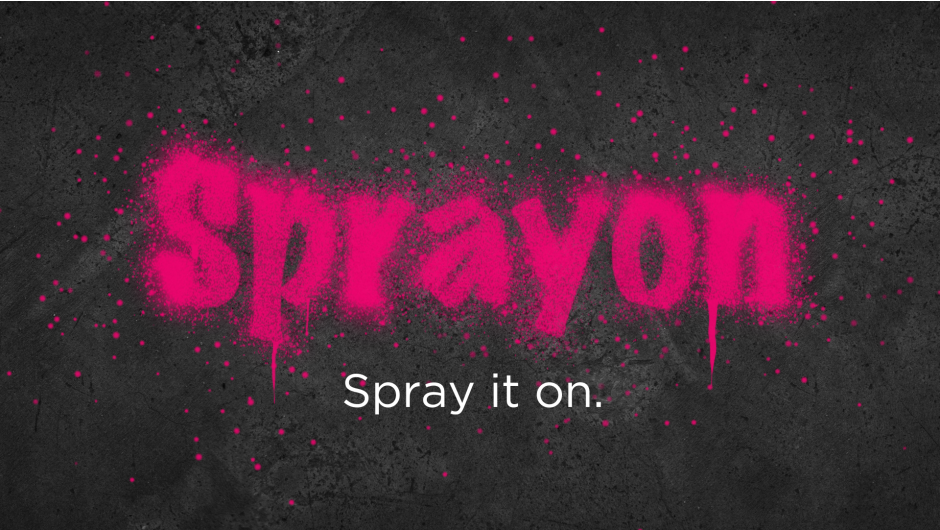
Sprayon for After Effects
Sprayon V1.0 for After Effects
The Ultimate Procedural Spray Paint and Splatter Effect Tool
Download Sprayon V1.0 today. Consequently, you can instantly generate realistic spray paint, graffiti, and organic splatter effects directly inside After Effects. Because motion designers frequently need to add raw, urban, or handcrafted textures to their projects, having a dedicated splatter tool is absolutely essential.
Nevertheless, manually creating convincing paint splatters requires complex particle simulations or expensive stock footage. Fortunately, Sprayon eliminates this bottleneck completely. Moreover, it provides a fully procedural system to generate customizable spray patterns in seconds. In short, you can achieve authentic street-art visuals with unprecedented speed.
Realistic Spray and Splatter Generation
The core of this plugin lies in its advanced algorithmic generation. For instance, it accurately simulates the erratic, scattered behavior of aerosol spray cans. Furthermore, you can generate thick paint splatters, fine mist, and dripping effects with simple parameter adjustments.
Additionally, the tool includes intelligent edge detection. It allows you to spray paint specifically along the contours of your text, logos, or shapes. Since the effect is procedurally generated, you avoid repeating patterns. Consequently, your artwork gains a unique, organic, and handcrafted look.
Comprehensive Spray Controls and Customization
Professional workflows demand granular control over every visual element. Therefore, Sprayon provides a comprehensive suite of styling parameters. For example, you can adjust the density, spread, and velocity of the paint particles.
Furthermore, you can customize the color, opacity, and blending modes to match your specific design. Additionally, the tool supports multi-layered spraying, allowing you to build up complex textures over time. Since every parameter is fully keyframable, you can animate the spraying process dynamically. Thus, you maintain complete creative authority over your textures.
Real-Time GPU Acceleration and Workflow
Creative exploration demands immediate visual feedback. Accordingly, Sprayon is fully GPU-accelerated for optimal performance. For instance, the spray patterns update in real-time as you drag the sliders.
Furthermore, the plugin integrates natively into the After Effects interface. Additionally, it supports batch processing, allowing you to apply consistent grunge effects across multiple layers. Since the tool is highly optimized, it handles high particle counts without slowing down your workstation. Consequently, you can iterate rapidly and achieve polished results quickly.
Perfect for Motion Designers and Graphic Artists
This plugin is particularly well-suited for motion designers creating edgy title sequences and urban-themed graphics. Similarly, graphic artists will appreciate the ability to quickly add grunge and texture to clean vector designs. Additionally, content creators producing music videos and streetwear promos will find the organic splatters invaluable. Ultimately, Sprayon V1.0 accelerates your entire post-production pipeline.
System Requirements and Compatibility
Sprayon V1.0 supports After Effects versions 2022, 2023, 2024, 2025, and 2026. It works on both Windows and macOS operating systems. The plugin requires a modern graphics card for optimal performance. You will need a standard workstation with at least 8GB of RAM.
Installation and Usage Guide
To install, first download the plugin installer from your library. Next, close Adobe After Effects if it is running. Then, install the plugin following the standard aescripts + aeplugins process using the Manager App. After that, launch After Effects and apply Sprayon to your solid or text layer.
Finally, adjust the density, spread, and color settings to achieve your desired spray effect. Thus, your procedural splatter workflow will be ready instantly.
What is Included Inside?
The pack contains the complete Sprayon V1.0 plugin for After Effects. Furthermore, it includes the realistic spray and splatter generation engine and comprehensive customization controls. Additionally, you receive full GPU acceleration and complete animation support. Ultimately, you receive everything needed for professional street-art textures.
Final Thoughts on the Plugin
Effortless splatter generation evokes profound creative freedom. Therefore, this plugin provides the ultimate foundation for your textured design workflows. You can add organic grit and energy to your visuals with unprecedented speed. Consequently, your creative vision becomes a stunning reality.
A native, GPU-accelerated After Effects plugin effect that turns any layer into authentic spray paint: mist, sputter, and drips included. One slider paints it on stroke by stroke, like a real can in a real hand.
Turn anything into spray paint and watch it get sprayed on.
- Authentic spray-paint look: droplet grain, overspray mist, and sputter flecks, generated procedurally from your layer’s own shape and colors
- “Sprayed-On” animation: one slider paints the artwork on, tracing along each letterform’s detected skeleton for a natural, stroke-like reveal. Never a wipe or dissolve
- Procedural drips: paint runs from wet edges, with full control over amount, length, width, speed, direction, and seed
- Four one-click presets: Freehand, Stencil, Fill, and Two-Tone, all fully editable afterwards
- Living texture: an animatable unevenness map (Turbulence / Ridged / Cells / Streaks) makes the whole coat breathe like real can pressure
- Two-color coats: a second color blotches through, up to a full recoat
- Works on anything: text, logos, footage; paint picks up the source’s own colors
- GPU-accelerated (Metal) with automatic CPU fallback
The Look: Droplets, mist, sputter. Real paint, built from your layer.

Freehand, Stencil, Fill, or Two-Tone: four starting points with completely different characters. Each preset just writes its values into the sliders, so everything stays fully editable.

Real cans spit. Sputter scatters coarse flecks of paint around the artwork. Control their amount, size, and reach, and reshuffle them with a dedicated seed.
Overspray controls the mist beyond the edges, from a tight, clean line to a wide, hazy halo.

From a smooth airbrush coat to coarse, gritty speckle: Grain sets how the paint breaks up, and the Variation map makes it wander across the artwork like real can pressure.
Add a second color that blotches through the coat — from a few patches to a full recoat.
Sprayed-On Animation. One slider. Painted on stroke by stroke.
Animate one slider and the artwork paints itself on — Sprayon detects the skeleton of each letterform and traces along it, so the reveal feels like natural hand strokes (not true dictionary stroke order, but convincingly close), mist riding the nozzle, drips forming as it goes. Not a wipe, not a dissolve: spraying.
From a first dusty pass to a solid coat — Coverage sets how much paint lands.
Drips. Paint that runs and pools, never backwards.
Where the coat is wettest, paint runs. Control the amount, length, width, speed, and direction, every drip grows naturally and never plays backwards.
Elevate your motion graphics workflow with premium collection of After Effects plugins. Whether you are a seasoned professional or just starting your VFX journey, powerful tools designed to streamline complex tasks, unlock creative possibilities, and save you hours of rendering time. From stunning glitch effects and seamless transitions to advanced 3D extrusion and text animation tools, each plugin in our library is rigorously tested for compatibility with the latest versions of Adobe after Effects. Enhance your video production value today and download industry-leading plugins that help you create breathtaking visuals without the technical headaches. Browse our full range and find the perfect extension to supercharge your editing suite now.
➡️ ➡️ For more after effects Plugins 😀 😀
➡️ ➡️ System requirements AE
Reviews
There are no reviews yet.