
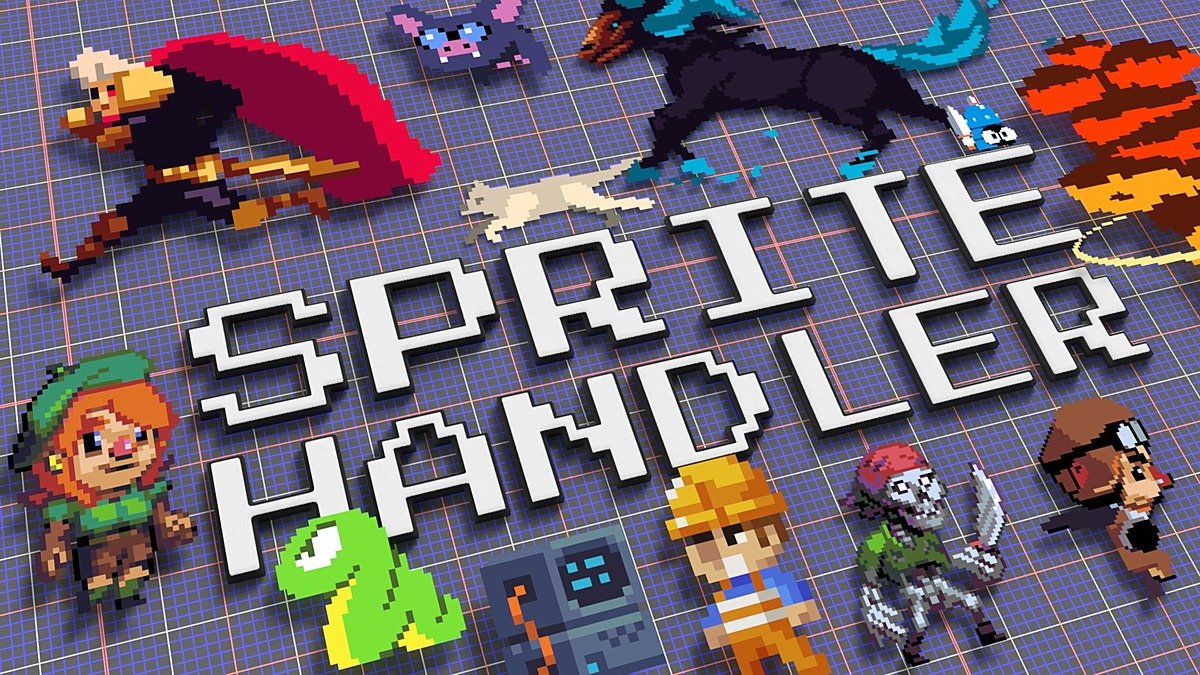
Spritehandler for Blender
spritehandler addon
SpriteHandler v2.0.7 for Blender – Advanced 2D Sprite & Billboard Management System
Version: V2.0.7
File Size:1 MB
Download SpriteHandler v2.0.7 for Blender on Windows, Mac, and Linux, a powerful 2D sprite and billboard management add-on for creating 2D characters, effects, and UI elements in 3D space. Import sprite sheets, manage animations, and control billboard behavior with intuitive tools—perfect for game developers, motion designers, and 2D-in-3D artists .
Key Features of SpriteHandler v2.0.7:
- Sprite Sheet Import: Import sprite sheets and automatically slice into individual frames
- Animation Management: Create and edit sprite animations with frame timing controls
- Billboard Controls: Sprite always faces camera or custom orientation options
- Sprite Sorting: Control draw order for overlapping sprites
- Atlas Packing: Pack multiple sprites into atlases for efficiency
- Shader Integration: Automatic shader setup for sprite materials
- Playback Controls: Real-time animation preview and playback speed control
- Batch Processing: Import and manage multiple sprite sheets simultaneously
- Export Ready: Optimized for game engine export
- v2.0.7 Updates: Enhanced import, improved animation tools, and compatibility with Blender 4.0+
Perfect For:
- Game developers creating 2D characters in 3D space
- Motion designers adding 2D elements to 3D scenes
- VFX artists creating billboard effects
- UI/UX designers prototyping spatial interfaces
- Anyone needing 2D sprite management in Blender
System Requirements:
- Blender 3.6, 4.0, 4.1, 4.2, 4.3
- Windows 10/11 (64-bit), macOS, or Linux
- 4GB RAM minimum (8GB+ recommended)
- 20MB available disk space
Installation:
- Download the add-on zip file
- In Blender, go to Edit > Preferences > Add-ons
- Click “Install” and select the downloaded zip file
- Enable the add-on by checking the box next to “SpriteHandler”
Note: SpriteHandler provides professional 2D sprite management for Blender, making it easy to import sprite sheets, create animations, and control billboard behavior in 3D space . The atlas packing and export optimization make it essential for game developers and motion designers . Version 2.0.7 includes full compatibility with Blender 4.0 and above . Designed for Blender 3.6 and above . Perfect for 2D-in-3D workflows . Essential for any sprite management .

Spritehandler
Recent Updates:
7 Jan: 2024: Minor bug fixes and ensuring 4.0 compatibility.
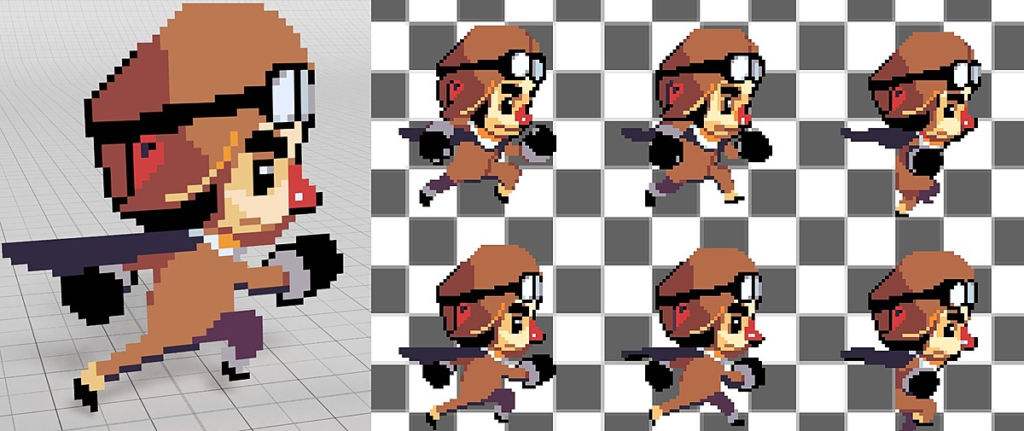
Spritehandler is a set of tools for using, and generating, sprite sheets within Blender. Using a node group to manipulate UV coordinates, Spritehandler sequences sprite sheets loaded through image
texture nodes. This opens up a wealth of possibilities for rendering sprites, flipbooks, billboards, particles, and material variations. All
functionality is wrapped in intuitive operators for efficiency and ease of use
Create Spritesheets
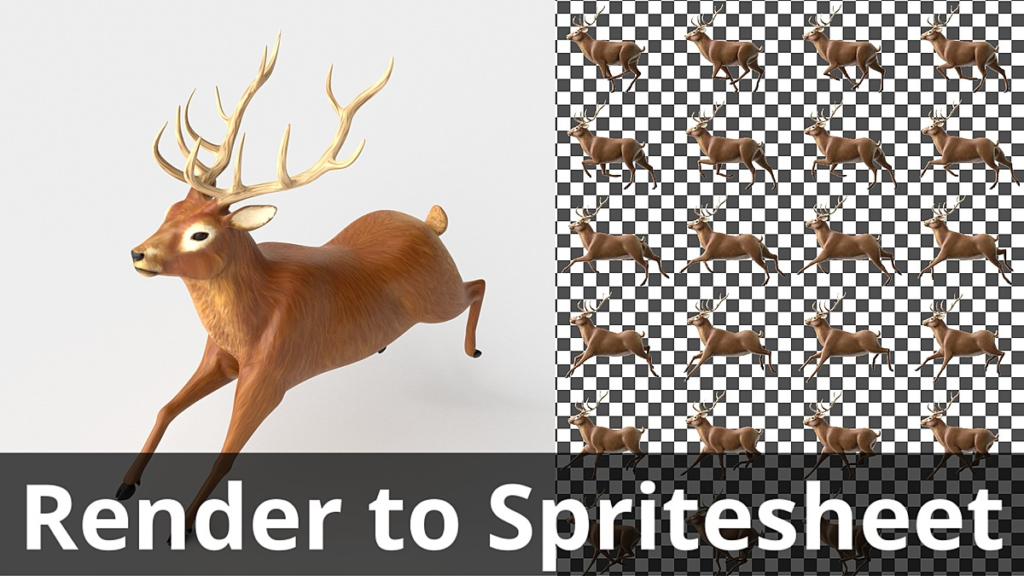
Spritehandler can also be used for simple sprite packing using either on-disk images or packing automatically from render output.

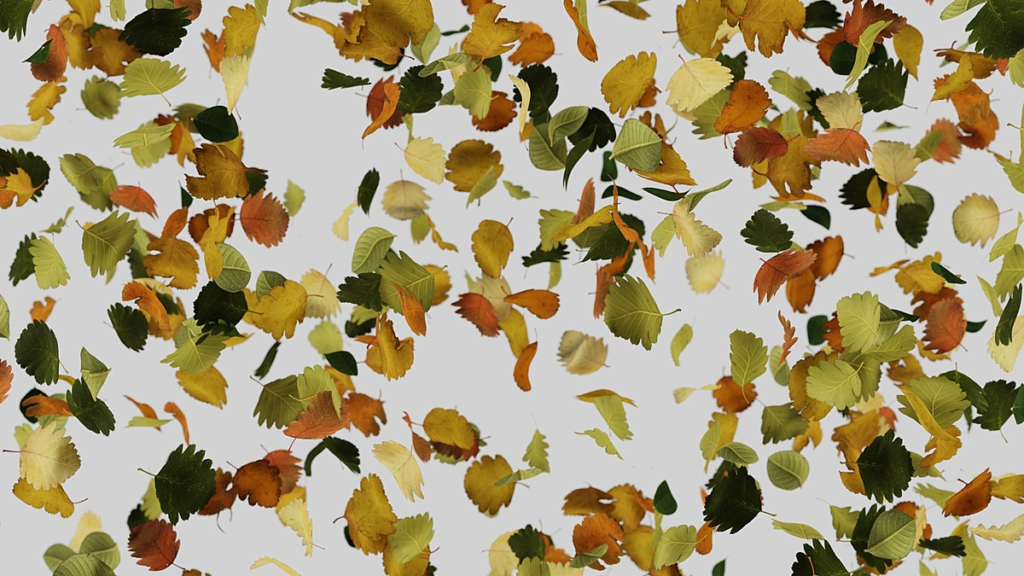
Particles, Static and Animated
Using the Spritehandler node group with particle systems greatly expand what is possible with Blender’s limited particle rendering tools.

Material Variation with Atlases
By driving the node groups index function with object data or randomization, Spritehandler can be used to create complex material variations across instances.

Atlas to Mesh
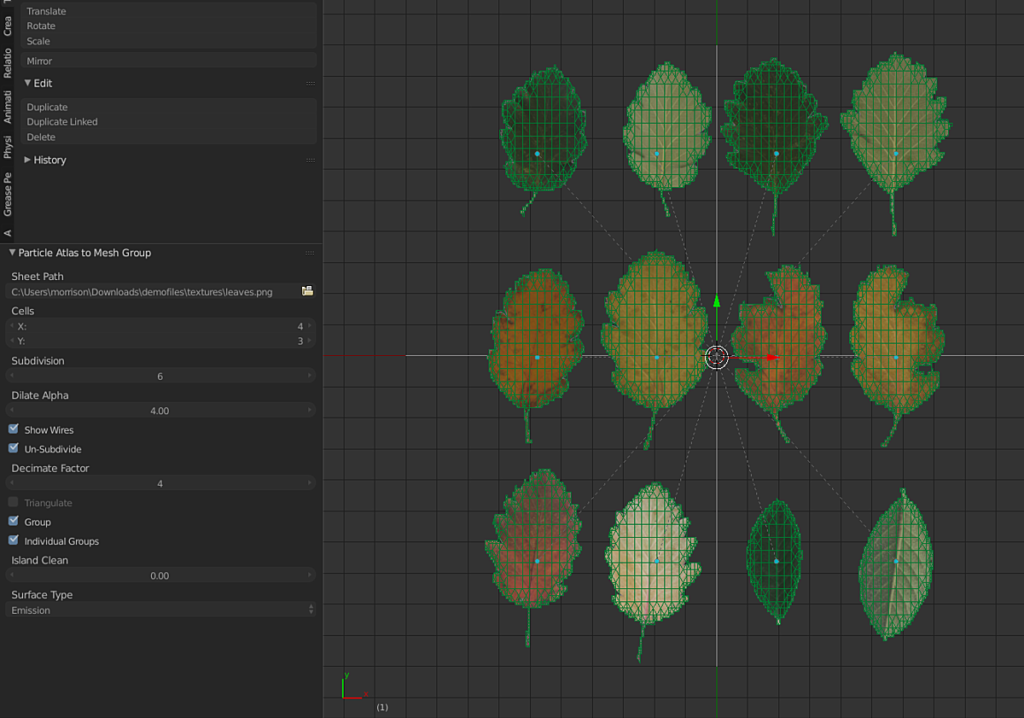
Convert atlas maps to mesh objects based on their grid layout and alpha channels.

Playback of Spritesheets and Flipbooks
:warning: Eevee warning: Due to a bug/limitation in Eevee, spritesheet indexing can occasionally show the wrong frame. The issue specifically when using the spritesheet node group and does not affect creating spritesheets. At time of writing I’m experimenting with a workaround but can make no promises as the bug is part of Blender.:
Spritehandler’s enables the use of sprite sheets within material nodes. Creation of sprite planes through the operator will setup a time node, removing the need to keyframe playback.

Features
- Demo files
- Preset based sprite plane creation
- Playback
- Particle Indexing
- Particle Playback
- Billboard Toggle
- Setup operator for planes
- Playback Control
- Delay start
- Speed
- Index Offset
- Total offset (for uneven sheets)
- Loop limits
- Current frame shader node
- Render farm/distributed rendering compatible
- Generate spritesheets from images
- Generate spritesheets from animation render
- Adjust scale of generated spritesheets
- Convert atlas images to individual, grouped, meshes with alpha derived topology
Usage
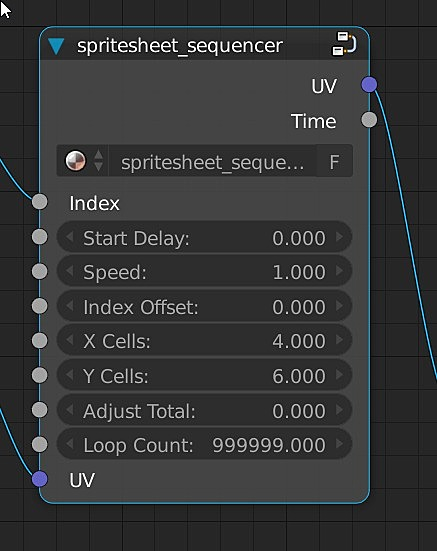
Nodegroup Parameters
- Index : Current index to output.
- Start Delay : Delay playback / freeze playback until this frame is reached.
- Index Offset : Offset the current index.
- X Cells : Total number of horizontal cells.
- Y Cells : Total number of vertical cells.
- Adjust Total : Adjust total cell count for uneven cell sheets.
- Loop Count : Playback limits.
Tutorial: Sprite Planes
- Add Menu (SHIFT+ A) > Mesh > Create New Sprite Plane
- Select Spritesheet file and choose a host type/Preset:
- Animated : Index driven by current frame
- Static : Index driven by random number
- Particle Animated : Index driven by particle age
- Particle Static : Index driven by particle index
- Setup sheet by either:
- Running operator: Object > Setup Spritesheet
- Manually set the group node parameters and run operator: Object > Scale From Sprite Node
Tutorial: Sprite Packing
Sprite packing is performed through the Spritesheet Generator Toolshelf in the UV/Image Editor
- Generate Spritesheet prompts to user to select sprites for packing and then generates an new sheet from them based on the ‘X Cell Count’
- Regenerate Spritesheet last images used in Generate Spritesheet and repacks based on the ‘X Cell Count’
- Enabling Sheet from Render will generate a spritesheet from animation renders. These sheets can also be used with Regenerate Spritesheet
Tutorial: Atlas to Mesh
- Add Menu (SHIFT+ A) > Particle Atlas to Mesh Group
- Set creation parameters using the operator properties(Bottom left corner of 3d view)
- Sheet Path : Atlas for conversion
- Cells : Set atlas cell values
- Subdivision : Controls the accuracy of the conversion
- Dilate Alpha : Grows the alpha of each cell
- Un-Subdivide : Enable/Disable mesh optimization
- Decimate Factor : Number of optimization steps
- Triangulate : Triangulate final meshes
- Group : Create a new group and add mesh to it
- Individual Group : Create, and apply, a unique group for each mesh
- Island Clean : Remove small mesh islands based on their area.
- Surface Type : Shader type to use for the new objects’ material
- Experiment with subdivision and alpha dilate values to get a feel for how they affect the mesh generation. Higher subdivision values are very computationally expensive and you should focus on alpha dilation to recover clipped details. Disable Un-Subdivide to better see generation process. Alpha dilation is likely to generate small floating islands that can be cleaned with the Island Clean parameter set to a low value.
Advanced Use / Materials / Manual Setup
The Spritehandler node group functions by scaling UV coordinates into ranges appropriate for stepping over grid packed spritesheets/material atlases. Refer to demo files and observe how the handler nodes are being driven by their own sets of uv coordinates and masked where necessary.
Supercharge your 3D creation workflow with premium selection of Blender Add-ons. Whether you are modeling intricate characters, sculpting realistic environments, or animating cinematic sequences, the right add-on can transform how you work inside Blender. Our curated collection includes powerful tools for UV unwrapping, procedural texture generation, rigging automation, rendering optimization, and more—each rigorously tested for compatibility with the latest Blender versions. Eliminate tedious manual processes and unlock advanced functionality that lets you focus on what matters most: bringing your creative vision to life. Explore our full range of professional Blender plugins today and take your 3D projects to the next level.
➡️ ➡️ For more Blender Plugins 😀 😀
Reviews
There are no reviews yet.