
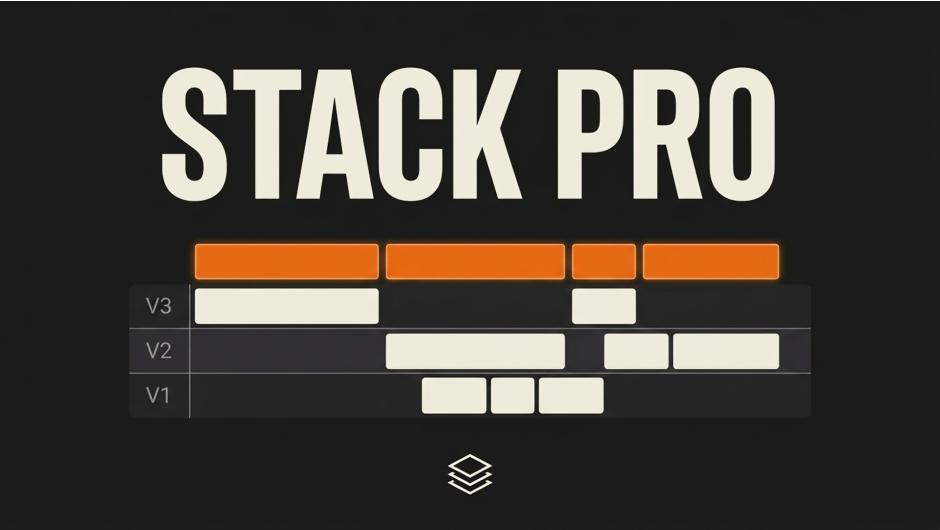
Stack Pro for After Effects
Stack Pro V1.0.0 for After Effects
The Ultimate Layer Stacking and 2.5D Parallax Tool for After Effects
Download Stack Pro V1.0.0 today. Consequently, you can instantly create immersive 2.5D parallax scenes from flat images without complex 3D modeling. Because motion designers and editors frequently need to add depth and dimension to static artwork, having a dedicated layer stacking tool is absolutely essential.
Nevertheless, manually separating elements and setting up 3D camera rigs takes hours of tedious work. Fortunately, Stack Pro eliminates this bottleneck completely. Moreover, it provides a streamlined system to distribute and animate layers in 3D space in seconds. In short, you can achieve stunning dimensional depth with unprecedented speed.
Procedural 3D Layer Distribution
The core of this extension lies in its ability to organize flat layers into a 3D environment. For instance, you can select multiple layers and instantly distribute them across the Z-axis. Furthermore, the tool automatically creates a native After Effects 3D camera and links it to a controller for easy navigation.
Additionally, Stack Pro calculates the perfect spacing between layers to prevent clipping. Since the setup is fully procedural, you can adjust the depth of any layer at any time. Consequently, your flat artwork transforms into a dynamic, volumetric scene.
Comprehensive Parallax and Camera Controls
Professional 2.5D workflows demand precise control over camera movement. Therefore, Stack Pro includes a comprehensive suite of parallax parameters. For example, you can customize the focal length, depth of field, and camera rotation.
Furthermore, you can easily animate the camera to create sweeping, cinematic movements. Additionally, the tool allows you to control the parallax intensity for each individual layer. Since every parameter is fully keyframable, you can create complex, multi-layered animations. Thus, you maintain complete creative authority over your scene’s depth.
Real-Time Workflow and Seamless Integration
Creative exploration demands immediate visual feedback. Accordingly, Stack Pro is fully optimized for real-time performance. For instance, the viewport updates instantly as you scrub through the timeline or adjust the camera.
Furthermore, the extension integrates natively into the After Effects 3D environment. Additionally, it supports both the Classic 3D and Advanced 3D renderers. Since the tool is highly optimized, it handles dozens of layers without slowing down your workstation. Consequently, you can iterate rapidly and achieve polished results quickly.
Perfect for Motion Designers and Photo Animators
This extension is particularly well-suited for motion designers creating dynamic slideshows and title sequences. Similarly, photo animators will appreciate the ability to bring still portraits and landscapes to life. Additionally, editors and content creators can use the tool to add cinematic depth to documentaries and social media videos. Ultimately, Stack Pro V1.0.0 accelerates your entire post-production pipeline.
System Requirements and Compatibility
Stack Pro V1.0.0 supports After Effects versions 2022, 2023, 2024, 2025, and 2026. It works on both Windows and macOS operating systems. The extension is available as a standard CEP or JSX panel for easy installation. You will need a standard workstation with at least 8GB of RAM.
Installation and Usage Guide
To install, first download the extension files from your library. Next, close Adobe After Effects if it is running. Then, copy the extension folder to your CEP extensions directory or Scripts folder. After that, ensure “Allow Scripts to Write Files and Access Network” is enabled in After Effects Preferences under Edit > Scripting & Expressions.
Finally, launch After Effects and navigate to Window > Stack Pro. Select your layers, adjust your spacing, and click to generate your 3D scene. Thus, your 2.5D parallax workflow will be ready instantly.
What is Included Inside?
The pack contains the complete Stack Pro V1.0.0 extension for After Effects. Furthermore, it includes the procedural 3D layer distribution engine and comprehensive parallax camera controls. Additionally, you receive real-time performance optimization and full integration with After Effects’ 3D renderers. Ultimately, you receive everything needed for professional 2.5D animation.
Final Thoughts on the Extension
Effortless 2.5D generation evokes profound creative freedom. Therefore, this extension provides the ultimate foundation for your dimensional workflows. You can transform flat images into immersive scenes with unprecedented speed. Consequently, your creative vision becomes a stunning reality.
Stop rebuilding the same adjustment layers for every project. Drop adjustment layers and color mattes over clips and cuts: Selected, Every Clip, Selected Cut, Every Cut. Cut out the busywork while editing in Premiere Pro!
Stack Pro · Premiere Pro CEP Panel
Stack Adjustment Layers
In One Click
Drop adjustment layers and colour mattes over clips and cuts — Selected, Every Clip, Selected Cut, Every Cut — without the busywork.
Four Modes.
Every Workflow Covered.
Selected, Every Clip, Selected Cut, Every Cut — without manual busywork.
01
Selected
Places a layer on the selected clip(s), matched to each clip’s length — or one layer spanning the selection.
02
Every Clip
One layer spanning every clip on the timeline. Sequence-wide look without hunting clips.
03
Selected Cut
Short layers centred on every cut between selected clips. Transition grades, flashes, blur hits.
04
Every Cut
Same cut-centred layers across every cut on the timeline. Built for long edits.
Cut length configurable — 1f, 2f, 3f, 5f, 10f, or custom.
Placing Layers Takes Too Long
Creating, dragging, trimming, and re-applying effects across dozens of clips. Stack Pro removes those steps.
Before
After
Why Editors Switch
Less Repetition.
More Creativity.
More looks won’t make you layer faster. Eliminate the manual steps.
The hardest part is getting that first consistent grade across the timeline. After that, the creative work gets easier.
Be more creative
Create, place, trim — handled. You focus on the grade and the story.
Stack to every cut
Short adj layers centred on every cut. Cut-sync grades and transition looks.
Save Current
Turn any finished adj into a reusable look. Stamp it on any future project.
Faster turnarounds
Deliver graded timelines faster. Less time on repetitive layer work.
Instant saved looks
Apply saved Lumetri grades, blur overlays, and colour mattes in one action.
What Stack Pro Improves
Finish grades 5× faster
Select, place, trim, apply — Stack Pro does all four in a single click.
Same-day edits
Grade the timeline while the director is still in the room.
Take on more projects
Fewer hours per job means more capacity — without burning out.
Timeline automation
Layer placement handled. You focus on colour and storytelling.
Saves on Average
1–3HOURS
Per adjustment layer pass. Per project.
Choose Your Effect
Any Effect As
Your Default Stack
In Settings, switch from Adjustment Layer to any effect you want — Lumetri, blur, or anything in your library. Stack Pro places that as your default every time.
Label Colour
Your Label.
Your Colour.
Pick any label colour in Settings for your adjustment layers — change the label and every stack Stack Pro creates appears in that colour on your timeline.
Minimal UI
Collapse The Panel.
Keep The Power.
Enable compact mode in Settings and Stack Pro shrinks to a slim strip — same placement modes and Save Current, less UI taking over your workspace.
Learn More
Full Tutorial Included
A complete step-by-step walkthrough — every placement mode, Save Current, minimal UI, and more.
Elevate your motion graphics workflow with premium collection of After Effects plugins. Whether you are a seasoned professional or just starting your VFX journey, powerful tools designed to streamline complex tasks, unlock creative possibilities, and save you hours of rendering time. From stunning glitch effects and seamless transitions to advanced 3D extrusion and text animation tools, each plugin in our library is rigorously tested for compatibility with the latest versions of Adobe after Effects. Enhance your video production value today and download industry-leading plugins that help you create breathtaking visuals without the technical headaches. Browse our full range and find the perfect extension to supercharge your editing suite now.
➡️ ➡️ For more after effects Plugins 😀 😀
➡️ ➡️ System requirements AE
Reviews
There are no reviews yet.