
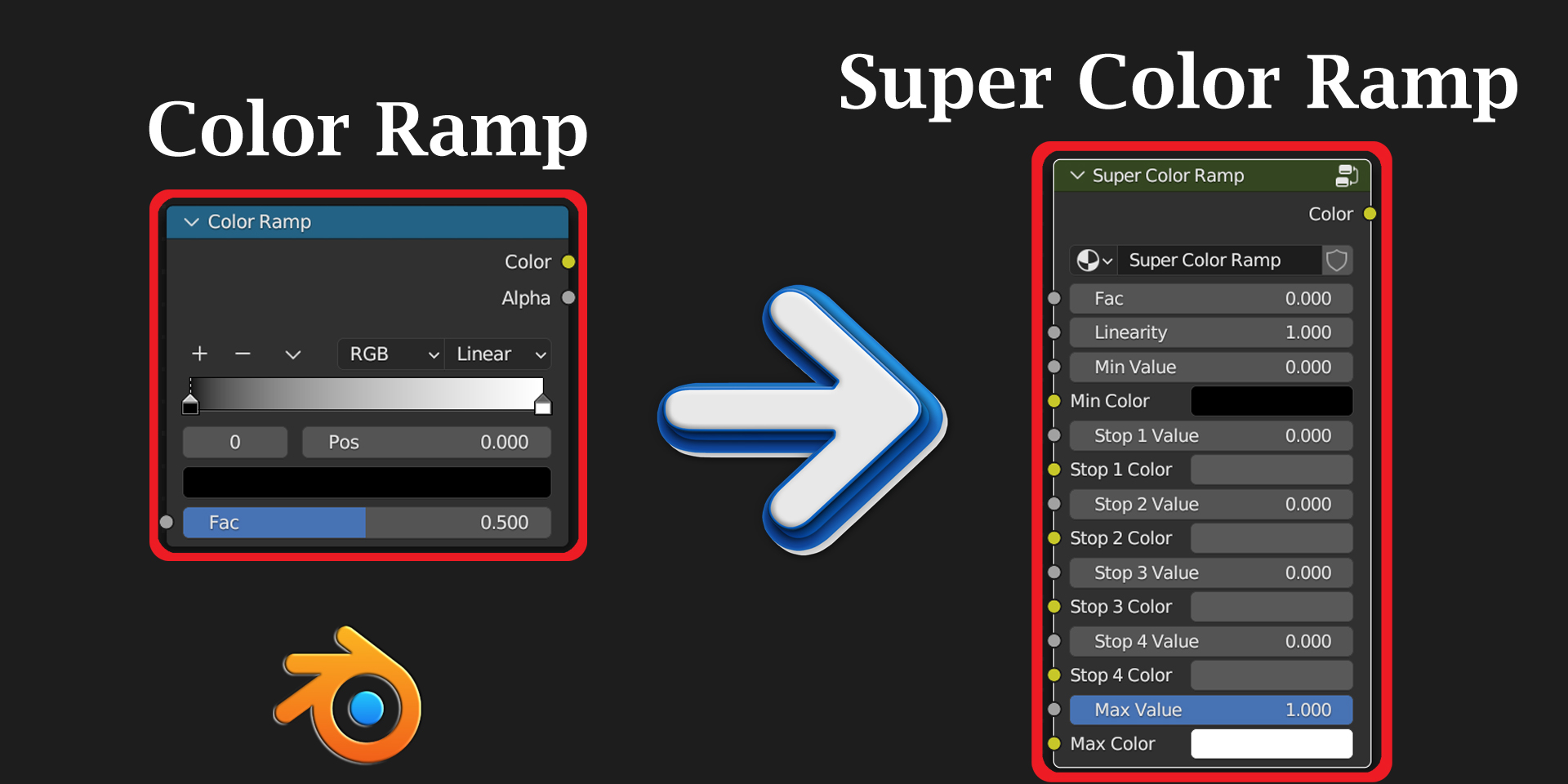
Super Color Ramp for Blender
Super Color Ramp for Blender
The Ultimate Dynamic Color Gradient Control Tool
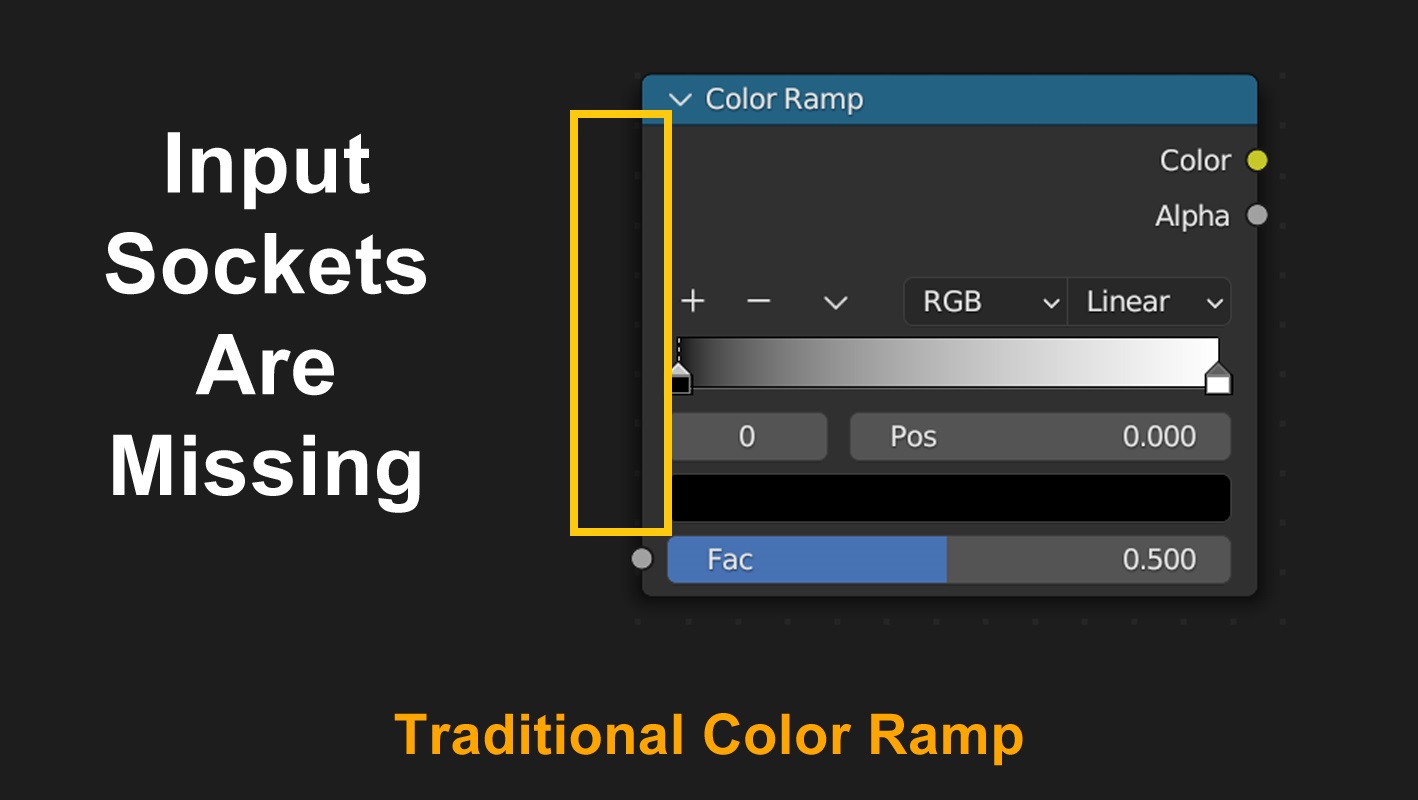
Download Super Color Ramp today. Consequently, you can overcome the static limitations of Blender’s native Color Ramp node and introduce full dynamic input control to your color gradients. Because advanced shading and geometry nodes workflows frequently demand adaptive, responsive color values, having access to a truly dynamic gradient tool is absolutely essential. Nevertheless, the traditional Color Ramp node in Blender lacks any input sockets for its color stops, locking its color values into a static state . Fortunately, Super Color Ramp bridges this gap completely. Moreover, it provides a custom node group that mirrors the familiar Color Ramp functionality while adding appropriate input sockets for every color stop and color value . In short, you can create dynamic, responsive node trees that adapt to changing inputs across both the Shader Editor and Geometry Node Editor.
Dynamic Input Control for Every Color Stop
The core of this addon lies in its revolutionary approach to color gradient control. For instance, unlike the static Color Ramp node, Super Color Ramp provides dedicated input sockets for all its color stops, allowing you to connect any other node directly to its color inputs . This means you can drive color values dynamically with textures, mathematical operations, or any other node output. Furthermore, the node’s FAC input behaves differently than the native version—it accepts values beyond the standard 0-1 range, offering greater flexibility for advanced setups . If you need to restrict the values to the standard range, you can simply add a Clamp node before the input . Consequently, your node trees become significantly more versatile and responsive to real-time changes.
Seamless Integration Across Blender’s Editors
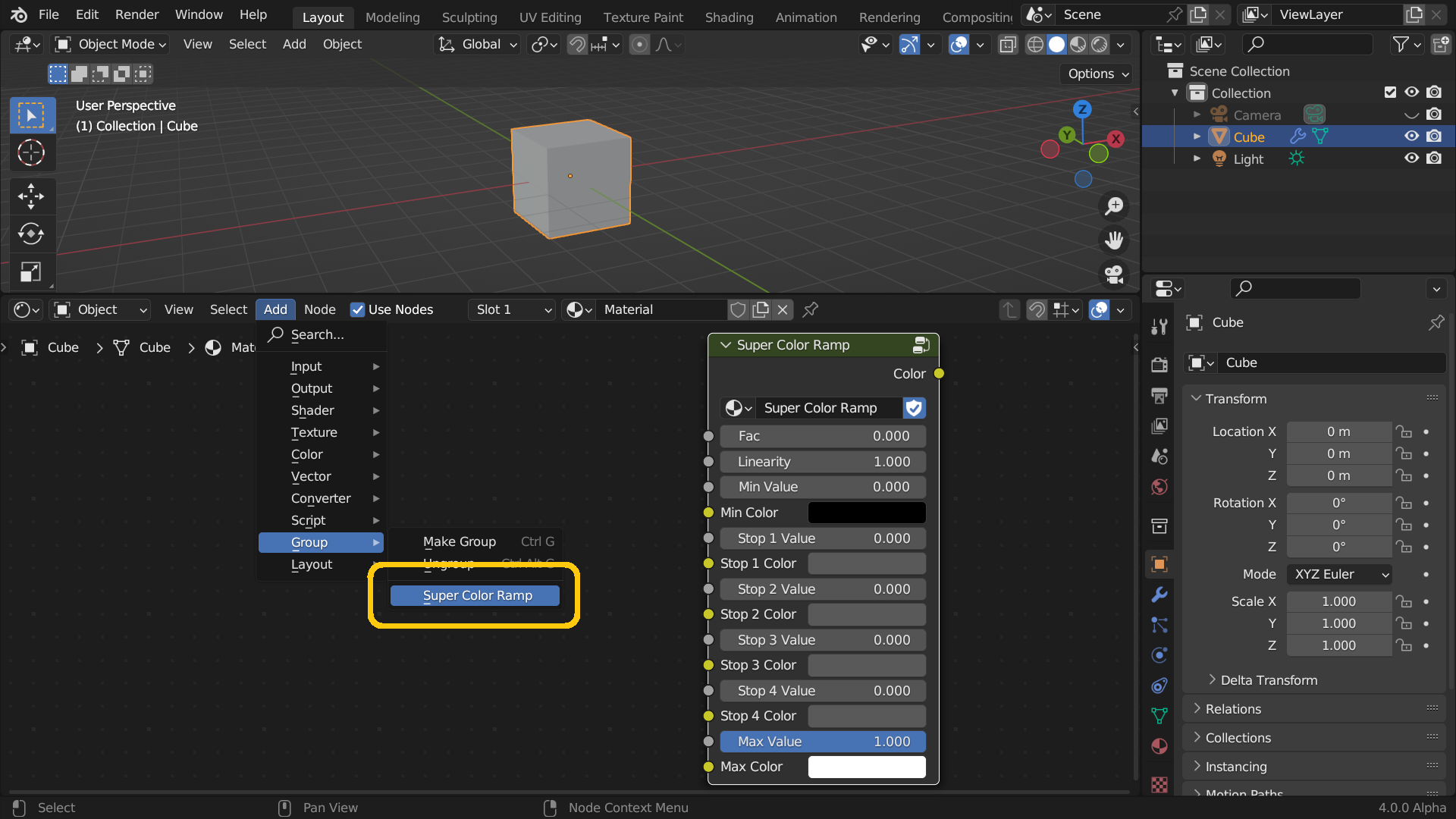
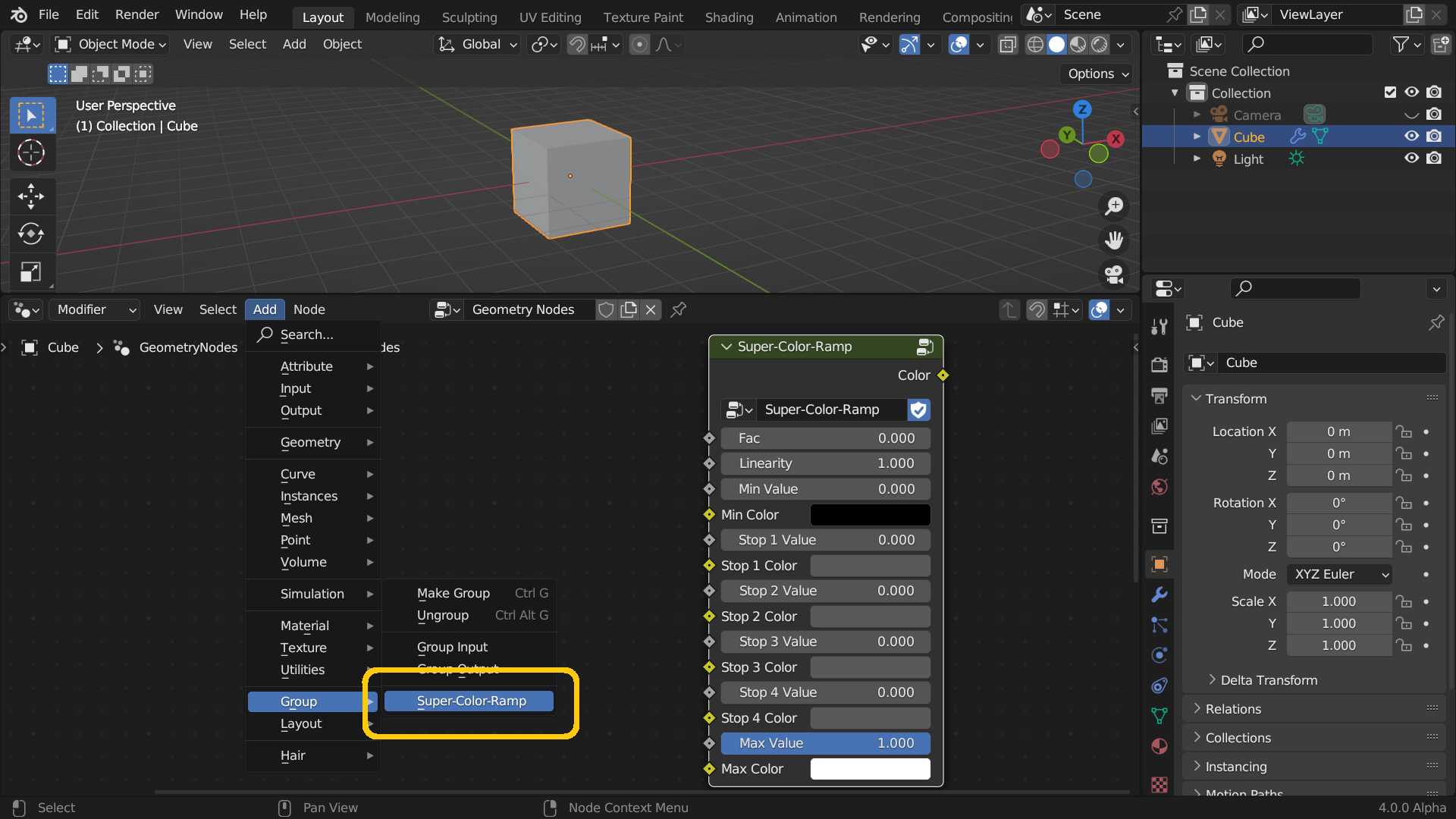
The Super Color Ramp node is designed to work wherever you need it. Specifically, it is available in both the Shader Editor and the Geometry Node Editor, providing consistent functionality across Blender’s most important node-based workflows . You can find it in the Add > Group menu after installation . However, note that the node uses slightly different names in each editor: Super Color Node in the Shader Editor and Super-Color-Node in the Geometry Node Editor . This naming difference is intentional due to Blender’s technical requirements, but the node’s functionality remains identical in both places . Thus, you can enjoy dynamic gradient control across all your projects without learning separate workflows.
Comprehensive Compatibility and Installation
Super Color Ramp is compatible with Blender versions 3.4 and above, including all Blender 4.x releases . To install the addon, first download the ZIP file from your library. Next, open Blender and navigate to Edit > Preferences > Add-ons. Then, click Install and select the downloaded ZIP file, then enable the addon . After installation, you must re-open the current blend file or restart Blender for the node to appear in the Add > Group menu . A detailed installation guide with screenshots is included in the download package for additional assistance . Consequently, you can get up and running with minimal friction.
Perfect for Technical Artists and Advanced Node Users
This addon is particularly well-suited for technical artists and advanced Blender users who frequently work with dynamic node trees. Similarly, shader artists creating complex materials will appreciate the ability to drive color gradients with external inputs. Additionally, Geometry Nodes practitioners building procedural systems will find the dynamic control invaluable for creating adaptive, responsive setups. Ultimately, Super Color Ramp unlocks a new level of creative freedom in your node-based workflows.
System Requirements and Compatibility
The addon requires Blender 3.4 or newer, including full compatibility with Blender 4.x versions . Furthermore, it is available as a standard ZIP file for easy installation through Blender’s Preferences panel. It works across all major operating systems including Windows, macOS, and Linux. You will need a standard workstation with at least 8GB of RAM, though system requirements are minimal given the addon’s lightweight nature.
Installation and Usage Guide
To install, first download the ZIP file from your library. Next, open Blender and navigate to Edit > Preferences > Add-ons. Then, click Install and select the downloaded ZIP file, then enable the addon. After that, restart Blender or re-open your current file to refresh the node menu. Finally, open either the Shader Editor or Geometry Node Editor, navigate to Add > Group, and select Super Color Node (Shader Editor) or Super-Color-Node (Geometry Node Editor). Connect your dynamic inputs to the color stop sockets, and watch your gradient respond in real-time. Thus, your dynamic color control workflow will be ready instantly.
Final Thoughts on the Addon
Effortless dynamic gradient control evokes profound creative freedom. Therefore, this addon provides the ultimate foundation for your node-based workflows. You can create responsive, adaptable color gradients with unprecedented flexibility and control. Consequently, your color vision becomes a stunning reality.
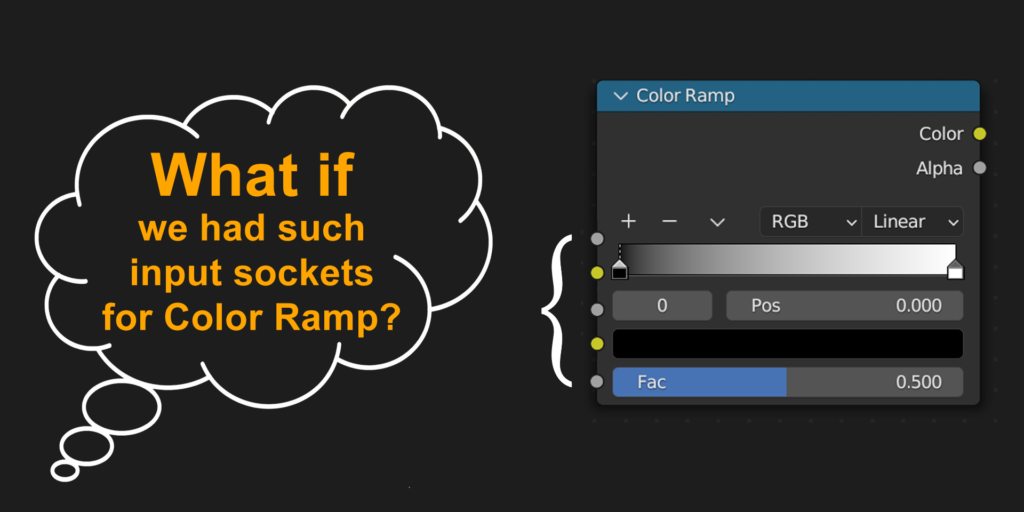
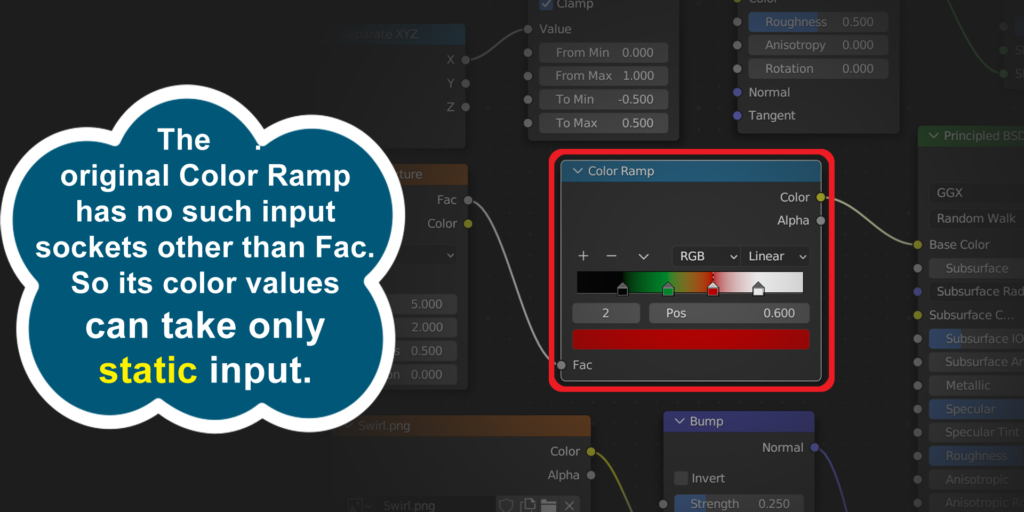
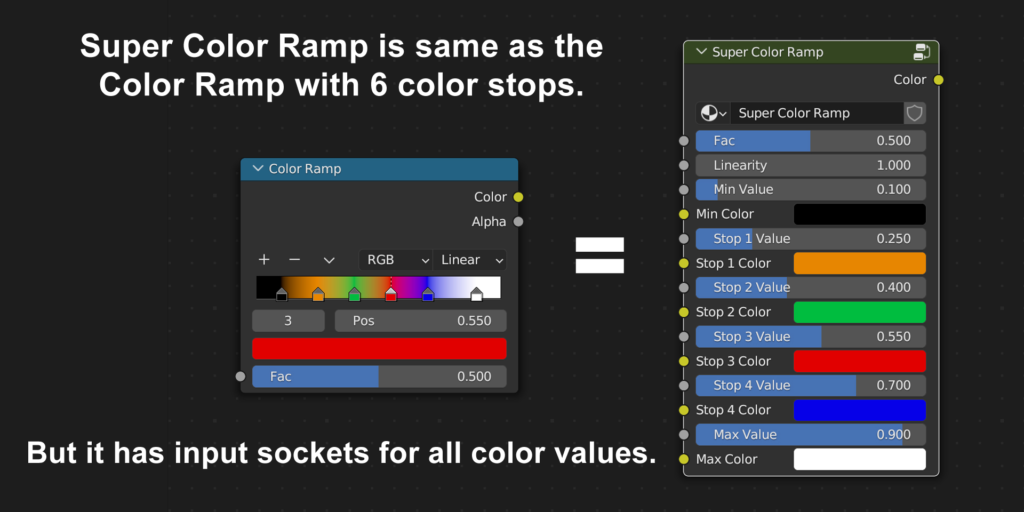

While the traditional Color Ramp node in Blender is very useful, it lacks one important feature. Its color values are static in nature. We cannot connect any other node to its color sockets. So we cannot control the color stops dynamically.
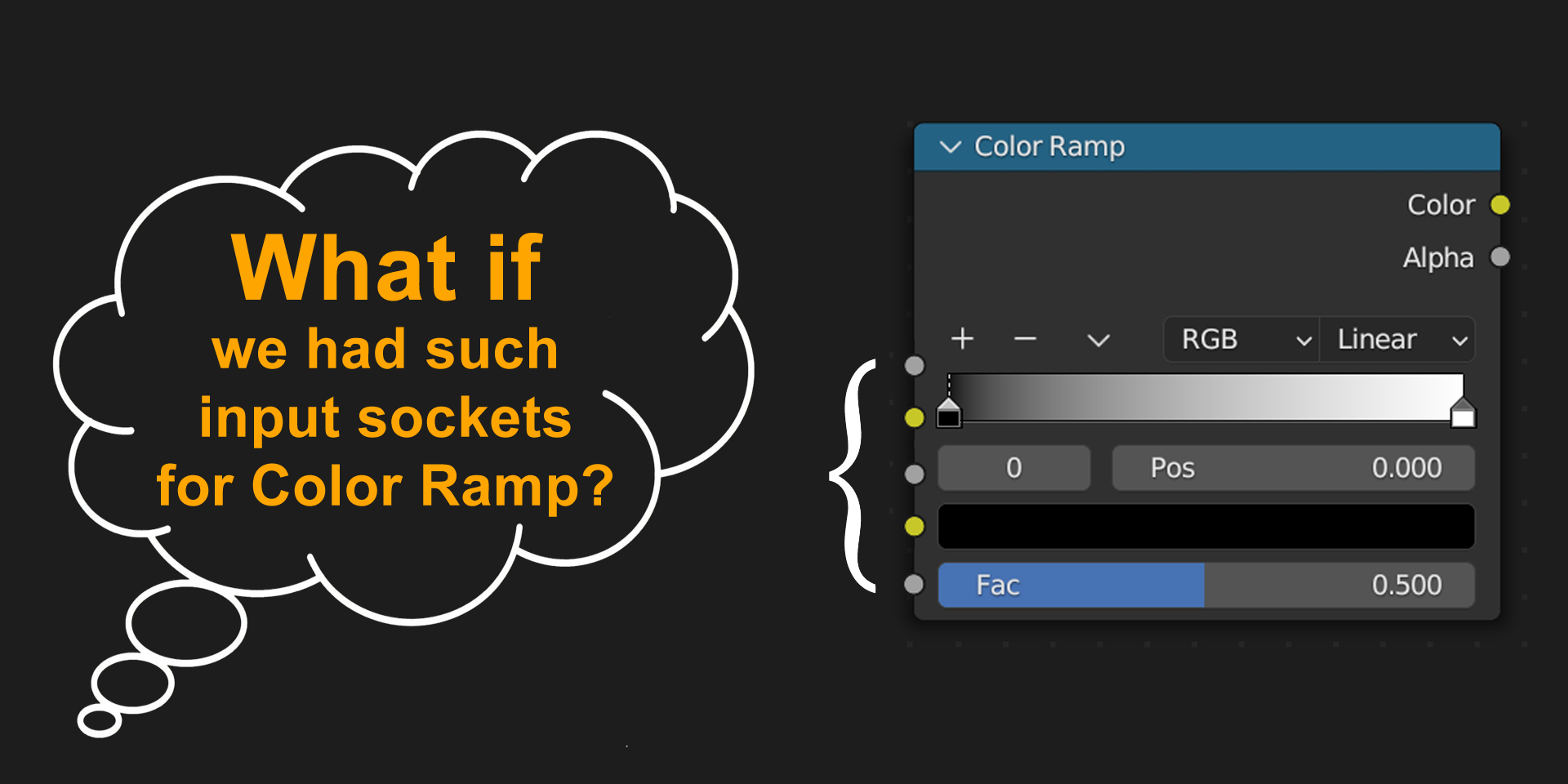
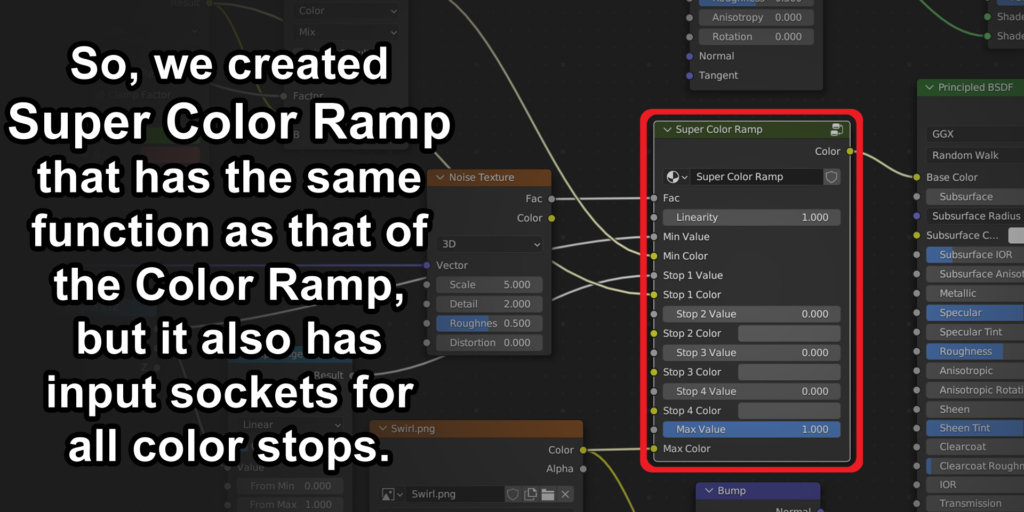
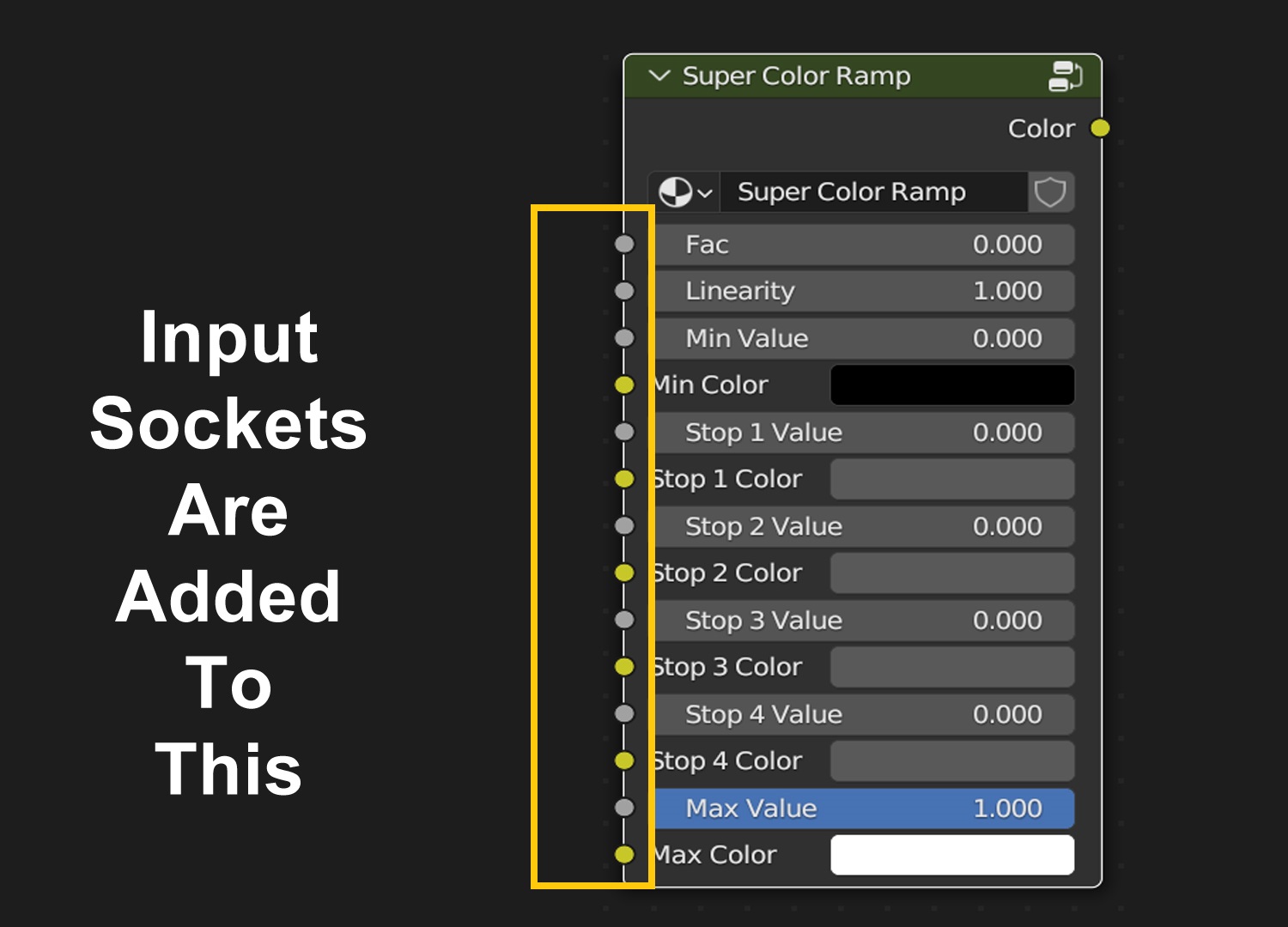
We actually bridged this gap! We have created a better version of this node called Super Color Ramp. It has a slightly different look-n-feel but it gives the same functionality as that of the original Color Ramp. In addition, it has appropriate input sockets for all the color stops and the color values. So we can easily control this node dynamically. We can connect other nodes to its input sockets.
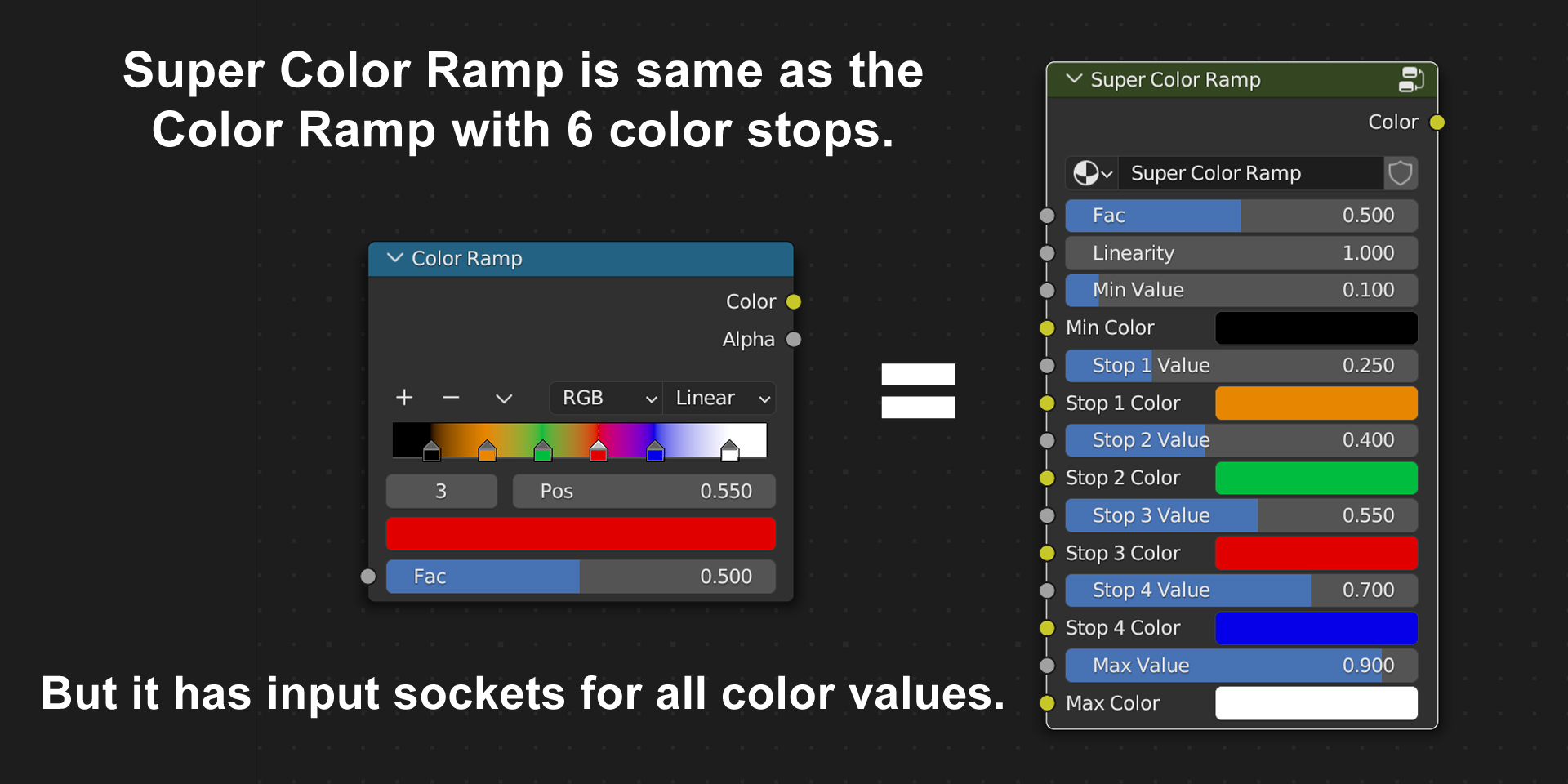
Moreover, this Super Color Ramp is available in the Shader Editor as well as in the Geometry Node Editor. You can use it in both the places.
Super Color Node in the Shader Editor:
Super Color Node in the Geometry Node Editor:
Note 1: After you install this node, you need to re-open the current blend file or restart Blender. The new menu options will be then visible. Please refer to the installation guide available in the download package for further details.
Note 2: Super Color Ramp works for Blender 3.4 and above, including Blender 4.x versions. Please check your version before you install this. Once installed, you may also need help on how to use it. So…
Watch our video tutorial to understand how this node works!
Supercharge your 3D creation workflow with premium selection of Blender Add-ons. Whether you are modeling intricate characters, sculpting realistic environments, or animating cinematic sequences, the right add-on can transform how you work inside Blender. Our curated collection includes powerful tools for UV unwrapping, procedural texture generation, rigging automation, rendering optimization, and more—each rigorously tested for compatibility with the latest Blender versions. Eliminate tedious manual processes and unlock advanced functionality that lets you focus on what matters most: bringing your creative vision to life. Explore our full range of professional Blender plugins today and take your 3D projects to the next level.
➡️ ➡️ For more Blender Plugins 😀 😀
Reviews
There are no reviews yet.