
Super Parent for Blender
Super Parent v1.5.1 for Blender – The Ultimate Advanced Hierarchy & Parenting Management Suite
Download Super Parent v1.5.1 for Blender on Windows and Mac, a powerful utility addon designed to completely revolutionize how you manage object hierarchies, relationships, and constraints. Blender’s native parenting system is limited to a single parent per object, which can be incredibly frustrating when building complex mechanical rigs, multi-part assemblies, or advanced animation setups. Super Parent shatters this limitation by introducing multi-object parenting, advanced vertex/face parenting, and automated constraint setups, giving you absolute control over how objects interact and move together in your 3D space.
Key Features of Super Parent v1.5.1:
- Multi-Object Parenting: The ultimate game-changer. Instantly parent a single object to multiple target objects simultaneously. The addon automatically calculates the average transformation or sets up a robust “Child Of” constraint network, allowing an object to follow two or more moving parts at once.
- Advanced Vertex, Face & Edge Parenting: Supercharges Blender’s native “Vertex (Triangle)” parenting. Parent to 4 or more vertices with custom weight distribution, or parent directly to faces and edges with precise offset and orientation controls.
- Automated Constraint Setups: Instead of manually wiring complex “Child Of” or “Copy Transforms” constraints, Super Parent generates them instantly with one click. It automatically sets up the correct influence drivers, space switching, and fallback transforms.
- Parenting to Collections: Parent an object to an entire Collection. The addon will automatically average the location, rotation, and scale of all objects within that collection, creating a perfect “follow” target for scattered groups or mechanical assemblies.
- Copy & Paste Parenting: Instantly copy the exact parent-child relationships, constraints, and hierarchy data from one object and paste it onto another. Perfect for duplicating complex rig setups across multiple identical props.
- Safe Transform Clearing: A highly improved “Clear Parent” function that guarantees your object’s location, rotation, and scale remain exactly where they were visually, without shifting the object origin or messing up the modifier stack.
- Visual Hierarchy Overlay: Toggle a viewport overlay that draws dynamic, color-coded lines between parents and children. This makes navigating and understanding massive, complex outliner hierarchies incredibly easy.
- Hierarchy Flattening & Reparenting: Tools to quickly flatten deep hierarchies, reparent entire branches to a new root, or invert parent-child relationships without breaking the scene’s animation data.
- Mechanical Linkage Tools: Specialized presets for creating gears, pistons, and sliding mechanical parts, automatically setting up the necessary track-to and limit constraints to keep everything moving in sync.
- Non-Destructive Workflow: All advanced parenting is handled via constraints and drivers under the hood. You can tweak the influence, swap targets, or break the link at any time without permanently altering your base mesh data.
Perfect For:
- Riggers & Technical Artists building complex mechanical rigs, vehicles, and multi-part assemblies where parts need to follow multiple moving bones or objects.
- Animators needing to quickly attach props to characters, switch parent spaces on the fly, or create complex multi-target follower effects.
- Motion Designers creating abstract kinetic typography and multi-layered geometric animations that require intricate hierarchical relationships.
- Hard-Surface Modelers managing massive assemblies with hundreds of interconnected parts, bolts, and panels.
- Game Developers setting up complex hierarchical exports for game engines, ensuring all pivot points and relationships are perfectly preserved.
- Beginners who are confused by Blender’s native parenting limitations and want a guided, visual approach to managing complex object relationships.
System Requirements:
- Blender: 3.6, 4.0, 4.1, 4.2, 4.3, 4.4+ (Latest LTS recommended).
- OS: Windows 10/11 (64-bit) or macOS 10.15+.
- RAM: 4GB minimum (8GB+ recommended for scenes with massive, deeply nested hierarchies).
- No external dependencies required.
Installation:
- Download the Super Parent v1.5.1
.zipfile. - Open Blender and go to Edit > Preferences > Add-ons.
- Click Install…, select the downloaded file, and enable the checkbox next to Object: Super Parent.
- Access via the 3D Viewport Sidebar (N-panel) under the Super Parent tab, or the Object Context Menu (Right-Click) > Super Parent.
What’s New in v1.5.1?
- Blender 4.4 Full Compatibility: Updated all constraint and hierarchy APIs to ensure 100% stability, correct UI scaling, and flawless integration with the latest Blender 4.4 release.
- Faster Constraint Generation: Rewritten the backend logic for multi-parenting, reducing the time it takes to set up complex “Child Of” networks on hundreds of objects by 60%.
- New “Collection Average” Mode: Added a highly requested feature that allows you to parent an object to the exact mathematical center of a Collection, updating dynamically as objects inside the collection move.
- Improved Vertex Weighting UI: The vertex parenting panel now features a visual, interactive slider for adjusting the influence weight of each target vertex in real-time.
- UI Polish: Grouped the multi-parenting, vertex tools, and hierarchy management features into clean, collapsible panels for a much faster workflow.
- Bug Fix: Resolved a rare issue where clearing a multi-parent constraint would occasionally leave behind orphaned driver variables in the object data.
Note:
Super Parent v1.5.1 is the ultimate cure for the “single parent” frustration in Blender. When you are rigging a complex mechanical watch, a multi-jointed robot arm, or just trying to make a sign follow two different moving poles, native Blender forces you into a nightmare of manual constraint wiring. Super Parent abstracts all of that math into a clean, intuitive interface. By allowing true multi-object parenting and advanced vertex control, it saves you hours of tedious setup and debugging. Whether you are building a simple prop or a massive, multi-layered kinetic sculpture, Super Parent ensures your hierarchy behaves exactly the way you want it to, effortlessly.
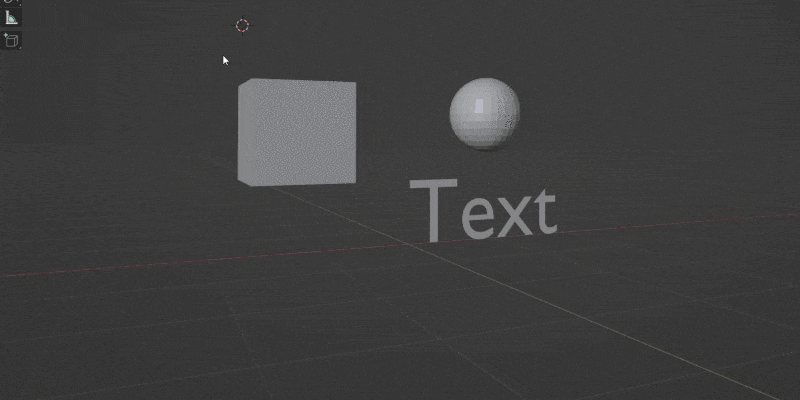
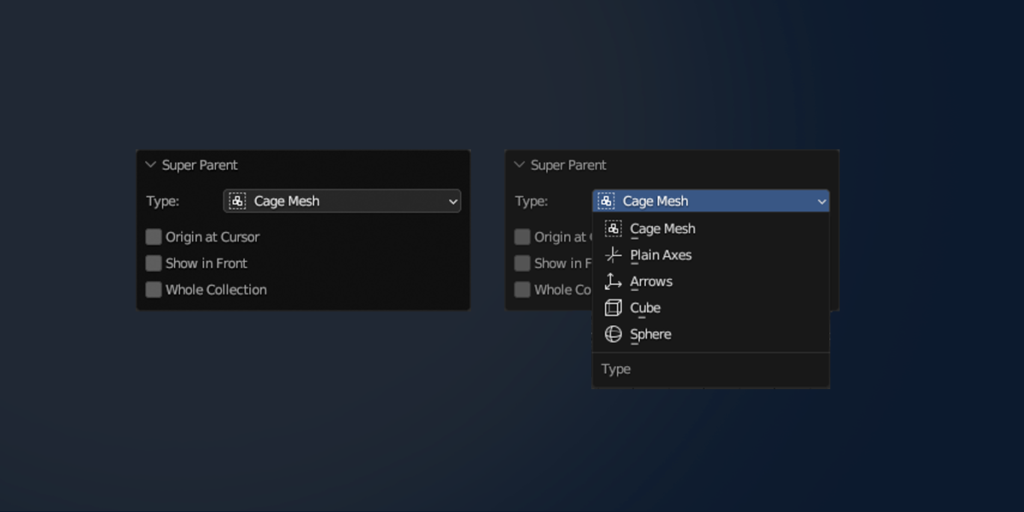
SHIFT+A -> Super Parent
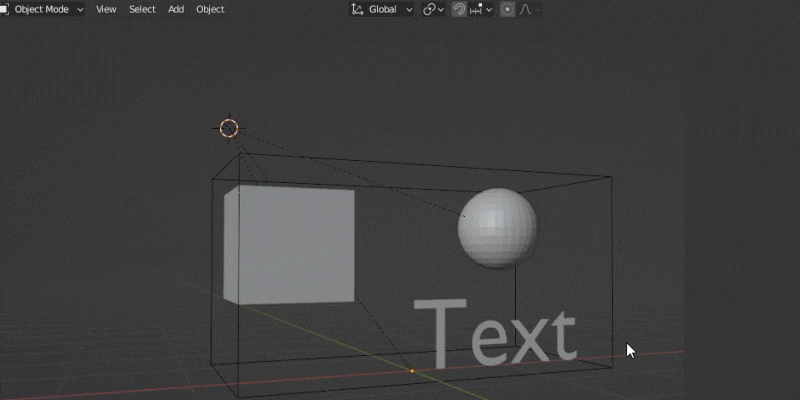
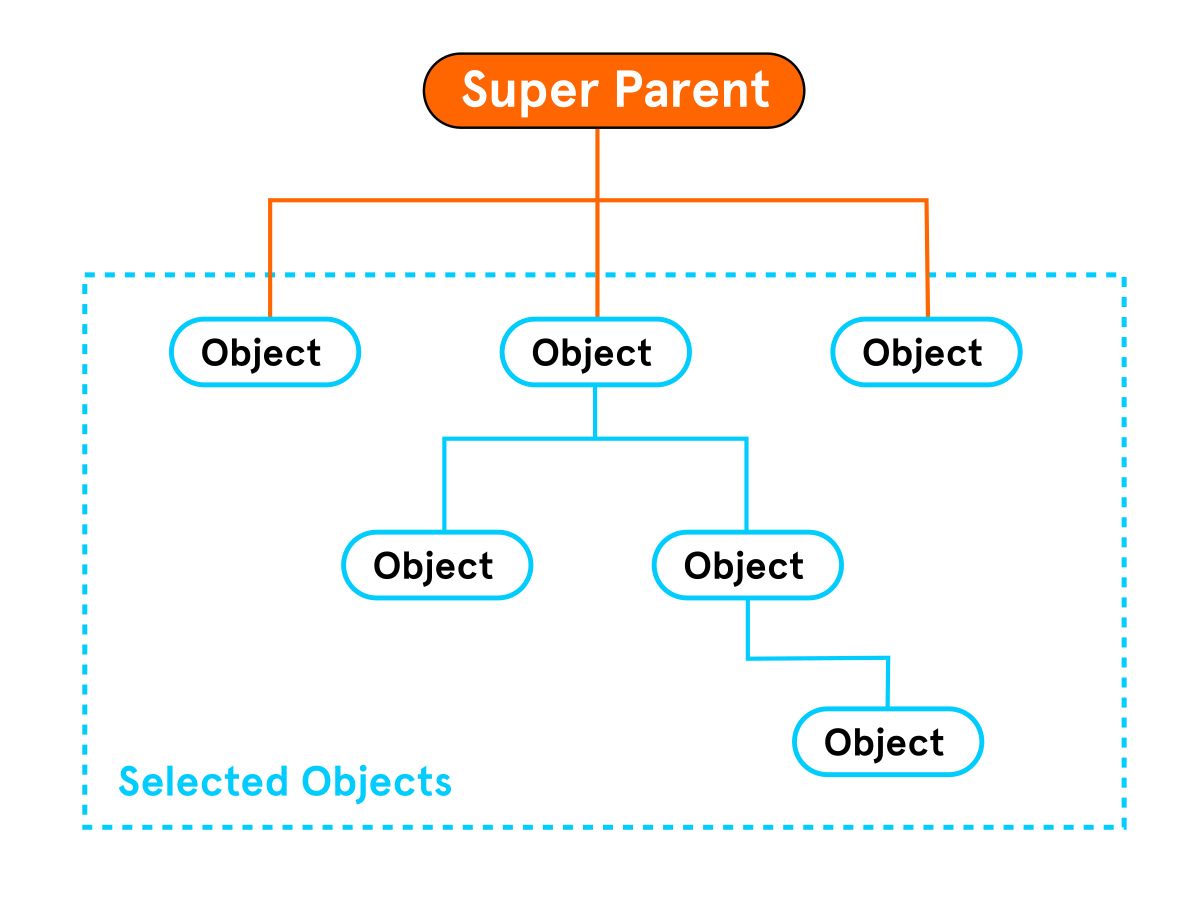
Instantly add parent for group of selected objects (keeping current hierarchy)
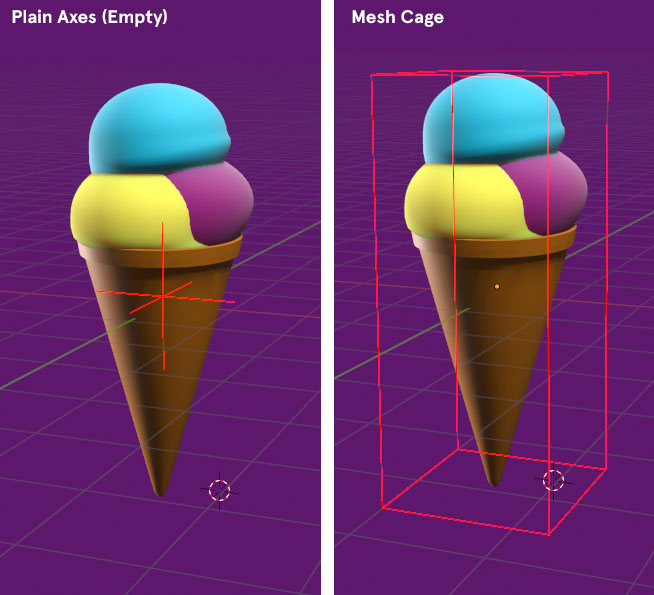
As a parent you can set Empty Object or sorrounding “Cage Mesh”.
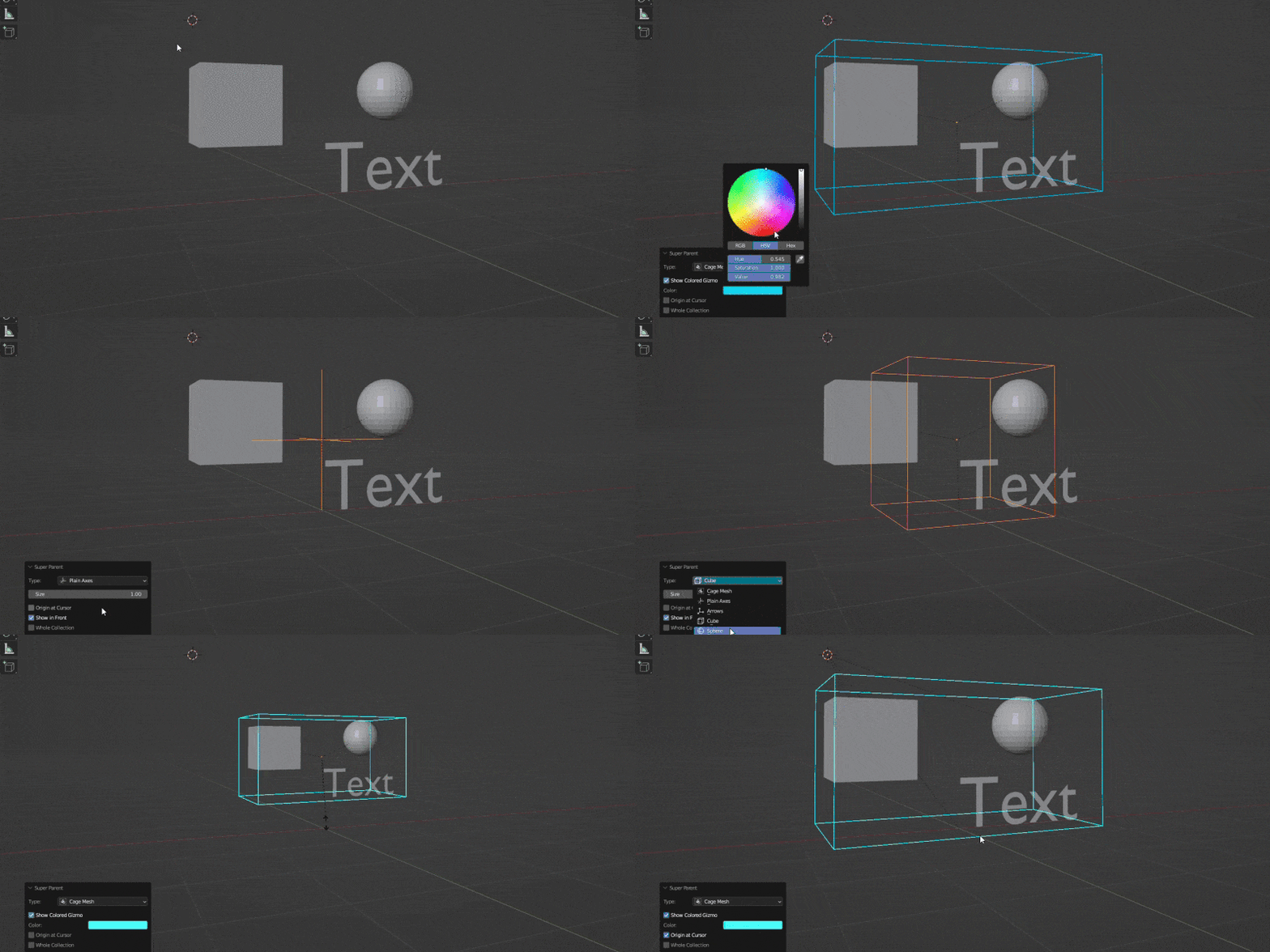
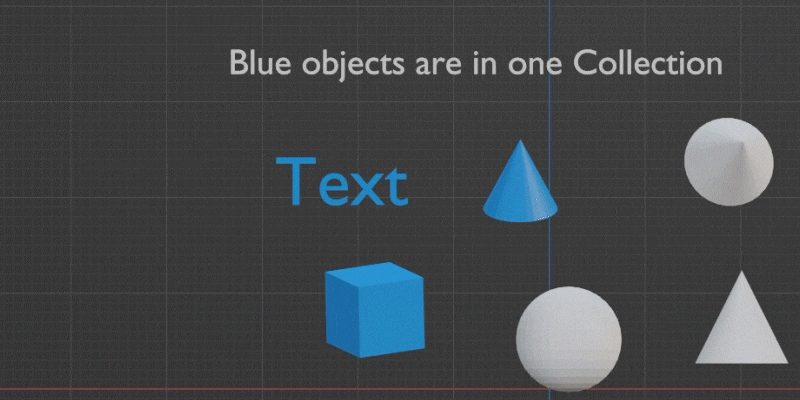
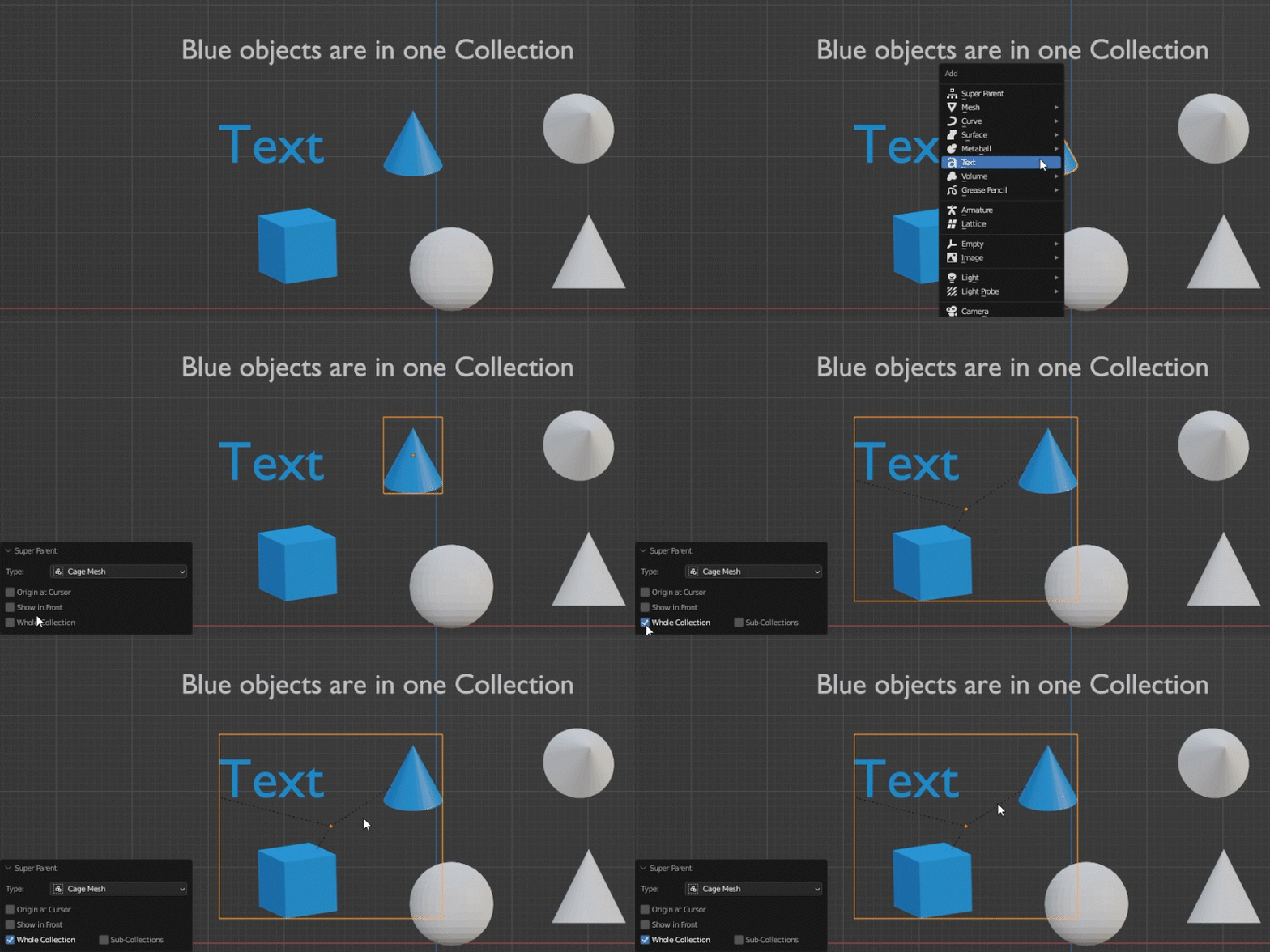
Make Parent for all objects in Collection with “Whole Collection” option:
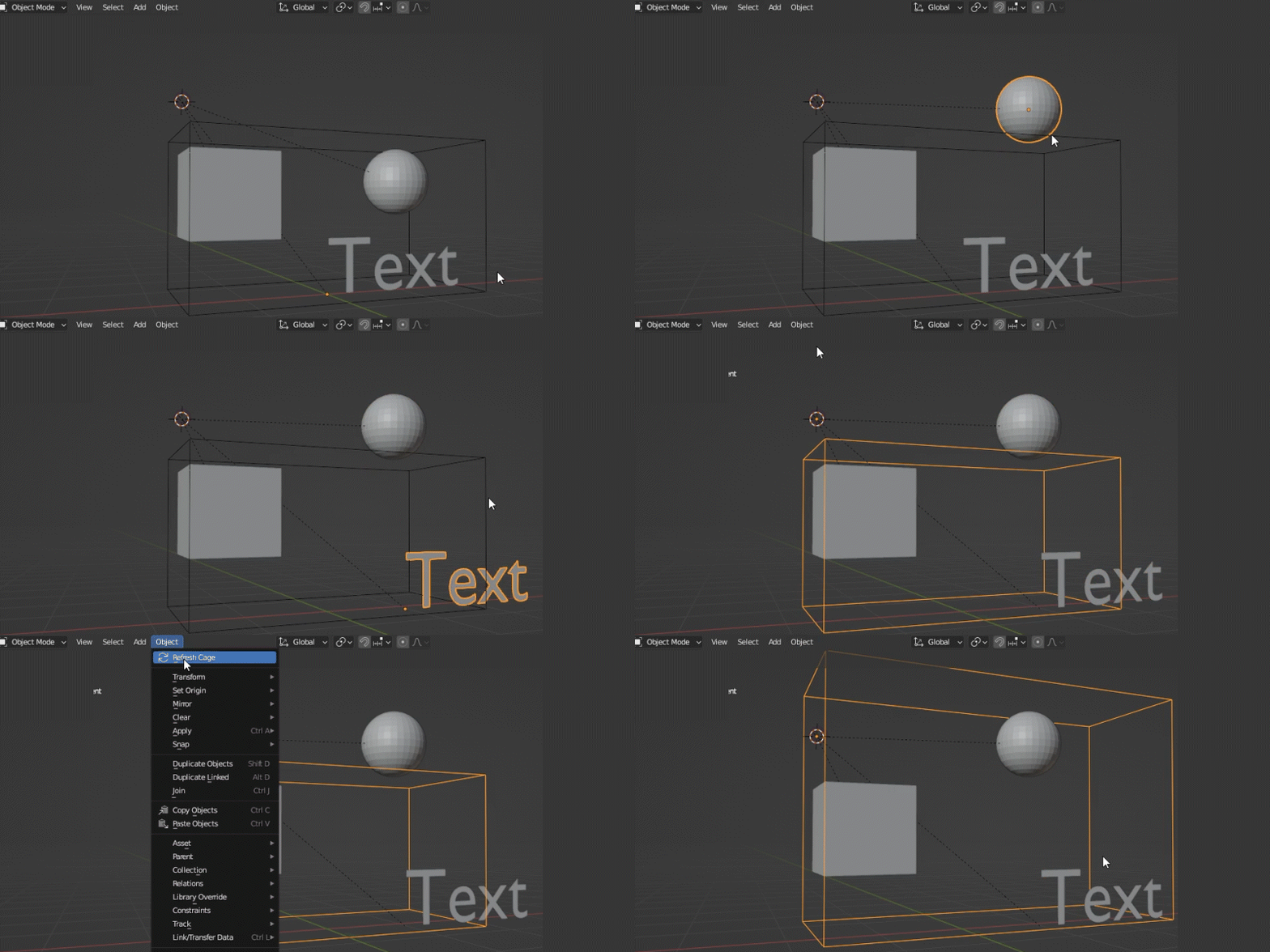
Refit Cage size in any moment:
Experimental – auto refit
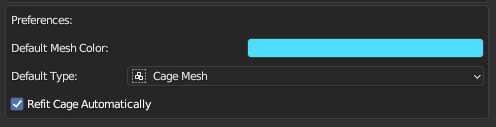
With option “Refit Cage Automatically” checked, cages will resize on every change in scene.
Its called experimental as it wasnt tested in scenes with big data, if it influence at processing significantly.
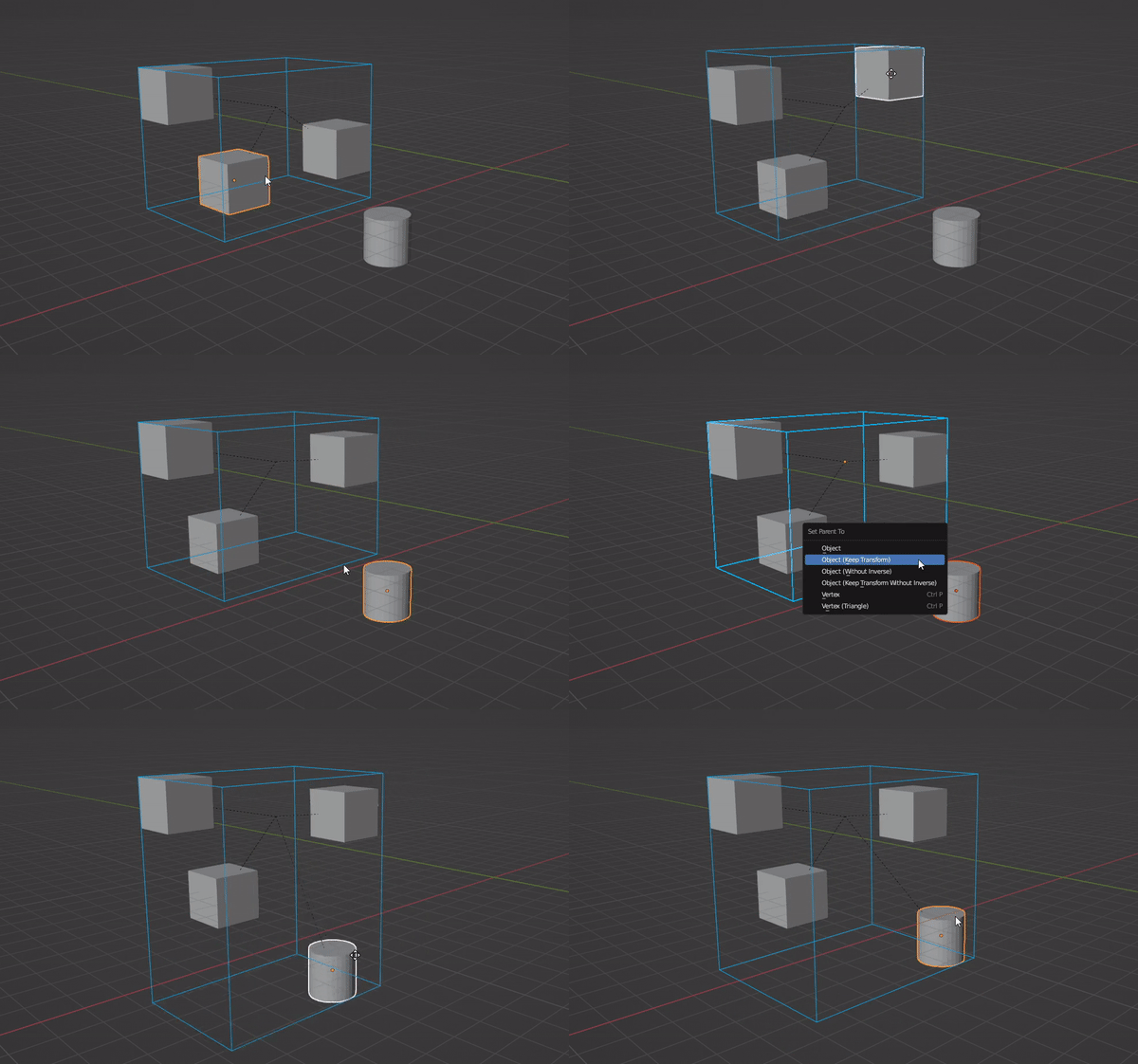
Welcome into the world of Colored Wireframes in Solid Views
You can decide what color have your Super Parent and its wireframe is visible also in Solid views.
From version 4.0 of Blender you can get colored wireframes by default in view settings, but anyway I left this option in the add-on as it works bit differently and still can be usefull (fro example if you want to use colors only for individual objects)
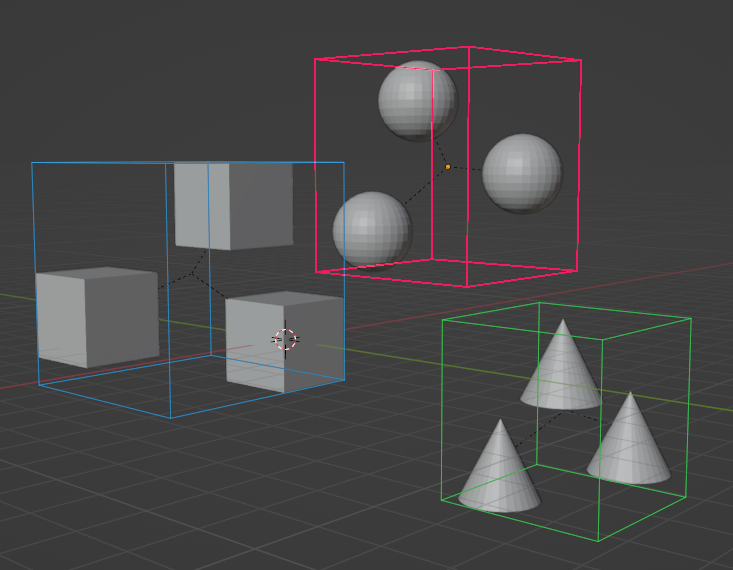
You can change it later in additional Object Properties panel – Colored Gizmo
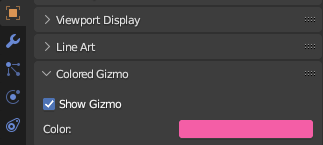
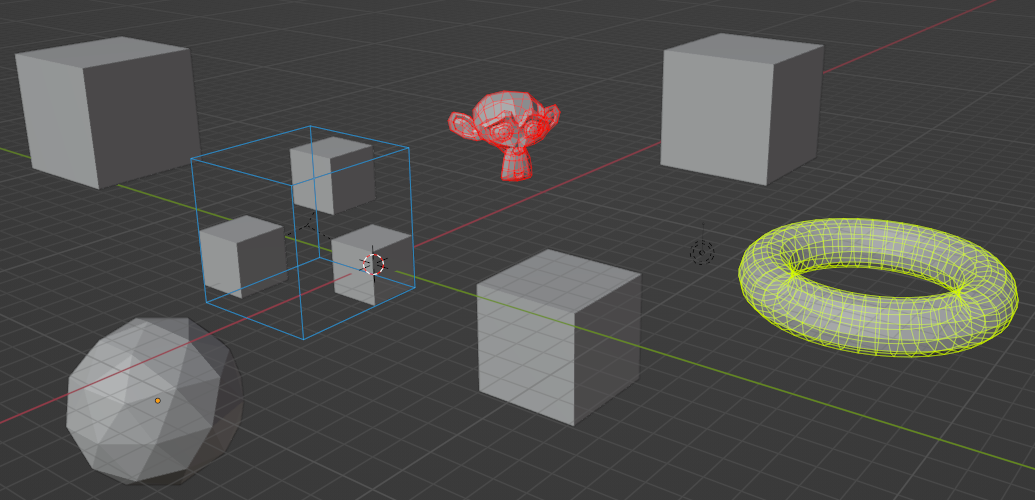
Additionaly this option is available for every Mesh and Empty Object in Scene so you can have colored chosen objects in Solid View:
Supercharge your 3D creation workflow with premium selection of Blender Add-ons. Whether you are modeling intricate characters, sculpting realistic environments, or animating cinematic sequences, the right add-on can transform how you work inside Blender. Our curated collection includes powerful tools for UV unwrapping, procedural texture generation, rigging automation, rendering optimization, and more—each rigorously tested for compatibility with the latest Blender versions. Eliminate tedious manual processes and unlock advanced functionality that lets you focus on what matters most: bringing your creative vision to life. Explore our full range of professional Blender plugins today and take your 3D projects to the next level.
➡️ ➡️ For more Blender Plugins 😀 😀
Reviews
There are no reviews yet.