
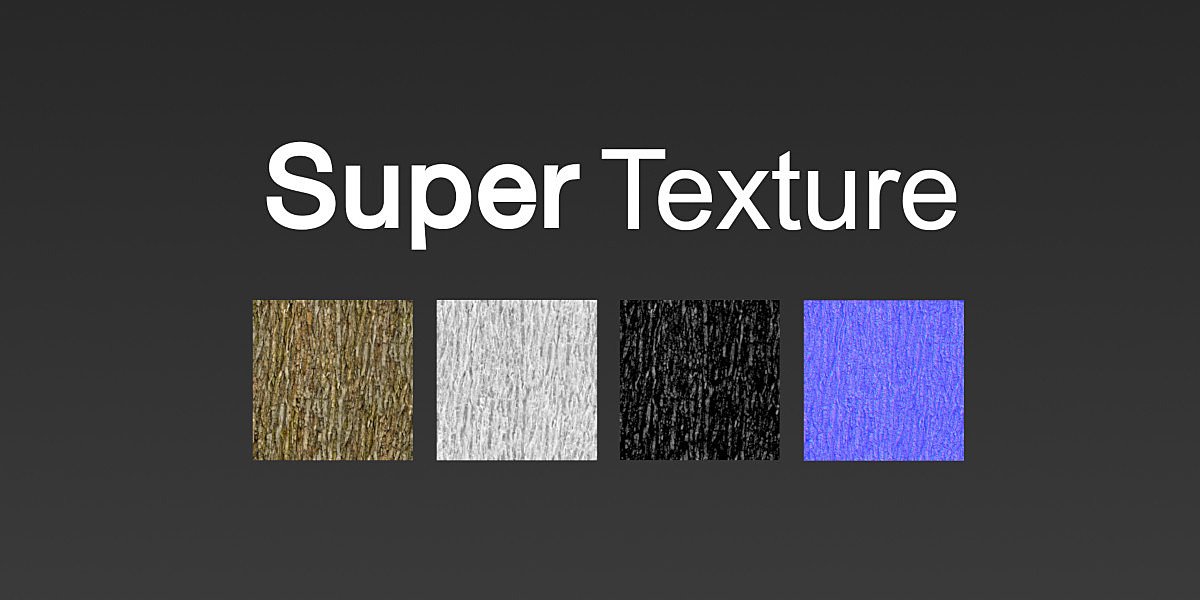
SuperTexture for Blender
SuperTexture v1.85 for Blender – The Ultimate Procedural Texture & PBR Material Generation Suite
Version : v1.85
File Size: 5MB
Download SuperTexture v1.85 for Blender on Windows and Mac, a powerhouse material and texturing addon designed to generate stunning, 100% procedural PBR (Physically Based Rendering) materials without relying on external image files. Whether you need to create seamless tileable surfaces for massive environments, generate hyper-detailed hard-surface wear, or bake complex node trees into lightweight game-ready maps, SuperTexture streamlines the entire shading pipeline. It puts the power of a full texture painting software directly into your Blender shader editor, saving you time, reducing file sizes, and delivering infinite resolution.
Key Features of SuperTexture v1.85:
- Massive Procedural PBR Library: Instantly generate hundreds of production-ready materials, including metals, woods, fabrics, plastics, stones, and organic surfaces. Every material outputs full PBR maps (Base Color, Roughness, Metallic, Normal, Displacement, and AO).
- Smart Tri-Planar & Box Projection: Apply textures to any mesh instantly, regardless of its UV layout. The advanced projection algorithms eliminate stretching and seams, making it perfect for hard-surface kitbashes, architectural elements, and sculpted organic shapes.
- Intelligent Texture Mixer: Combine multiple procedural or image-based textures using smart, geometry-aware masks. Automatically blend materials based on surface curvature, ambient occlusion, edge wear, and slope angle to create highly realistic, multi-layered surfaces.
- One-Click Map Baker: Procedural shaders can be heavy for real-time game engines. SuperTexture includes a lightning-fast baking engine that converts your complex node trees into optimized, standard 2D image maps (PNG, EXR, TGA) ready for Unity, Unreal, or Godot.
- Seamless Tile & Atlas Generator: Create perfectly seamless, tileable textures for floors, walls, and terrain. The addon automatically handles the edge-wrapping math and allows you to pack multiple unique variations into a single texture atlas.
- True Micro-Displacement: Generate incredibly fine surface details like skin pores, fabric weaves, and rock grain using displacement nodes, adding tactile realism to your renders without increasing the base polygon count.
- Dynamic Weathering Overlays: Add instant realism with one-click procedural layers for dust accumulation, edge chipping, water stains, and fingerprints that automatically react to your object’s geometry.
- Color Ramp & Palette Control: Easily shift the color palette of any material using intuitive color ramps. Turn a rusty iron texture into gold, or change a red brick wall into blue sci-fi panels in seconds.
- Non-Destructive & Fully Editable: Every material is built from modular, well-organized node groups. You can tweak the scale, roughness, color, or wear intensity at any time before final rendering or baking.
- Lightweight & Memory Efficient: Because the textures are generated mathematically, your
.blendfile sizes remain incredibly small, and you never have to worry about missing texture links when sharing files.
Perfect For:
- Environment Artists rapidly texturing massive scenes, terrains, and architectural interiors with seamless, tileable materials.
- Game Developers generating high-quality PBR textures and baking them into optimized atlases for real-time engines.
- Hard-Surface Modelers adding realistic edge wear, scratches, and grime to mechanical parts, vehicles, and weapons.
- Architectural Visualizers applying real-world scale materials to buildings, furniture, and flooring without manual UV unwrapping.
- Concept Artists & Generalists who need to make their blockouts look finished and presentable in minutes rather than hours.
- Freelancers who need to deliver high-quality, optimized assets on tight deadlines without spending days in external texturing software.
System Requirements:
- Blender: 3.6, 4.0, 4.1, 4.2, 4.3, 4.4+ (Latest LTS recommended).
- OS: Windows 10/11 (64-bit) or macOS 10.15+.
- RAM: 8GB minimum (16GB+ recommended for scenes with heavy displacement and complex multi-layered shaders).
- Render Engine: Fully compatible with Cycles (for accurate displacement and ray-traced details) and Eevee (with optimized viewport previews).
Installation:
- Download the SuperTexture v1.85
.zipfile. - Open Blender and go to Edit > Preferences > Add-ons.
- Click Install…, select the downloaded file, and enable the checkbox next to Material: SuperTexture.
- Access via the 3D Viewport Sidebar (N-panel) under the SuperTexture tab, or the Shader Editor Add Menu > Texture > SuperTexture.
What’s New in v1.85?
- Blender 4.4 Full Compatibility: Updated all shader node APIs, color management hooks, and Principled BSDF v2 integrations to ensure flawless stability and correct AgX color space handling in the newest Blender release.
- New “Smart Weathering” Node Group: Added a highly advanced, geometry-aware weathering mixer that automatically calculates micro-crevice dirt and edge polishing with unprecedented realism.
- Faster Baking Engine: Rewritten the texture baking backend, reducing the time it takes to bake 4K PBR map sets by up to 45%.
- Enhanced Tri-Planar Blending: Improved the mathematical blending zones in the tri-planar mapper, completely eliminating the “ghosting” or “blurry” artifacts that sometimes appeared on highly concave geometry.
- UI & Workflow Polish: Redesigned the N-panel with visual material thumbnails and collapsible categories, making it much easier to browse the massive library of presets.
- Bug Fix: Resolved a rare issue where the displacement map would occasionally invert its direction when using negative scale values on the object.
Note:
SuperTexture v1.85 is built on the philosophy that texturing should be an artistic process, not a technical chore. You shouldn’t have to spend hours hunting for the right image textures, unwrapping complex UVs, or wiring up dozens of math nodes just to get a good-looking material. SuperTexture abstracts the complex procedural math into a beautiful, easy-to-use interface, giving you the power of a senior shader artist with the speed of a drag-and-drop tool. Because it generates standard Blender nodes under the hood, you are never “locked in” to the addon’s ecosystem. Whether you are texturing a single hero prop or an entire city block, SuperTexture gets your models render-ready or game-ready in record time.

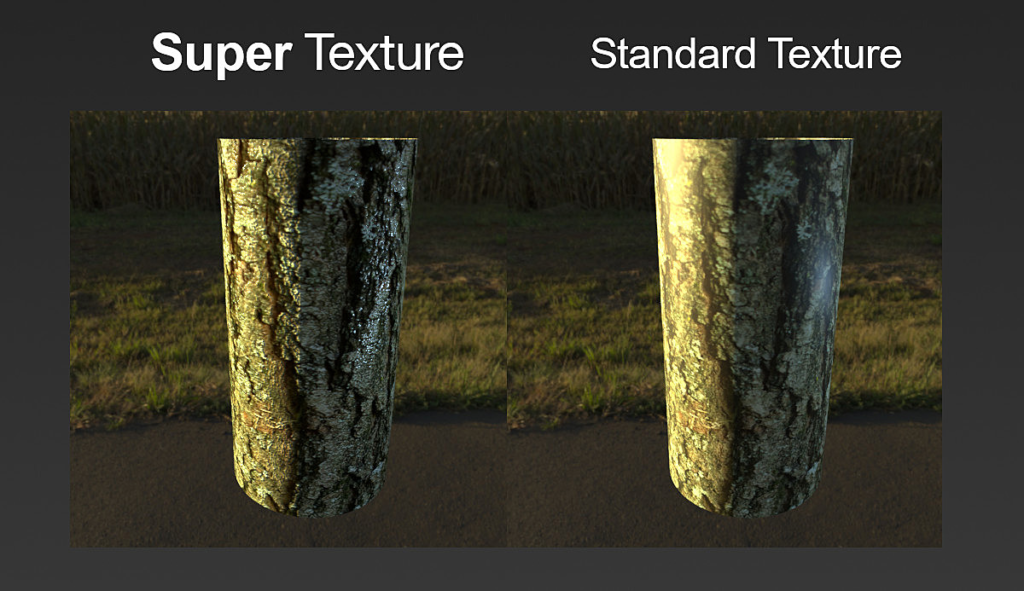
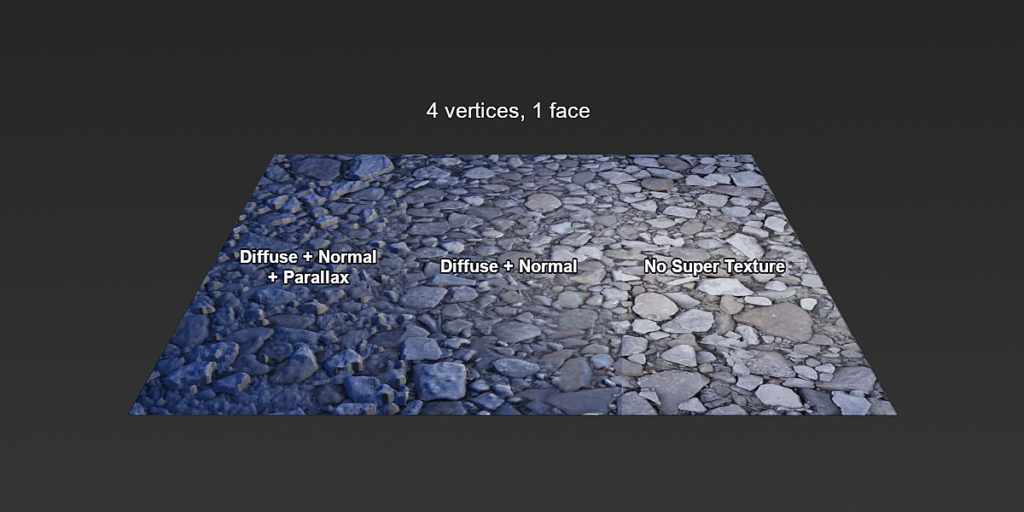
Generate PBR textures from any image in Blender!
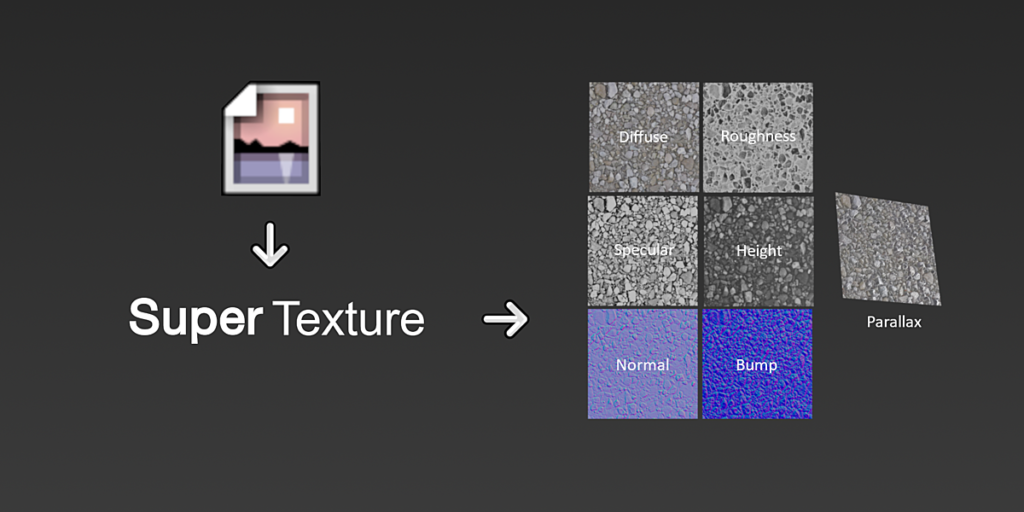
Super Texture is a one-click addon for generating multiple PBR maps from a single image.
- No 3rd party software!
- No generated image files!
- Dynamic properties!
- Instant outputs!
One Image, Many Results
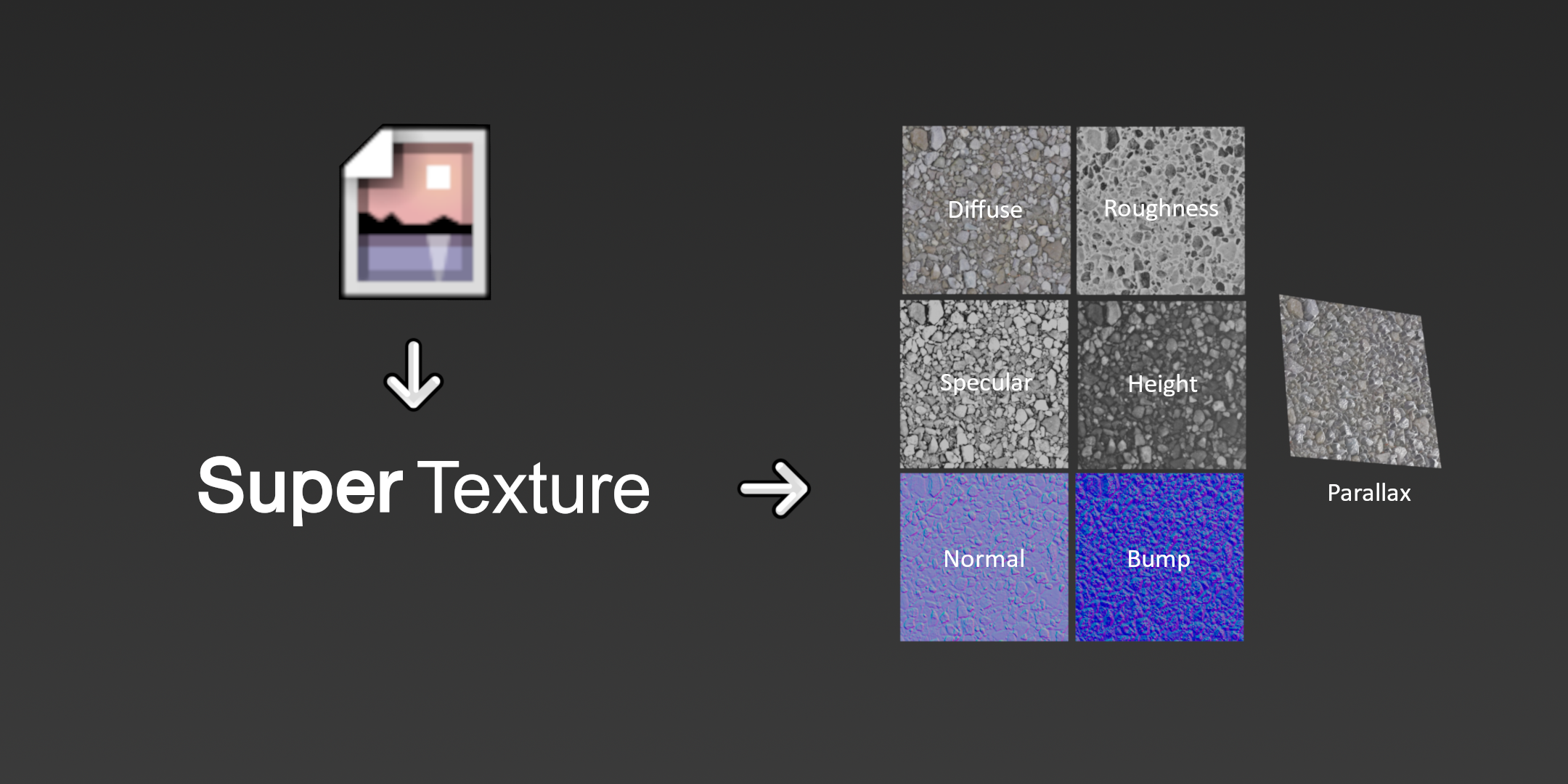
Super Texture will automatically provide the following texture maps for 1 image:
- Diffuse
- Roughness
- Specular
- Height
- Normals
- Bump
- Parallax (optional)
Node Based

Entirely built from material nodes, this addon provides maximum flexibility and speed with native Blender support. No fragile dependencies or file I/O. All results are instantly generated, formatted correctly and ready for PBR materials.
One Click Deployment
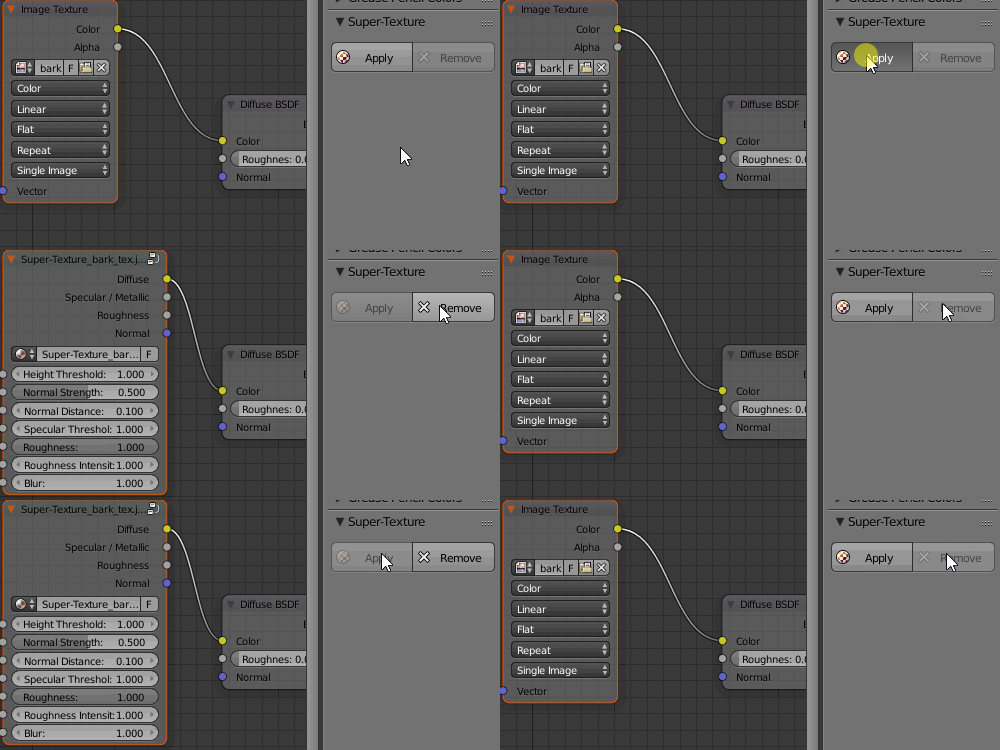
Super Texture encapsulates any image texture intelligently allowing for simple one click operation. No importing or fragile color ramps. One click add. Once click remove. Simple, easy, fast.
Dynamic Output
Flexible parameters with instant results. No waiting for exporting and re-importing. Tweak settings individually for each image with the possibility for animation as well.
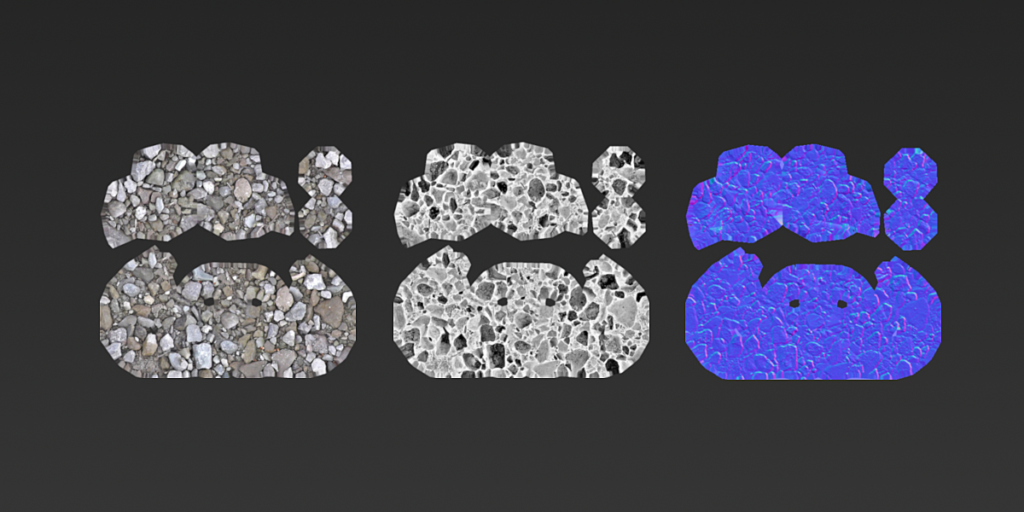
Bake Ready
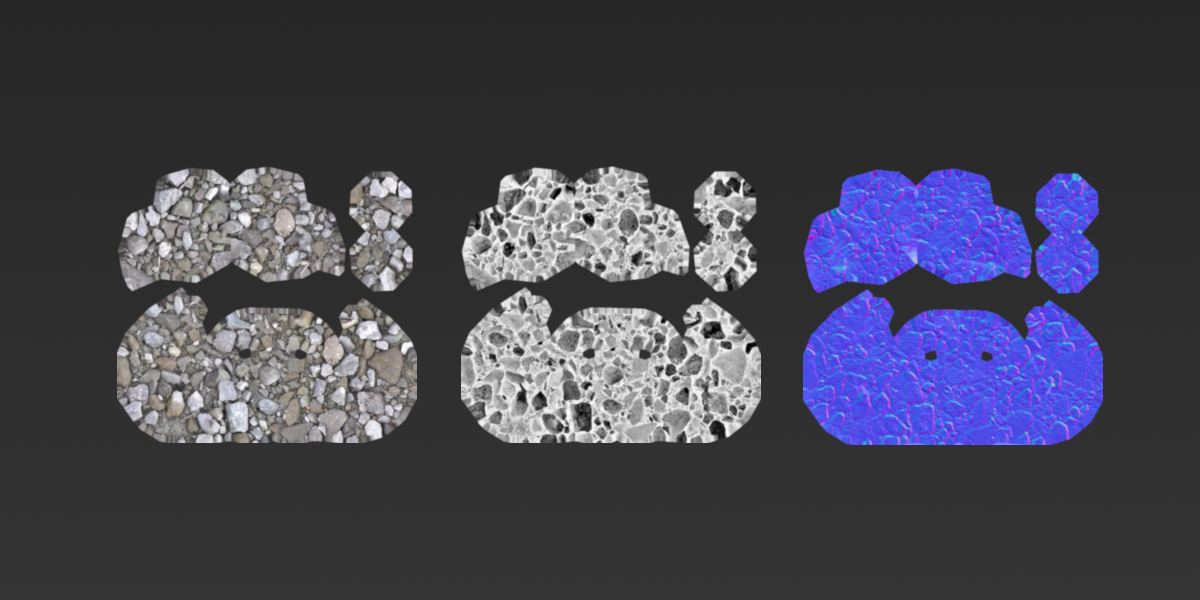
Super Texture is immediately ready for baking, simply connect the desired maps to a Principled BSDF shader, assign the target image and click bake! No extra setup required.
Other Features:
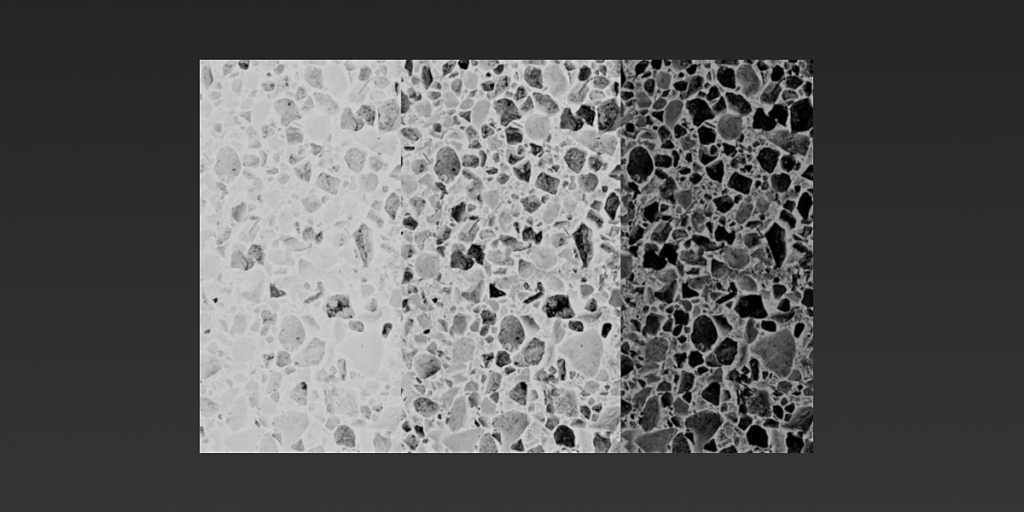
- Shadow Removal and AO
- Height map generation
- Parallax maps (optimized)
- Procedural texture support
- Custom node group support
- Anti-tile supported
- Normal map generation with Gaussian fall-off
- Bump map generation
- Blender 4.2 support
Bring your textures to life!
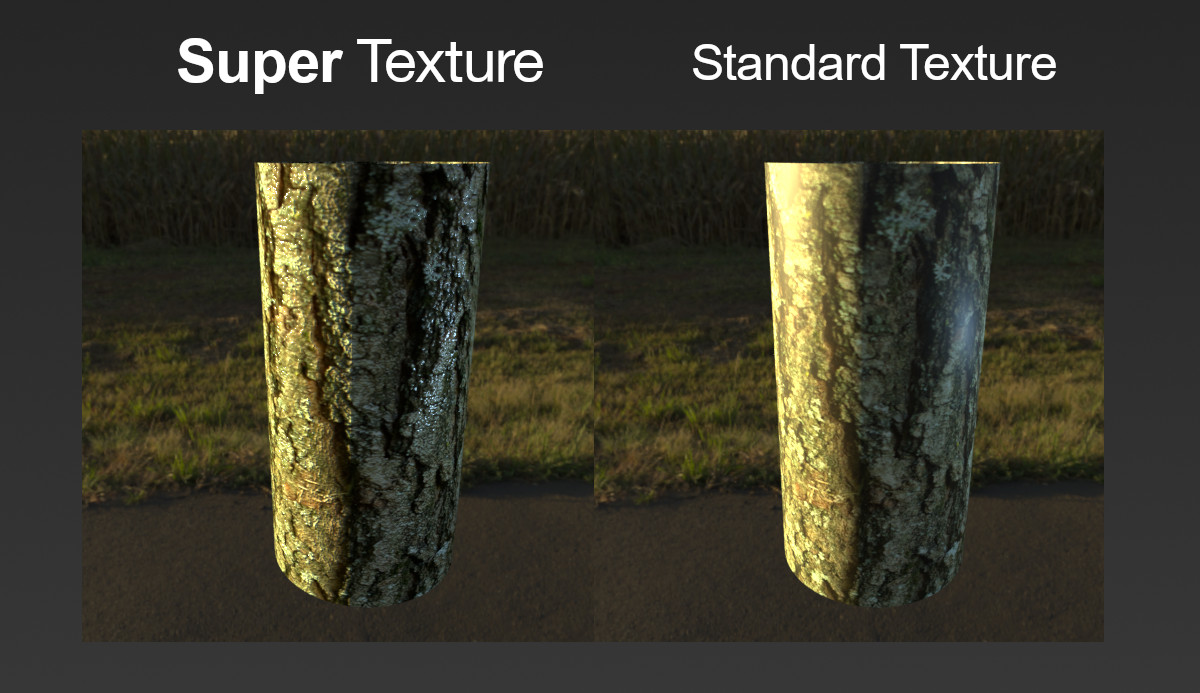
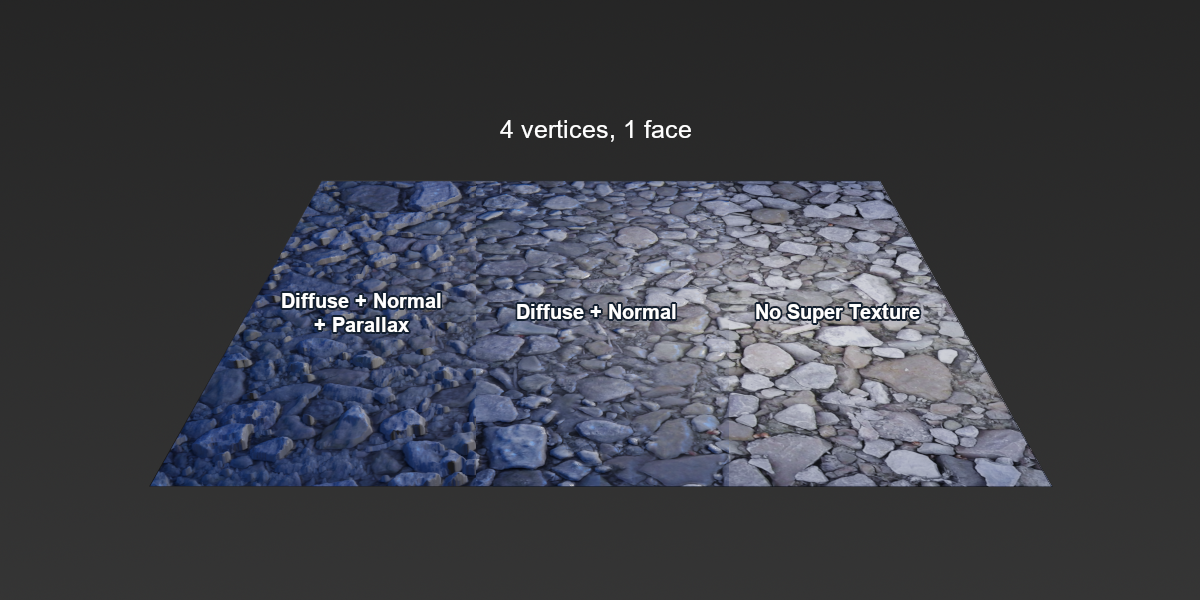

- Super Texture addon
- Demo Blender file
- User Manual
- Free lifetime updates
- Good karma for supporting the Blender Foundation 🙂

Version 1.86:
- Blender 4.2.0 extensions support
- Better stability
Version 1.85:
- Fix error when image has no attached vector input
- Copy projection blend value
Version 1.84:
- Blender 4.0 compatibility
Version 1.83: Improvements
- Image properties interpolation, projection, extension are now correctly copied across.
- Initial image vector input is preserved instead of being replaced by UV texture coordinates.
Version 1.82: Preset Parameters
- Customization of default values is now possible through the addon preferences.
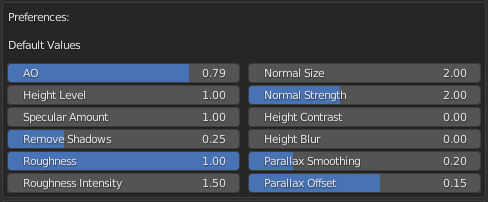
Version 1.8: More Features, Better Results!
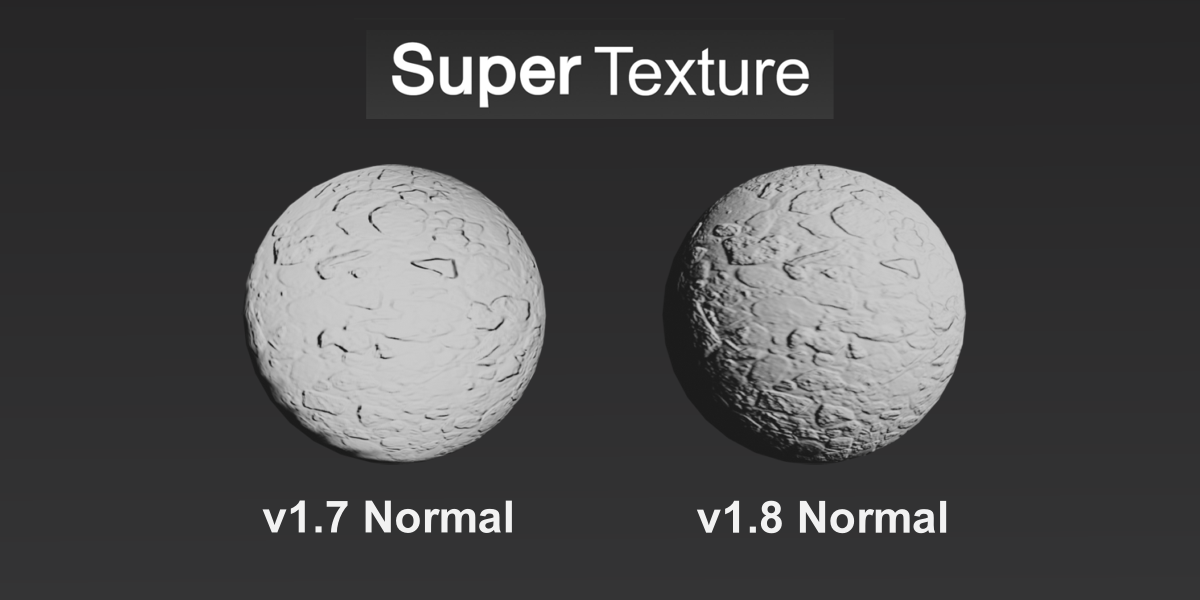
- Normal generation algorithm upgrade: Better normals, faster results, more control!
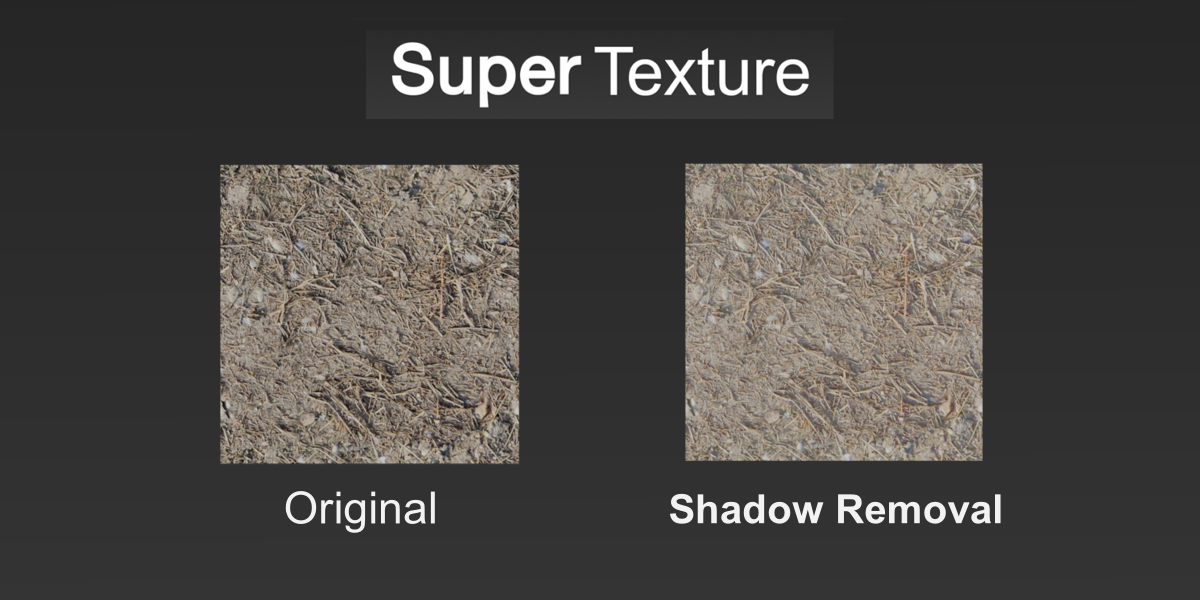
- Shadow Removal Parameter
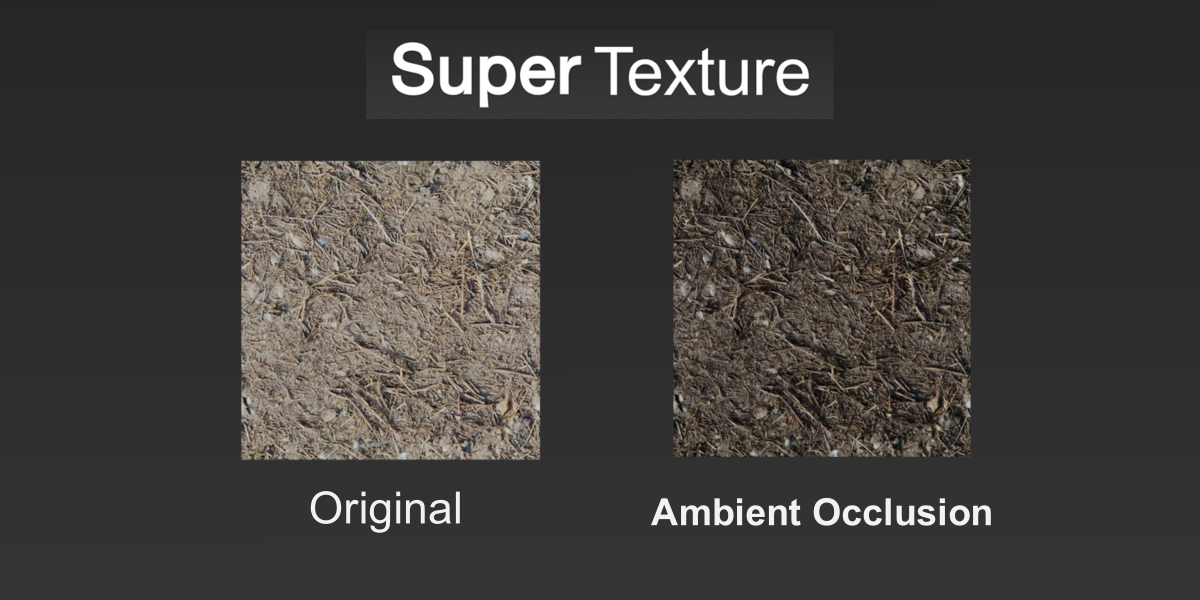
- Ambient Occlusion (AO) generation
- Better luminosity estimation
- Improved roughness behaviour
- Updated user manual
- Updated demo file
- Height blur now also works with parallax
- Better default Values
- Better ordering of fields
- Better selection / deselection behaviour when applying and removing Super Texture
- Corrected bug with alpha when using node groups as input
- Blender 3.0 support
Version 1.73 Image Alpha Support
- Added Image Alpha output to Super Texture Node group
- Automatic linking of Super Texture Output to Principled BSDF Alpha field.
Version 1.72 Minor Bug Fixes
- Minor Bug fix that was previously causing texture coordinates to map incorrectly
- Fixed bug that would prevent multiple instances of Super Texture from existing on the same material
- Anti-Seam Support
Version 1.7 Dynamic Parallax maps + Improvements:
- Height map upgrade (smoother + better range)
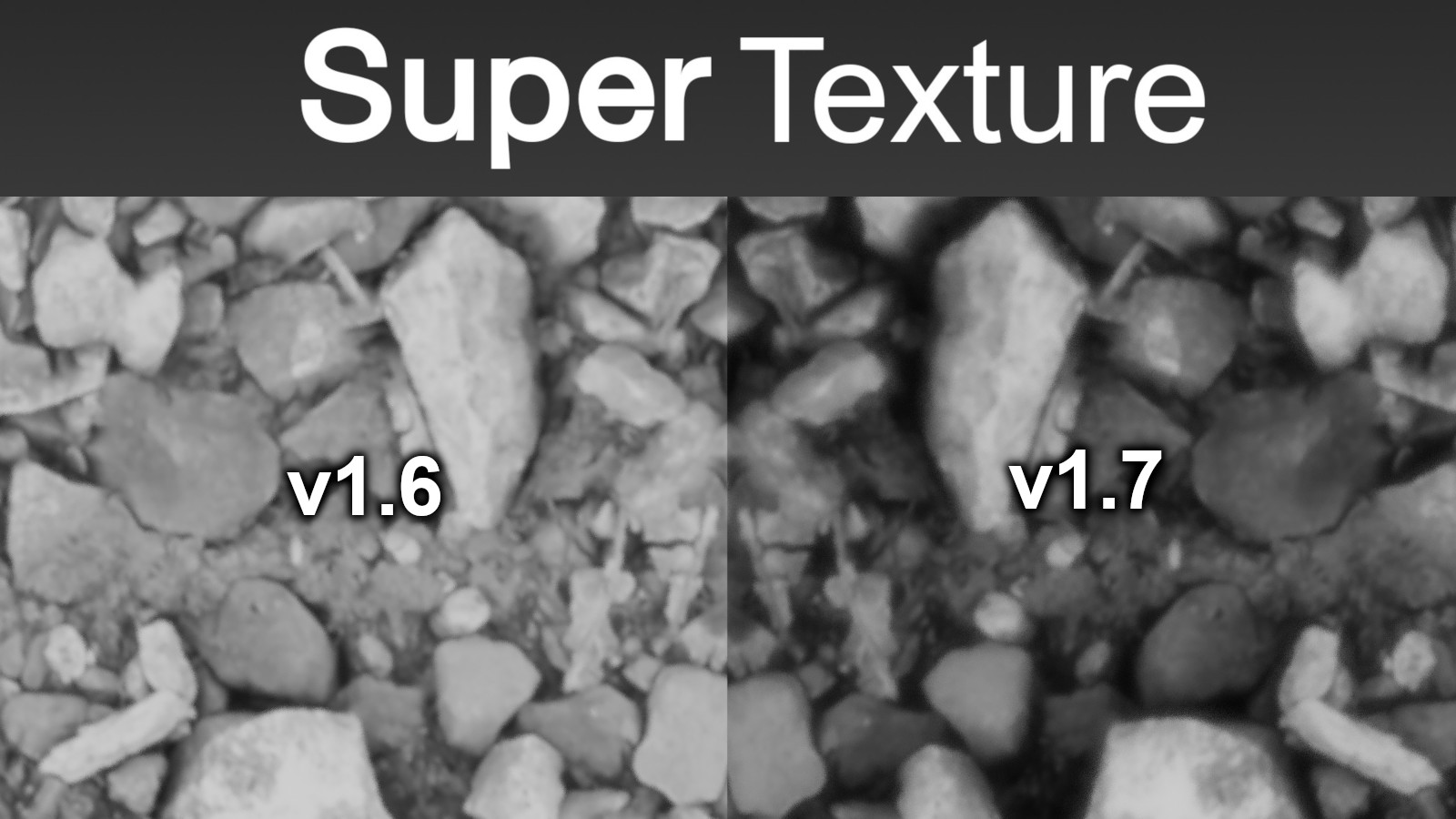
- Dynamically Generated Parallax Maps (optimized)
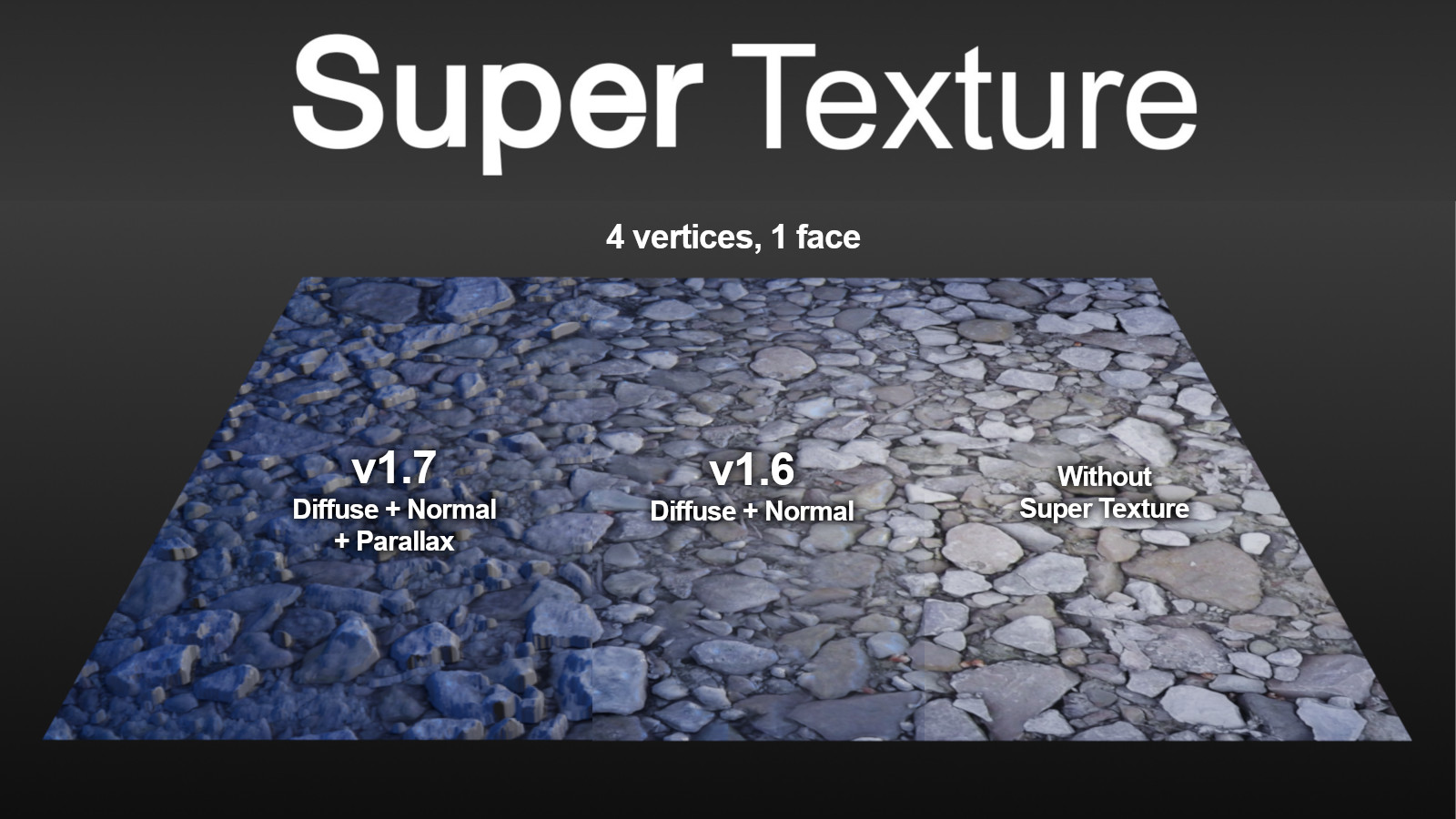
- Cleaning of unused node groups
- Texture coordinates now more accessible
- Better Addon download packaging
- Super Texture Tab in menu
- Documentation update
- Various other performance improvements and bug fixes
Version 1.6 Normal map Upgrade:
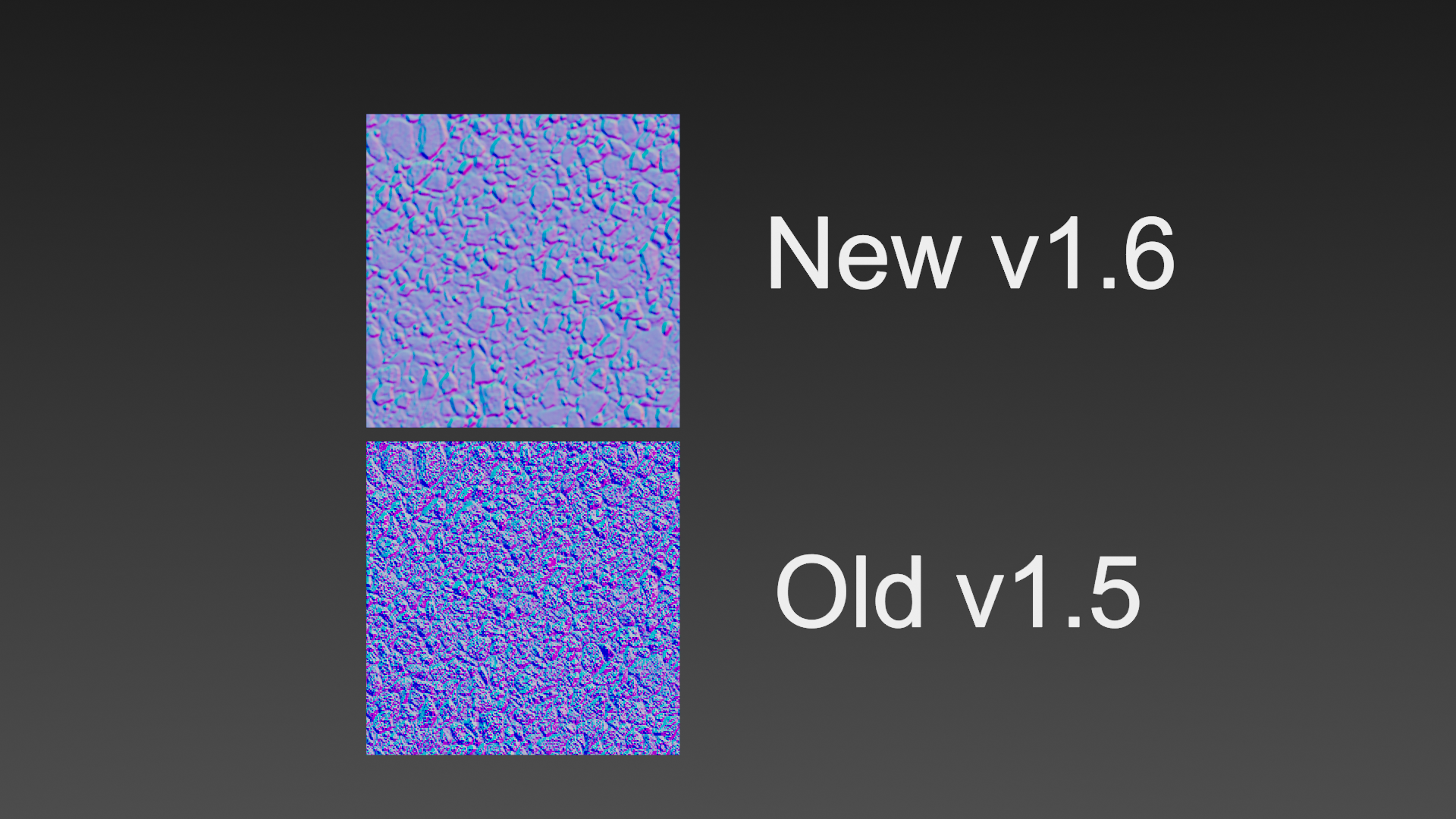
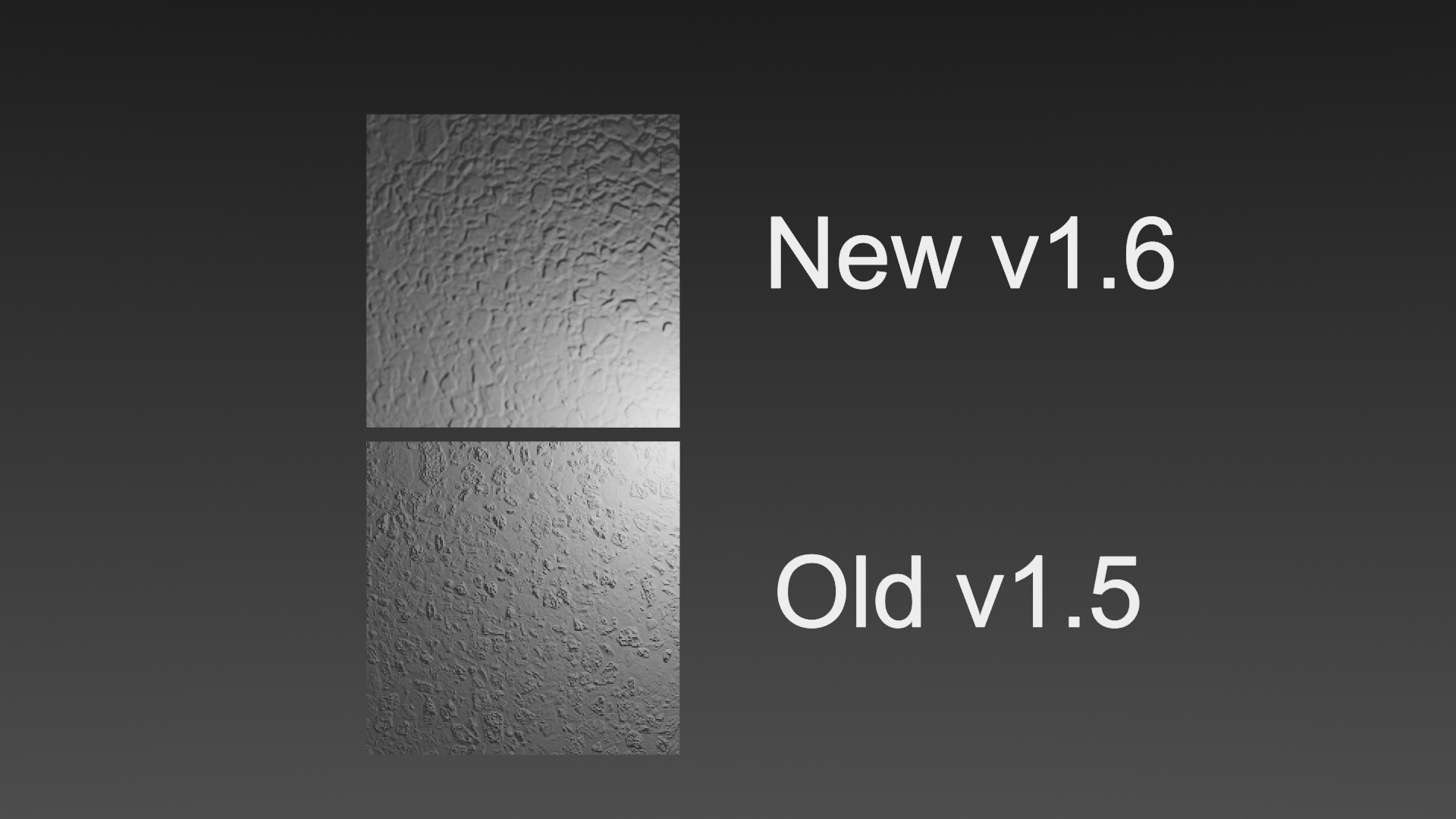
- Sobel Operator Kernel used for Image Normal map generation
- Normal Map Downsampling and Supersampling
- Fixed bug that would cause Blender to crash with undo (unlinked data)
- Speed optimizations
- More image controls
- Rewritten manual
- Automatic linking of Roughness and Normal maps if Base Color connected
- Automatic image / procedural detection and optimized normal generation
- Optimized packaging (via Node2Code)
Version 1.5:
- New contrast field added to make low contrast images easier to work with.
- Improvements to unused node-group removal
- Minor bug fixes
- User manual + demo updates
- Better addon organization
Version 1.41:
- Inconsistent normal map fix
Version 1.4 (Massive Update):
- Duplication bug fix: Previously caused by using same Super Texture node group on another material and removing it from one, un-linking data from the other. Now Super Texture checks if node groups are being used on other materials before removing them.
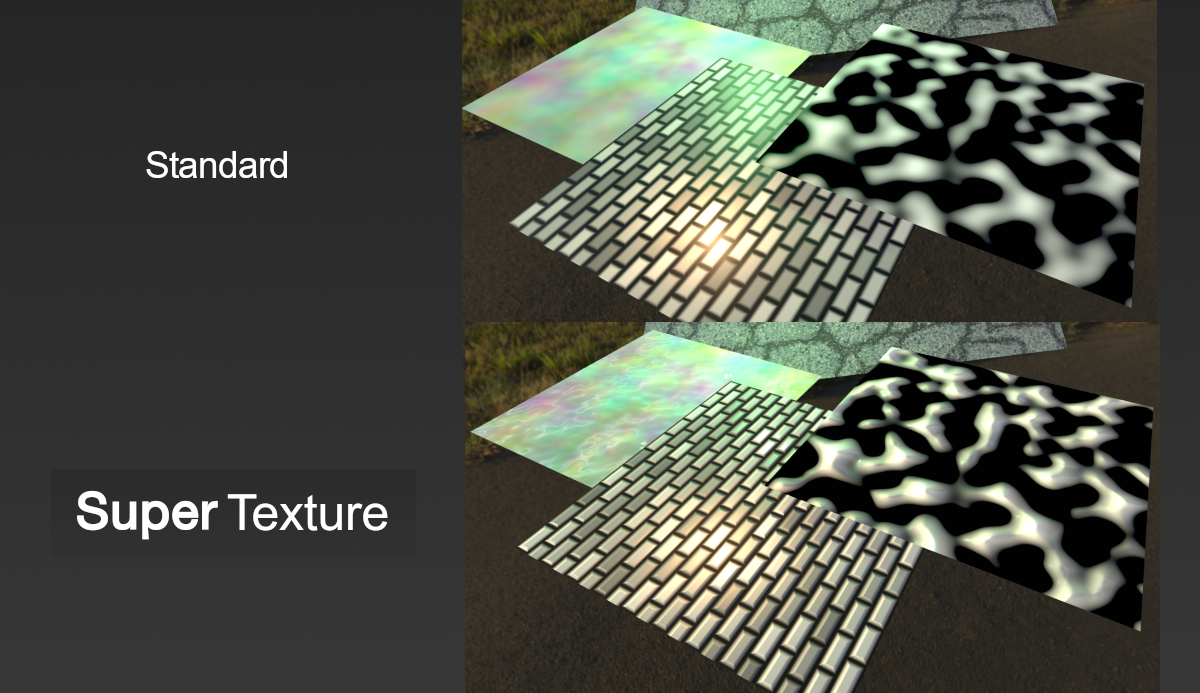
- Full Procedural Texture Support
- Custom Node Group Support
- Anti-Tile Support
- Better descriptions and code clean up
- Road map completed!
Version 1.3:
- Better height-map generation with irregularities
- Corrected workflow (Specular now listed as non-PBR)
- Corrected user manual and demo file (thanks to Quang)
- Removed Normal strength (obsolete)
- Eevee / 2.8 Version Released!
Version 1.2:
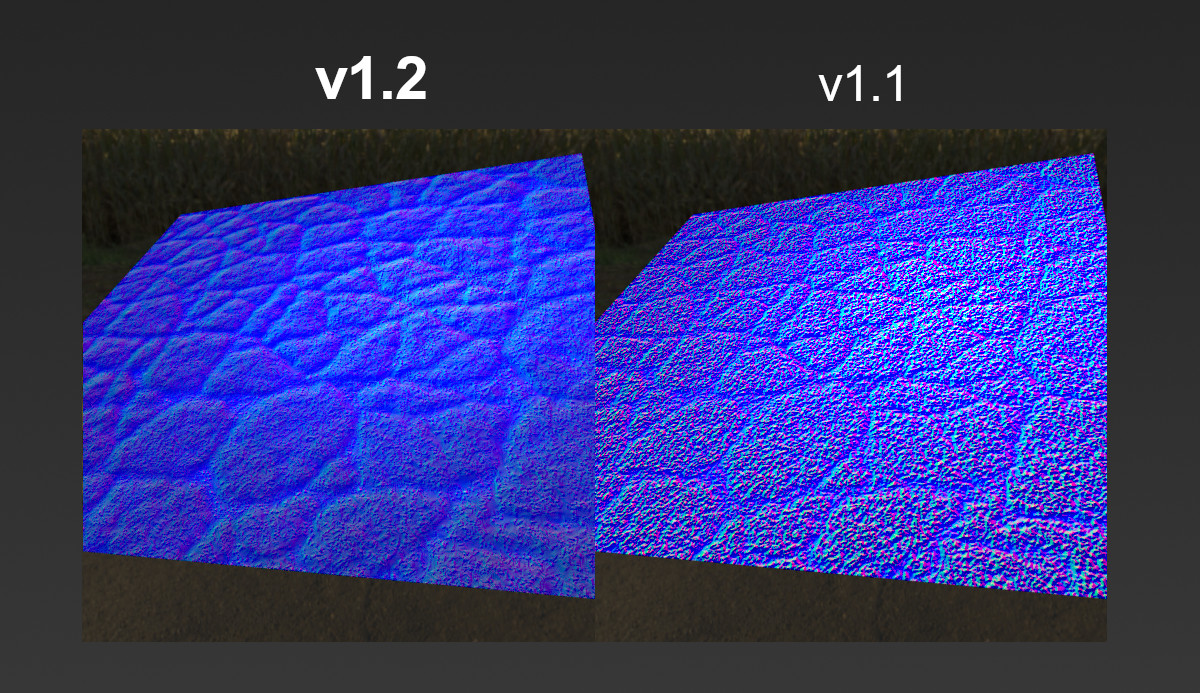
- Much better normal map generation, height-map blurring now separated from texture blurring allowing for significantly better detail.
- New Height Blur field
- Updated user manual
- Displacement output added
- Minor fixes and name changes
Version 1.1:
- Super Texture now takes in texture coordinates as a parameter when applying to an image.
- Multiple image deployment is now implemented. Simply select any number of images and apply Super Texture with 1 click!
Supercharge your 3D creation workflow with premium selection of Blender Add-ons. Whether you are modeling intricate characters, sculpting realistic environments, or animating cinematic sequences, the right add-on can transform how you work inside Blender. Our curated collection includes powerful tools for UV unwrapping, procedural texture generation, rigging automation, rendering optimization, and more—each rigorously tested for compatibility with the latest Blender versions. Eliminate tedious manual processes and unlock advanced functionality that lets you focus on what matters most: bringing your creative vision to life. Explore our full range of professional Blender plugins today and take your 3D projects to the next level.
➡️ ➡️ For more Blender Plugins 😀 😀
Reviews
There are no reviews yet.