
surface diagnostics for Blender
Surface Diagnostics v1.3.3 for Blender
The Ultimate One-Click Technical Surface Analysis and Curvature Visualization Tool
Download Surface Diagnostics v1.3.3 today. Consequently, you can analyze and optimize the surface quality of your complex 3D models with a complete suite of professional diagnostic tools . Because subdivision modeling for automotive design, product development, and high-end game assets demands flawless surface continuity, having access to reliable analysis tools is absolutely essential . Nevertheless, detecting subtle surface imperfections, curvature irregularities, and reflection issues in Blender typically requires complicated manual setups. Fortunately, Surface Diagnostics eliminates this bottleneck completely . Moreover, it provides a comprehensive set of diagnostic shaders and geometry node tools accessible through an intuitive one-click UI . In short, you can achieve professional-grade surface quality with unprecedented speed and efficiency.
Comprehensive Diagnostic Toolset for Technical Surfacing
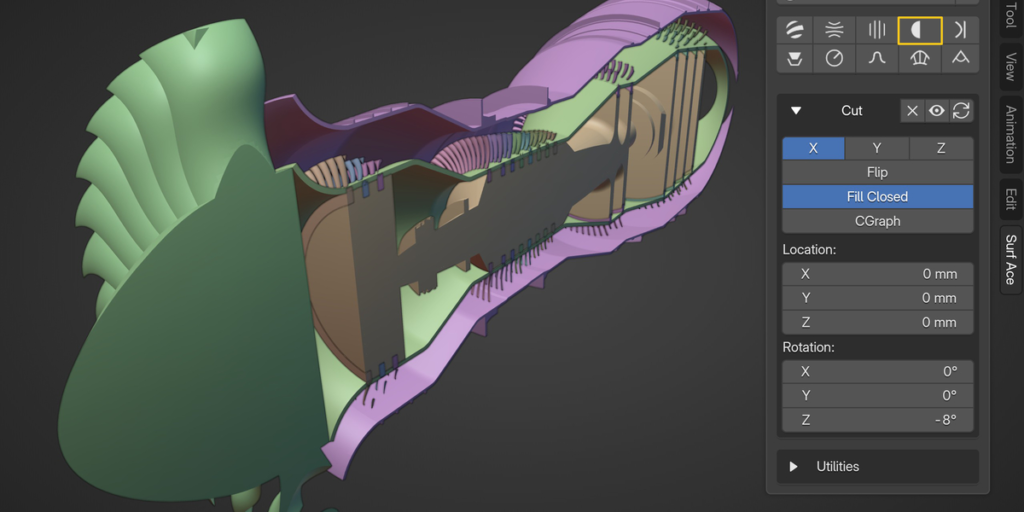
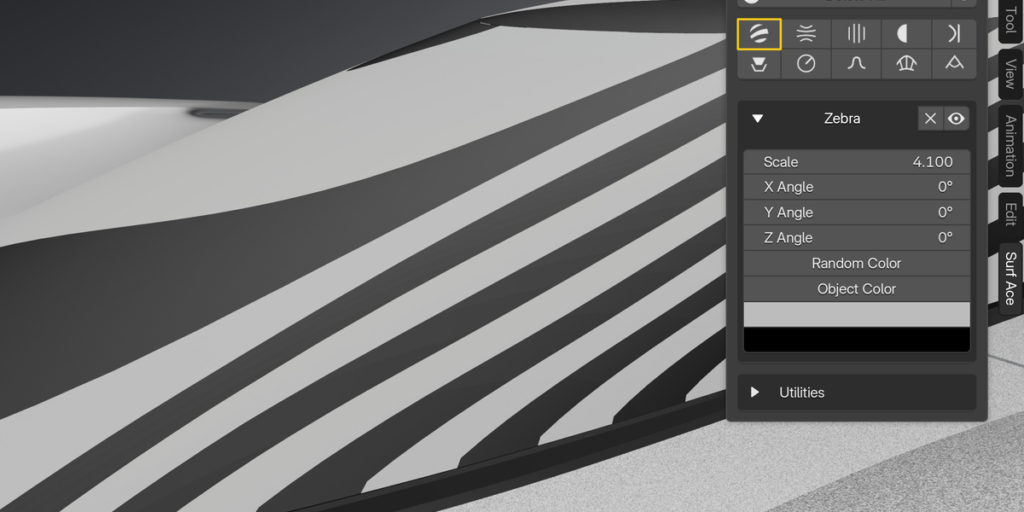
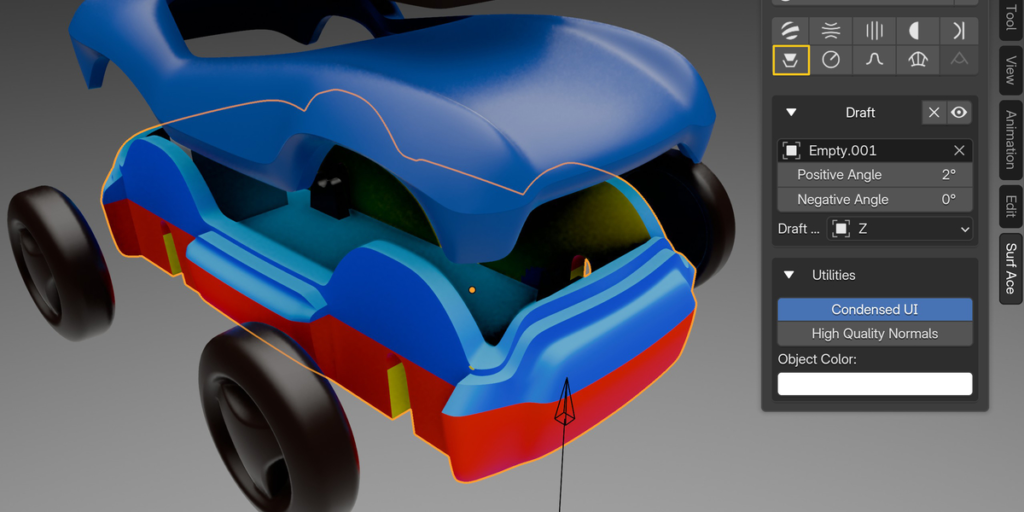
The core of this addon lies in its extensive array of specialized diagnostic tools. For instance, the Zebra shader offers a more reliable method for checking surface reflections than standard matcaps . Similarly, the Isoangle tool creates lines or bands of constant angle relative to a reference vector, revealing subtle surface variations . The Sections feature creates helper objects with Geometry Nodes modifiers referencing your active object, while Cut provides precise bisect functionality . Furthermore, Proximity measures local distance to a reference object and outputs gradient materials with optional text values, and Draft displays angles relative to a reference object or vector .
Advanced Curvature and Radius Analysis
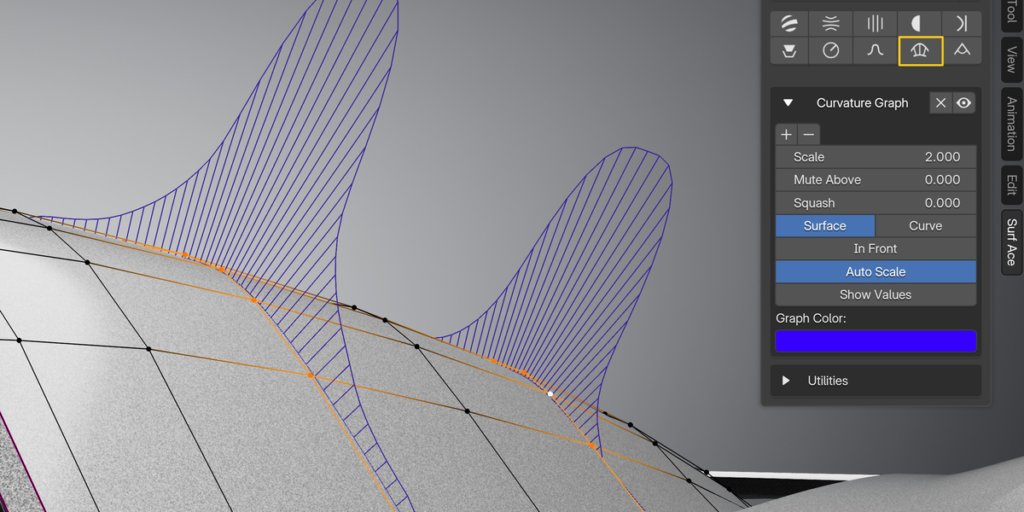
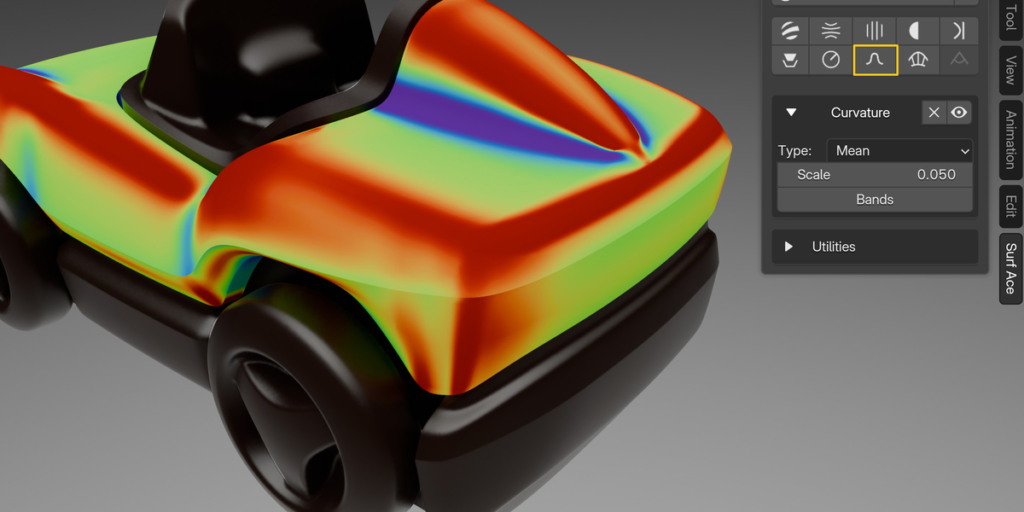
Professional surface evaluation demands sophisticated curvature measurement tools. Therefore, the addon includes dedicated Curvature shaders that display local surface curvature across four distinct types: Mean, Gaussian, Minimal, and Maximal . You can also visualize bands instead of smooth gradients for clearer analysis. Additionally, the Radius tool measures local surface curvature and highlights minimal and maximal radius based on given thresholds—particularly useful for manufacturing checks and ensuring design feasibility . The Curvature Graph creates a helper object with a Geometry Nodes modifier that measures curvature along selected edges, either along surface normals or as a circumcircle .
Angle Graphs and Precision Edge Analysis
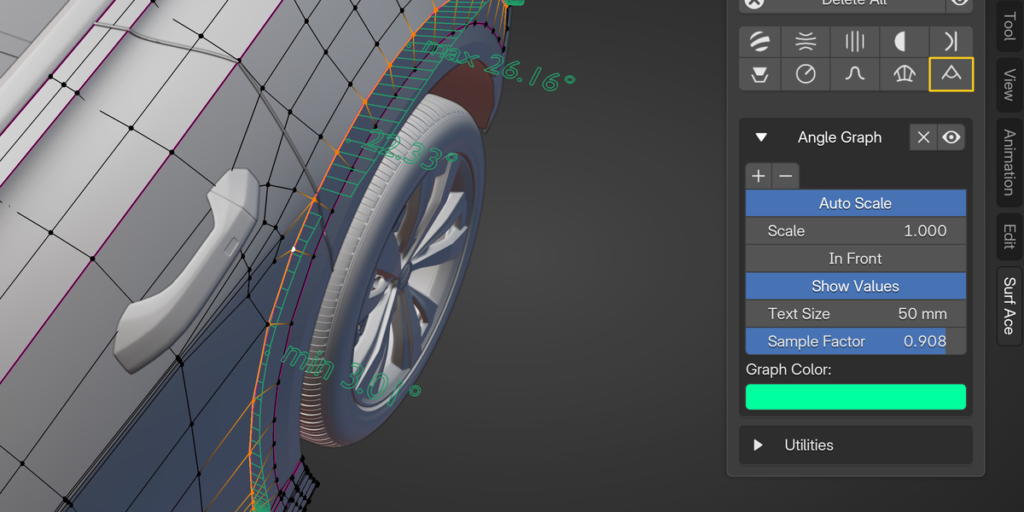
For detailed edge-level evaluation, the addon provides powerful graph-based tools. For example, the Angle Graph visualizes local angles on selected edges of your active object, helping you identify transition irregularities . In version 1.3.3 and above, both Curvature and Angle Graphs are now based on edge domain attributes, allowing graphs to appear on neighboring edges for more comprehensive analysis . You can also add or remove selections from diagnostics including Curvature, Angle Graph, Curvature, and Radius tools, giving you precise control over what to analyze .
One-Click UI and Flexible Workflow
The hallmark of this addon is its remarkable efficiency. Specifically, you can apply, hide, delete, and tweak every diagnostic from a single side panel without manually building complex node networks . Moreover, all diagnostics are based on standard Blender material or Geometry Nodes, meaning you can also use them as standalone assets in the Asset Browser . The diagnostics are applied as overlay modifiers or materials, leaving your original shader setup untouched . Additionally, the free Lite version offers full feature parity with the paid version, simply lacking the custom UI for slightly less click-efficient operation .
Blender 4.5+ Compatibility and Optimized Performance
Surface Diagnostics v1.3.3 is built for modern Blender workflows. Specifically, this version requires Blender 4.5 or newer as it leverages new geometry nodes technology introduced in that release . The addon includes a shortcut to enable High Quality Normals in Eevee for cleaner Zebra and Isoangle displays . Furthermore, for optimal CGraph performance, you may need to disable GPU Subdivision in Edit > Preferences > Viewport . For high-density objects using curvature or radius shaders, be aware that performance may decrease due to the computational intensity of the analysis .
Perfect for Automotive Designers and Product Developers
This addon is particularly well-suited for automotive designers creating complex, high-quality car bodies with smooth reflections . Similarly, product designers, industrial designers, and hard-surface modelers will appreciate the ability to detect and fix subtle surface waves and curvature irregularities . Additionally, game developers creating high-end assets with clean, professional surfaces will find the analysis tools indispensable . Ultimately, Surface Diagnostics accelerates your entire technical surfacing workflow.
System Requirements and Compatibility
The addon requires Blender 4.5 or newer to function correctly . Furthermore, it is compatible with Windows, macOS, and Linux operating systems. You will need a standard workstation with at least 8GB of RAM, though more complex scenes with high-poly geometry may benefit from additional memory. The Lite version is available for free, offering full feature parity with the paid version minus the custom UI efficiency .
Installation and Usage Guide
To install, first download the ZIP file from your library. Next, open Blender and navigate to Edit > Preferences > Add-ons. Then, click Install and select the downloaded ZIP file. After that, enable the Surface Diagnostics addon . Finally, open the 3D viewport sidebar (press N), click the “SurfAce” tab, select your active object, and click any diagnostic button to apply it instantly. Adjust parameters directly in the UI, and use the delete options to remove overlays when finished . Thus, your professional surface analysis workflow will be ready instantly.
What is Included Inside?
The pack contains the complete Surface Diagnostics v1.3.3 addon with both Full and Lite versions . Furthermore, it includes all diagnostic tools including Zebra, Isoangle, Sections, Cut, Proximity, Draft, Radius, Curvature, Curvature Graph, and Angle Graph . Additionally, you receive the one-click UI system and asset browser-compatible node groups . Ultimately, you receive everything needed for professional technical surface analysis.
Final Thoughts on the Addon
Effortless one-click surface diagnostics evokes profound creative freedom. Therefore, this addon provides the ultimate foundation for your technical surfacing workflows. You can achieve flawless surface quality with unprecedented speed and precision. Consequently, your surface analysis vision becomes a stunning reality.
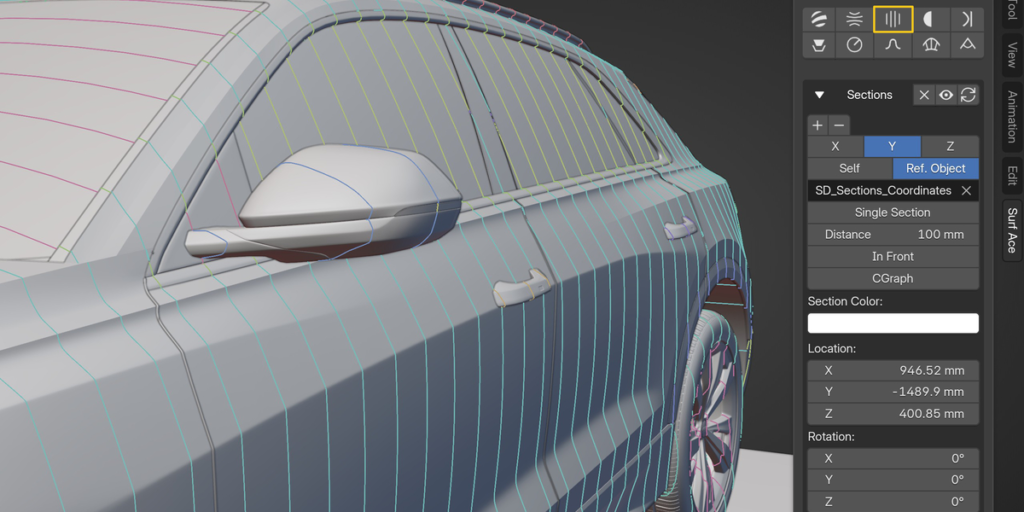
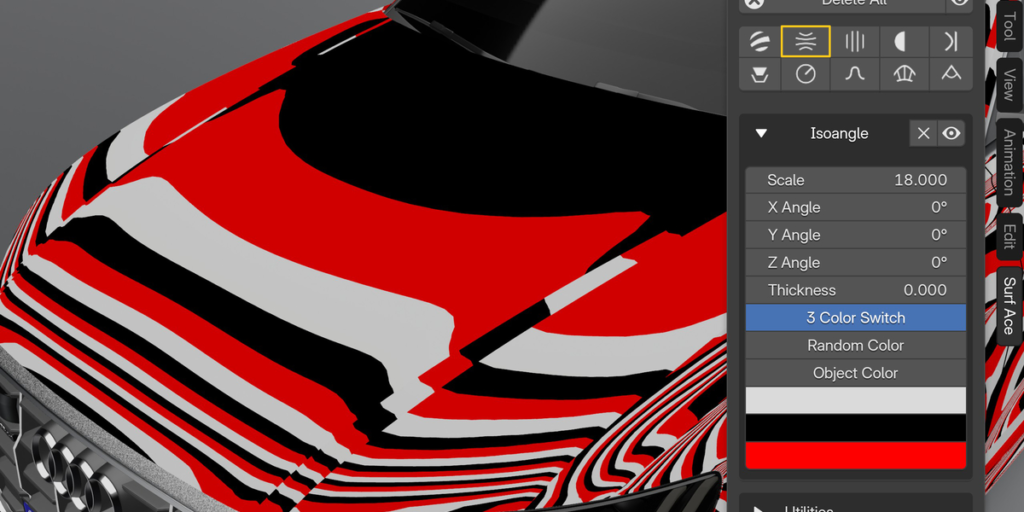
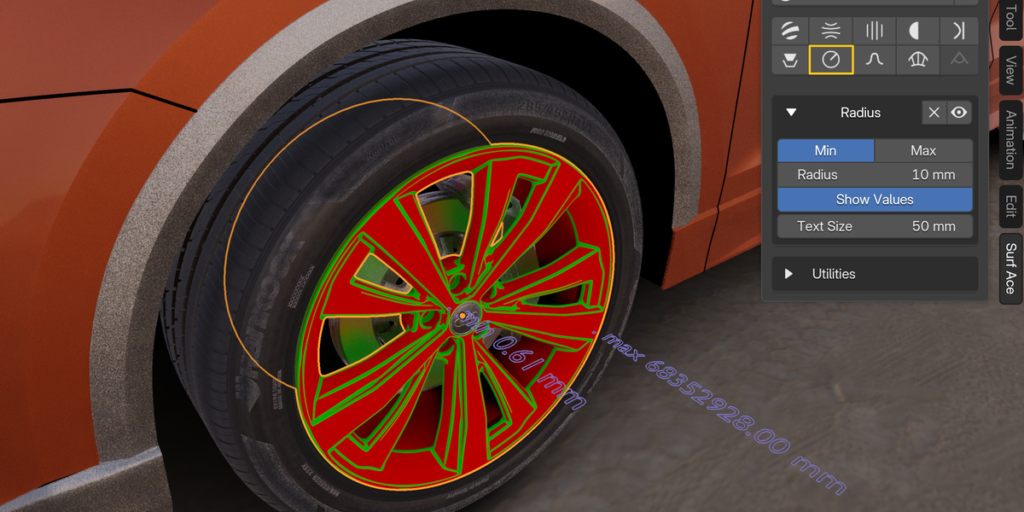
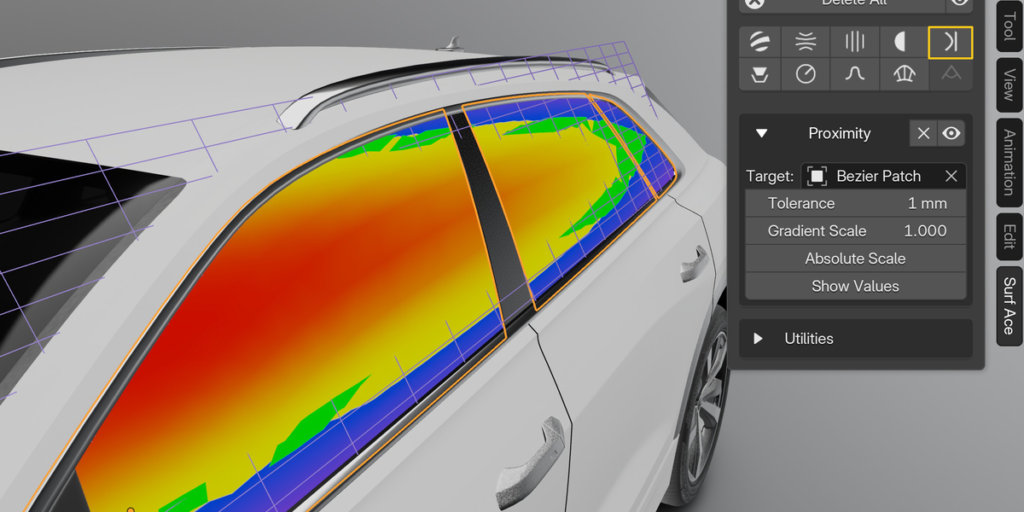
– Sections –

– Cut –

– Curvature –

– Radius –

– Draft –

– Proximity –

– Curvature Graph –

– Angle Graph-

– Zebra –

– Isoangle –

How it works
Key philosophy behind SurfAce Diagnostics is to utilize existing Blender tools as much as possible,
therefore all tools are standard Blender nodetrees,
you can use them on their own in vanilla Blender, they play well with asset browser.For best efficiency, there is custom scripted UI for single-click workflow,
which is shipped as complete addon with assets included.
Diagnostic Shaders are added to your objects using geometry node modifiers,
so your existing material set-ups remains untouched.
Curvature Graphs are added as new mesh objects, with custom geometry nodes modifier.
Supercharge your 3D creation workflow with premium selection of Blender Add-ons. Whether you are modeling intricate characters, sculpting realistic environments, or animating cinematic sequences, the right add-on can transform how you work inside Blender. Our curated collection includes powerful tools for UV unwrapping, procedural texture generation, rigging automation, rendering optimization, and more—each rigorously tested for compatibility with the latest Blender versions. Eliminate tedious manual processes and unlock advanced functionality that lets you focus on what matters most: bringing your creative vision to life. Explore our full range of professional Blender plugins today and take your 3D projects to the next level.
➡️ ➡️ For more Blender Plugins 😀 😀
Reviews
There are no reviews yet.