
Surface Painter for Blender
Surface Painter v1.1.0 for Blender – The Ultimate 3D Projection Painting & Decal Toolkit
Versions: v1.1.0
File Size: 18 MB
Download Surface Painter v1.1.0 for Blender on Windows and Mac, a revolutionary viewport painting and projection addon designed to let you add intricate details, decals, and textures directly onto your 3D models without the need for complex UV unwrapping or external texturing software. Whether you need to slap a logo onto a curved bottle, add realistic graffiti to a brick wall, paint dirt into the crevices of a vehicle, or project custom stickers onto a character, Surface Painter turns your viewport into a digital airbrush. It completely bypasses the traditional texture painting bottlenecks, allowing you to add storytelling details to your assets in seconds.
Key Features of Surface Painter v1.1.0:
- Direct 3D Projection Painting: Paint any image, texture, or procedural pattern directly onto your 3D mesh from the viewport. The tool acts like a digital projector, mapping your brush strokes perfectly onto the geometry’s surface.
- Smart Decal & Sticker System: Instantly project pre-made or custom decals (logos, warning signs, graffiti, scratches, rivets) onto your models. The system automatically aligns the projection to the surface normals, ensuring it wraps naturally around curves and corners.
- UV-Free Workflow: Add high-frequency details to complex, un-unwrapped meshes instantly. Perfect for hard-surface models, architectural props, and organic sculpts where unwrapping every single surface for a tiny detail is a waste of time.
- Multi-Layer Blending: Stack multiple painted projections on top of each other using standard blending modes (Multiply, Overlay, Add, Screen). Create complex, layered looks like rust over paint, or dirt over a metallic base.
- Custom Stencil & Mask Support: Load custom black-and-white images as stencils to paint specific shapes, or use gradient masks to create smooth, faded transitions for weathering and edge wear.
- One-Click Bake to Texture: Once you are happy with your painted details, Surface Painter can automatically bake all your projections, decals, and brush strokes into a single, clean, standard UV texture map. This makes your assets 100% ready for game engines like Unity or Unreal.
- Surface Alignment & Curvature Adaptation: The projection engine intelligently calculates surface curvature, preventing the “stretched” look that happens when projecting onto highly angled or cylindrical geometry.
- Vertex Color & Material ID Painting: Use the projection tools to paint directly into Vertex Colors or Material IDs, allowing you to drive complex material blends, scatter systems, or particle effects based on your painted masks.
- Real-Time Viewport Feedback: See exactly how your painted details interact with your scene’s lighting in real-time, with full support for Eevee and Cycles preview modes.
- Non-Destructive Editing: All projections and decals remain fully editable. You can move, scale, rotate, change the opacity, or delete any painted stroke at any time before you commit to the final bake.
Perfect For:
- Hard-Surface Modelers quickly adding panel lines, warning labels, scratches, and edge wear to vehicles, weapons, and sci-fi props.
- Environment Artists projecting dirt, moss, graffiti, and posters onto urban environments, walls, and ruins to add instant life and storytelling.
- Game Developers rapidly prototyping textured assets and baking them into optimized texture atlases for real-time engines.
- Product Visualizers placing high-resolution labels, barcodes, and branding onto packaging and consumer goods without manual UV mapping.
- Concept Artists rapidly blocking out designs and adding surface details to keep the creative flow uninterrupted.
- Beginners who find traditional UV unwrapping and texture painting intimidating and want a fast, visual way to add details.
System Requirements:
- Blender: 3.6, 4.0, 4.1, 4.2, 4.3, 4.4+ (Latest LTS recommended).
- OS: Windows 10/11 (64-bit) or macOS 10.15+.
- RAM: 8GB minimum (16GB+ recommended for scenes with hundreds of high-resolution decals and complex baking).
- Render Engine: Fully compatible with Cycles and Eevee.
Installation:
- Download the Surface Painter v1.1.0
.zipfile. - Open Blender and go to Edit > Preferences > Add-ons.
- Click Install…, select the downloaded file, and enable the checkbox next to Paint: Surface Painter.
- Access via the 3D Viewport Sidebar (N-panel) under the Surface Paint tab, or by pressing the designated hotkey (default
Shift+P) to open the radial projection menu.
What’s New in v1.1.0?
- Blender 4.4 Full Compatibility: Updated all mesh evaluation and projection APIs to ensure flawless stability, correct UI scaling, and perfect integration with the newest Blender 4.4 release.
- New “Smart Falloff” Brush Engine: Introduced a highly responsive brush falloff system that automatically adjusts pressure based on the angle of your stylus or mouse, allowing for much more natural, airbrush-like painting.
- Faster Baking Engine: Rewritten the texture baking backend, reducing the time it takes to bake multiple projection layers into a single 4K texture map by up to 50%.
- Multi-Projector Array Tool: Added a new tool to instantly scatter and randomize dozens of small decals (like rivets, screws, or pebbles) across a surface with a single click.
- Enhanced Curvature Projection: Improved the mathematical projection algorithm to completely eliminate texture “swimming” or sliding when painting on tight, 90-degree inner corners.
- UI Polish: Redesigned the brush settings and decal library panels with visual thumbnails and collapsible menus for a much faster, distraction-free painting experience.
Note:
Surface Painter v1.1.0 is built on the philosophy that details should not slow you down. In traditional workflows, adding a simple logo to a curved surface means unwrapping, painting, exporting, and importing—a process that kills creative momentum. Surface Painter eliminates this friction entirely. By treating textures and decals as 3D objects that you can project, move, and blend directly in the viewport, it feels as natural as painting on a physical canvas. The ability to non-destructively stack layers and then bake them down to a single texture map makes it the ultimate bridge between artistic freedom and technical game-engine requirements. Whether you are weathering a post-apocalyptic tank or branding a sleek product prototype, Surface Painter puts the power of instant detail right at your fingertips.
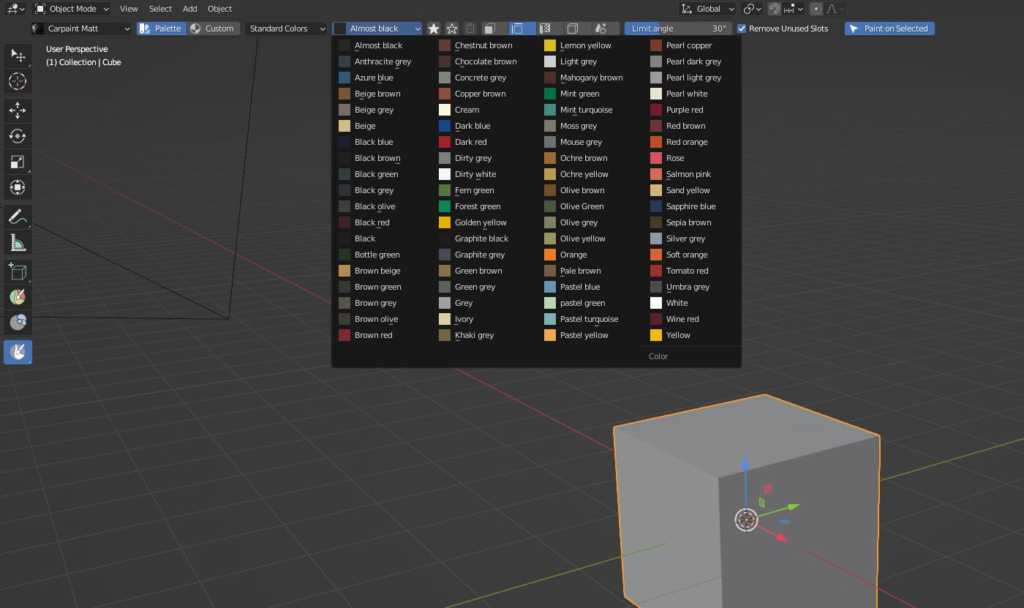
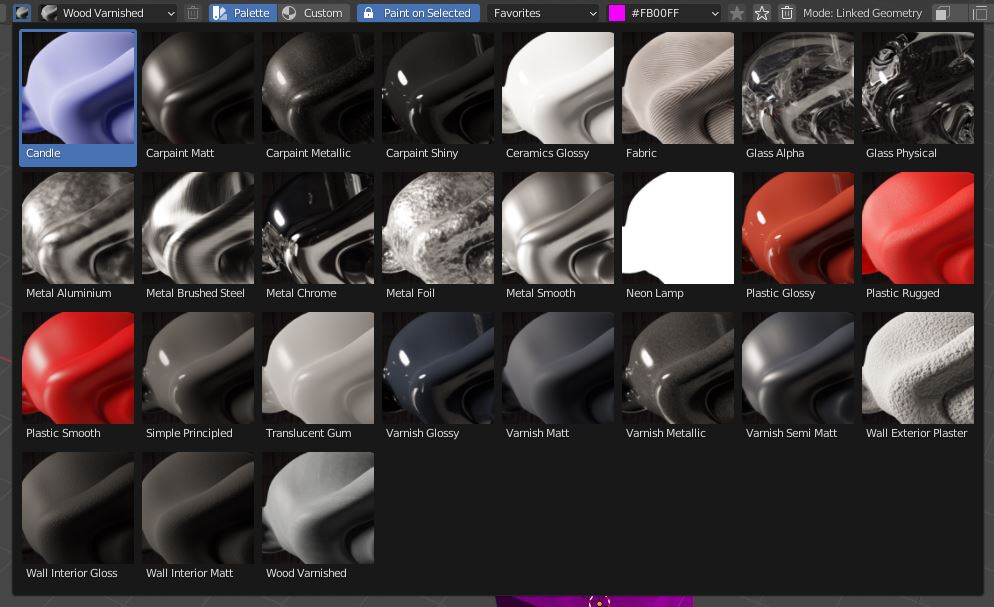
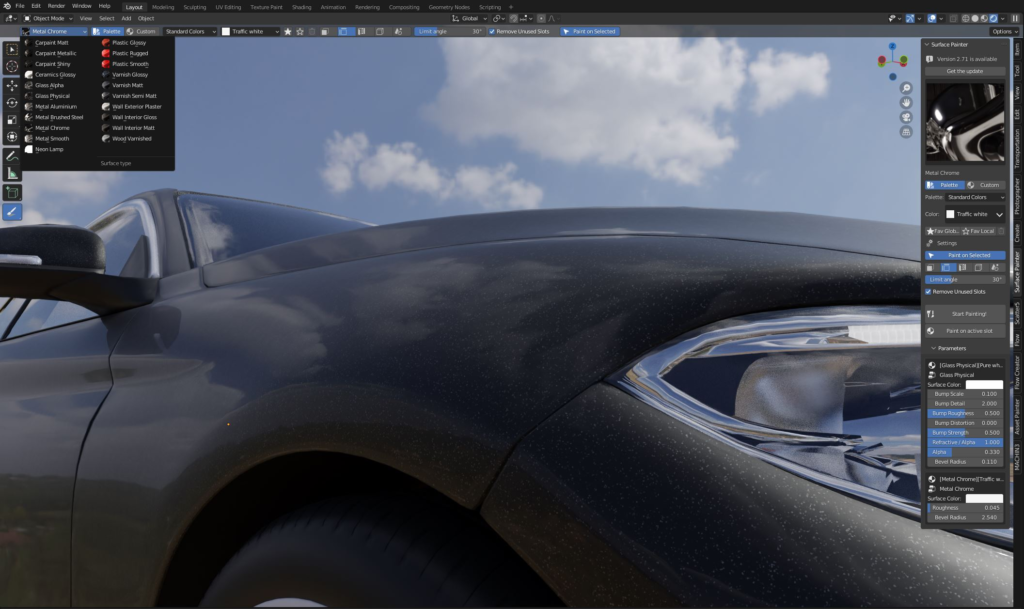
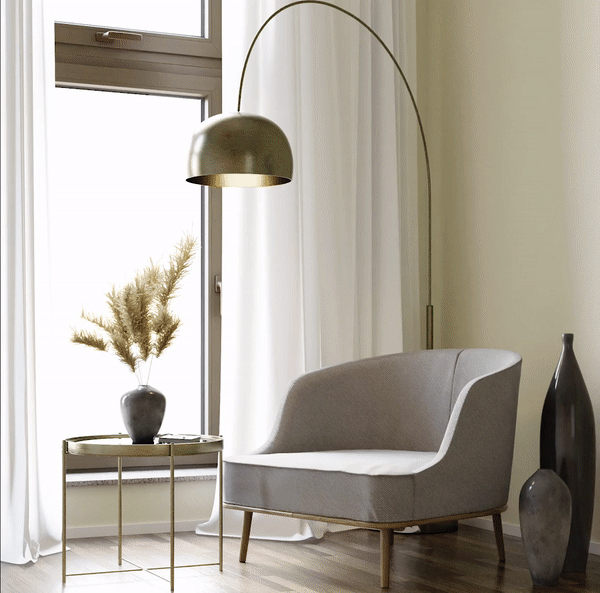
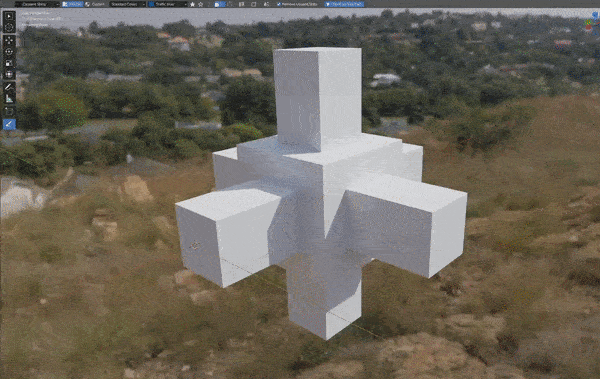
Surface Painter is the simple, yet powerful addon, that helps you adding quick and already colored basic materials into your objects in no time!
Addon works with Blender 3.0+ // For now it supports only default Blender sRGB color space
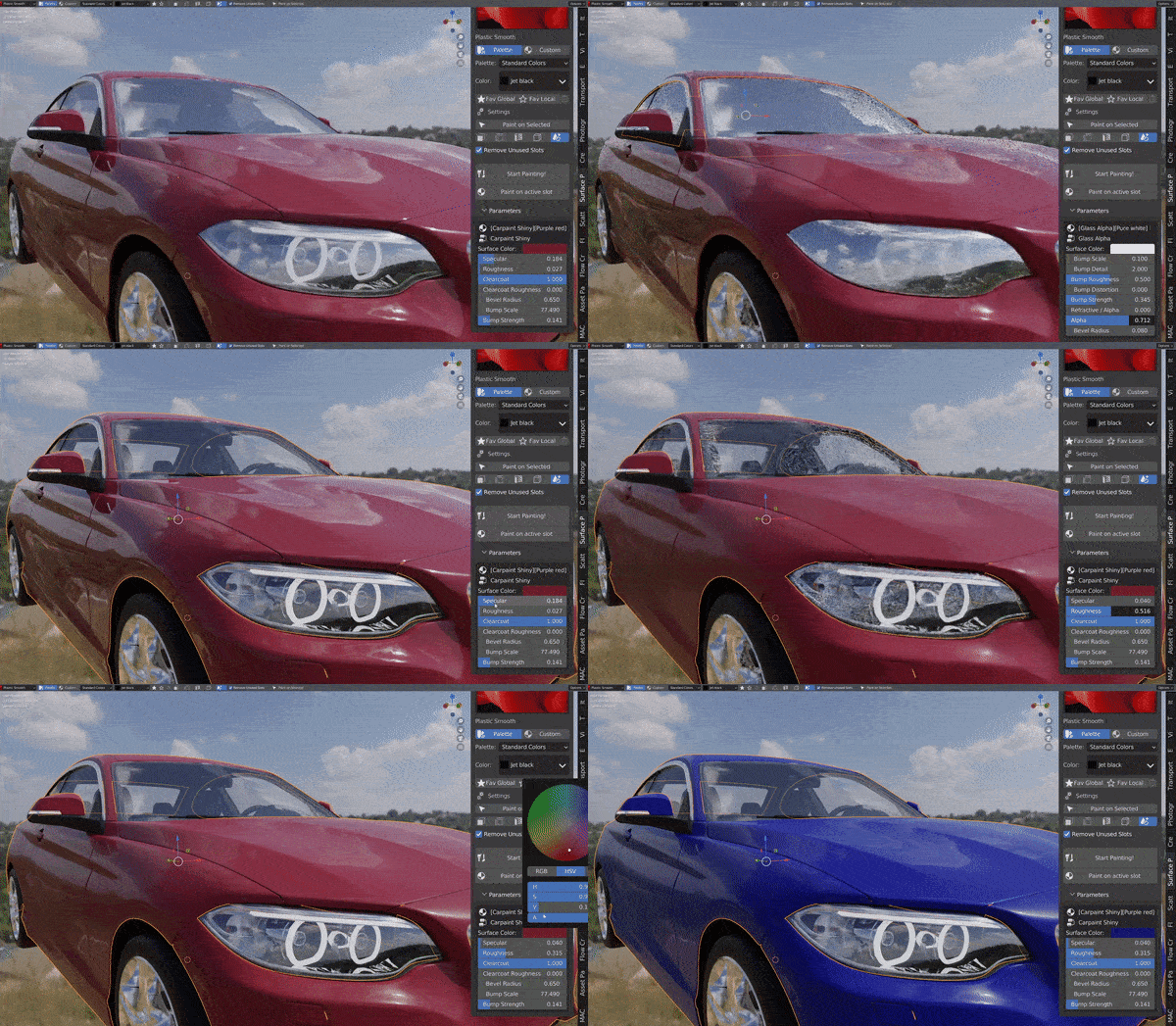
Create and paint new basic materials with no effort!
It’s now extremely simple to paint your objects with large variety of colors, without the need of creating each material manually.
– Select one of 27 (so far!) most common surfaces
– Select the color from the default palette, or pick your custom one
– Save your favorite colors for later
– Create and save your own surfaces!
– Just click CTRL+LMB on the objects to paint them with your settings!
Just take a look below, how easy it is!
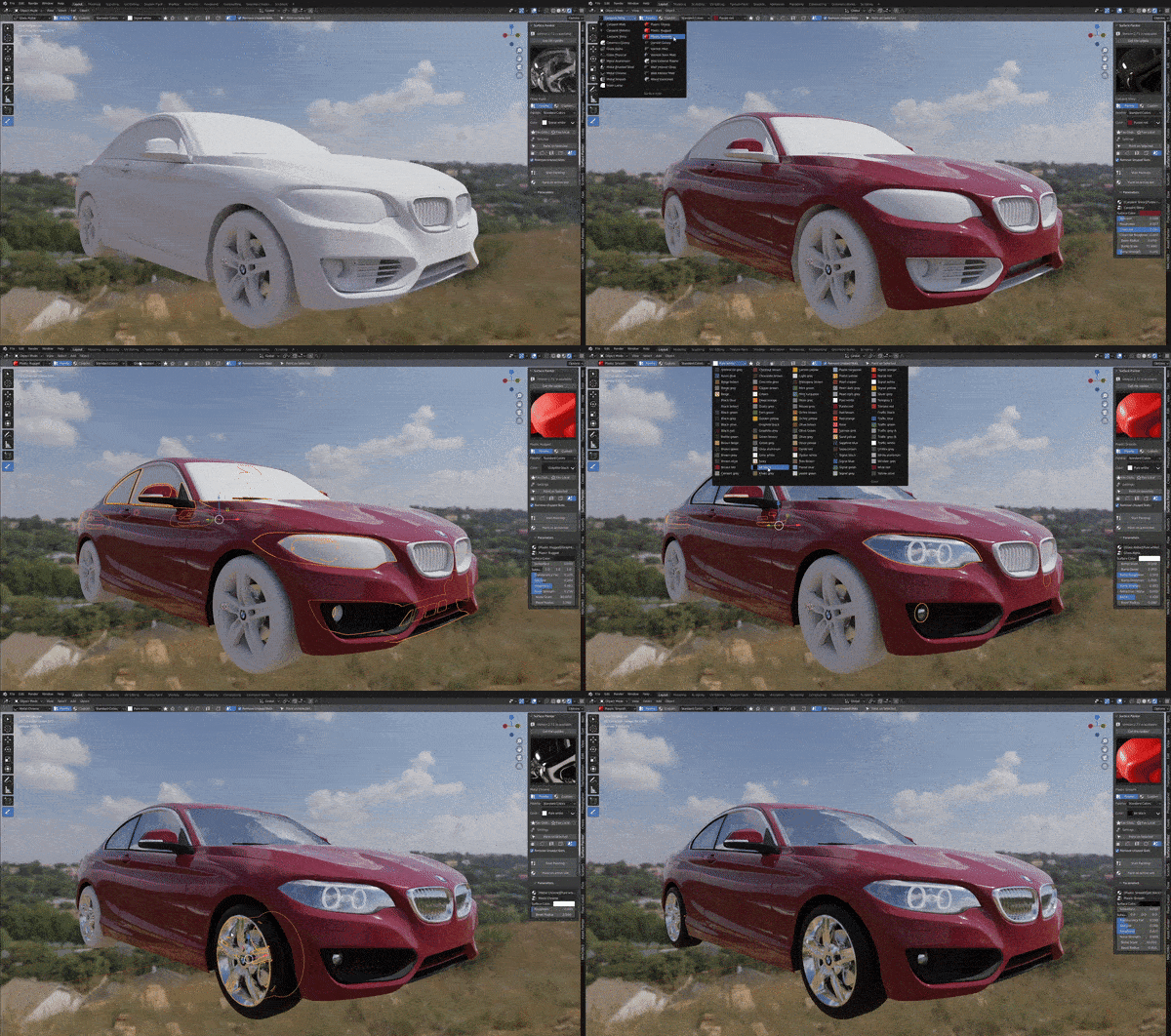
Various paint modes
You can choose on what area you want to paint your new surfaces. From a single face, through area limited by sharp edges, materials into the entire object. The choice is yours!
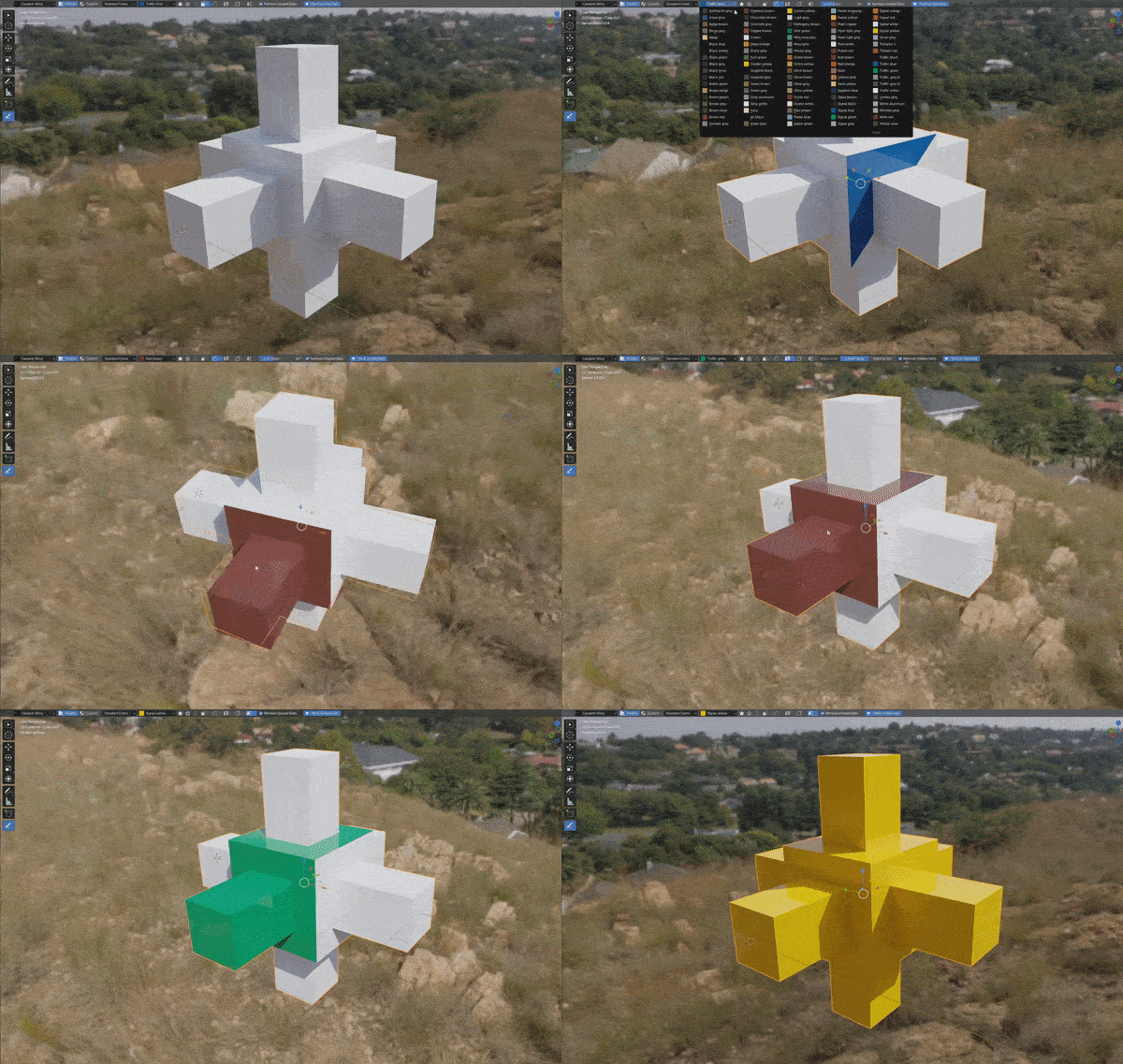
Easy material tweaking from the panel-level
Tweak the settings directly in the panel, with no need to enter shader editor each time. All thanks to the amazing node groups, that are containing the surfaces settings!
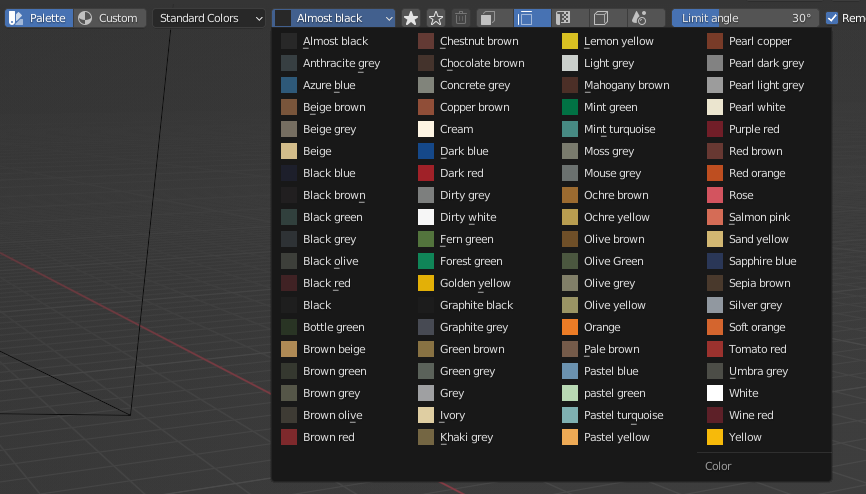
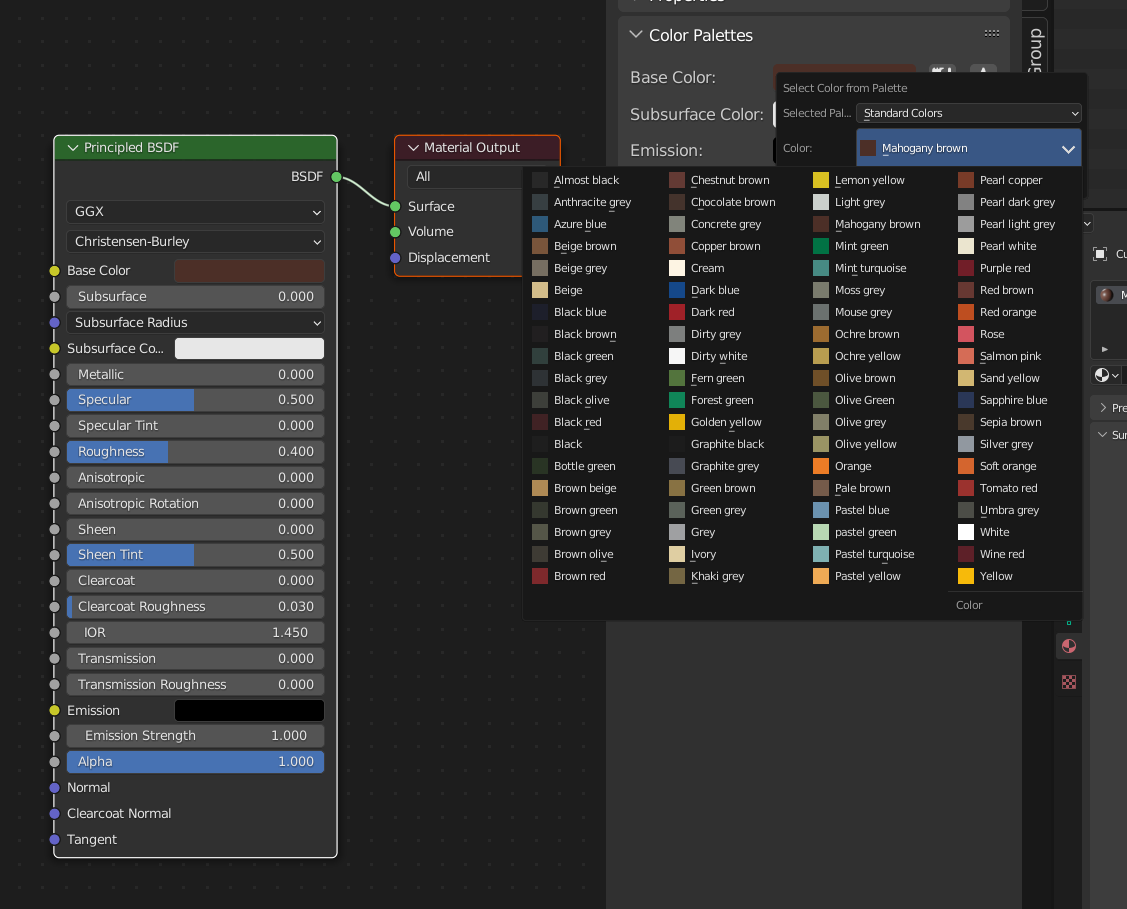
Use one of 75 default colors or create your own and save for later!
You can pick one of the 75 colors from our default palette to paint your objects. You can also pick your very own color. Save your favorite colors in your scene or global favorites, so you can use them in any further projects.
There is more! You can use all Surface Painter palettes not only when painting materials, but also you can use them for any color inputs in the shader editor!
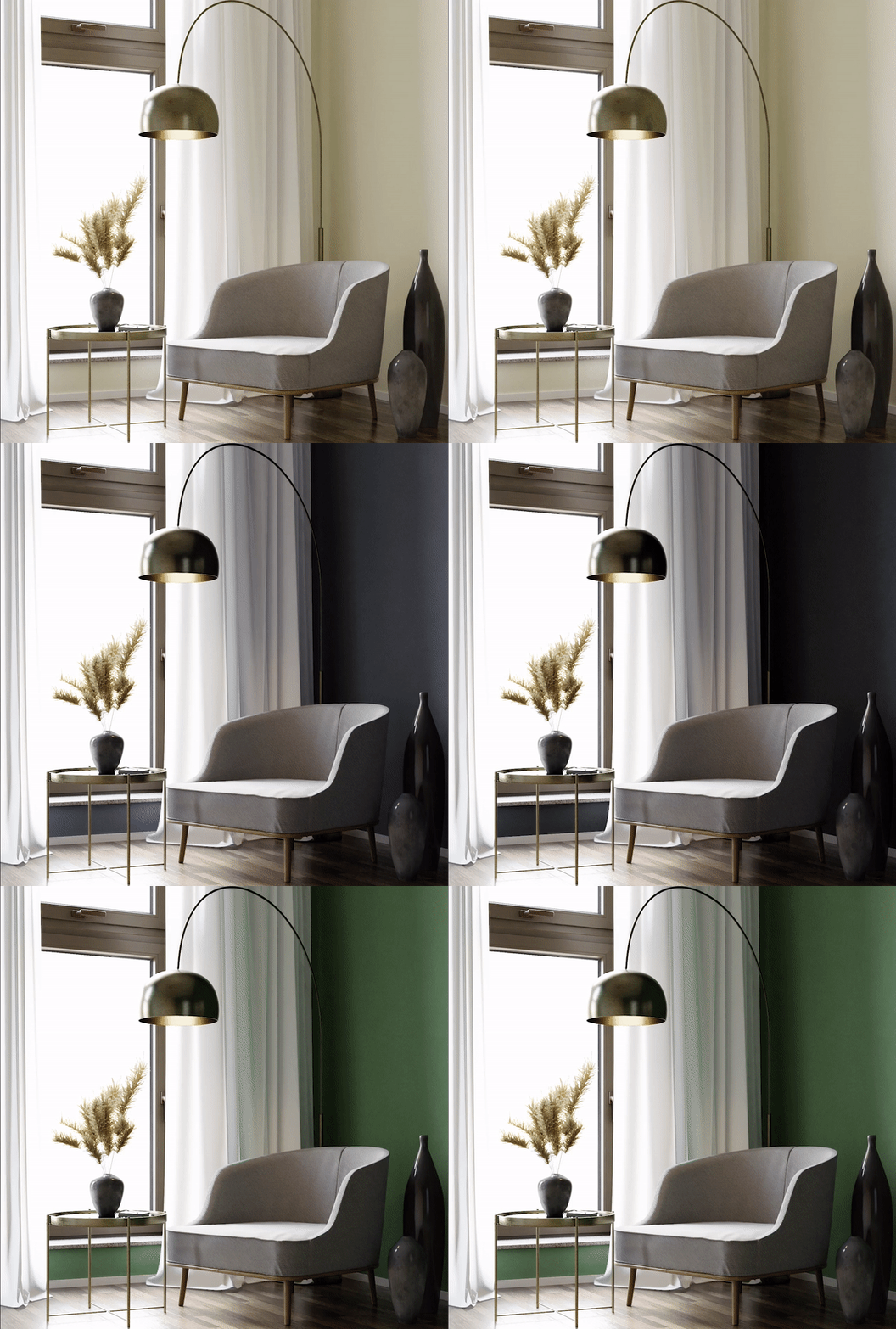
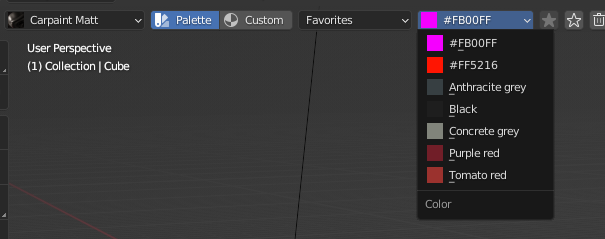
Use Palettes also in Shader Editor
Surface Painter allows you to use your all of palette and favorite colors also in the shader editor, in ANY material. Simply select the node, that you want to color, go to the ‘Nodes’ panel and you’ll see all the color inputs. Then just select any color you want!
Why Surface Painter?
– It’s extremely easy to use, even for most beginner users
– Creating basic and colored materials takes now NO TIME
– Use one of 27 procedural most common surfaces, like car paints, varnishes, wall plasters, metals
– Create your very own surfaces and add them to the plugin easily!
– All surfaces comes as easy Node Groups setups
– Works both in Object and Edit mode
– Pick one of 75 standard colors or create your own
– You can save your favorite colors for later, and share between other plugin & Blender versions!
– Easy material tweaking from the panel-level
– Use the palette colors also in the Shader Editor!
Supercharge your 3D creation workflow with premium selection of Blender Add-ons. Whether you are modeling intricate characters, sculpting realistic environments, or animating cinematic sequences, the right add-on can transform how you work inside Blender. Our curated collection includes powerful tools for UV unwrapping, procedural texture generation, rigging automation, rendering optimization, and more—each rigorously tested for compatibility with the latest Blender versions. Eliminate tedious manual processes and unlock advanced functionality that lets you focus on what matters most: bringing your creative vision to life. Explore our full range of professional Blender plugins today and take your 3D projects to the next level.
➡️ ➡️ For more Blender Plugins 😀 😀
Reviews
There are no reviews yet.