
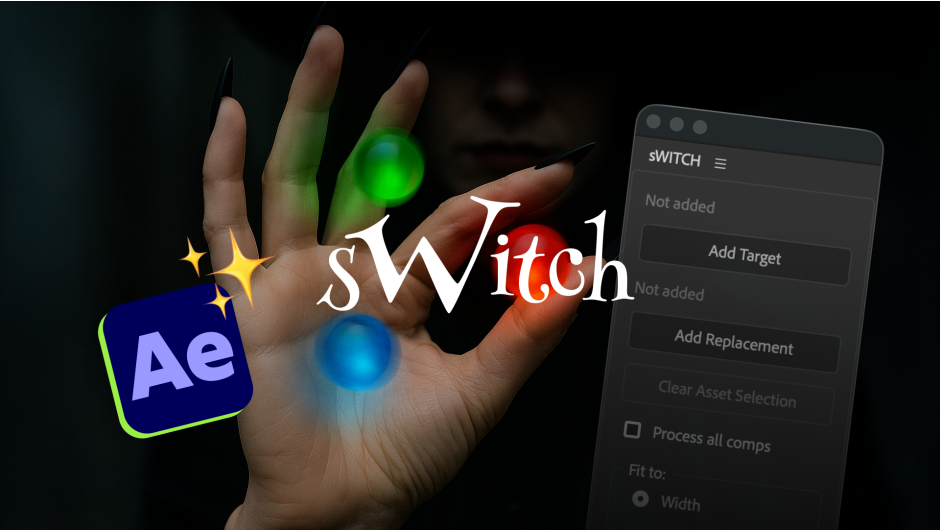
sWITCH for After Effects
sWITCH v1.0.1 for After Effects
The Ultimate Smart Footage and Composition Replacement Tool for After Effects
Download sWITCH v1.0.1 today. Consequently, you can replace footage or compositions across your entire project while automatically preserving visual scale, position, masks, and layer relationships. Because motion designers and VFX artists frequently need to swap assets, update templates, or replace media, having a smart replacement tool is absolutely essential.
Nevertheless, After Effects’ native replace function often leads to frustrating issues. Resolution changes cause misaligned compositions, broken masks, and lost layer relationships. Fortunately, sWITCH eliminates this bottleneck completely. Moreover, it intelligently compensates for scaling differences between old and new assets. In short, you can swap assets with confidence, knowing that visual integrity remains intact.
Smart Scale Compensation for Resolution Changes
The core of this script lies in its intelligent handling of resolution discrepancies. For instance, when you replace a footage item, sWITCH automatically detects scale differences between the original and new asset. Furthermore, the script applies the necessary compensatory scaling to ensure the new asset fits perfectly.
Additionally, you can choose to match by width or height for full control over aspect ratio. This is particularly valuable when upgrading from 1080p to 4K. Since the scaling is automated, you avoid tedious manual adjustments. Consequently, your replacement workflow becomes significantly faster and more accurate.
Complete Preservation of Layer Relationships
Professional workflows demand that your entire layer structure remains intact during replacement. Therefore, sWITCH ensures masks, effects, and keyframes all transfer seamlessly to the new footage or composition. For example, even when aspect ratios change, masks maintain their visual shape and scaling.
Furthermore, any existing parent-child relationships between layers are automatically preserved. Additionally, the script keeps your composition structure fully functional and intact. Since all layer properties are maintained, you can continue working immediately without rebuilding your setup. Thus, your project integrity is never compromised.
Batch Replacement and Protected Folders
Managing complex projects requires careful control over what gets updated. Therefore, sWITCH offers flexible scope options. For instance, you can target replacements at either the current composition only or across your entire project.
Furthermore, the Protected Folders feature lets you mark any folder to be skipped during batch operations. This is perfect for client-approved sections or archived versions that must remain unchanged. Additionally, the Shell Safety Mode detects potential circular references when working with shell compositions. Since the tool handles these edge cases safely, you can manage large-scale asset swaps with minimal risk. Consequently, your batch operations remain consistent and secure.
Smart Asset Selection and Workflow
Efficiency extends to how you select assets for replacement. Accordingly, sWITCH includes an intelligent selection system. For instance, you simply click on a layer in the viewport or timeline to register it as the source asset.
Furthermore, the script automatically locates and highlights it in the project panel. Additionally, version 1.0.1 includes minor stability fixes and performance improvements over the initial release. Since the tool eliminates the need to hunt through deep folder structures, you save significant time. Thus, your workflow becomes more fluid and intuitive.
Perfect for Motion Designers and VFX Artists
This script is particularly well-suited for motion designers who regularly update templates with new client assets. Similarly, VFX artists managing complex projects will appreciate the batch replacement capabilities. Additionally, freelancers working with pre-built templates will find the smart scaling invaluable for different resolutions. Ultimately, sWITCH v1.0.1 accelerates your entire asset management pipeline.
System Requirements and Compatibility
sWITCH v1.0.1 supports a comprehensive range of After Effects versions, spanning from CC 2018 through the latest 2026 releases. It is compatible with both Windows and macOS operating systems. You will need a standard workstation with at least 8GB of RAM.
Installation and Usage Guide
To install, first download the script file from your library. Next, close Adobe After Effects if it is running. Then, copy the script files to your After Effects Scripts folder. After that, ensure “Allow Scripts to Write Files and Access Network” is enabled in After Effects Preferences under Edit > Scripting & Expressions.
Finally, launch After Effects and navigate to File > Scripts to access sWITCH. Select the footage you wish to replace, choose your replacement asset, and let sWITCH handle the rest. Thus, your smart replacement workflow will be ready instantly.
What is Included Inside?
The pack contains the complete sWITCH v1.0.1 script for After Effects. Furthermore, it includes smart scale compensation logic and full preservation of masks and layer relationships. Additionally, you receive batch replacement capabilities, protected folders, and intelligent asset selection. Ultimately, you receive everything needed for professional asset replacement.
Final Thoughts on the Script
Effortless smart asset replacement evokes profound creative freedom. Therefore, this script provides the ultimate foundation for your template updates and asset management workflows. You can swap footage and compositions with unprecedented speed and visual accuracy. Consequently, your replacement vision becomes a stunning reality.
Swap footage or compositions across your entire project while automatically preserving visual scale, position, masks, and layer relationships.
Replace assets. Easy.
sWITCH replaces footage and compositions across your entire project — automatically compensating for scale, masks, and aspect ratio differences.
After Effects wasn’t built
for smart replacement.
The native Replace Footage command swaps at the project level but ignores resolution differences. Replace 1080p with 4K and everything doubles in size. Change aspect ratios and your masks distort.
Without sWITCH
Scale breaks when resolutions differ
Masks distort on aspect ratio changes
Manual layer-by-layer adjustments
vs
With sWITCH
Automatic scale compensation
Masks maintain visual shape
One click, entire project updated
…and more
How It Works
Three steps. That’s it.
01
Set
Target
Select the footage or comp you want to replace — from the timeline or the Project panel.
02
Set
Replacement
Pick the new asset. sWITCH shows you both sources side by side so you can confirm before switching.
03
Hit
Switch!
Run it on the active comp, selected comps, or project-wide — every instance updates with scale and mask compensation.
Features
Helpers that just make sense.
Smart Scale Compensation
Swap proxies for finals, upgrade 1080p to 4K, or change resolutions entirely — sWITCH adjusts every layer’s scale automatically. Match by width or height for full aspect ratio control.
Batch Processing
Update templates, swap placeholders with delivered assets, or replace temp renders across entire projects. Process selected comps with nested precomps, or go project-wide with a single checkbox.
Protected Folders
Running a project-wide replace but need to keep certain comps untouched? Mark any folder as protected and sWITCH will skip everything inside it — great for client-approved sections or archived versions.
Masks & Parenting
Masks maintain their visual shape even across aspect ratio changes — feather and expansion scale proportionally. Parent-child layer relationships stay intact too, so your rigs and hierarchies are preserved.
Shell-Safe Mode
Working with wrapper comps that contain your target? sWITCH detects potential circular references and offers Shell Mode to handle them safely, avoiding broken precomps.
Smart Selection
Register assets by selecting directly on the stage or timeline — sWITCH auto-detects the source, reveals it in the Project panel, and locks it in. No digging through deep folder structures.
Elevate your motion graphics workflow with premium collection of After Effects plugins. Whether you are a seasoned professional or just starting your VFX journey, powerful tools designed to streamline complex tasks, unlock creative possibilities, and save you hours of rendering time. From stunning glitch effects and seamless transitions to advanced 3D extrusion and text animation tools, each plugin in our library is rigorously tested for compatibility with the latest versions of Adobe after Effects. Enhance your video production value today and download industry-leading plugins that help you create breathtaking visuals without the technical headaches. Browse our full range and find the perfect extension to supercharge your editing suite now.
➡️ ➡️ For more after effects Plugins 😀 😀
➡️ ➡️ System requirements AE
Reviews
There are no reviews yet.