
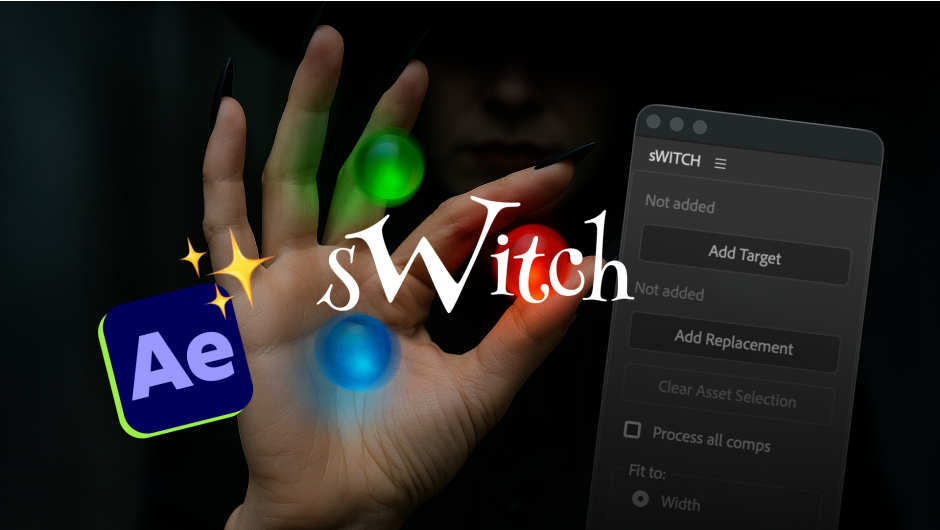
sWITCH for After Effects
sWITCH v1.0.0 for After Effects
The Ultimate Smart Footage and Composition Replacement Tool for After Effects
Download sWITCH v1.0.0 today. Consequently, you can replace footage or compositions across your entire project while automatically preserving visual scale, position, masks, and layer relationships . Because motion designers and VFX artists frequently need to swap assets, update templates, or replace media, having access to a smart replacement tool is absolutely essential. Nevertheless, After Effects’ native replace function often leads to frustrating issues—resolution changes causing misaligned compositions, broken masks, and lost layer relationships. Fortunately, sWITCH eliminates this bottleneck completely. Moreover, it intelligently compensates for scaling differences between old and new assets, ensuring that your composition’s visual integrity remains intact throughout the replacement process . In short, you can swap assets with confidence, knowing that scale, position, masks, and layer relationships will be automatically preserved.
Smart Scale Compensation for Resolution Changes
The core of this script lies in its intelligent handling of resolution discrepancies. For instance, when you replace a footage item or composition, sWITCH automatically detects any differences in scale between the original and new asset. The script then applies the necessary compensatory scaling to ensure the new asset fits perfectly, matching the position, scale, and visual layout of the original . You can even choose to match by width or height, giving you full control over aspect ratio handling when upgrading from 1080p to 4K or changing resolutions entirely . This is particularly valuable when working with assets of different resolutions, as it eliminates the tedious manual adjustment that typically follows a replacement.
Complete Preservation of Layer Relationships
Beyond simple scaling, sWITCH ensures that your entire layer structure remains intact during replacement. For example, masks, effects, and keyframes all transfer seamlessly to the new footage or composition. Additionally, even when aspect ratios change, masks maintain their visual shape—feathering and expansion are scaled proportionally . Any existing parent-child relationships between layers are automatically preserved, ensuring your entire comp structure remains functional and intact . Since all layer properties are maintained, you can continue working immediately without rebuilding or readjusting your setup.
Batch Replacement and Flexible Scope Control
Professional workflows demand efficiency across entire projects. Therefore, sWITCH offers flexible scope options that let you target replacements at either the current composition only or across your entire project . For example, you can update templates, swap placeholders with delivered assets, or replace temporary renders throughout a project . The script can process compositions with nested pre-comps or execute across the entire project with a single checkbox . Consequently, you can manage large-scale asset swaps with minimal effort and maximum consistency.
Protected Folders and Shell Safety Mode
Managing complex projects with multiple stakeholders requires careful control over what gets updated. Therefore, sWITCH includes a Protected Folders feature—simply mark any folder as protected, and the script will skip all contents within it . This is perfect for client-approved sections or archived versions that must remain unchanged during batch operations. Additionally, the Shell Safety Mode detects potential circular references when working with shell compositions containing targets, handling them safely without damaging pre-comps .
Smart Asset Selection
Efficiency also extends to how you select assets for replacement. sWITCH includes an intelligent selection system: simply click on a layer in the viewport or timeline to register it as the source asset, and the script automatically locates and highlights it in the project panel . This eliminates the need to hunt through deep folder structures, significantly speeding up your workflow.
Perfect for Motion Designers, VFX Artists, and Video Editors
This script is particularly well-suited for motion designers who regularly update templates with new client assets. Similarly, VFX artists and editors managing complex projects with multiple comps will appreciate the batch replacement capabilities and the preservation of visual integrity. Additionally, freelancers and studios working with pre-built templates will find the smart scaling invaluable for adapting assets to different resolutions and formats. Ultimately, sWITCH v1.0.0 accelerates your entire asset management and template update pipeline.
System Requirements and Compatibility
The script supports an extensive range of After Effects versions, spanning from CC 2018 through the latest 2026 releases . It is compatible with both Windows and macOS operating systems . You will need a standard workstation with at least 8GB of RAM.
Installation and Usage Guide
To install, first download the script file from your library. Next, close Adobe After Effects if it is running. Then, copy the script files to your After Effects Scripts folder. After installation, launch After Effects and navigate to File > Scripts to access sWITCH. Finally, select the footage or composition you wish to replace, choose your replacement asset, select your scope (current comp or entire project), and let sWITCH handle the rest. Thus, your professional smart replacement workflow will be ready instantly.
What is Included Inside?
The pack contains the complete sWITCH v1.0.0 script for After Effects. Furthermore, it includes smart scale compensation logic, full preservation of masks and layer relationships, batch replacement capabilities, protected folders, shell safety mode, and intelligent asset selection . Ultimately, you receive everything needed for professional asset replacement with visual integrity.
Final Thoughts on the Script
Effortless smart asset replacement evokes profound creative freedom. Therefore, this script provides the ultimate foundation for your template updates and asset management workflows. You can swap footage and compositions with unprecedented speed and visual accuracy. Consequently, your replacement vision becomes a stunning reality.
Swap footage or compositions across your entire project while automatically preserving visual scale, position, masks, and layer relationships.
Replace assets. Easy.
sWITCH replaces footage and compositions across your entire project — automatically compensating for scale, masks, and aspect ratio differences.
The Problem
After Effects wasn’t built
for smart replacement.
The native Replace Footage command swaps at the project level but ignores resolution differences. Replace 1080p with 4K and everything doubles in size. Change aspect ratios and your masks distort.
Without sWITCH
Scale breaks when resolutions differ
Masks distort on aspect ratio changes
Manual layer-by-layer adjustments
vs
With sWITCH
Automatic scale compensation
Masks maintain visual shape
One click, entire project updated
…and more
How It Works
Three steps. That’s it.
01
Set
Target
Select the footage or comp you want to replace — from the timeline or the Project panel.
02
Set
Replacement
Pick the new asset. sWITCH shows you both sources side by side so you can confirm before switching.
03
Hit
Switch!
Run it on the active comp, selected comps, or project-wide — every instance updates with scale and mask compensation.
Features
Helpers that just make sense.
Smart Scale Compensation
Swap proxies for finals, upgrade 1080p to 4K, or change resolutions entirely — sWITCH adjusts every layer’s scale automatically. Match by width or height for full aspect ratio control.
Batch Processing
Update templates, swap placeholders with delivered assets, or replace temp renders across entire projects. Process selected comps with nested precomps, or go project-wide with a single checkbox.
Protected Folders
Running a project-wide replace but need to keep certain comps untouched? Mark any folder as protected and sWITCH will skip everything inside it — great for client-approved sections or archived versions.
Masks & Parenting
Masks maintain their visual shape even across aspect ratio changes — feather and expansion scale proportionally. Parent-child layer relationships stay intact too, so your rigs and hierarchies are preserved.
Shell-Safe Mode
Working with wrapper comps that contain your target? sWITCH detects potential circular references and offers Shell Mode to handle them safely, avoiding broken precomps.
Smart Selection
Register assets by selecting directly on the stage or timeline — sWITCH auto-detects the source, reveals it in the Project panel, and locks it in. No digging through deep folder structures.
Elevate your motion graphics workflow with premium collection of After Effects plugins. Whether you are a seasoned professional or just starting your VFX journey, powerful tools designed to streamline complex tasks, unlock creative possibilities, and save you hours of rendering time. From stunning glitch effects and seamless transitions to advanced 3D extrusion and text animation tools, each plugin in our library is rigorously tested for compatibility with the latest versions of Adobe after Effects. Enhance your video production value today and download industry-leading plugins that help you create breathtaking visuals without the technical headaches. Browse our full range and find the perfect extension to supercharge your editing suite now.
➡️ ➡️ For more after effects Plugins 😀 😀
➡️ ➡️ System requirements AE
Reviews
There are no reviews yet.