
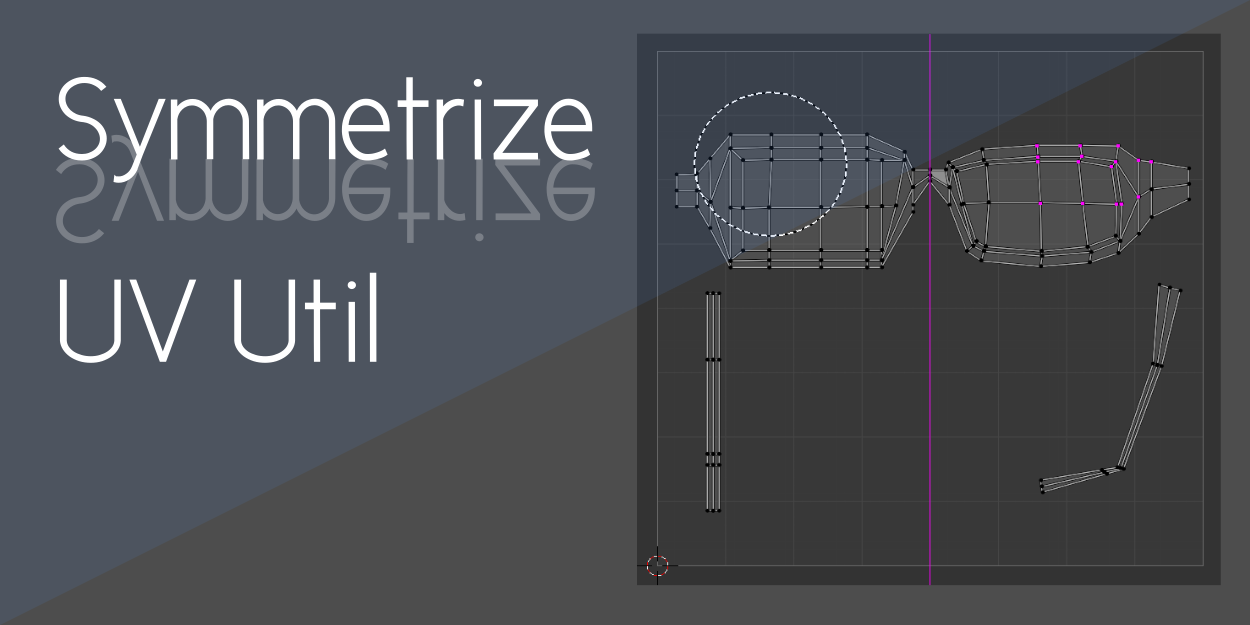
Symmetrize UV Util for Blender
Symmetrize UV Util v1.5.0 for Blender
The Ultimate UV Symmetry and Texture Mirroring Tool
Download Symmetrize UV Util v1.5.0 today. Consequently, you can maintain perfectly symmetrical UV maps and textures for your symmetric 3D models with minimal effort. Because character design and symmetrical asset creation demand consistent, mirror-symmetrical UV layouts, having access to an efficient symmetry tool is absolutely essential. Nevertheless, manually matching UV islands across both sides of a model often proves fiddly and time-consuming . Fortunately, Symmetrize UV Util handles this task cleanly and elegantly . Moreover, it automatically detects your mesh’s structure and adjusts each UV vertex accordingly . In short, you can achieve flawless UV symmetry in a fraction of the usual time.
Automated UV Symmetry Detection and Adjustment
The core of this addon lies in its intelligent, automated approach to UV manipulation. For instance, the addon can detect the structure of your mesh and automatically adjust each UV vertex to ensure perfect symmetry . Furthermore, if your UV map should be fully symmetrical, you can simply use the Symmetrize function to mirror UV islands across the specified axis . This feature is particularly valuable when texturing characters, since you only need to paint one side of the face or body and the other side reflects it automatically . Consequently, you save significant time and eliminate inconsistencies that arise from manually matching UV islands on both sides .
Precision Brush Tool for Asymmetric Meshes
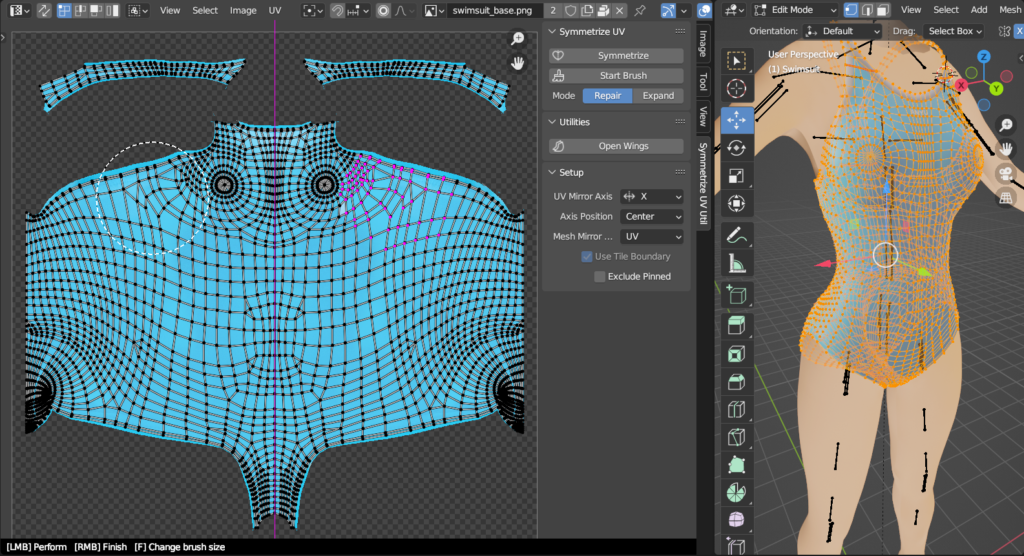
Professional workflows often involve models that are not perfectly symmetrical. Therefore, Symmetrize UV Util includes a dedicated brush tool for selective symmetry correction . For instance, if your mesh has some asymmetrical parts, you can use the “Start Brush” function to paint only the areas that require symmetry . While using the brush, you can press the “F” key to change its size for precise control . This selective approach ensures that you maintain symmetry where needed while preserving intentional asymmetrical details elsewhere . Thus, you have complete control over which parts of your UV map receive symmetry treatment.
Flexible Axis Positioning and UDIM Tile Support
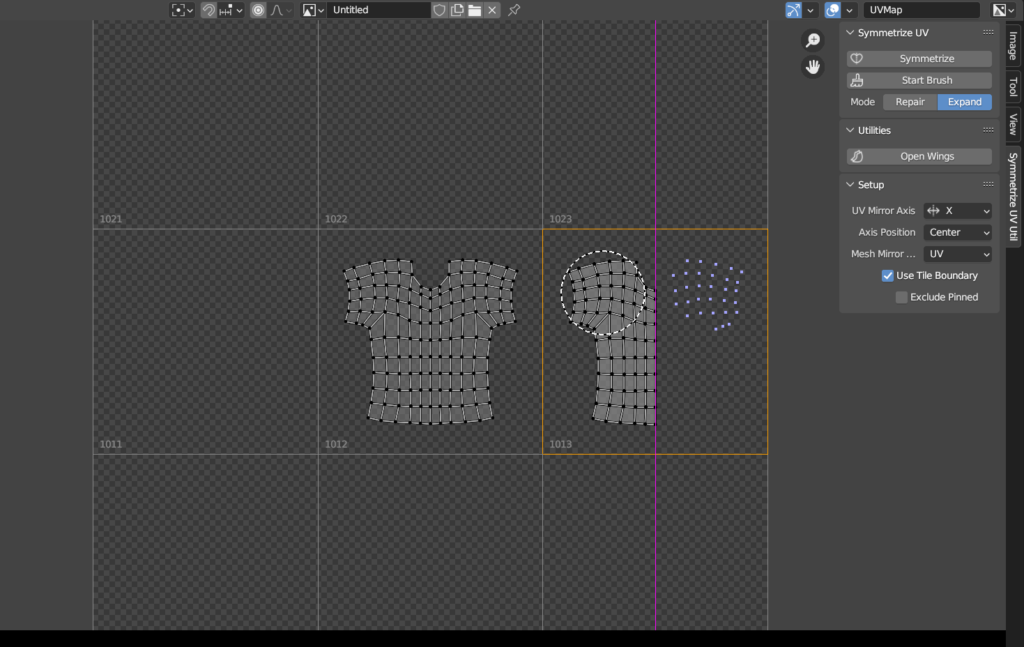
Professional UV editing demands adaptability across different project requirements. Accordingly, the addon allows you to position the symmetry axis anywhere you need it . By using the 2D cursor as a pivot point, you can place the axis at the center, start, end, or at the 2D cursor position . Furthermore, Symmetrize UV Util fully supports UDIM textures . When working with UDIM tiles, the addon performs symmetry based on UDIM tile boundaries when the “Use Tile Boundaries” option is active . This allows you to efficiently symmetrize UV maps across each UDIM tile . Consequently, the tool adapts to both standard and multi-tile texturing workflows.
Blender 3.3 to 5.0 Compatibility and Installation
The addon supports a comprehensive range of Blender versions spanning from 3.3 through 5.0 . This broad compatibility ensures the addon remains useful across diverse production environments. To install, first download the ZIP file from your library. Next, open Blender and navigate to Edit > Preferences > Add-ons. Then, click Install and select the downloaded ZIP file. For Blender 4.1 and above, use the “Install from Disk” option from the dropdown menu . After that, enable the Symmetrize UV Util addon . Finally, open the UV Editor, select your UV map, and access the plugin tools from the sidebar or menus to begin symmetrizing . Thus, your professional UV symmetry workflow will be ready instantly.
What is Included Inside?
The pack contains the complete Symmetrize UV Util v1.5.0 addon . Furthermore, it includes the automated UV symmetry detection system, the selective brush tool for asymmetric meshes, and flexible axis positioning with 2D cursor support . Additionally, you receive full UDIM tile compatibility and broad Blender version support . Ultimately, you receive everything needed for professional UV symmetry editing.
Final Thoughts on the Addon
Effortless UV symmetry creation evokes profound creative freedom. Therefore, this addon provides the ultimate foundation for your UV texturing workflows. You can achieve perfect UV symmetry with unprecedented speed and simplicity. Consequently, your texturing vision becomes a stunning reality.
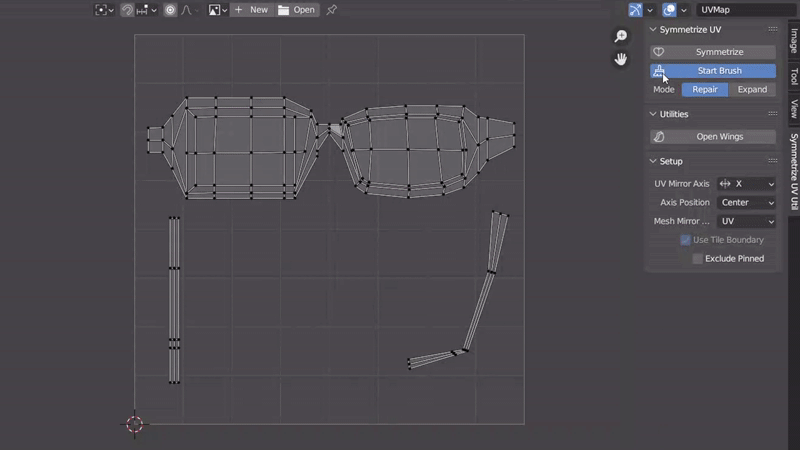
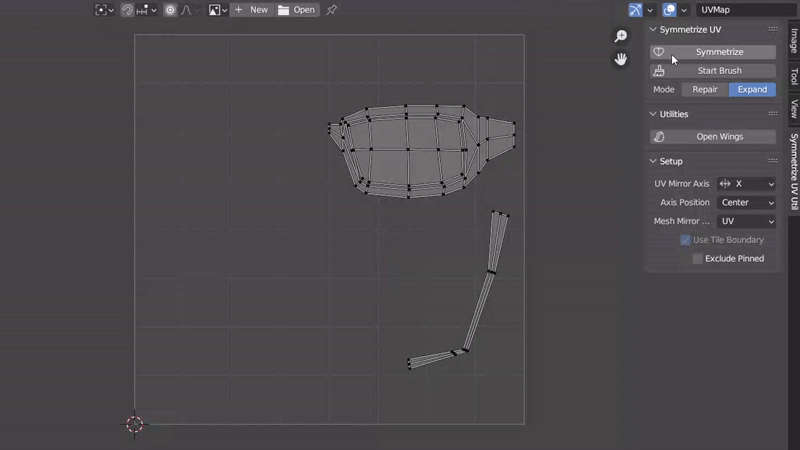
If you’re working with a symmetric model, keeping its UV map and texture symmetric is a good idea. This add-on can detect the structure of your mesh and adjust each UV vertex automatically.
🪄 Symmetrize your UV map
If your UV map should be fully symmetrical, just use the Symmetrize function. This function makes the UV map symmetry across the specified axis on the panel.
You can use a brush (“Start Brush”) if your mesh has some asymmetrical parts. When you trace some parts with the special brush, the only traced parts are symmetrized. The size of the brush can be changed by pressing the “F” key.

🪄 Expand mode
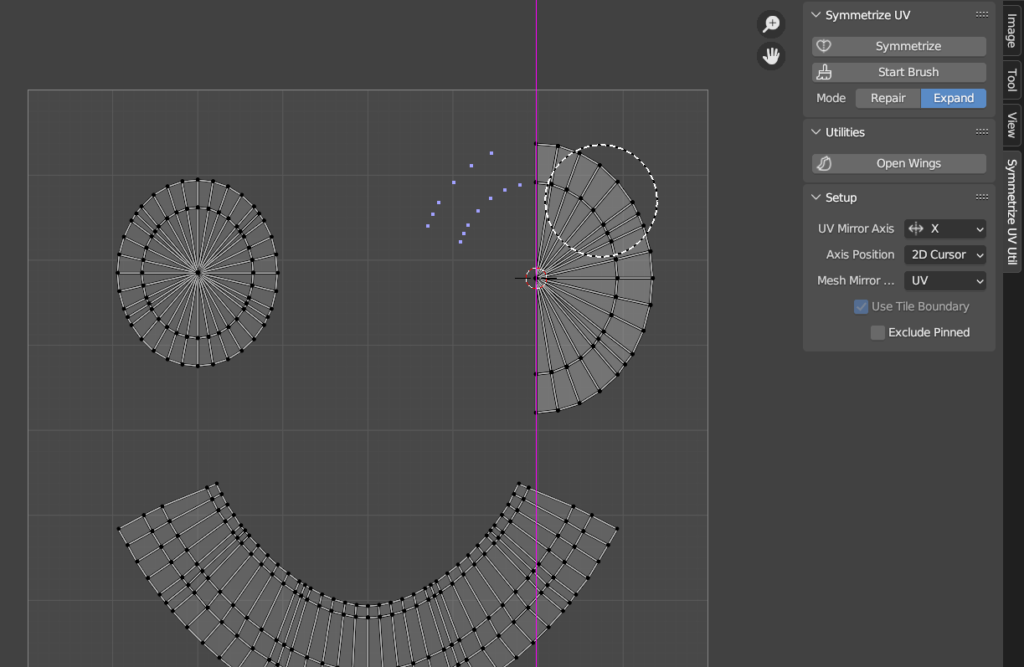
The Expand mode is a feature that creates a double-sided UV map from a single-sided UV map. You can also use a brush if needed.

🪄 Position the axis anywhere
The axis of symmetry can be placed anywhere by using the 2D cursor as a pivot point. You can specify one from Center, Start, End or 2D Cursor in the “Axis Position” option.

🪄 UDIM tiles supported
Symmetrizing is performed based on the UDIM tile boundaries when working with UDIM texture (if “Use Tile Boundary” is turned on). You can now efficiently symmetrize UV maps on each UDIM tile.

Supercharge your 3D creation workflow with premium selection of Blender Add-ons. Whether you are modeling intricate characters, sculpting realistic environments, or animating cinematic sequences, the right add-on can transform how you work inside Blender. Our curated collection includes powerful tools for UV unwrapping, procedural texture generation, rigging automation, rendering optimization, and more—each rigorously tested for compatibility with the latest Blender versions. Eliminate tedious manual processes and unlock advanced functionality that lets you focus on what matters most: bringing your creative vision to life. Explore our full range of professional Blender plugins today and take your 3D projects to the next level.
➡️ ➡️ For more Blender Plugins 😀 😀
Reviews
There are no reviews yet.