
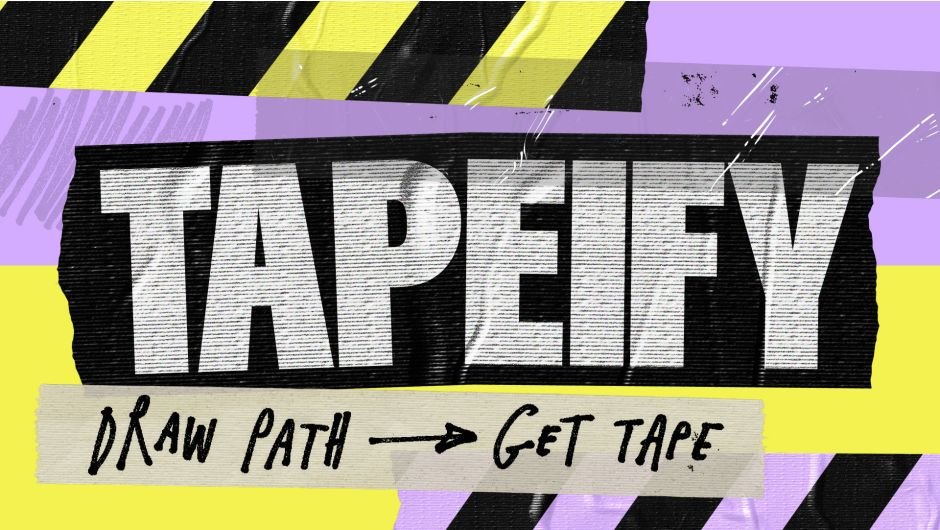
Tapeify for After Effects
Tapeify V1.0.1 for After Effects
The Ultimate Retro VHS Tape and Analog Glitch Effect Plugin
Download Tapeify V1.0.1 today. Consequently, you can instantly transform modern digital footage into nostalgic, authentic VHS tape recordings directly inside After Effects. Because motion designers and content creators constantly seek retro aesthetics for music videos, synthwave projects, and stylized titles, having a dedicated analog distortion tool is absolutely essential.
Nevertheless, manually building convincing VHS artifacts requires stacking dozens of complex effects and adjusting endless parameters. Fortunately, Tapeify eliminates this bottleneck completely. Moreover, it provides a comprehensive, single-plugin solution that accurately replicates the physical quirks of vintage magnetic tape. In short, you can achieve an authentic 1980s video look with a single click.
Authentic VHS and Analog Artifacts
The core of this plugin lies in its accurate simulation of analog video degradation. For instance, it generates classic tracking errors, head-switching noise, and static lines at the bottom of the frame. Furthermore, it introduces subtle color bleeding and chromatic aberration that mimics the limited bandwidth of old tape formats.
Additionally, the plugin includes customizable video dropouts and frame jitter to simulate damaged cassettes. Since these artifacts behave procedurally, they change dynamically from frame to frame, just like real tape. Consequently, your footage will look genuinely vintage rather than artificially filtered.
Comprehensive Glitch and Distortion Controls
Professional retro workflows demand granular control over the final aesthetic. Therefore, Tapeify provides a comprehensive suite of styling parameters. For example, you can adjust the intensity of the tape noise, the speed of the tracking roll, and the frequency of signal drops.
Furthermore, you can toggle specific analog elements on or off to dial in the perfect amount of grit. Additionally, the plugin includes customizable scanlines, interlacing, and phosphor glow effects. Since every parameter is fully keyframable, you can animate the analog degradation over time. Thus, you maintain complete creative authority over your vintage visuals.
Real-Time GPU Acceleration and Workflow
Creative exploration demands immediate visual feedback. Accordingly, Tapeify is fully optimized for real-time performance. For instance, the viewport updates instantly as you tweak the glitch sliders, allowing you to preview your retro look instantly.
Furthermore, the plugin integrates natively into your existing After Effects pipeline. Additionally, it includes a library of ready-to-use presets, covering everything from subtle tape wear to extreme analog destruction. Since the tool is highly optimized, it never slows down your workstation. Consequently, you can iterate rapidly and achieve polished results quickly.
Perfect for Motion Designers and Content Creators
This plugin is particularly well-suited for motion designers creating retro-themed title sequences and broadcast graphics. Similarly, content creators producing music videos and social media edits will appreciate the instant vintage aesthetic. Additionally, anyone looking to add a nostalgic, lo-fi touch to their projects will find Tapeify invaluable. Ultimately, Tapeify V1.0.1 accelerates your entire post-production pipeline.
System Requirements and Compatibility
Tapeify V1.0.1 supports After Effects versions 2022, 2023, 2024, 2025, and 2026. It works on both Windows and macOS operating systems. The plugin is fully GPU-accelerated and requires a modern graphics card for optimal performance. You will need a standard workstation with at least 8GB of RAM.
Installation and Usage Guide
To install, first download the plugin installer from your library. Next, close Adobe After Effects if it is running. Then, install the plugin following the standard aescripts + aeplugins process using the Manager App. After that, launch After Effects and locate Tapeify in the Effects & Presets panel.
Finally, apply the effect to your footage layer, choose a preset, and adjust the glitch parameters to customize your look. Thus, your vintage tape workflow will be ready instantly.
What is Included Inside?
The pack contains the complete Tapeify V1.0.1 plugin for After Effects. Furthermore, it includes the authentic VHS and analog artifact generation engine and comprehensive glitch controls. Additionally, you receive real-time GPU acceleration and a library of customizable presets. Ultimately, you receive everything needed for professional retro video effects.
Final Thoughts on the Plugin
Effortless analog generation evokes profound creative freedom. Therefore, this plugin provides the ultimate foundation for your retro design workflows. You can transform ordinary footage into vintage masterpieces with unprecedented speed. Consequently, your nostalgic vision becomes a stunning reality.
Draw a path. Get tape.
Grab the pen tool, draw a path, apply Tapeify. You get torn tape in three materials: paper, plastic and gaffer. Fine-tune edge roughness, sheen, wrinkles, translucency, fibers and grunge. Trim the tape back from either end and the cut keeps its torn edge. Split it into separate strips with their own colors. You can also print your own artwork onto the tape, and Tapeify builds the artwork comp for you at the right size. Made for collage, analog and handmade looks, titles and lower thirds.
Tapeify transforms paths into realistic torn tape. Draw with the pen tool, apply Tapeify, and get authentic tape in three materials: paper, plastic, and gaffer. Fine-tune edge roughness, sheen, wrinkles, translucency, fibers and grunge. Perfect for collage, analog and handmade looks, titles and lower thirds.

Fine-Tune Everything
Control edge roughness, sheen, wrinkles, translucency, fibers, and grunge independently for complete creative freedom.

Split into Strips
Split tape into separate strips with individual colors, trim from either end, and keep the torn edge intact.
Features
✓ 3 Material Presets (paper, plastic, gaffer)
✓ Print custom artwork onto tape
✓ Fine-tune edge roughness, sheen, wrinkles
✓ Control translucency, fibers, grunge
✓ Split into separate strips
✓ Perfect for collage and handmade looks
✓ Ideal for titles and lower thirds
✓ After Effects CC 2024+
- 00:00 Intro
- 00:09 Apply the Effect
- 00:20 Presets and basic settings
- 00:43 Surface
- 00:50 Edges
- 01:03 Fibers
- 01:17 Folds
- 01:25 Texture
- 01:33 Pieces
- 01:48 Artwork
- 02:13 Animation
Elevate your motion graphics workflow with premium collection of After Effects plugins. Whether you are a seasoned professional or just starting your VFX journey, powerful tools designed to streamline complex tasks, unlock creative possibilities, and save you hours of rendering time. From stunning glitch effects and seamless transitions to advanced 3D extrusion and text animation tools, each plugin in our library is rigorously tested for compatibility with the latest versions of Adobe after Effects. Enhance your video production value today and download industry-leading plugins that help you create breathtaking visuals without the technical headaches. Browse our full range and find the perfect extension to supercharge your editing suite now.
➡️ ➡️ For more after effects Plugins 😀 😀
➡️ ➡️ System requirements AE
Reviews
There are no reviews yet.