

Terrain Generator Geometry Node for Blender
Terrain Generator Geometry Node for Blender – The Ultimate Procedural Landscape & World-Building Suite
Versions: v1.0
File Size: 38 MB
Download Terrain Generator Geometry Node for Blender on Windows and Mac, a powerful, 100% node-based procedural landscape generator designed to create breathtaking, highly detailed environments directly inside Blender. Unlike traditional “black box” terrain addons that hide their logic behind complex Python scripts, this tool is built entirely using Blender’s native Geometry Nodes. This means you get not only a massive library of stunning landscape presets but also full, transparent access to the underlying node tree, allowing you to tweak, modify, and learn from the exact mathematical logic driving your terrain.
Key Features of Terrain Generator Geometry Node:
- 100% Geometry Nodes Architecture: Every aspect of the terrain—from the initial noise generation to the final erosion and scattering—is built using Geometry Nodes. No hidden modifiers, no black-box scripts. Open the node editor and see exactly how your world is built.
- Advanced Procedural Erosion: Utilizes complex node-based algorithms to simulate hydraulic, thermal, and wind erosion. Watch as mountains develop realistic river valleys, alluvial fans, and jagged peaks based on simulated water flow and gravity.
- Multi-Biome Splat Mapping: Automatically generates high-resolution vertex color or texture masks for material blending. Seamlessly transition between snow, rock, grass, dirt, and sand based on precise slope, height, and curvature data.
- Spline-Based River & Lake Carving: Draw simple curves in the viewport to instantly carve deep, realistic riverbeds, canyons, and lakes into the terrain. The system automatically generates smooth banks, sediment deposits, and water planes.
- Tectonic & Fault Line Controls: Go beyond basic noise. Use procedural tectonic logic to create massive mountain ranges, deep rift valleys, and realistic fault lines that dictate the overall shape of your continent.
- Integrated Point Cloud Scattering: Built-in Geometry Nodes instancing systems to scatter millions of trees, rocks, and grass blades. Uses advanced culling and LOD (Level of Detail) logic to keep viewport performance buttery smooth.
- Infinite Scalability & Resolution: Generate terrains that span from small island props to massive, continent-scale landscapes. The node setup automatically adapts its evaluation resolution based on camera distance and zoom level.
- Customizable Noise & Detail Layers: Expose the core noise generators (Voronoi, Musgrave, White Noise, and custom Wavelets) with intuitive sliders, allowing you to dial in the exact micro-details of your rock faces and soil.
- Clean Topology & UV Generation: Automatically generates clean, quad-dominant topology and seamless UV maps, ensuring the terrain is ready for rendering, sculpting, or exporting to game engines without manual cleanup.
- Modular Node Groups: The addon is organized into highly modular, color-coded node groups (e.g., “Erosion,” “Scatter,” “Splat Map”). You can easily bypass, replace, or remix specific sections of the terrain pipeline.
Perfect For:
- Environment Artists building massive outdoor landscapes, mountains, and natural terrains for film and animation.
- Technical Artists & Node Enthusiasts who want to study, modify, and learn from professional-grade Geometry Nodes setups.
- Game Developers creating modular, optimized terrain meshes and scattering data for Unity, Unreal Engine, or Godot.
- Architectural Visualizers generating realistic topography, retaining walls, and natural landscaping for exterior building renders.
- Concept Artists rapidly blocking out dramatic, large-scale environments for pre-production and world-building.
- Beginners who want to understand the math and logic behind procedural generation by reverse-engineering a professional node tree.
System Requirements:
- Blender: 3.6, 4.0, 4.1, 4.2, 4.3, 4.4+ (Geometry Nodes heavily utilized; optimized for Blender 4.x).
- OS: Windows 10/11 (64-bit) or macOS 10.15+.
- RAM: 8GB minimum (32GB+ highly recommended for massive landscapes with dense vegetation scattering).
- Render Engine: Fully compatible with Cycles (for accurate displacement and material blending) and Eevee.
Installation:
- Download the Terrain Generator Geometry Node
.zipfile. - Open Blender and go to Edit > Preferences > Add-ons.
- Click Install…, select the downloaded file, and enable the checkbox next to Add Mesh: Terrain Generator GeoNode.
- Access via the Add Menu > Mesh > Terrain Generator or the dedicated panel in the 3D Viewport Sidebar (N-panel) under the Terrain tab. To edit the nodes, select the terrain object and open the Geometry Nodes workspace.
Key Highlights of the Latest Update:
- Blender 4.4 Simulation Zone Support: Fully integrated with the latest Geometry Nodes simulation fields, allowing for incredibly stable, frame-accurate iterative erosion and fluid-like mudflow calculations.
- New “Canyon & Cliff” Module: Added specialized node groups for generating deep, winding river canyons with layered rock strata and dramatic, overhanging cliff faces.
- Optimized Point Cloud Instancing: Vegetation and rock scattering now utilizes the latest point cloud caching techniques, keeping the viewport running at 60 FPS even when placing millions of grass blades.
- Exposed “Master Erosion” Node: The core erosion algorithm has been fully exposed in the main node tree, allowing advanced users to tweak the exact mathematical thresholds for water deposition and thermal collapse.
- Auto-Collision Generation: One-click tool to generate simplified, low-poly collision meshes for game engines, ensuring your terrain has accurate physical boundaries without slowing down the game engine.
- UI Overhaul: The N-panel interface has been redesigned to act as a clean “control board,” exposing only the most useful sliders while keeping the complex node logic safely tucked away in the Geometry Nodes editor.
Note:
Terrain Generator Geometry Node is built on the philosophy of transparency and empowerment. Most terrain addons give you a finished mesh and hide the math; this addon gives you the mesh and the blueprint. Because it is built entirely in Geometry Nodes, you are never locked into a specific look. If you want to change how the thermal erosion calculates, or if you want to replace the default tree scattering with your own custom Geometry Nodes setup, you can do it instantly. Whether you are generating a serene fantasy valley, a harsh Martian landscape, or just want to learn how professional procedural networks are constructed, this tool provides the ultimate foundation for your 3D worlds.
Introducing the magical ‘Blender Geometry Node Terrain Generator’!
https://cdn.iframe.ly/api/iframe?url=https%3A%2F%2Fyoutu.be%2FZ7zk-MPxRlc&key=31708e31359468f73bc5b03e9dcab7da
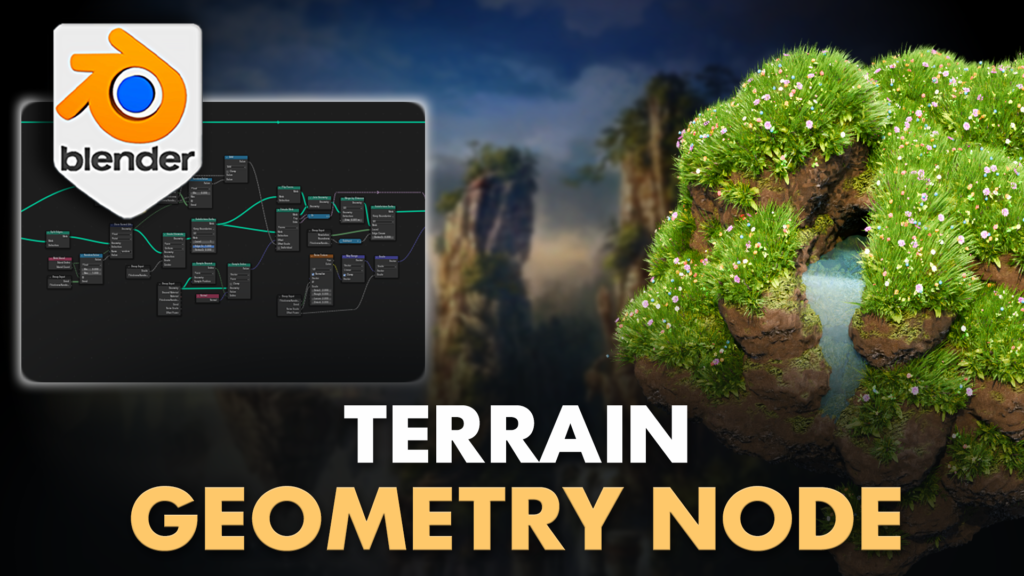
Elevate your 3D landscapes with the ‘Blender Geometry Node Terrain Generator’ – the ultimate tool for digital landscapers, game designers, and 3D artists to create dynamic terrains effortlessly in Blender.
Perfect for crafting stunning 3D environments, this meticulously designed geometry node setup simplifies terrain generation, providing you with unparalleled control and customization.
Discover the magic of ‘Blender Geometry Node Terrain Generator’ and transform your digital landscapes into captivating masterpieces.
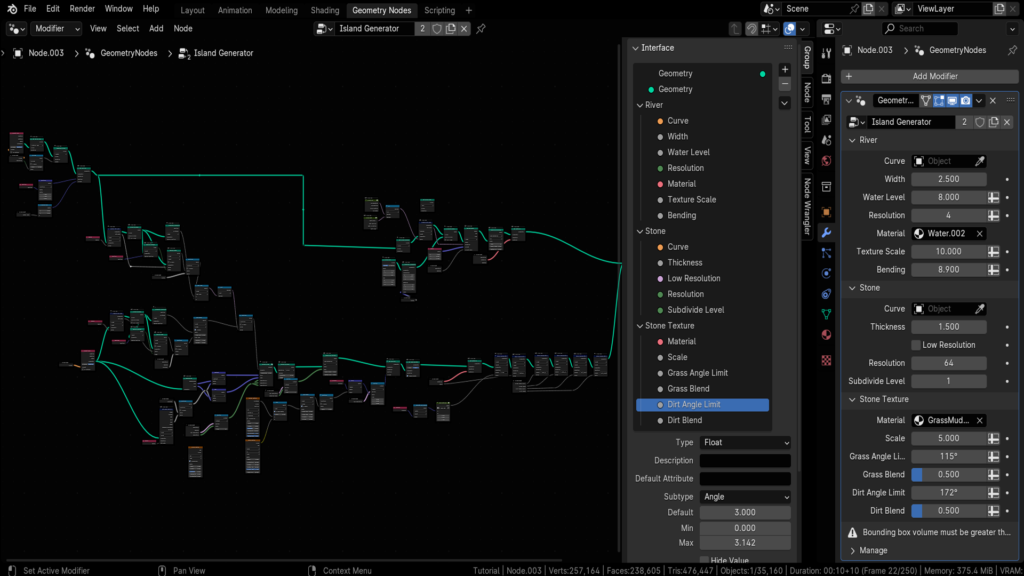
Check out our comprehensive geometry node map below 👇
Key Features of ‘Blender Geometry Node Terrain Generator’
Terrain Creation:
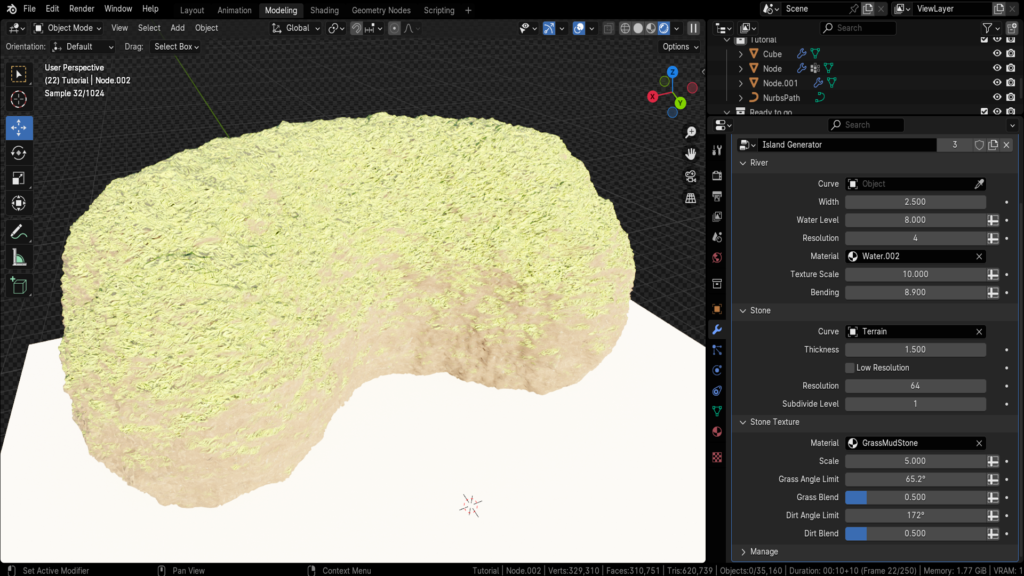
Curve-Based Design: Easily draw curves to generate terrain meshes.
- Mesh Control: Adjust mesh thickness, geometry resolution, and subdivision levels. Includes a ‘low resolution’ option for quick edits.
Shader Setup:
Stylized Environments: Control texture scale for unique environments.
- Automatic Texturing: Automatically applies grass, dirt, and stone textures based on mesh angle with adjustable blend overlays for refined results.
River Integration:
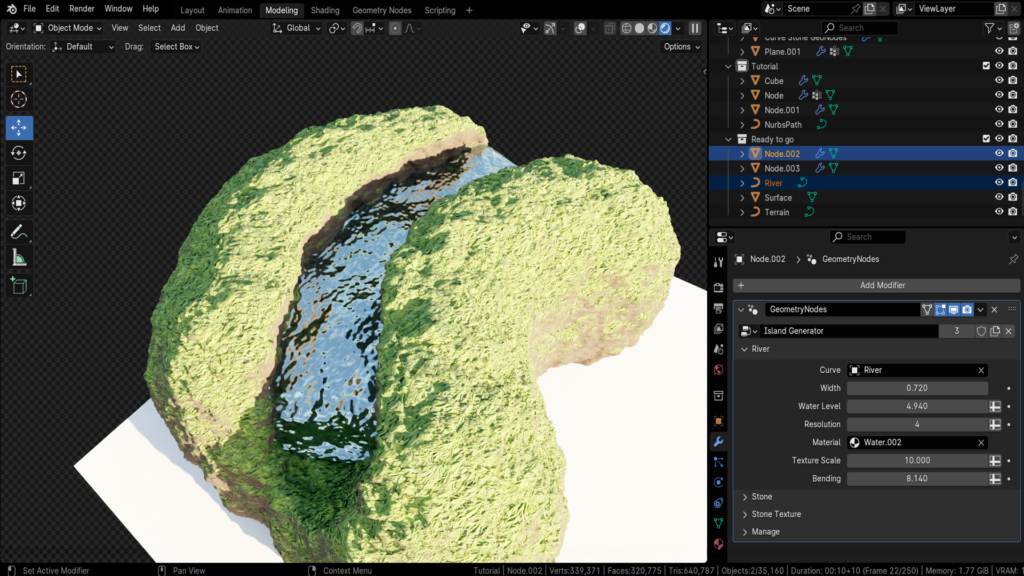
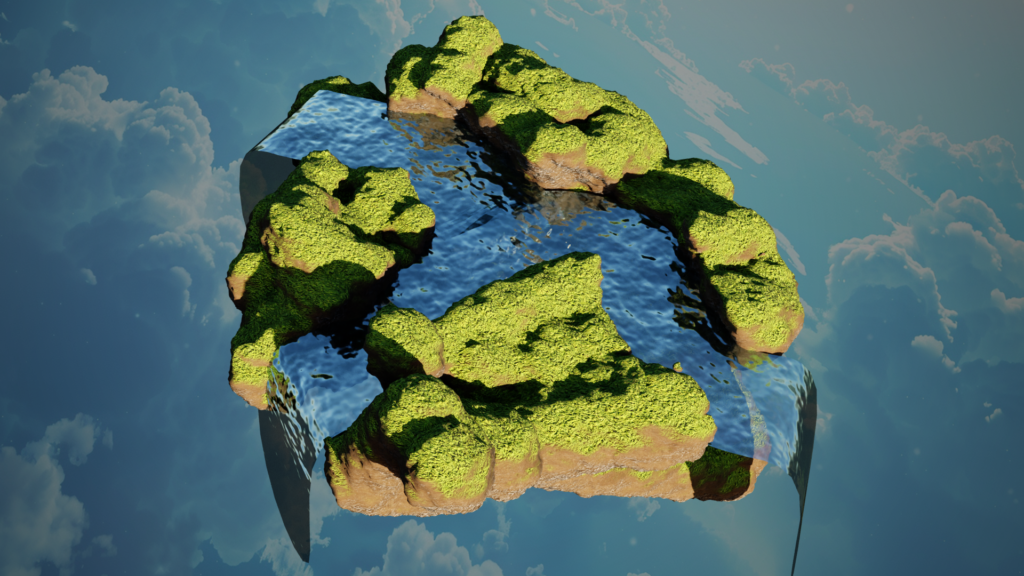
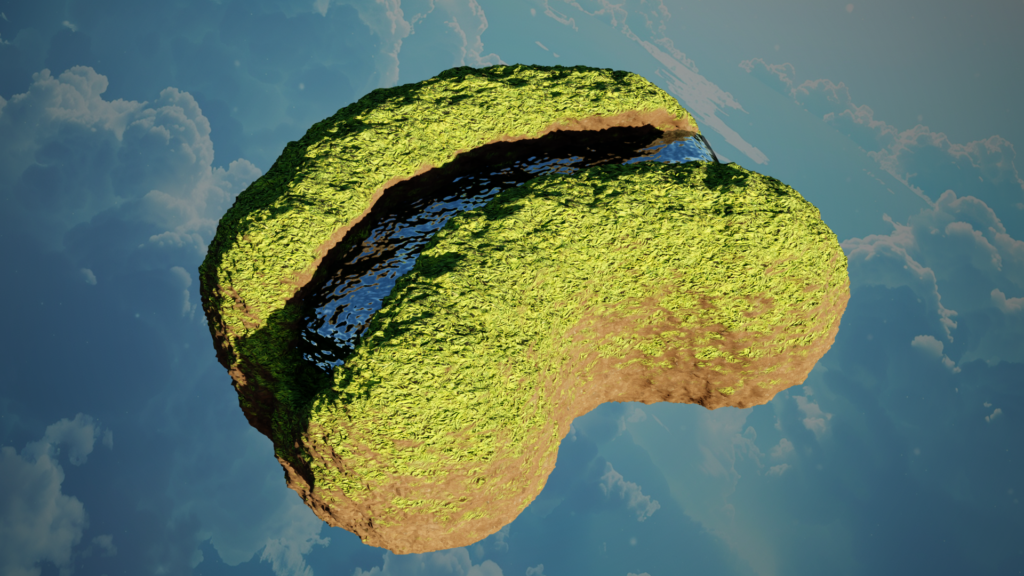
Dynamic River Creation: Draw river curves that deform terrain.
- Customizable Parameters: Control river width, z-axis offset, water mesh resolution, and texture scale. Includes a ‘bend’ parameter for waterfall effects.
Comprehensive Customization:
Enable/Disable: Activate or deactivate sections as needed.
- Resolution Control: Adjust mesh density for detailed or wide shots.
- Material Flexibility: Easily change material setups for each terrain section.
Included in the Blender File
- Sample Files: Showcases versatile terrain examples to inspire your creativity.
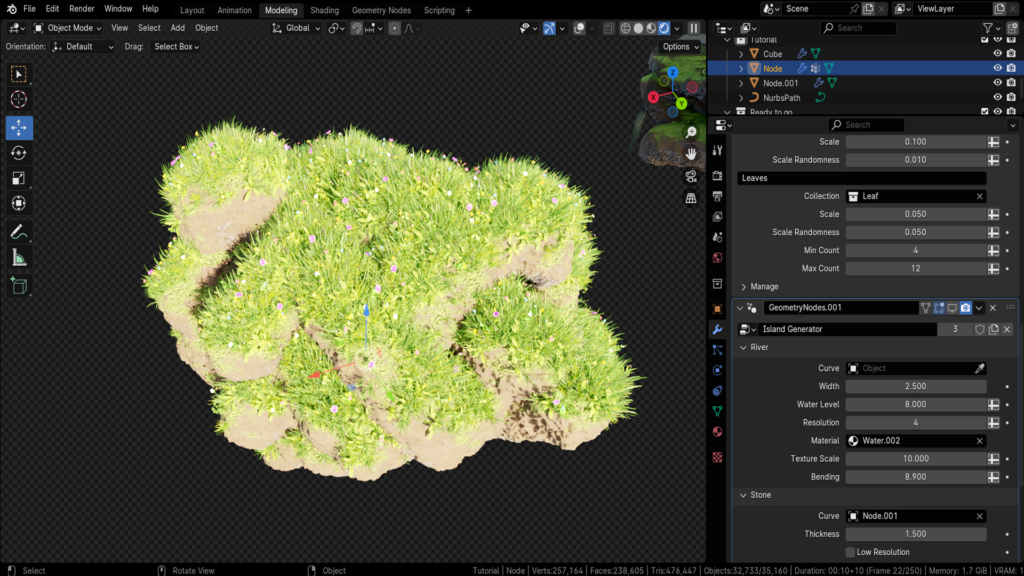
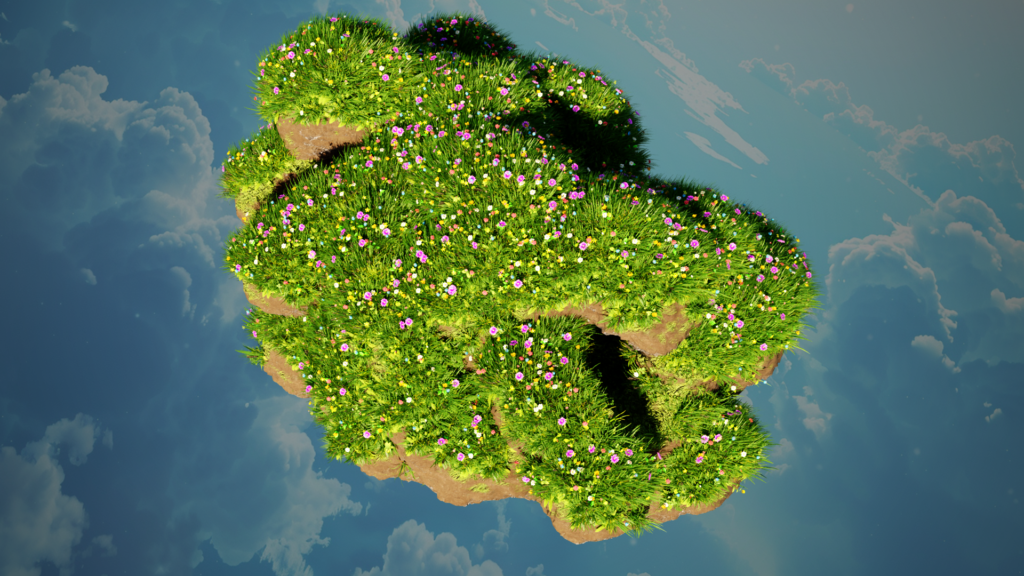
- Deluxe Edition: Includes a meadow grass geometry node for instant grass and flower integration.
Why Choose the Terrain Generator Geometry Node?
Versatile: Ideal for digital landscapes, fantasy worlds, and game design.Easy to Use: Intuitive controls for rapid customization.High-Quality Renders: Achieve professional-grade visuals effortlessly.
Summing it all up
The ‘Blender Geometry Node Terrain Generator’ not only simplifies complex terrain generation but also adds a touch of magic to your scenes, turning your 3D landscapes into breathtaking creations.
Imagine the Possibilities
Crafting Enchanted Landscapes: Perfect for game developers and animators creating realistic or stylized terrains.
- Enhancing Fantasy Worlds: Add rivers, waterfalls, and lush meadows effortlessly.
- Adding Depth to Any Scene: From lush forests to mystical valleys, bring your terrain to life.
Supercharge your 3D creation workflow with premium selection of Blender Add-ons. Whether you are modeling intricate characters, sculpting realistic environments, or animating cinematic sequences, the right add-on can transform how you work inside Blender. Our curated collection includes powerful tools for UV unwrapping, procedural texture generation, rigging automation, rendering optimization, and more—each rigorously tested for compatibility with the latest Blender versions. Eliminate tedious manual processes and unlock advanced functionality that lets you focus on what matters most: bringing your creative vision to life. Explore our full range of professional Blender plugins today and take your 3D projects to the next level.
➡️ ➡️ For more Blender Plugins 😀 😀
Reviews
There are no reviews yet.