
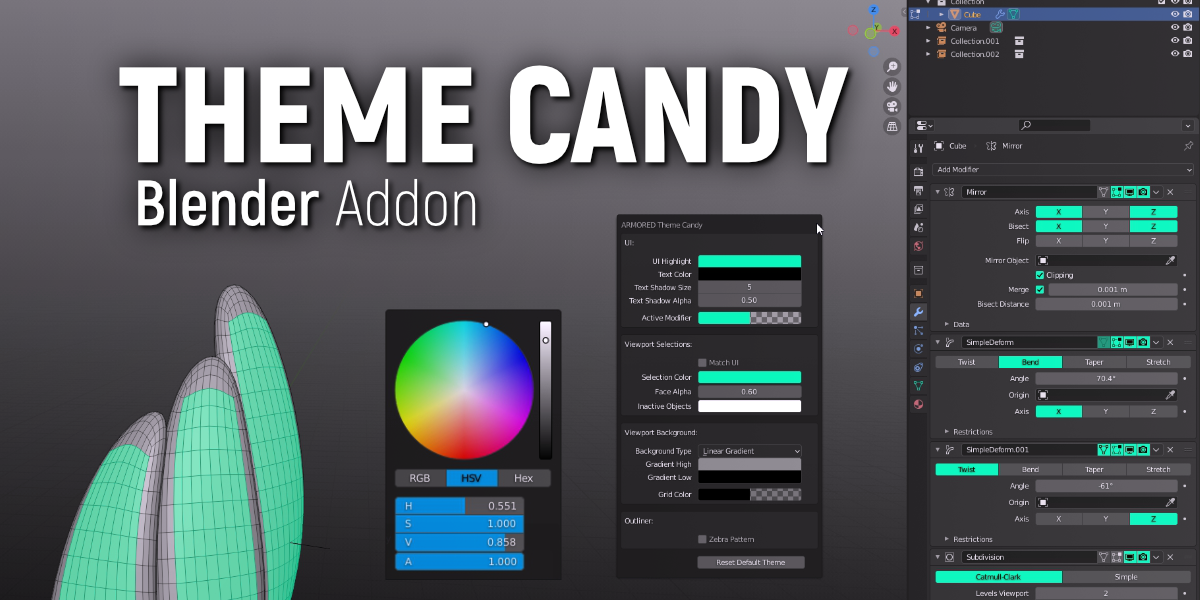
Theme Candy for Blender
Theme Candy v1.4.1 for Blender – The Ultimate UI Customization & Theme Management Suite
Download Theme Candy v1.4.1 for Blender on Windows and Mac, a beautiful and highly functional utility addon designed to completely transform how you interact with Blender’s user interface. While Blender is an incredibly powerful 3D suite, its default grey interface can cause eye strain during long sessions and lacks the personalized flair many artists crave. Theme Candy solves this by providing a massive library of stunning, professionally designed UI themes, along with deep customization tools that let you tailor every pixel, icon, and font to your exact workflow and aesthetic preferences.
Key Features of Theme Candy v1.4.1:
- One-Click Theme Vault: Instantly browse and apply dozens of hand-crafted, professional UI presets. Choose from styles like OLED True Black, Cyberpunk Neon, Minimalist Light, Studio Pro Dark, and Warm Clay, all designed to reduce eye strain and improve contrast.
- Workspace-Specific Theming: Automatically switch your UI theme based on your active workspace. Set your “Modeling” workspace to a cool, focused dark blue, your “Sculpting” workspace to a warm, neutral grey, and your “Rendering” workspace to a pitch-black cinema mode.
- Color Palette Generator: Upload any reference image, movie still, or brand guideline PDF, and Theme Candy will automatically extract the dominant colors to generate a completely custom, harmonious Blender theme in seconds.
- Advanced Icon Management: Swap Blender’s default icons for custom sets. Toggle between Outline, Solid, or Colored icon packs, and adjust icon scale and contrast to ensure perfect readability on 4K and ultrawide monitors.
- Node Editor Color Coding: Take control of the Shader and Geometry Nodes editors. Assign custom, high-contrast colors to specific node categories (e.g., make all Math nodes bright yellow, all Texture nodes purple) to make complex node trees instantly readable.
- Typography & Font Control: Override Blender’s default UI font. Import your favorite custom typefaces, adjust kerning, line spacing, and anti-aliasing settings to create a crisp, modern, and highly legible interface.
- Python & Text Editor Syntax Highlighting: A dedicated module for Technical Artists and Developers. Customize the syntax highlighting colors for the Python console and text editor to match popular coding environments like VS Code or Sublime Text.
- Auto Dark/Light Mode Sync: Seamlessly syncs with your operating system’s native appearance settings. When your Mac or Windows PC switches to Dark Mode at sunset, Blender’s UI automatically transitions to your preferred dark theme.
- Theme Export & Sharing: Package your custom themes, icon sets, and workspace colors into a single
.tcandyfile. Easily share your studio’s branded UI with your team or download community-made themes with a single click. - Instant Application & Non-Destructive: Unlike manual theme editing that requires digging through endless preference menus, Theme Candy applies changes instantly to the viewport without requiring a software restart.
Perfect For:
- Tutorial Creators & Streamers who need high-contrast, easily readable UI themes so their audience can clearly see settings and sliders on video.
- Night Owls & Long-Hour Artists who suffer from eye strain and need true, OLED-friendly dark modes or warm, blue-light-filtering themes.
- Studio Technical Directors looking to enforce a standardized, branded UI layout and color scheme across an entire team of artists.
- Node Wranglers & Tech Artists who want to color-code their Shader and Geometry Node editors for faster visual debugging.
- UI/UX Enthusiasts who love personalizing their software environment to match their desktop aesthetics and personal brand.
- Beginners who find Blender’s default interface overwhelming and want a cleaner, more modern, and less cluttered visual experience.
System Requirements:
- Blender: 3.6, 4.0, 4.1, 4.2, 4.3, 4.4+ (Latest LTS recommended).
- OS: Windows 10/11 (64-bit), macOS 10.15+, or Linux.
- RAM: 4GB minimum (Negligible performance impact; runs entirely in the UI layer).
- No external dependencies required.
Installation:
- Download the Theme Candy v1.4.1
.zipfile. - Open Blender and go to Edit > Preferences > Add-ons.
- Click Install…, select the downloaded file, and enable the checkbox next to User Interface: Theme Candy.
- Access via the 3D Viewport Sidebar (N-panel) under the Theme Candy tab, or directly through the Preferences > Themes menu via the new “Candy” dropdown.
What’s New in v1.4.1?
- Blender 4.4 Full Compatibility: Updated all UI drawing APIs to perfectly support the new Eevee Next property panels, AgX color management tooltips, and updated menu layouts in Blender 4.4.
- New “OLED True Black” Preset: Added a highly requested, pure #000000 black theme designed specifically for OLED monitors, saving battery life on laptops and providing infinite contrast.
- Faster Theme Switching: Rewritten the preference injection code, reducing the micro-stutter that previously occurred when swapping between heavy, custom icon packs.
- Enhanced Node Wire Visibility: Added a global slider to increase the thickness and glow of node connection wires, making them much easier to trace in massive Geometry Node setups.
- macOS Auto-Sync Fix: Resolved a bug where the OS-sync feature would occasionally fail to trigger when waking a MacBook from sleep mode.
- UI Polish: The Theme Vault panel now features large, beautiful preview thumbnails for every preset, making browsing and selecting themes a visual treat.
Note:
Theme Candy v1.4.1 is built on the philosophy that your workspace should inspire you, not fatigue you. You spend hundreds of hours staring at Blender’s interface; it should look beautiful, reduce eye strain, and actively help you work faster through smart color-coding and contrast. By abstracting Blender’s notoriously deep and scattered theme preferences into a clean, visual, and highly intuitive panel, Theme Candy turns UI customization from a tedious chore into a fun, creative process. Whether you want a sleek, minimalist interface for client presentations or a highly contrasted, color-coded setup for complex node wrangling, Theme Candy gives you the power to make Blender truly yours.
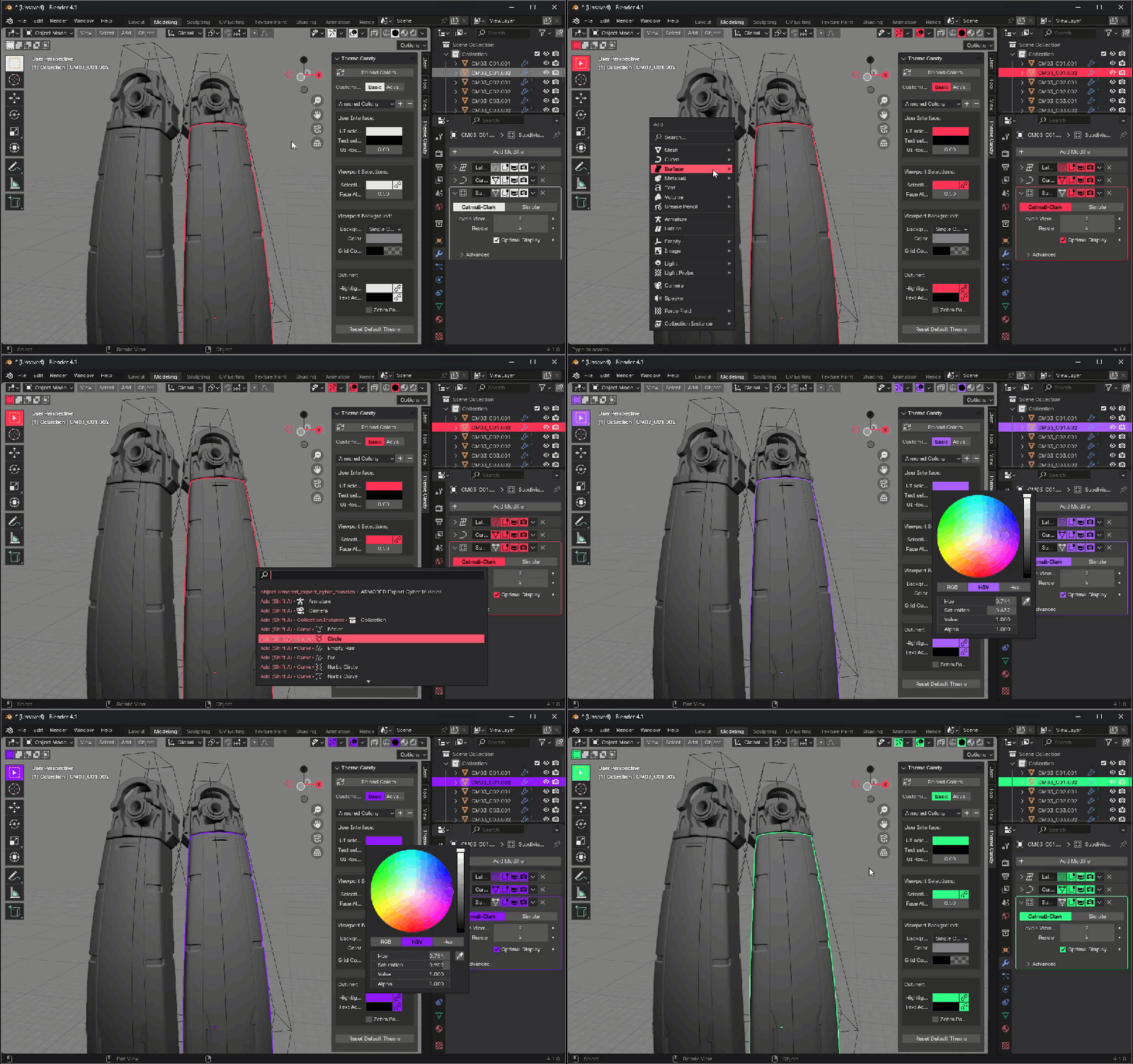
Stop torturing yourself with Blender’s theme editor and changing colors one UI element at a time. Just use Theme Candy!
Features:
- Change the entirety of Blender’s UI color with a single color wheel.
- Sync your viewport selection colors with your UI.
- Adjust Edit Mode selection colors independently in an instant.
- Adjust Panel colors for a completely new look that no one else has.
- Includes an Advanced mode with some extra controls for fine-tuning.
- Keep important theme options readily accessible.
- Fun and easy to use.
Supercharge your 3D creation workflow with premium selection of Blender Add-ons. Whether you are modeling intricate characters, sculpting realistic environments, or animating cinematic sequences, the right add-on can transform how you work inside Blender. Our curated collection includes powerful tools for UV unwrapping, procedural texture generation, rigging automation, rendering optimization, and more—each rigorously tested for compatibility with the latest Blender versions. Eliminate tedious manual processes and unlock advanced functionality that lets you focus on what matters most: bringing your creative vision to life. Explore our full range of professional Blender plugins today and take your 3D projects to the next level.
➡️ ➡️ For more Blender Plugins 😀 😀
Reviews
There are no reviews yet.