
TrueAssets for Blender
TrueAssets V4.5.15 for Blender
The Ultimate One-Click Asset Library and Management System
Download TrueAssets V4.5.15 today. Consequently, you can instantly convert any Blender file, texture directory, or HDRI folder into a fully tagged, production-ready asset library with just one click . Because efficient asset management is the backbone of professional 3D production, having access to a tool that automates the entire organization process is absolutely essential. Nevertheless, manually importing, tagging, and categorizing assets can consume countless hours of valuable production time . Fortunately, TrueAssets eliminates this bottleneck completely. Moreover, it provides a unified browser-like interface that integrates local and online libraries, supports multiple file formats, and offers advanced QuickSwap functionality . In short, you can organize and access your entire asset ecosystem with unprecedented speed and simplicity.
One-Click Bulk Asset Conversion
The foundation of this addon lies in its powerful batch conversion engine. For instance, you can point TrueAssets at any folder containing textures, HDRIs, or FBX/OBJ files, and the addon will automatically process everything, creating marked assets complete with thumbnails and metadata . Furthermore, the system recursively searches through subdirectories, ensuring you never miss a hidden asset . Since you can choose between Solid, Material, Eevee, or Cycles rendering for thumbnails, your asset previews will match your workflow perfectly . Consequently, even the largest asset libraries become manageable and searchable.
Massive Online Library Integration
Professional artists need immediate access to high-quality resources without jumping between websites. Therefore, TrueAssets integrates directly with the AmbientCG and ShareTextures online libraries . This integration provides instant access to over 3,600 high-quality materials and HDRIs, complete with automatic tagging and categorization . You can simply drag and drop these assets directly into your scene, and the addon handles all the downloading and organization behind the scenes . Thus, your creative flow remains uninterrupted.
Intelligent Material and World Creation
Creating consistent, high-quality materials from raw textures can be a tedious process. Accordingly, TrueAssets offers four specialized shader types: Uber (Principled-based with custom controls), Plastic (optimized for plastic properties), Organic (featuring translucency and SSS for flora), and Standard (basic Principled workflow) . Similarly, the Create Worlds feature converts 360 HDR images into fully functional world shaders with support for HDR, EXR, JPG, and PNG formats . You can also choose between the advanced True-HDRI shader with extensive controls or the Standard shader for basic setups .
QuickSwap and Advanced Asset Management
Speed is essential when iterating on a scene. Therefore, the QuickSwap feature allows you to rapidly replace objects in your 3D viewport with a single click . The addon automatically handles alignment, scaling, and positioning, ensuring seamless substitutions. Additionally, you can create custom catalogs directly within the Asset Browser, automatically organizing assets into logical categories . For FBX/OBJ imports, the addon can recursively search subdirectories, automatically handle textures, and even leverage the Better FBX importer if installed . Consequently, your workflow remains fluid and efficient.
Flexible Preferences and Workflow Customization
TrueAssets adapts to your specific pipeline through comprehensive preferences. For example, you can set default values for shaders on import, specify download directories for online assets, and choose between standard and Better FBX importers . The addon also includes an auto-update checker, library name customization, and the option to pack external data for portable asset libraries . For Blender 3.5 users, a crash fix option is available, though v4.5 has removed solid shading thumbnails in favor of more reliable rendering methods . Thus, you maintain complete control over your asset workflow.
Perfect for Game Developers, Animators, and 3D Artists
This addon is particularly well-suited for game developers who need to manage vast asset libraries across multiple projects . Similarly, animators and VFX artists will appreciate the ability to instantly access and apply materials and HDRIs . Additionally, 3D artists working with KitBash files will find the automatic collection recognition invaluable for populating scenes. Ultimately, TrueAssets accelerates your entire production pipeline.
System Requirements and Compatibility
The addon supports a wide range of Blender versions spanning from 3.0 through 4.3+ . Furthermore, it works across all major operating systems including Windows, macOS, and Linux. You will need a standard workstation with at least 8GB of RAM, though larger libraries may benefit from additional storage space.
Installation and Usage Guide
To install, first download the ZIP file from your library. Next, open Blender and navigate to Edit Preferences. Then, select Add-ons and click Install. For Blender 4.1 and above, use the “Install from Disk” option from the dropdown menu . After that, locate and select the downloaded ZIP file, then enable TrueAssets. Finally, set your TrueASSETS directory in preferences, install the online modules if desired, and begin converting folders, FBX files, or textures into assets instantly . Thus, your professional asset management workflow will be ready instantly.
What is Included Inside?
The pack contains the complete TrueAssets V4.5.15 addon. Furthermore, it includes the core conversion engine, online library integration, QuickSwap functionality, and all four shader types (Uber, Plastic, Organic, and Standard) . Additionally, you receive the Create Worlds feature for HDRI conversion and full FBX/OBJ support . Ultimately, you receive everything needed for professional asset management.
Final Thoughts on the Addon
Effortless one-click asset management evokes profound creative freedom. Therefore, this addon provides the ultimate foundation for your production workflows. You can organize, access, and deploy assets with unprecedented speed and simplicity. Consequently, your asset management vision becomes a stunning reality.
Feature time…
Materials
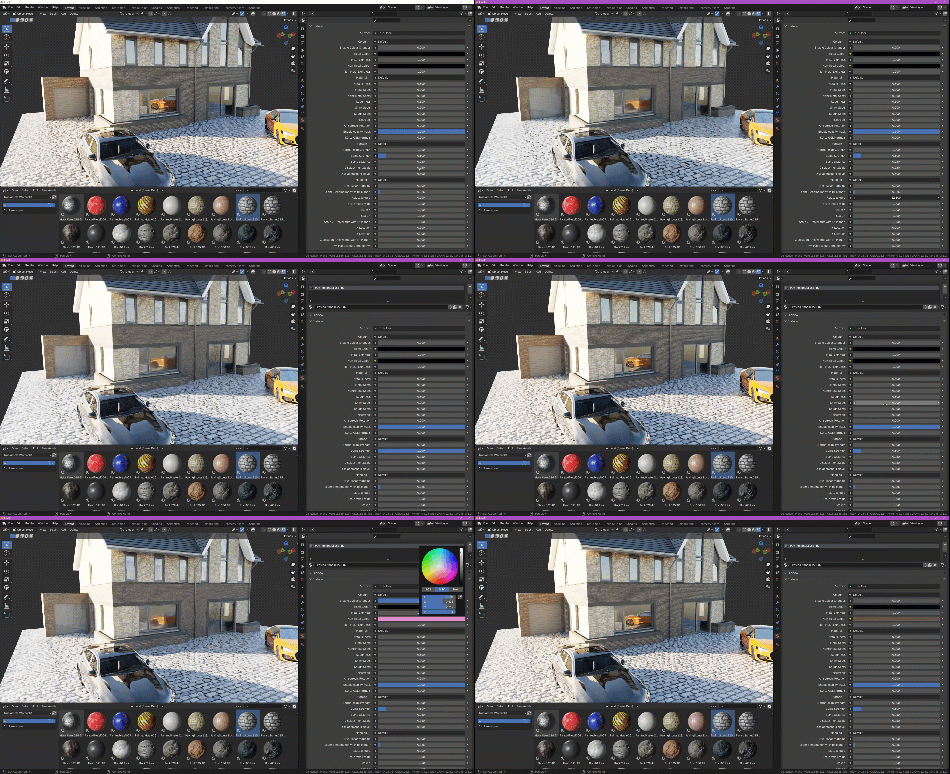
True-Assets has multiple options for materials. It allows you to choose from 3 preset custom made material types: Uber, Plastic and Organic. Uber deals with everything else the other two don’t (Woods, Metals, Rocks etc).
All shaders come with custom controls for manipulating things like Roughness, Colour values, Metallic levels, Subsurface scattering, Translucency (Great for fabrics and Leaves/Grass). All shader controls can be found in the material tab in Blender.
Worlds
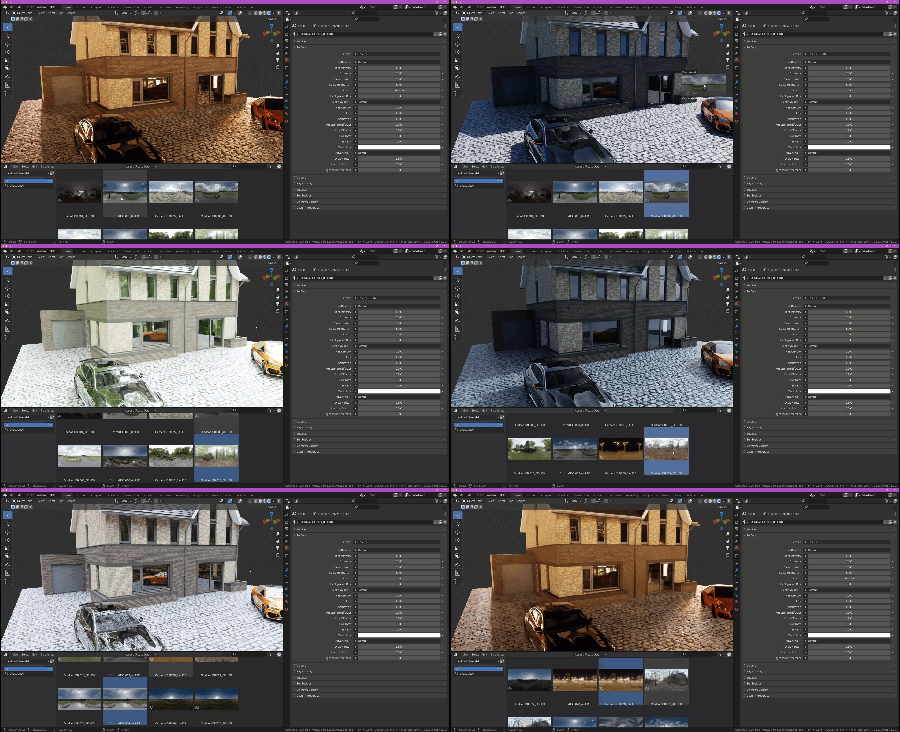
Creating worlds will allow you to choose what file-type you want True-Assets to create worlds from (EXR, HDR, JPG etc). At the point of creation, worlds will be generated with a thumbnail image of the sky so you always know what one you’re dropping into a scene.
World shaders also come with custom controls for things like; Colour manipulation, Light intensities, Cleaning up the horizon lines, Blurring the whole image, Vector controls and more! Once dropped in your scene, controls are found in the World tab in Blender.
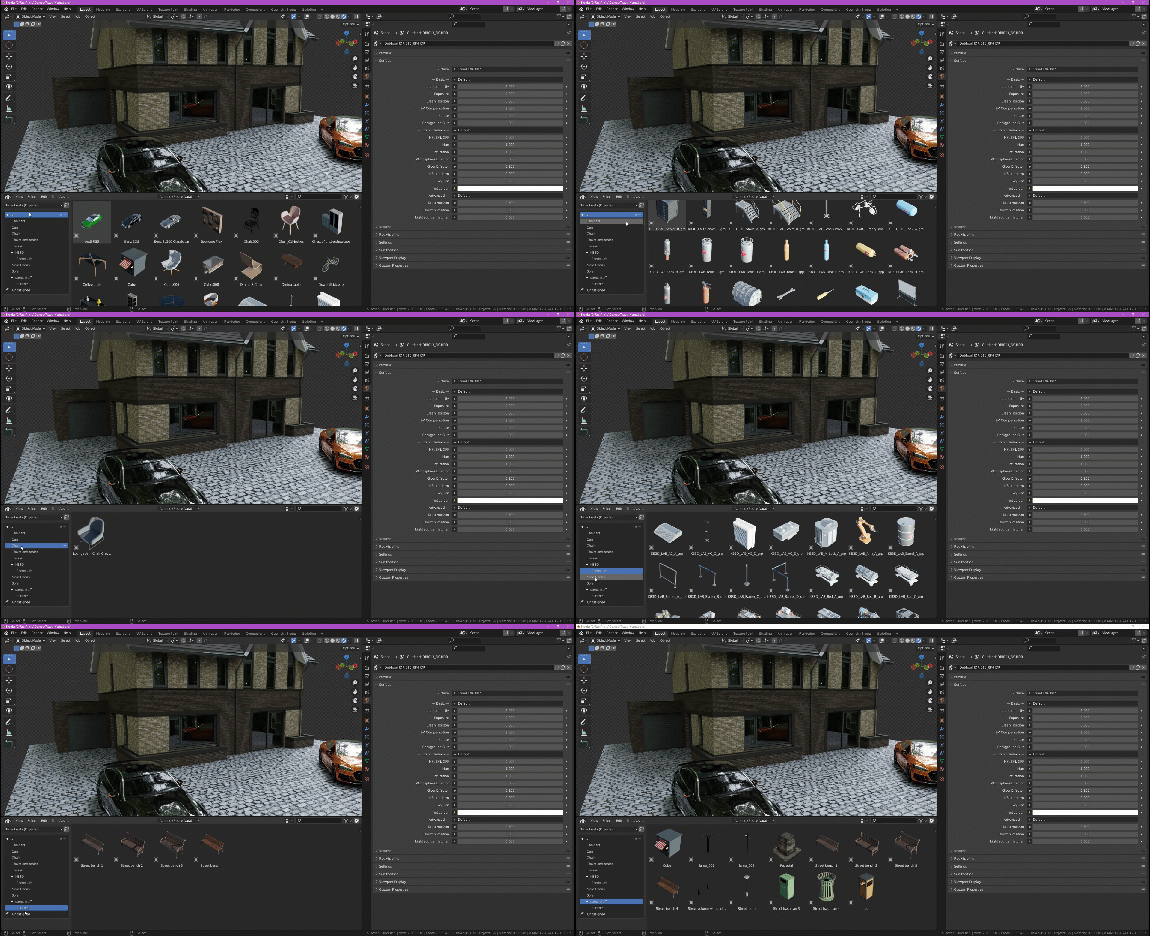
Catalogs
An asset manager wouldn’t be very good if you couldn’t Catalogue your assets! Well… We’re the good kind.
You can create Catalogs either right in the Asset manager under the True-Asset sections OR right from the import section. So when you create materials from your texture collection, they go exactly where you expect without rummaging through thousands of icons.
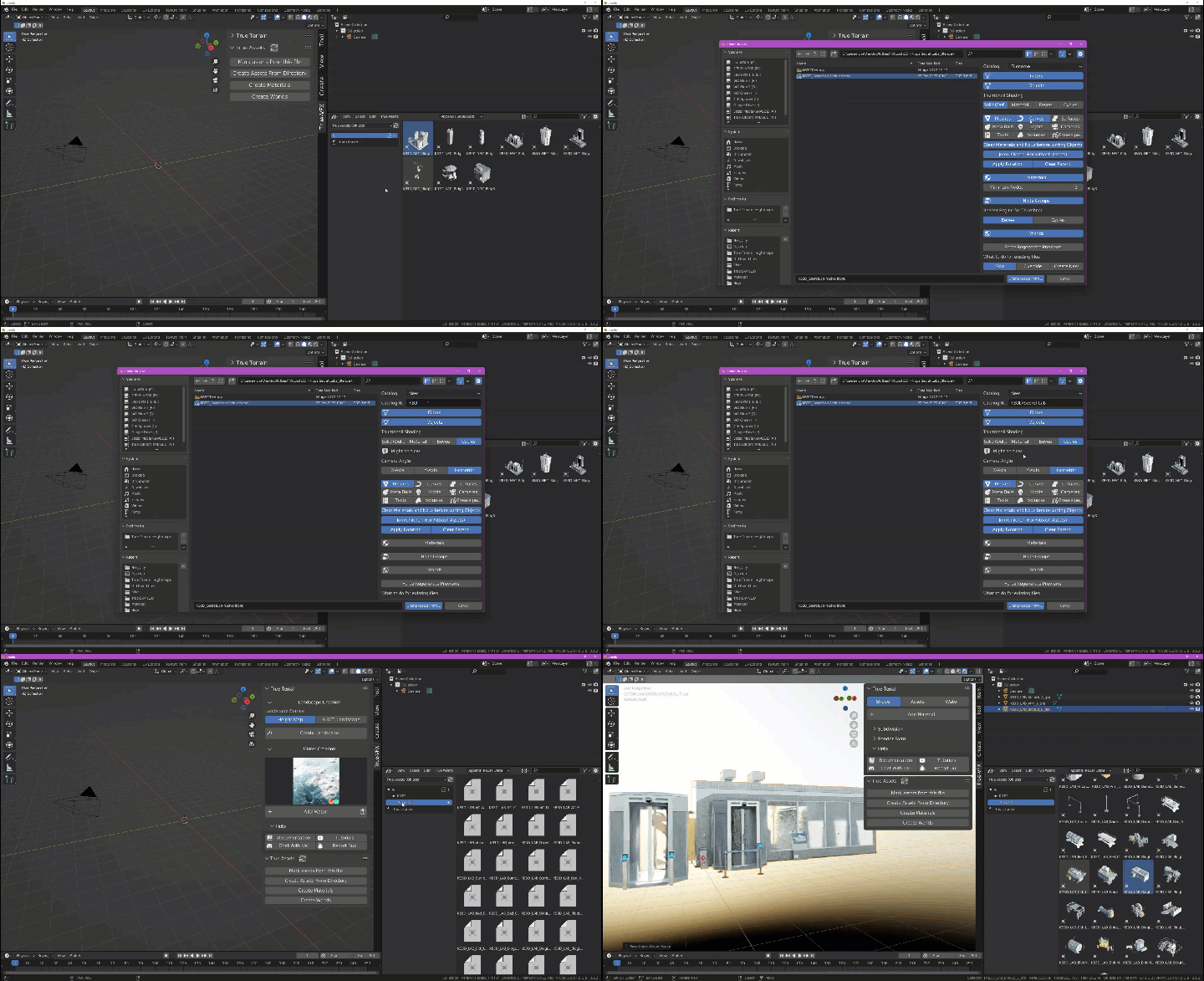
KitBash Support
You asked, we provided.
We know how awesome KB3D kits are, but we also know they can be a nightmare to get into the asset manager in one piece. True-Assets has a toggle on the import section to define if a blend file is a KitBash file or not, if so, we do all the hard-work identifying the collections in those files, joining all the meshes for their respective groups, setting the rotation and and dropping them into your library as a single mesh!
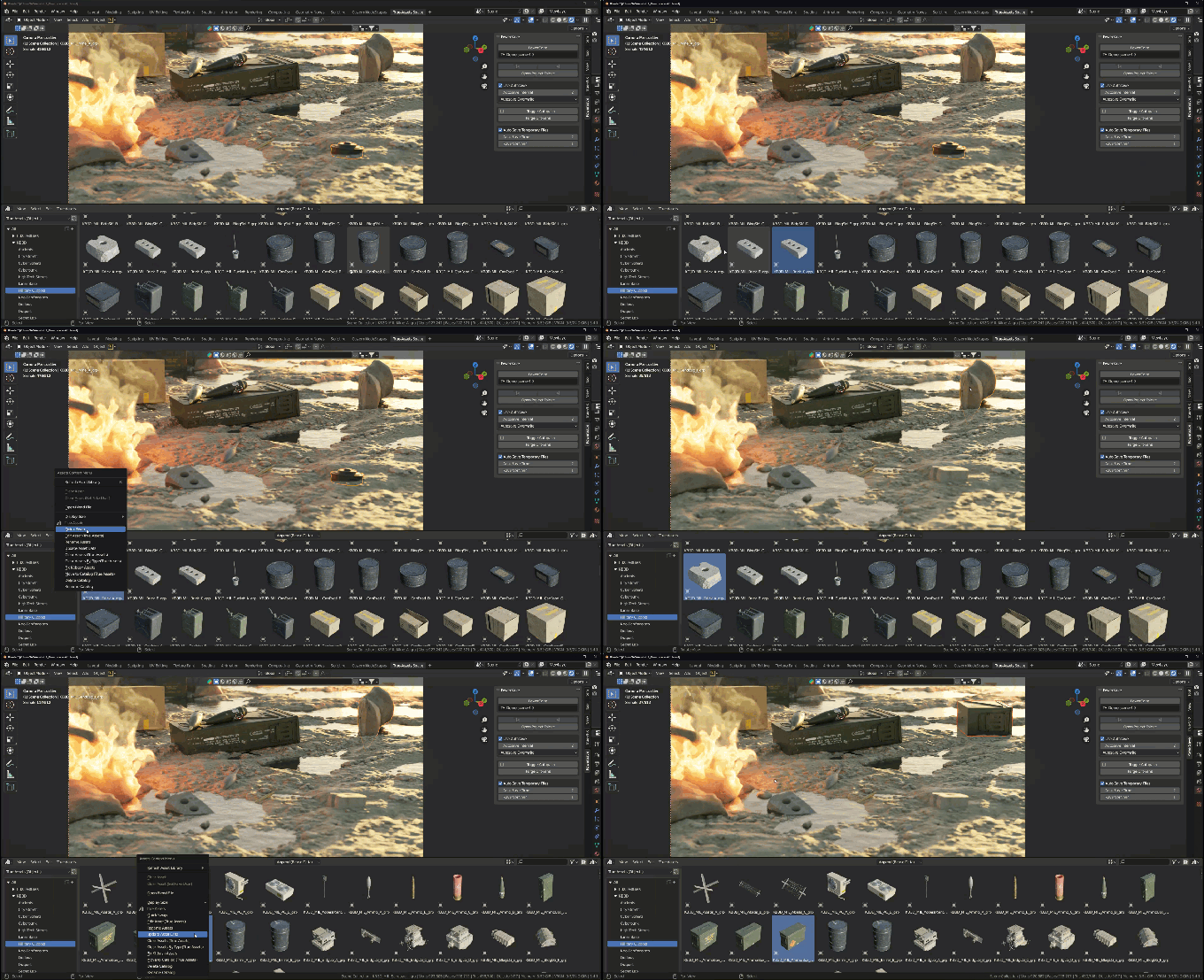
QuickSwap
For when you need to change an object in the 3d viewport, but can’t be bothered to manually line everything up!
QuickSwap-it!
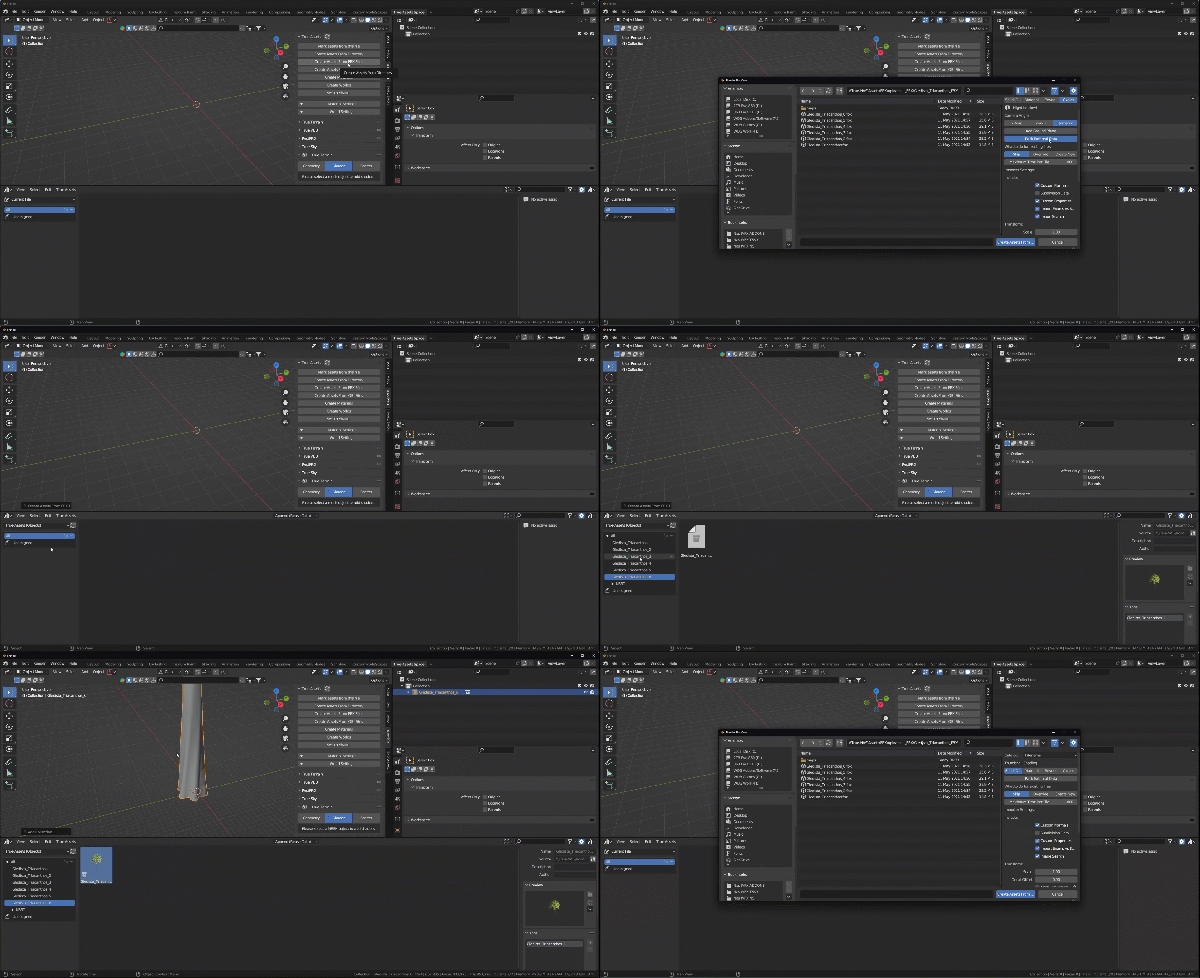
FBX and OBJ Support
That’s right! There is no longer any need to go through the hassle of trying to import your FBX or OBJ files into each scene everytime you need them.
Just point True-Assets at any folder with FBX or OBJ’s in and it’ll automate the import process, materials if supported, and then categorising them in the Asset Browser so you can always access them when you need them!
QuickSwap-it!
FBX and OBJ Support
That’s right! There is no longer any need to go through the hassle of trying to import your FBX or OBJ files into each scene everytime you need them.
Just point True-Assets at any folder with FBX or OBJ’s in and it’ll automate the import process, materials if supported, and then categorising them in the Asset Browser so you can always access them when you need them!
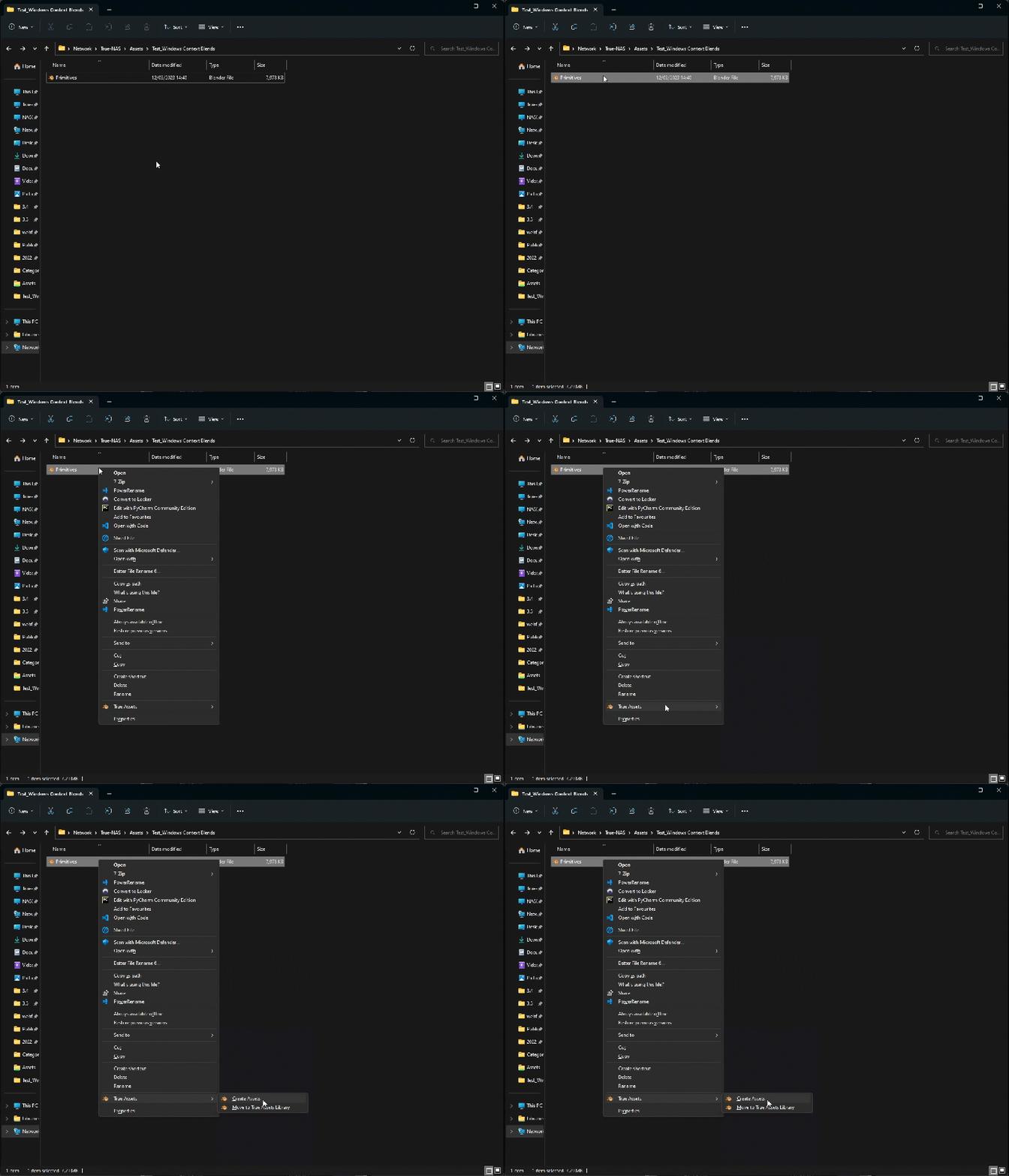
Windows Context Menu
You don’t even need to go into Blender to automate asset marking! If you’re on windows, you can install the windows context menu tool from True-Assets preferences so even if you’re just doing a spring clean of your drives and come across a gem of a Blend file, you just right-click it and create assets!
The UI
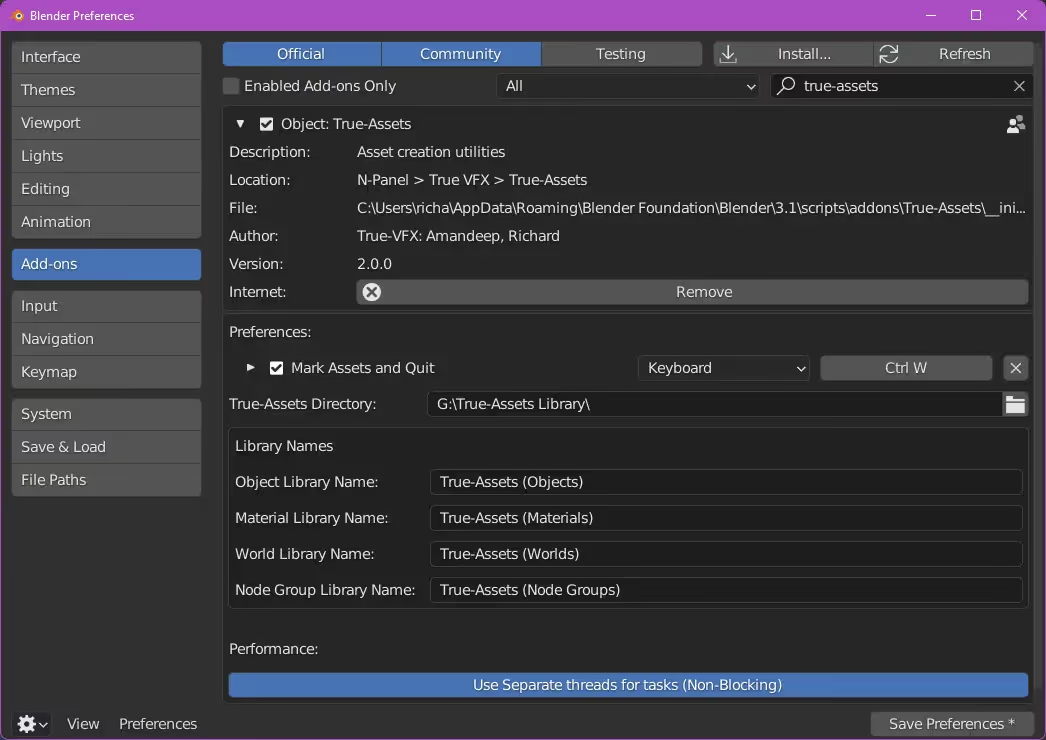
Simple User Preferences
Really simple users preferences
Choose what keymap you want for the “Mark assets and quit” function, and what assets to mark.
Choose the location of your True-Asset libraries. That’s it!
Importing things
Importing your asset libraries is offensively easy!
We have a history of creating addons with tonnes of options with 100s of variables, and thousands of outcomes. This time around, we decided to make it super simple.
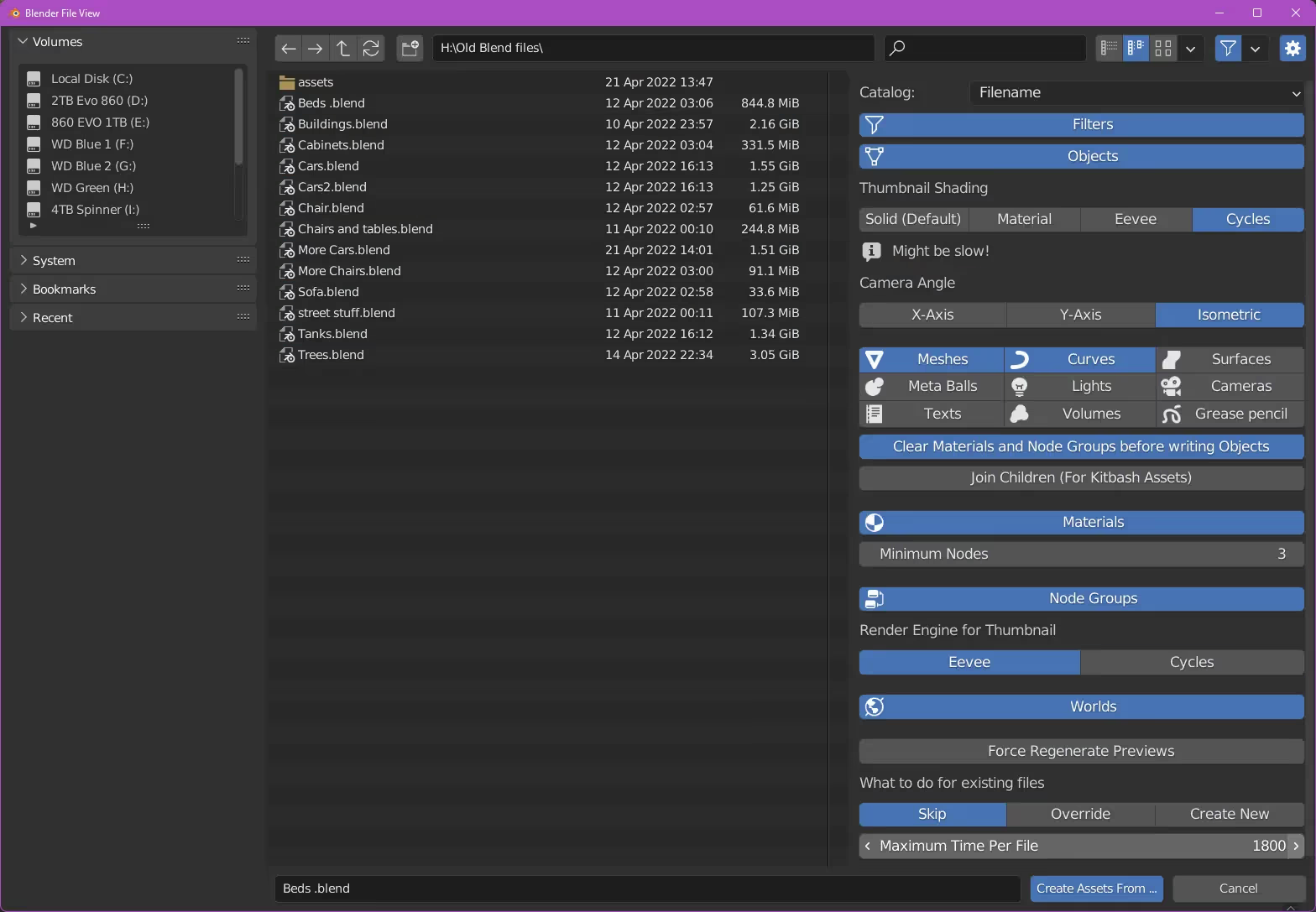
Importing from another .Blend
The obvious one!
Marking assets from another blend file without ever going into that blend file… Magic.
Just choose the asset types that you want to bring in; Meshes/Materials/Node Groups/Worlds/Blah Blah. Choose the icon type you want, then hit that blue button at the bottom! Boom, now you’ve got stuff from old files always available!!!
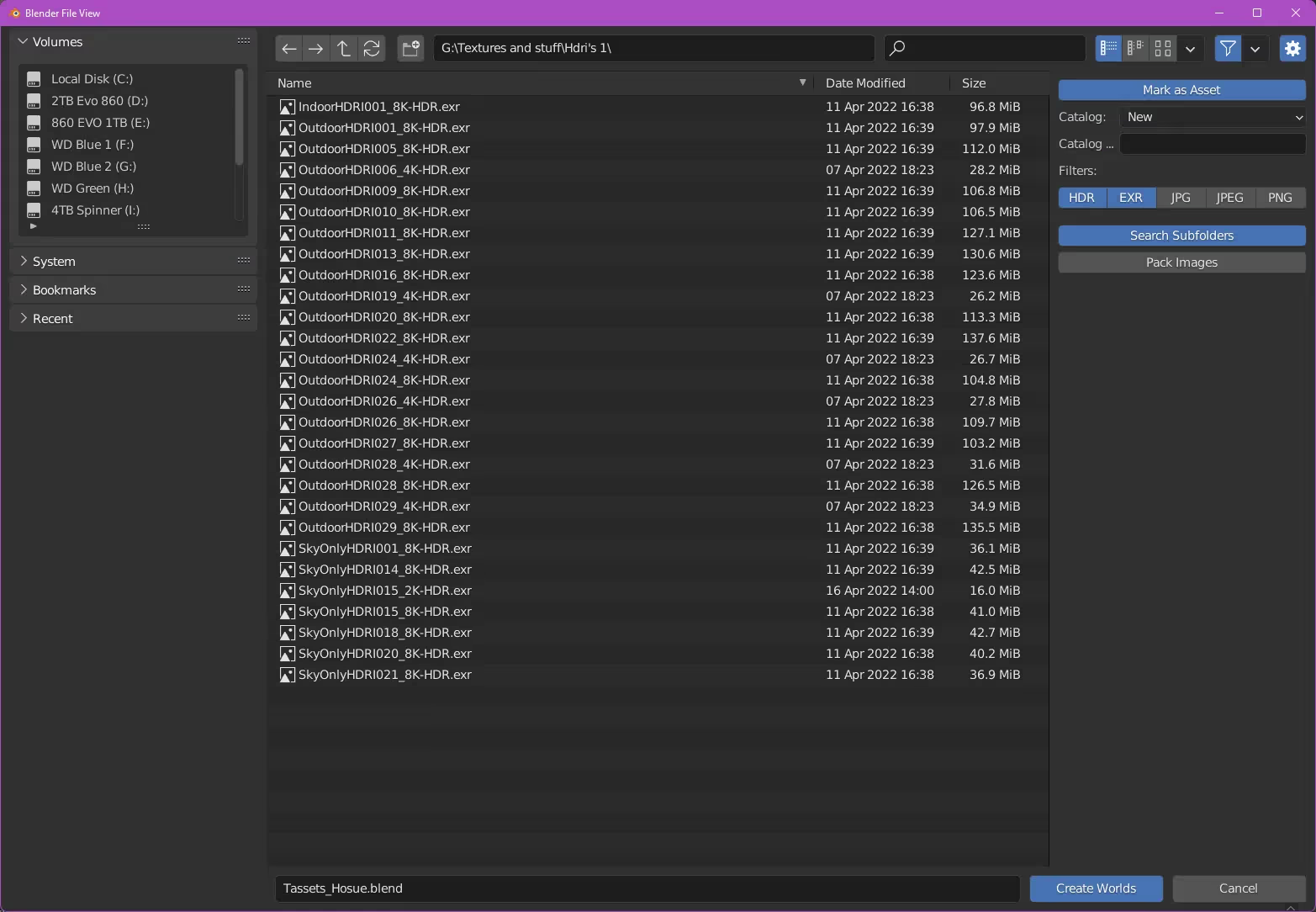
Turning HDRIs into Worlds?
The UI here is super simple too. Select your directory, choose the file-types you want to create worlds from, choose if they go into a catalogue on import, choose if we’re packing those images so you can have those files stored in the .blend we make, and finally choose if we’re snooping in sub-directories for other file types or not.
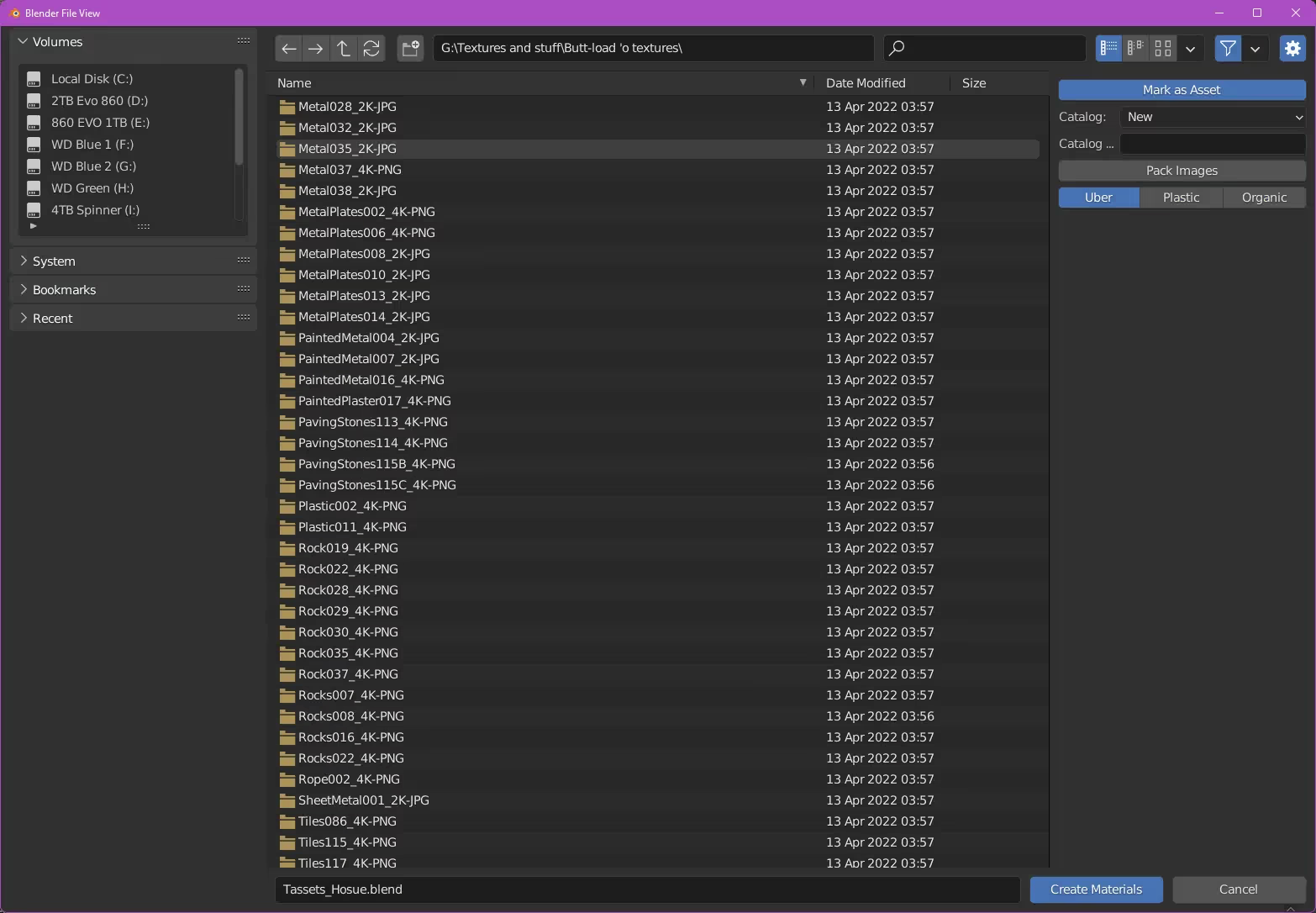
Get’cho texture library sorted
Again, super simple to import textures into True-Assets. Point it at a directory, choose your shader type and BLAMMO all your wonderful textures, paid, cc0 or *cough* unscrupulously acquired will just be brought in and made into shaders. PS. You can make them go into a catalogue from here too… Just trying to make your life easier.
Doing things in the Asset Browser
Once you imported yo’ stuff, this is where you’ll be spending most of your time.
We got options for re-rending your icons with different camera angles. Options for deleting stuff you don’t like. Options for making new catalogs, moving things to catalogs, and also jumping right into the source file and editing anything a little skew-iff.
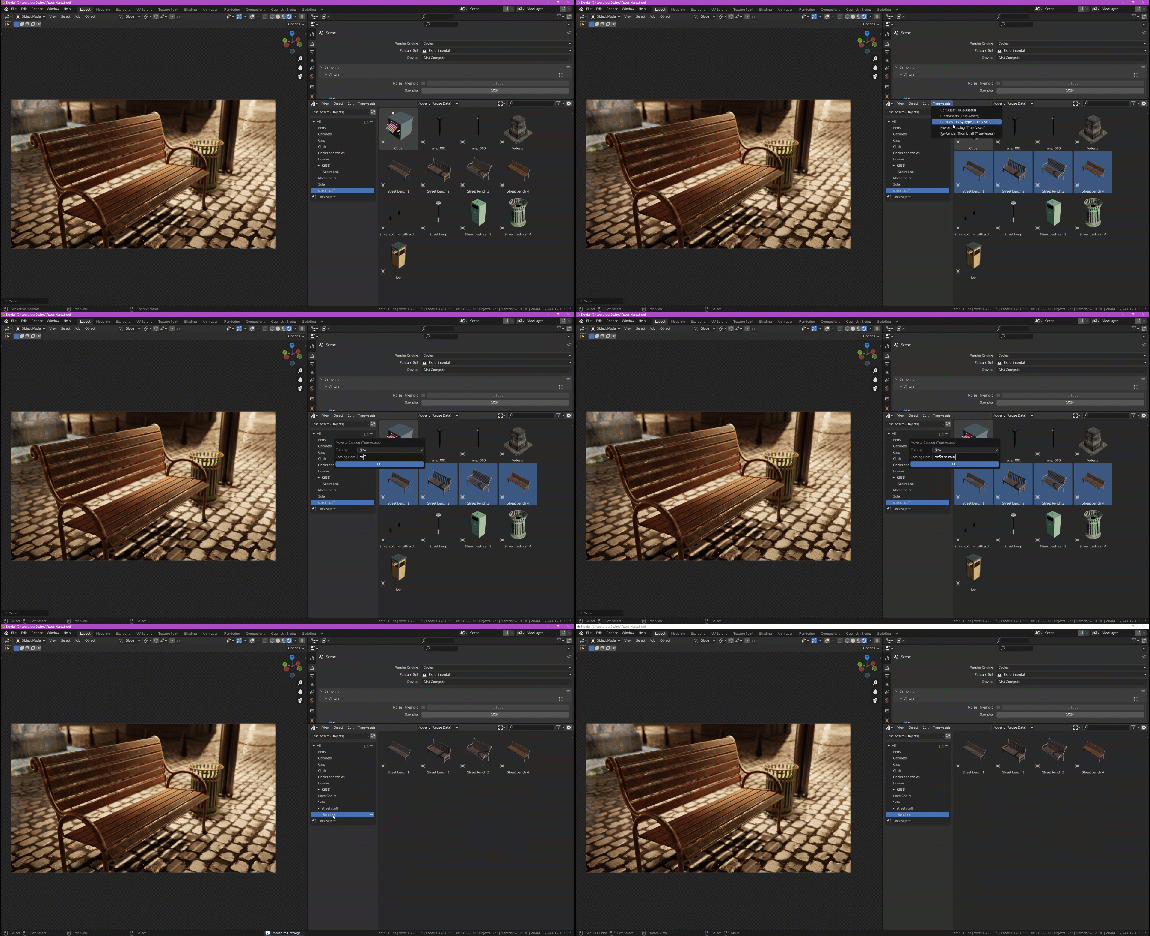
Organising all the ‘things’
Select some things, click a button, categorise them. Simples.
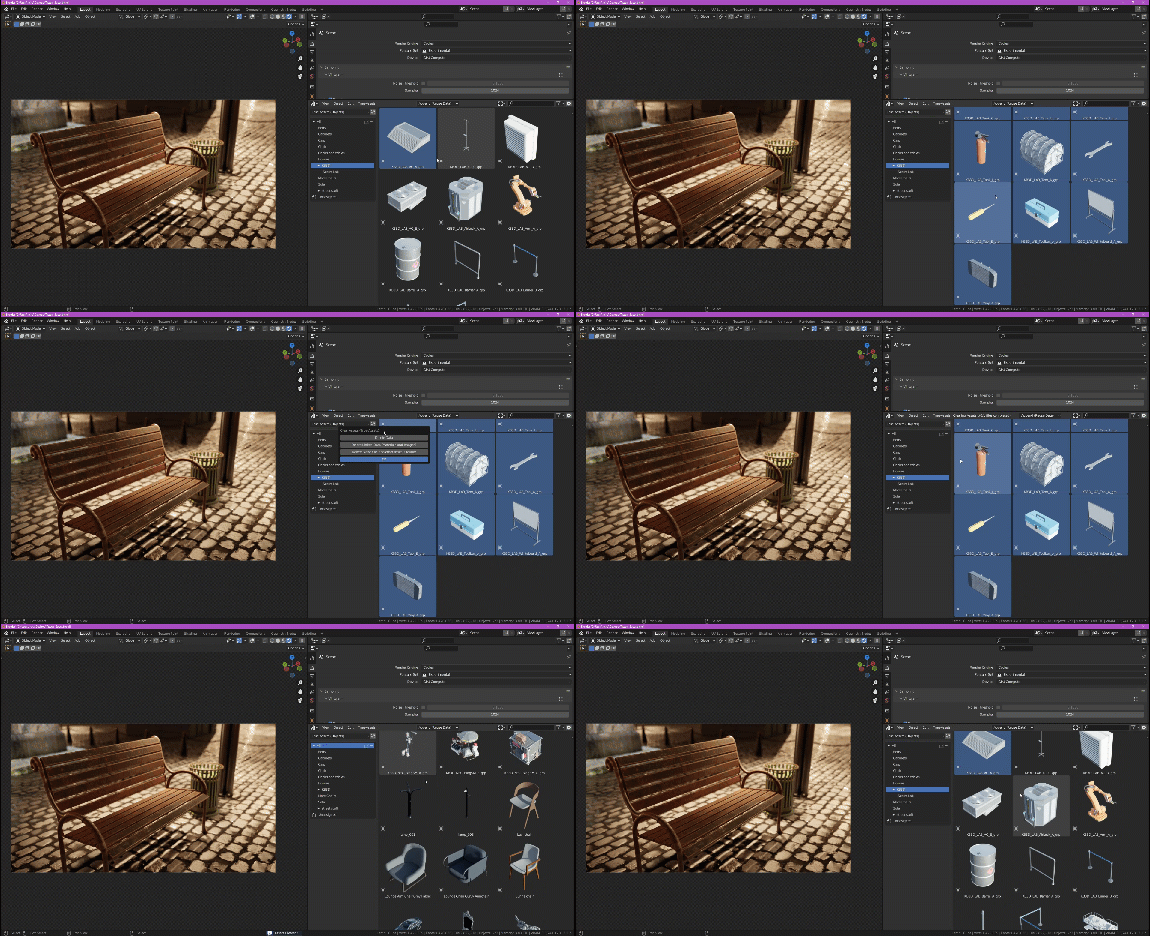
Deleting some of the ‘things’
Don’t like something, select it OR them, click a button; Bye Byeeeeeee
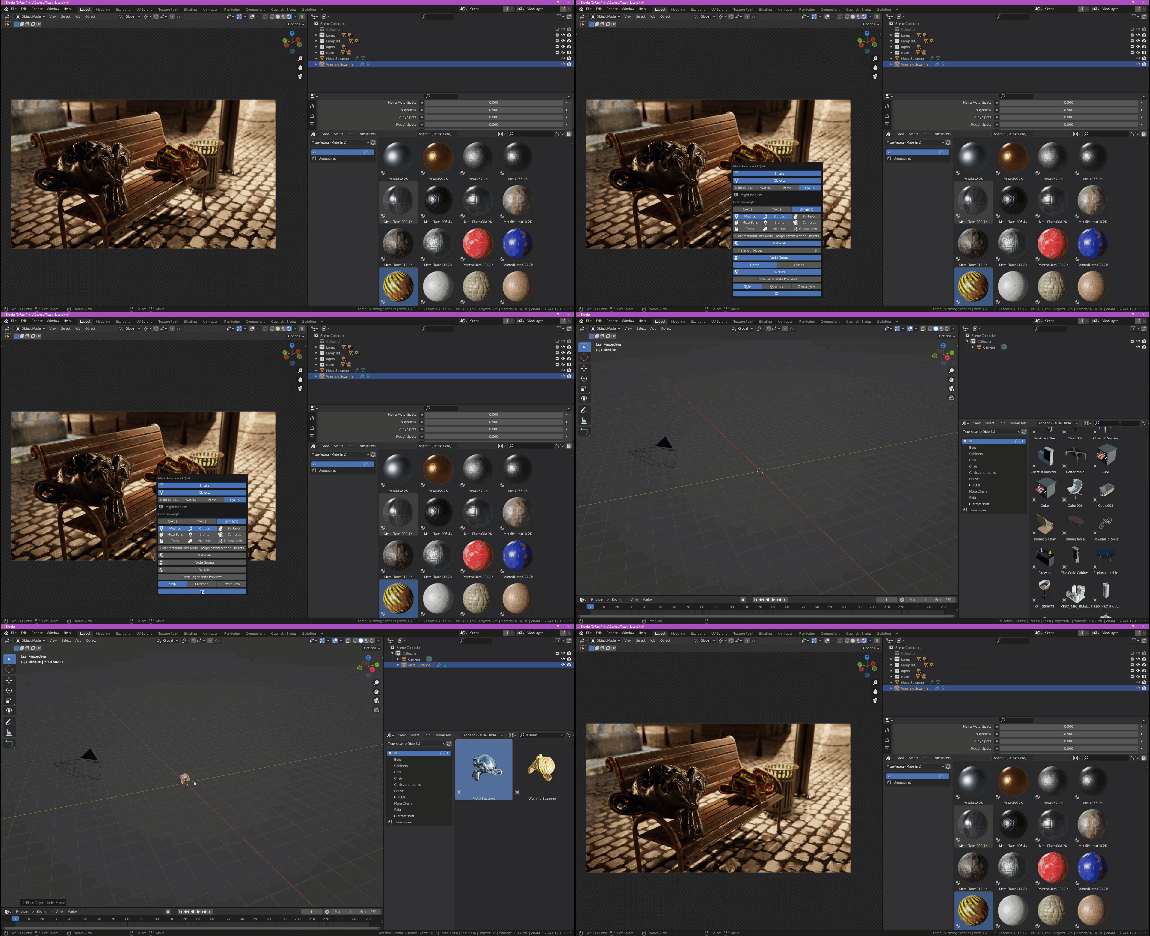
Marking assets and walking away
Been working hard on a project? Got some Suzanne’s that you just spent too much time on? Don’t want to mark all the assets? CTRL+W to save, mark and close the project!
Recap Time
True-Assets is a tool for asset management in Blender that simplifies the use of materials and worlds.
It offers features such as quick object swapping, compatibility with FBX and OBJ formats, and tools to organize your own libraries into clean, production-ready catalogs.
True-Assets is constantly improving based on community feedback, and users can expect top-tier support and the opportunity to contribute to its development.
Supercharge your 3D creation workflow with premium selection of Blender Add-ons. Whether you are modeling intricate characters, sculpting realistic environments, or animating cinematic sequences, the right add-on can transform how you work inside Blender. Our curated collection includes powerful tools for UV unwrapping, procedural texture generation, rigging automation, rendering optimization, and more—each rigorously tested for compatibility with the latest Blender versions. Eliminate tedious manual processes and unlock advanced functionality that lets you focus on what matters most: bringing your creative vision to life. Explore our full range of professional Blender plugins today and take your 3D projects to the next level.
➡️ ➡️ For more Blender Plugins 😀 😀
Reviews
There are no reviews yet.