
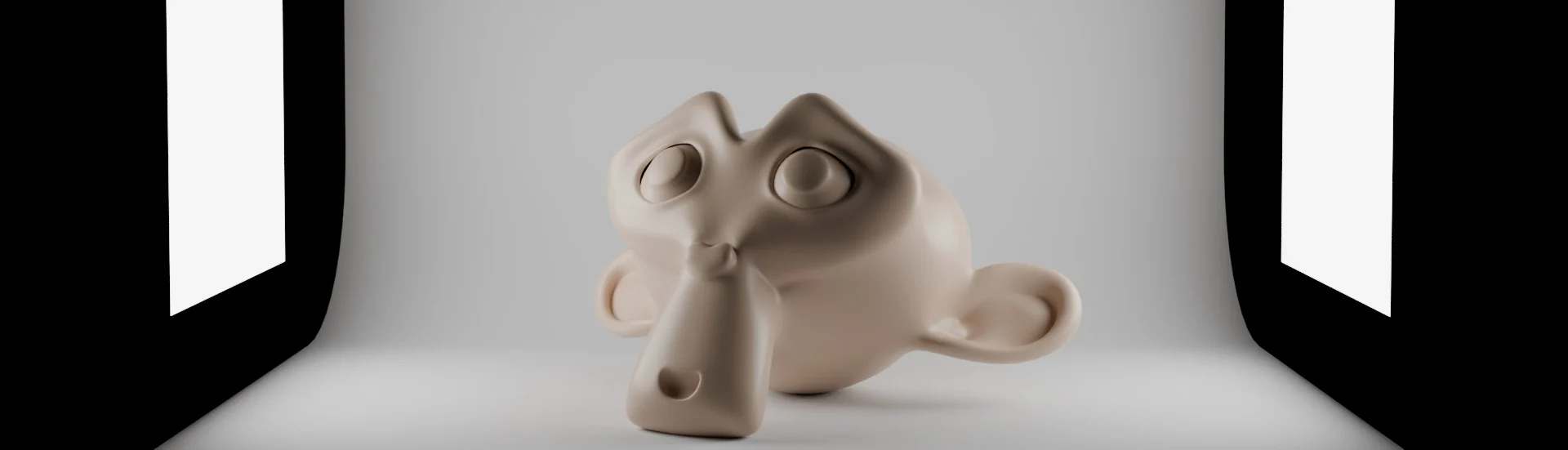
Turntable Studio for Blender
Turntable Studio for Blender
The Ultimate One-Click 360-Degree Product Showcase and Portfolio Render Tool
Download Turntable Studio today. Consequently, you can generate professional 360-degree turntable animations of your 3D models with just a few clicks, without manually setting up cameras, keyframes, or render settings. Because artists need to present their work effectively for portfolios, social media, and client presentations, having access to an efficient turntable creation tool is absolutely essential. Nevertheless, setting up camera animations, lighting, and backgrounds manually for each model consumes valuable creative time. Fortunately, Turntable Studio eliminates this bottleneck completely. Moreover, it provides a streamlined, one-panel workflow that automates the entire process from setup to final render. In short, you can showcase your models with polished, professional turntable videos in moments.
Instant Camera Setup and Animation
The core of this addon lies in its intelligent, automated approach to camera work. For instance, when you select your mesh, the addon automatically positions a camera that orbits around your object, using the selected mesh’s center as the pivot point and adjusting the height and distance based on the object’s shape . Furthermore, you can choose between perspective and orthographic projection directly from the panel, and fine-tune the fit margin for precise framing . The system then generates a complete animation with a single click, creating a smooth 360-degree rotation at a constant speed . Consequently, you can focus on your creative work while the technical setup handles itself.
Comprehensive Lighting and Background Controls
Professional showcases demand more than just camera motion. Therefore, Turntable Studio includes a full studio lighting setup with a backdrop, allowing you to create a polished presentation environment for your models . You can select from multiple lighting presets based on real photography techniques, including Rembrandt, butterfly, split, and soft beauty lighting, with each preset automatically positioning lights relative to your object’s size . Additionally, you can add backgrounds with gradients, solid colors, or custom images to create the perfect atmosphere for your presentation . Thus, your renders will look polished and professional straight out of the addon.
Flexible Rendering and Output Options
The addon supports multiple output formats and rendering modes to suit different needs. For example, you can export your turntable animation directly as an MP4 video file with customizable save names and output locations . Before committing to a final render, you can use the preview function to check the camera movement and composition, avoiding wasted render time . Furthermore, you can even output the “as-is” viewport appearance, including solid mode, material preview, and studio lighting setups, without rendering through Cycles or Eevee . Consequently, you have complete control over your final output.
Advanced Features for Portfolio Production
For artists managing larger projects, Turntable Studio offers powerful batch processing capabilities. For instance, you can queue multiple objects for rendering, and the addon will process each one with consistent lighting and camera framing, saving them all automatically . Additionally, you can generate multi-angle contact sheets that render your model from eight angles and composite them into a single grid image, perfect for marketplace listings . The addon also includes one-click clay and wireframe overrides for showing form or topology, and smart hardware detection that automatically selects the best render engine and denoiser for your system .
Perfect for 3D Artists, Game Developers, and Product Designers
This addon is particularly well-suited for 3D artists who need to create portfolio-worthy renders of their work for personal websites or social media platforms like ArtStation and Sketchfab. Similarly, game developers and indie creators can use the tool to produce consistent, high-quality showcase images and videos of their characters, props, and environments. Additionally, product designers and freelancers will appreciate the ability to generate professional turntables for client presentations and product visualizations. Ultimately, Turntable Studio accelerates your entire portfolio and presentation pipeline.
System Requirements and Compatibility
Turntable Studio requires Blender 4.5 LTS or newer . It works seamlessly with both Cycles and Eevee render engines, automatically detecting your GPU and selecting optimized settings for your hardware configuration . Furthermore, it is compatible across all major operating systems including Windows, macOS, and Linux. You will need a standard workstation with at least 8GB of RAM, though more complex scenes may benefit from additional memory.
Installation and Usage Guide
To install, first download the ZIP file from your library. Next, open Blender and navigate to Edit > Preferences > Add-ons. Then, click the arrow in the top right corner and select “Install from Disk” . After that, locate and select the downloaded ZIP file, then enable the Turntable Studio addon. Finally, select your target mesh, open the N-panel and click the Turntable tab, adjust your camera settings, frame count, and output preferences, then click the animation or render button to generate your professional showcase. Thus, your portfolio-ready turntable animation will be ready instantly.
What is Included Inside?
The pack contains the complete Turntable Studio addon with all core features. Furthermore, it includes the intelligent camera setup system, studio lighting with presets, background options, and preview functionality. Additionally, you receive batch rendering capabilities, contact sheet generation, and clay/wireframe overrides. Ultimately, you receive everything needed for professional model showcasing and portfolio creation.
Final Thoughts on the Addon
Effortless one-click turntable creation evokes profound creative freedom. Therefore, this addon provides the ultimate foundation for your portfolio and presentation workflows. You can generate professional 360-degree showcases of your models with unprecedented speed and simplicity. Consequently, your showcase vision becomes a stunning reality.
Supercharge your 3D creation workflow with premium selection of Blender Add-ons. Whether you are modeling intricate characters, sculpting realistic environments, or animating cinematic sequences, the right add-on can transform how you work inside Blender. Our curated collection includes powerful tools for UV unwrapping, procedural texture generation, rigging automation, rendering optimization, and more—each rigorously tested for compatibility with the latest Blender versions. Eliminate tedious manual processes and unlock advanced functionality that lets you focus on what matters most: bringing your creative vision to life. Explore our full range of professional Blender plugins today and take your 3D projects to the next level.
➡️ ➡️ For more Blender Plugins 😀 😀
Reviews
There are no reviews yet.