
Tx Layer for Blender
tx layer addon
Tx Layer v0.5.5 for Blender – Advanced Non-Destructive Texture Layering System
Versions: v0.5.5
File Size: 1.6 MB
Download Tx Layer v0.5.5 for Blender on Windows, Mac, and Linux, a powerful texture layering add-on that brings non-destructive, layer-based texture painting workflows to Blender. Build complex textures by stacking layers with blend modes, masks, and filters—perfect for texture artists, game developers, and 3D artists who need flexible, editable texture creation .
Key Features of Tx Layer v0.5.5:
- Layer-Based Texturing: Stack texture layers with adjustable opacity, blend modes, and layer order
- Non-Destructive Editing: All layers remain editable at any time—no permanent changes to base textures
- Mask System: Add and edit layer masks for precise control over where textures appear
- Procedural Generators: Generate procedural textures—noise, gradients, patterns—as layers
- Adjustment Layers: Color balance, levels, curves, and hue/saturation adjustments
- Smart Materials: Combine multiple layers into reusable smart material presets
- Real-Time Preview: See texture updates instantly in the viewport
- Export Option: Flatten layers for export or maintain layer structure
- v0.5.5 Updates: Enhanced blend modes, improved performance, and compatibility with Blender 4.0+
Perfect For:
- Texture artists needing flexible, non-destructive workflows
- Game developers creating complex, layered materials
- 3D artists who want to experiment with texture combinations
- Anyone tired of permanent texture painting changes
- Studios requiring iterative texture development
System Requirements:
- Blender 3.6, 4.0, 4.1, 4.2, 4.3
- Windows 10/11 (64-bit), macOS, or Linux
- 4GB RAM minimum (8GB+ recommended)
- 20MB available disk space
Installation:
- Download the add-on zip file
- In Blender, go to Edit > Preferences > Add-ons
- Click “Install” and select the downloaded zip file
- Enable the add-on by checking the box next to “Tx Layer”
Note: Tx Layer brings professional non-destructive texture layering to Blender, allowing you to build complex textures by stacking layers with blend modes and masks . The reusable smart materials and real-time preview make it essential for texture artists and game developers . Version 0.5.5 includes full compatibility with Blender 4.0 and above . Designed for Blender 3.6 and above . Perfect for flexible texture creation . Essential for any texture workflow .
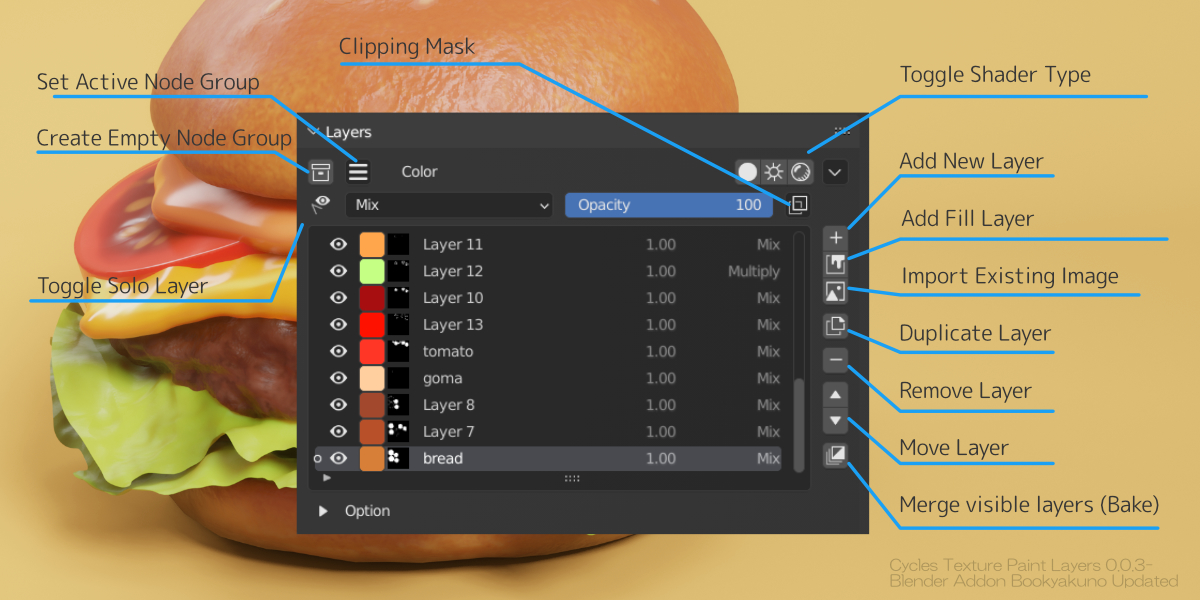
exture paint with a Layer Structure
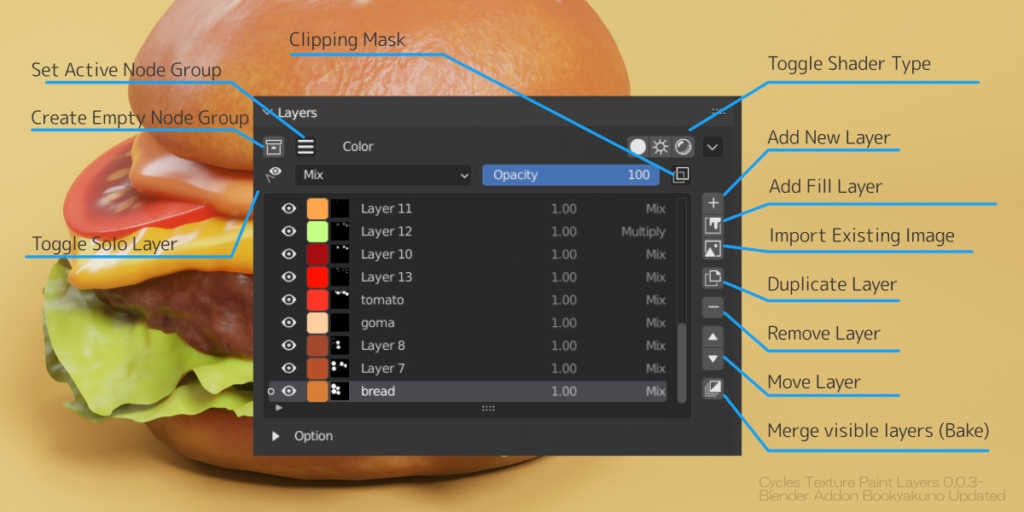
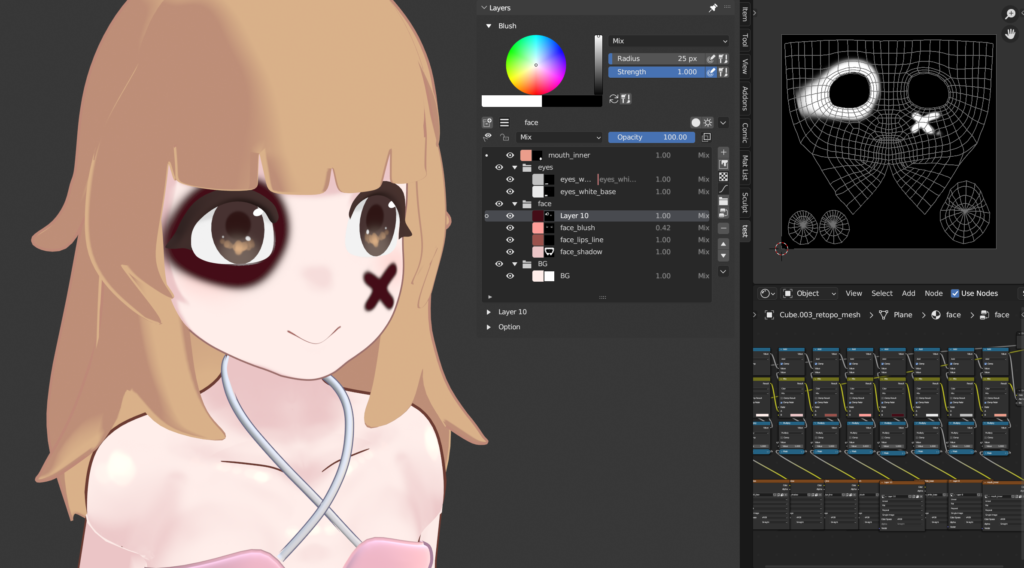
Provides common layer operations in texture painting.
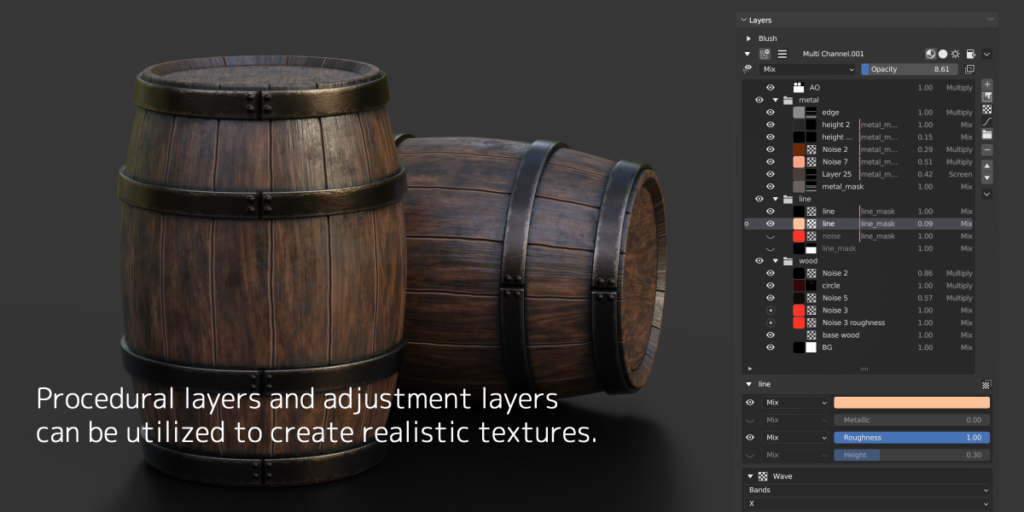
In addition to blend mode, opacity adjustment and basic layer operations, procedural textures and adjust layers are supported.
You can also create realistic textures by using multi channel (Color / Metallic / Roughness / Height).
Functions
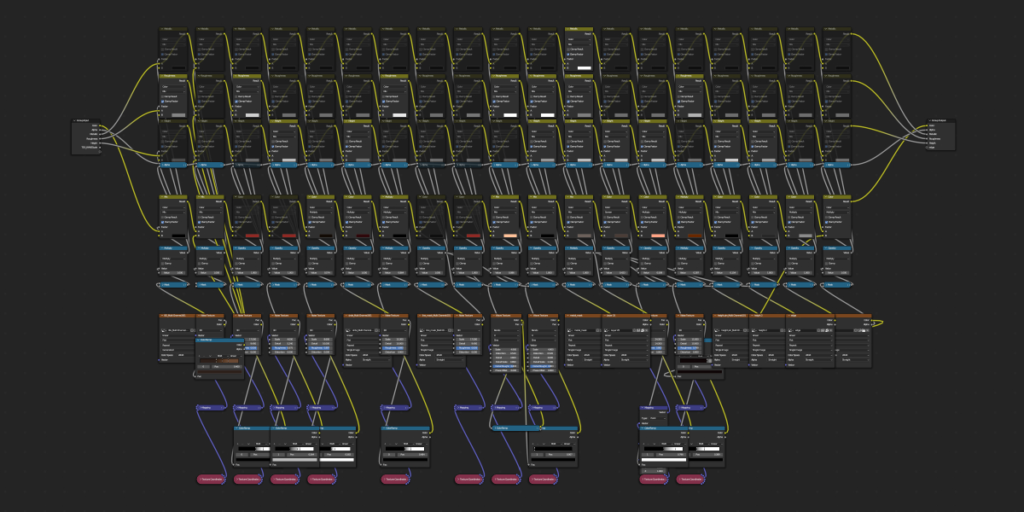
When you create a layer, a group of nodes for the layer will be built in the shader node.
The node structure is automatically adjusted each time it is added or reordered from the add-on menu.
- Layer features
- Add/Delete/Sort/Duplicate layers
- Blend mode/Opacity
- Multiple channel support
(Color/Metallic/Roughness/Height/Normal) - Clipping mask
- Solo display of layers
- Protection from paint editing (Lock)
- Batch operation with multiple selections
- Layer type
- Mask layer
- Fill layer
- Procedural texture layer
- Adjustment layer
- Vertex color layer
- Node group layer
- Classification folder
- Bake
- Combine all layers
- Single layer rasterization
- Bake shading and lighting
- Export each layer
- Export raw data image for each layer
- Auxiliary functions
- Switching shading type
(Emission/Diffuse/Each channel) - Batch loading of brush textures
- Eyedropper tool to get the correct diffuse color
- Shortcut for switching eraser circulation
- Switching shading type
- Assets
- Basic brush texture included
- Node groups
(Edge Generator, Gradient Noise, etc.)
Dropper to get correct diffuse color
Samples the color of the final result minus lighting.
Blender’s built-in eyedropper tool only allows you to get the final result, including the colors or lighting of the one image being edited.
This add-on eyedropper tool allows you to get the final result of layer compositing without lighting shadows (keymap is Alt + C).
Improved brush workflow

Built-in brush textures for instant texture painting.
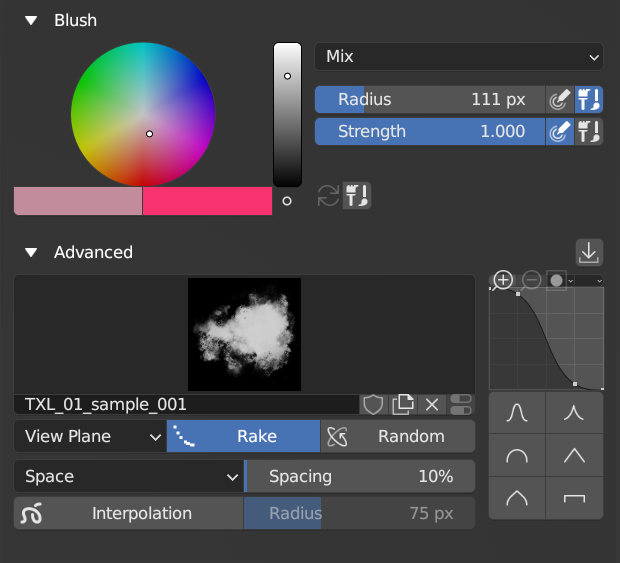
For detailed settings of the brush, I put together only frequently used items into a menu.
■ Sample File
Here is a sample blend file created in the video.
All the data created by the add-on is made of textures and nodes, so you can check it without the add-on.
tx_layer_ver0-5-4_sample_file.zip
Supercharge your 3D creation workflow with premium selection of Blender Add-ons. Whether you are modeling intricate characters, sculpting realistic environments, or animating cinematic sequences, the right add-on can transform how you work inside Blender. Our curated collection includes powerful tools for UV unwrapping, procedural texture generation, rigging automation, rendering optimization, and more—each rigorously tested for compatibility with the latest Blender versions. Eliminate tedious manual processes and unlock advanced functionality that lets you focus on what matters most: bringing your creative vision to life. Explore our full range of professional Blender plugins today and take your 3D projects to the next level.
➡️ ➡️ For more Blender Plugins 😀 😀
Reviews
There are no reviews yet.