
univ for Blender
UniV v3.3.6 for Blender
The Ultimate UV Editing Toolkit for Blender
Download UniV v3.3.6 today. Consequently, you can supercharge your UV editing workflow with over 100 specialized operators designed to handle every aspect of UV mapping, unwrapping, and optimization . Because professional 3D modeling demands efficient texture coordinate management, having access to a comprehensive UV toolkit is absolutely essential. Nevertheless, Blender’s native UV tools often require multiple steps and complex workflows to achieve desired results. Fortunately, UniV eliminates these frustrations completely. Moreover, it provides context-sensitive operators that adapt to your selection mode and modifier keys, ensuring maximum efficiency with minimal keystrokes . In short, you can edit UVs faster and more intuitively than ever before.
Core UV Editing and Transformation Tools
The foundation of this addon lies in its extensive collection of operators that streamline common UV tasks. For instance, the Quick Snap feature allows you to transform UV islands or geometry elements by snapping to vertices, edge centers, or face centers with just a few keystrokes . Furthermore, the Weld operator connects selected vertices by common vertices, seamlessly switching to Stitch mode when no vertices are available to connect . The Stitch operator, in turn, connects UV islands while preserving their proportions, making it ideal for assembling complex UV layouts . Additionally, the Cut operator sets mark seams along border selections while simultaneously expanding the island, eliminating the need for separate steps . Consequently, your UV editing workflow becomes significantly more fluid and efficient.
Advanced Operators for Precision and Optimization
Professional UV work often demands more than basic editing. Therefore, UniV provides a suite of advanced operators for precise control and optimization. For example, the Quadrify operator aligns selected UVs to a rectangular distribution, perfect for creating clean, grid-like layouts . Additionally, the Straight operator straightens selected edge chains while relaxing the rest of the UV island, helping you achieve clean, distortion-free mapping . The Sort and Distribute operators arrange islands for optimal packing and even spacing, crucial for maximizing texture resolution and minimizing wasted space . Finally, the Adjust & Normalize operator sets a uniform texel density across your model, ensuring consistent texture resolution .
Context-Sensitive Operators and Modifier Key Logic
Many of UniV’s operators are context-dependent, making them even more powerful. For instance, the behavior of operators changes based on your Sync state, selection mode (vertices, edges, faces, or islands), and which modifier keys (Ctrl, Shift, Alt) you hold before clicking . This contextual logic follows consistent patterns: Ctrl often invokes the “To Cursor” mode for transformations or “Deselect” for selection operators, Alt typically calls an alternative or fundamentally different operation, and Shift usually triggers “Individual” or “Inplace” modes . Since this system is designed to be intuitive, you will quickly learn to harness its full power without constantly referencing documentation.
v3.3.6 New Features and Blender 4.4 Support
Version 3.3.6 introduces several valuable additions and critical fixes for Blender 4.4. For instance, the update adds a Hide operator [H] and a Focus operator [Numpad .] for more efficient viewport navigation . Additionally, the Stretch UV Toggle [Z, Z+Z] and Show Modified UV Edges Toggle [Alt+Z] provide visual feedback for edge behavior . The Cut operator now features a Pick system and line drawer, while Flip and Rotate also gained Pick system support . Furthermore, this release fixes a context error when the active object lacked polygons and resolves a SplitUVToggle operator crash on Blender 4.4 and higher . Consequently, UniV v3.3.6 is fully compatible with modern Blender versions.
Flexible Installation and Hotkey System
UniV is designed to integrate seamlessly into your existing workflow. The addon does not impose its hotkeys on you, but you can easily enable them in Settings > Extensions > UniV > Keymaps . Some operators, due to their specificity, can only be called through keymaps, including QuickSnap, SplitUVToggle, and SyncUVToggle . Additionally, a panel appears in the lower left corner of the interface where you can adjust properties without memorizing every hotkey combination . This flexibility ensures UniV adapts to your preferred way of working.
Perfect for 3D Artists, Game Developers, and Animators
This addon is particularly well-suited for 3D artists who need efficient UV workflows for texturing and shading. Similarly, game developers optimizing assets for engines will benefit from tools like Sort, Distribute, and Adjust & Normalize. Additionally, animators and character artists will appreciate the precision tools for clean, deformation-friendly UV layouts. Ultimately, UniV v3.3.6 accelerates your entire UV editing pipeline.
System Requirements and Compatibility
The addon supports Blender versions 3.2 through 4.4, making it compatible with a wide range of production environments . Furthermore, it works across all major operating systems that support Blender, including Windows, macOS, and Linux. You will need a standard workstation with at least 8GB of RAM.
Installation and Usage Guide
To install, first download the ZIP file from your library. Next, open Blender and navigate to Edit Preferences. Then, select Add-ons and click Install. For Blender 4.1 and above, use the “Install from Disk” option from the dropdown menu . After that, locate and select the downloaded ZIP file, then enable UniV. Finally, open the UV Editor, explore the UniV panel in the sidebar, and begin using the powerful operators to streamline your UV editing workflow. Thus, your professional UV editing toolkit will be ready instantly.
What is Included Inside?
The pack contains the complete UniV v3.3.6 addon. Furthermore, it includes all 100+ UV operators, context-sensitive behavior, and full Blender 4.4 support. Additionally, you receive the flexible hotkey system and the quick-access panel for property adjustments. Ultimately, you receive everything needed for professional UV editing.
Final Thoughts on the Addon
Effortless UV editing evokes profound creative freedom. Therefore, this addon provides the ultimate foundation for your texturing and modeling workflows. You can achieve perfect UV layouts with unprecedented speed and precision. Consequently, your UV editing vision becomes a stunning reality.
UniV
Blender Addon for UV Editor which aims to cover all sorts of operators for working with UV

Align Edge by Angle – align edges by angle in Island mode.
Quick Snap – allows you to transform an island or geometry elements by Vertex, Edge Center and Face Center. There are two methods of calling the operator via the keys:
- V – quick start, the nearest transformation element is selected immediately
- Alt+V – here you can safely select the necessary element and change the modes to Island or Element mode
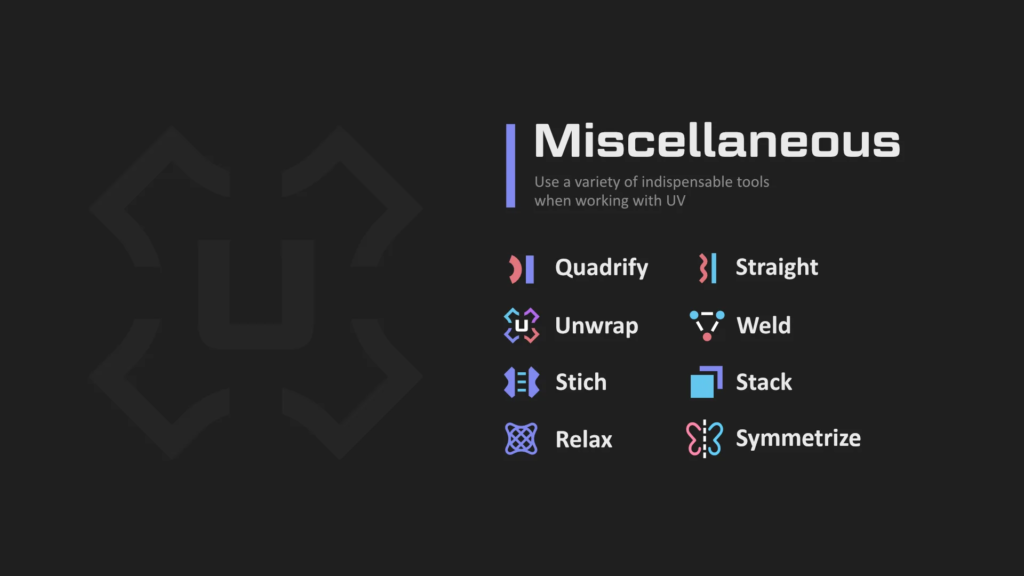
Stack – overlap islands with similar geometry:
Weld – [W] connects selected vertices by common vertexes, if there is nothing to connect, it works as Stitch
- Alt+Weld Button – connect by distance
Stitch – [Shift+W] connects islands to each other, preserving the islands’ proportions. When called via keymap with sync enabled, the target island becomes the closest:
Stitch with padding
Unwrap – differs from the built-in operator in that it unwrap inplace.
Relax – combination of minimize stretch and unwrap borders.
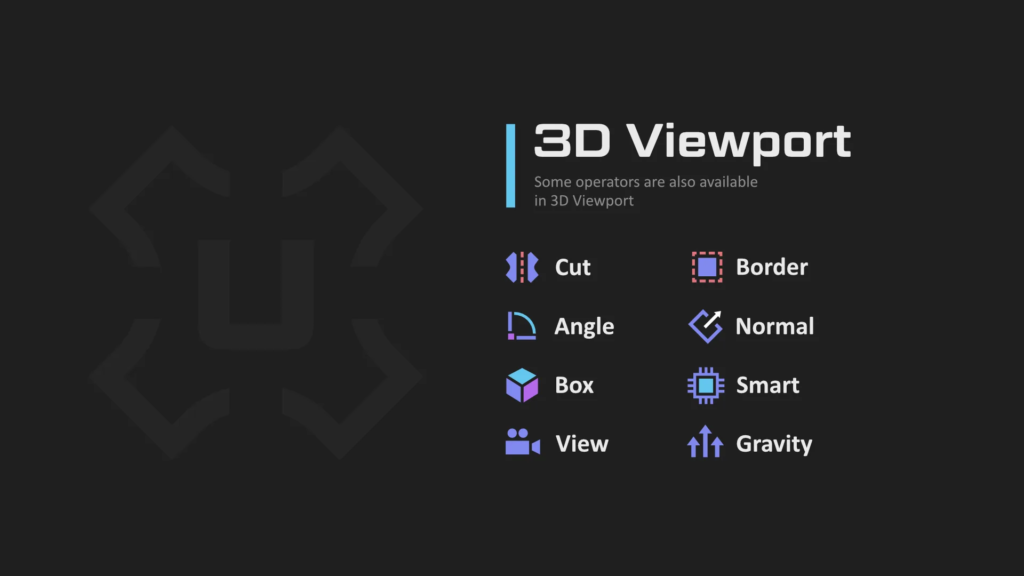
Cut – [C] – sets mark seams by border selection and at the same time expands the island
Quadrify – [E] align selected UV to rectangular distribution
Straight – [Shift+E] straighten selected edge-chain and relax the rest of the UV Island
Copy to Layer – copy coordinates between uv-channels
Adjust & Normalize – sets a uniform texel
Flatten – convert 3d coords to 2D from uv map
Focus – [F] improved focusing, which frames the focussed elements.
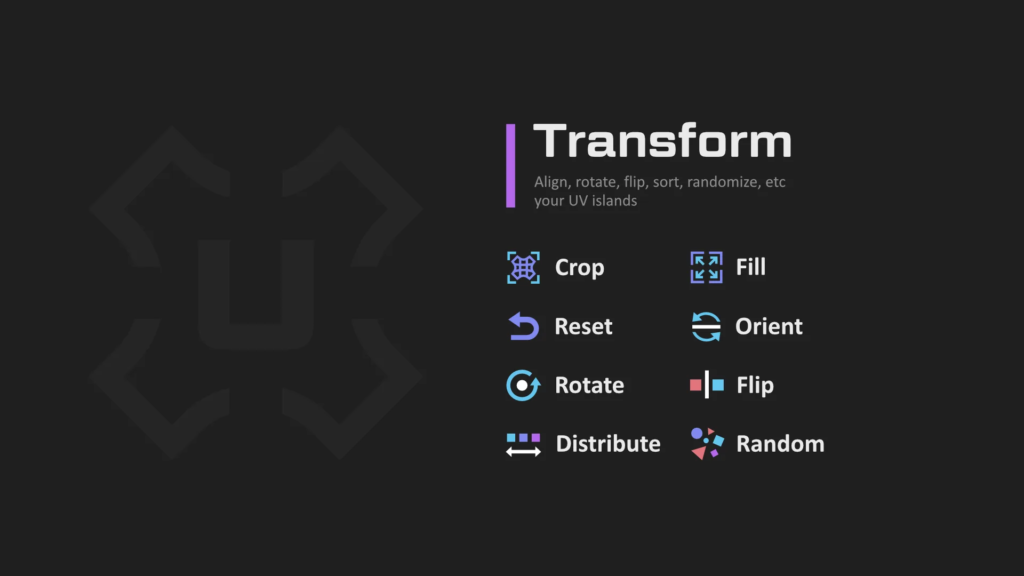
Crop – proportional tile filling
Fill – it is similar in everything with Crop, but without preserving the proportions
Orient – orients islands along the axes, maximally filling the area according to the boundbox. In a 3D viewport, it .
Orient3D – orients islands according to world coordinates.
Align – straightens, moves islands or vertices, places a 2D cursor on bound boxes, etc.
Sort – sorts islands, also aligns for more compactness.
Distribute – similar to Sort, but the goal is to arrange the islands evenly according to the original position
Random – randomly transforms islands to break down repetitive patterns.
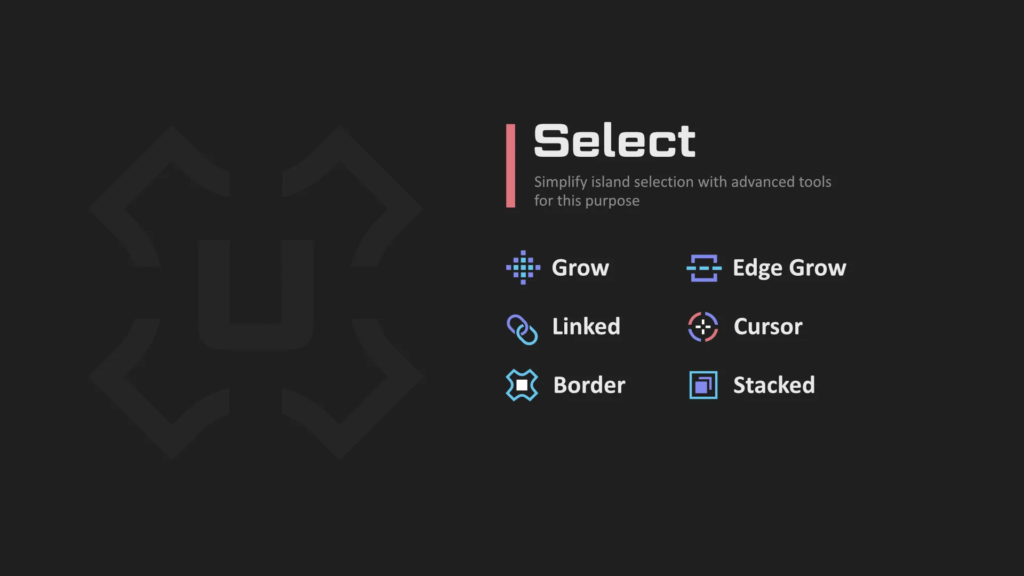
Linked – [Ctrl+Shift+Mouse Scroll] – Select Linked
Cursor – Select by Cursor
Border – Select border edges
Border by Angle – Select border edges by angle from 2D
Inner – Select inner edges by mark sharps, angle
Square – Select square, horizontal or vertical island
SyncUVToggle – [~] toggle sync mode with element selection preserve
SplitUVToggle – [Shift+T] open, close, toggle UV or 3D View area
There is much more to UniV operators than you might think at first glance. Many operators are context-dependent, for example, on Sync state, selection mode (Verts, Edge, Face and Islands), as well as on pressed Ctrl, Shift, Alt (CSA) keys and combinations thereof.
That is, before pressing the LMB button press CSA, then other modes of the operator are called. And these modifications are subject to a certain logic, which in most cases works:
- Ctrl – To Cursor for transform or Deselect for select
- Alt – Alternative operation that is fundamentally different from the default.
- Shift – Individual, Inplace for transform or Extend for select
But you don’t have to use the CSA keys, because a panel appears in the lower left corner where you can change the properties
Also, the addon doesn’t impose its hotkeys on you, but you can easily enable them in Settings->Extensions->UniV->Keymaps. But some operators due to their specificity can be called only through keymaps (QuickSnap, SplitUVToggle, SyncUVToggle).
The addon is free, but you can support the author and purchase this addon from Blender Marketplace
What’s New
This is a major update that fixes numerous operators affected by the updated UV Sync Selection mode and changes to the Geometry Nodes API.
Many operators have also gained significant improvements and new capabilities, including Texel Density support (for Unwrap, Relax, Quadrify, Straight), expanded support for non-square textures (Aspect Ratio), more 3D View counterparts for existing UV operators, reduced context dependencies (many operators now work without an active object), as well as various performance and workflow improvements.
The update also introduces Specific Operators – a collection of specialized tools designed for less common but valuable tasks. They add useful functionality without cluttering the UI.
Add:
- Add “Specific” operators tab. (Random Color, Linear Gradient, Snap to Pixels, Smart Scale Apply, Add Align Border Verts)
- Texel: Add other units
- Add icon to compact tabs for Blender 5.2
- Orient: Add Object Mode support and add 3D space variant
- Rotate: Add Object Mode support and add support 3D space variant
- Flip: Add Object Mode support and add support 3D space variant
- Random: Add support 3D space variant
- Home | Shift: Add support 3D space variant
- Add “Gravity” operator for 2D panel
- Distribute: Extract “Break” property to operator
- Add Rotate[5, Shift+5] keymaps for WS and improve report info
- Home: Add Alt+G keymap for UV space version
- Add Mark Seam (Toggle) operator
- Pin: Improved performance and added “Invert Toggle Logic” option
Improve:
- Quadrify: Works correctly with cross geometry and works with zero sizes
- Quadrify: Add unlink and mark seam option
- Texel: Add support in Unwrap | Relax, Cut, Quadrify, Straight, Normal, Box
- Add support Object Mode for: Fit| Fill, Sort | Distribute, Align, Normal, Box, View
- Add Aspect Ratio support for: Sort, Distribute | Break, Straight operators
- Straight: Support circular selected edge sequences
- Straight: Preserve flip islands
- UI: Removed the redundant filters and add subpanels by space for keymaps
- UI: Panels: Improve performance, removed context check for many operators.
- UI: Increased the width of the popover panels and improv lines drawer
- UI: Improve settings
- Allow using operators without active mesh
- Unwrap | Relax: Preserve flip islands
- Unwrap | Relax: Fix pinning vertex in selected edge
- Unwrap | Relax: Add “Fill Hole” checkbox
- Stack: Marking stacked islands with new seams cleanup and improve performance
- Align: Moved “Individual” into a separate enum property for reduce complexity
- Fit: Speedup x1.25 and improve wrap by nearest position
- Toggle Pin: Change logic for non-edit mode
- Weld: Resetting the “By Distance” property when calling the operator again via keymap
- Weld: Add full support Blender 5.0 and improve performance
- Stitch: Ignore stitching by mouse cursor when faces are selected
- Stitch: Prioritize multi-stitch by uv length
- Stitch: Allow to disable flip correction
- Stitch: Select shared edges
- Add “Align Island Mode” property for Align OT
- Gravity: Add “X” and “Y” axis and add “Flip” option
- Random | Sort | Distribute: Use seam-aware island calculation
- Random: Simplify rounds movement step properties
- Non-Splitted: Skip comparison on sharp edge angles if SubDiv or Bevel modifiers is enabled
- Checker: Use global properties
Fix:
- Fix: PyObject fields for support Blender 5.2 in many operators
- Fixed a bug where settings were not saved after restarting
- Checker: Add Blender 5.2 compatibility and improve restoring checker modifiers and materials
- Aspect Ratio: Add Blender 5.2 compatibility when using checker modifier for 3D space
- Shift / Flatten: Add Blender 5.2 compatibility for correct using Geometry Nodes
- Mark by Angle: Fix “Smooth Angle” called by Geometry Nodes in Blender 5.2
- UI: Bug fixed where the 3D panel was not hiding and remained visible after renaming
- UI: Fixed a bug in Pie Menu caused by splitting Loop Multi Select into Select Edge Ring for Blender 5.1
- Stack: Fix: Three and more linked faces case and speedup x1.2 and more
- Fix: potential unselected faces for Pick Unwrap
- Fix: Set Island Mode [4] for Blender 4.5 and below
- Gravity: Fixed behavior when the island flipped, and improved stability
- Straight: Fix missing edge select for Blender 5.0 and above
- Stitch: Fix for non-sync mode in Blender 5.0 and above
- ViewBoxSyncBlock: Fix box drawing
- Crop | Fill: Fix transform by axis in inplace mode
- Reset Scale: Fix stretches when aspect ratio != 1.0
- Fix: Set is_dirt tag to trigger autosave when using keymap manager operators
- Split UV Toggle: Fix and improve logic
- Quadrify: Fixed the hang caused by non-manifold edge
- Normalize | Adjust: Fixed island shifting in some cases
- Mark by Angle: Fix case when UVMap missed
- UI: Improve performance, allow using operators without active mesh
- Relax: Fix an error caused by invisible selected verts in edge mode when no edges are selected.
- Border Select: Fix: Correct deselecting selected faces
- Fix: Hide Unselected: Hide linked verts/edges.
- Fix “Toggle Pivot” operator for Blender 5.1 and above
- Fix “Select Linked” in Vert/Edge mode with invalidation sync
- Inspect: Disable linked selection for Overlap in Blender 5.2
- Copy To Layer: Fix memory leaks and redraw 3d instantly in object mode
- Fix ViewBoxSyncBlock and ignore when full faces selected
- Select Grow: Fix selecting all in non-sync mode
- Edge Grow: Fix growing from seam edge to seam edge
- Select Linked Pick: Fix all selecting in non-sync mode
- Select Mode: Fix updating area
- Select Grow | Shrink: Fix selecting all in non-sync mode
- Hide: Fix hiding island when selected vertex or edge
- Flatten: Fixed an issue in Object Mode where only selected faces would become flat
Remove:
- Select Border: Remove “Both” edge direction
Supercharge your 3D creation workflow with premium selection of Blender Add-ons. Whether you are modeling intricate characters, sculpting realistic environments, or animating cinematic sequences, the right add-on can transform how you work inside Blender. Our curated collection includes powerful tools for UV unwrapping, procedural texture generation, rigging automation, rendering optimization, and more—each rigorously tested for compatibility with the latest Blender versions. Eliminate tedious manual processes and unlock advanced functionality that lets you focus on what matters most: bringing your creative vision to life. Explore our full range of professional Blender plugins today and take your 3D projects to the next level.
➡️ ➡️ For more Blender Plugins 😀 😀
Reviews
There are no reviews yet.