
UV Squares Addon for Blender
uv squares addon
UV Squares Addon v1.15.0 for Blender – Intelligent UV Unwrapping & Straightening Tool
Version: v1.15.0
File Size: 10 MB
Download UV Squares Addon v1.15.0 for Blender on Windows, Mac, and Linux, a powerful UV editing add-on that straightens, aligns, and squares UV islands for cleaner, more efficient texture layouts. Perfect for hard-surface modelers, game developers, and technical artists who need professional UV layouts without manual adjustment .
Key Features of UV Squares Addon v1.15.0:
- UV Straightening: Straighten UV edge loops to horizontal or vertical alignment
- UV Grid creation: Create clean rectangular UV islands from selected faces
- Corner Adjustment: Adjust UV corners to 90 degrees for perfect alignment
- Even Spacing: Distribute UV vertices evenly along edges
- Loop Selection: Advanced edge loop selection within UV editor
- Relax UV: Flatten UV islands with intelligent relaxation
- Follow Active Quad: Align UV islands based on reference quad orientation
- Smart Snap: Snap UV vertices to grid with adjustable tolerance
- Batch Processing: Apply operations to multiple UV islands
- v1.15.0 Updates: Enhanced algorithms, new selection tools, and compatibility with Blender 4.0+
Perfect For:
- Hard-surface modelers requiring clean UV layouts
- Game developers optimizing UV space for textures
- Texture artists needing straight, aligned UV islands
- Technical artists preparing assets for baking
- Anyone needing professional UV editing in Blender
System Requirements:
- Blender 3.6, 4.0, 4.1, 4.2, 4.3
- Windows 10/11 (64-bit), macOS, or Linux
- 4GB RAM minimum (8GB+ recommended)
- 10MB available disk space
Installation:
- Download the add-on zip file
- In Blender, go to Edit > Preferences > Add-ons
- Click “Install” and select the downloaded zip file
- Enable the add-on by checking the box next to “UV Squares”
Note: UV Squares provides essential UV editing tools for Blender, making it easy to straighten, align, and square UV islands for professional texture layouts . The intelligent algorithms and batch processing make it indispensable for hard-surface modelers and game developers . Version 1.15.0 includes full compatibility with Blender 4.0 and above . Designed for Blender 3.6 and above . Perfect for clean UV layouts . Essential for any UV editing workflow .
UV Squares Addon
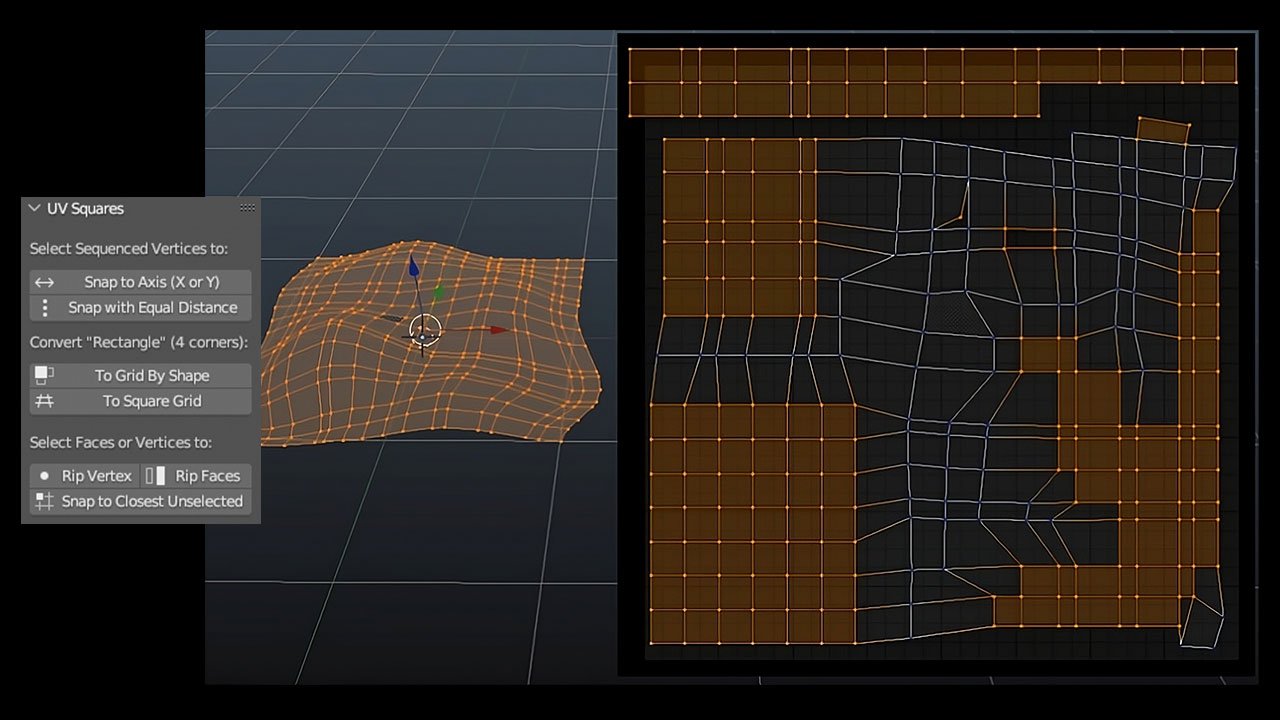
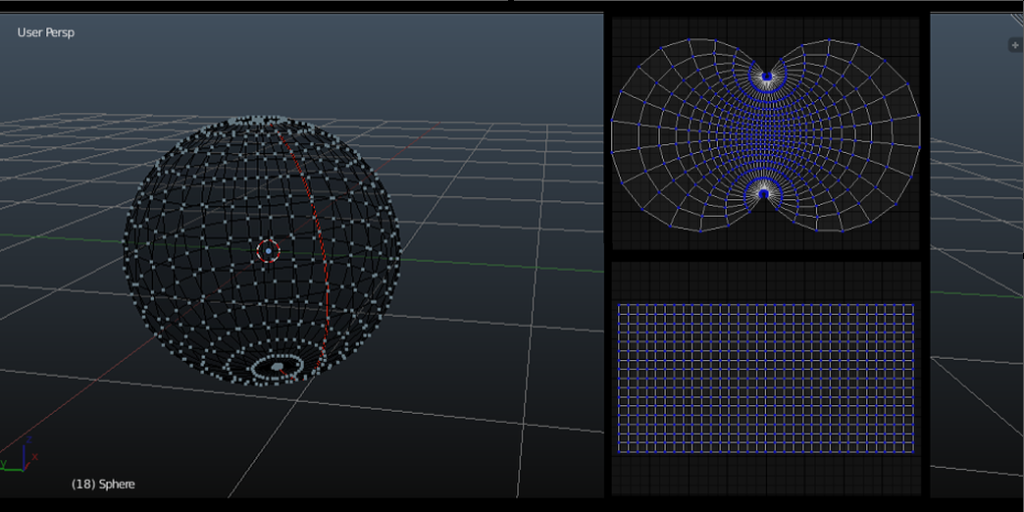
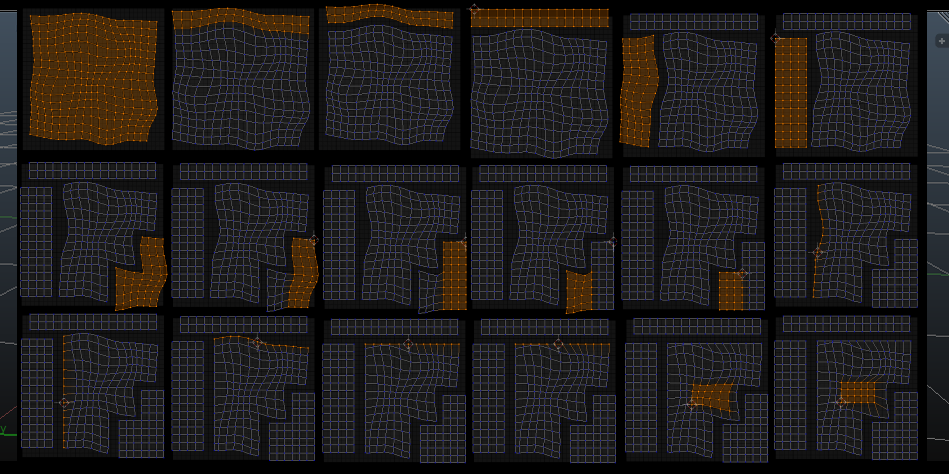
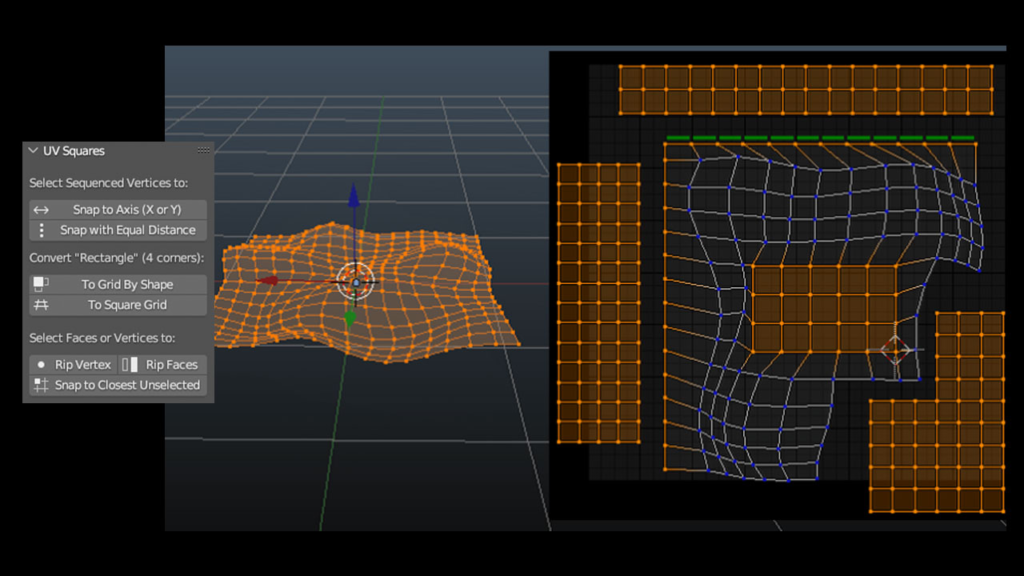
This hugely popular addon for the UV Editor reshapes UV selections into a grid. It respects vertical and horizontal face ratios and can stretch out any selection shape.
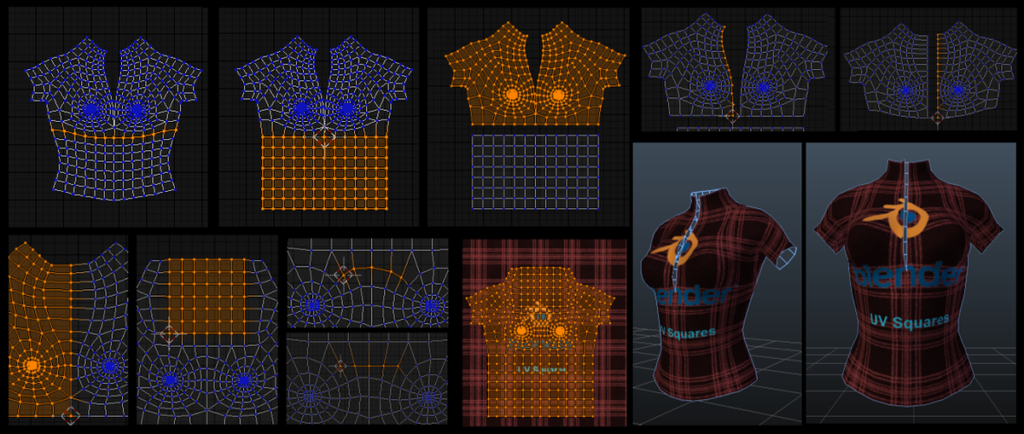
No more manual alignment of a distorted UV Blender’s UV unwrap is far from perfect. Quite often, you end up with a distorted shape of your object and have to clean it up. This takes time and effort as you select all the vertices and re-align them via the appropriate axis, repeating this endlessly. What if you could do it with a single button push? That is what UV Squares is all about.
How does it work? The process is simple and quick. Once you have unwrapped your object, the UV Square addon will turn your UV into a perfect, clean shape, respecting the geometry of your object. The distortion is gone and you are good to go!
UV Squares at a glance:
- Reshape any selected UV faces (quads) to a grid of equivalent squares, or by their shape
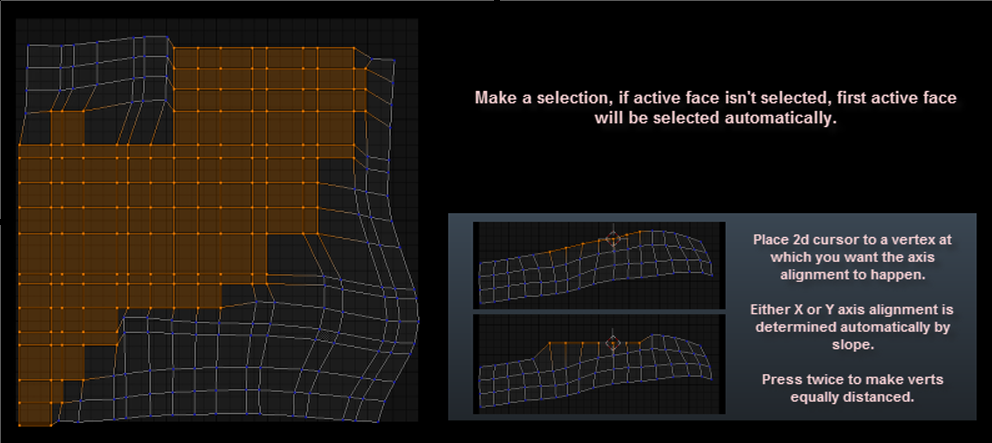
- Align sequenced vertices on an axis and make them equally distanced
- Rip faces and single vertex
- Join selected vertices to any closest unselected vertices
Supercharge your 3D creation workflow with premium selection of Blender Add-ons. Whether you are modeling intricate characters, sculpting realistic environments, or animating cinematic sequences, the right add-on can transform how you work inside Blender. Our curated collection includes powerful tools for UV unwrapping, procedural texture generation, rigging automation, rendering optimization, and more—each rigorously tested for compatibility with the latest Blender versions. Eliminate tedious manual processes and unlock advanced functionality that lets you focus on what matters most: bringing your creative vision to life. Explore our full range of professional Blender plugins today and take your 3D projects to the next level.
➡️ ➡️ For more Blender Plugins 😀 😀
Reviews
There are no reviews yet.