
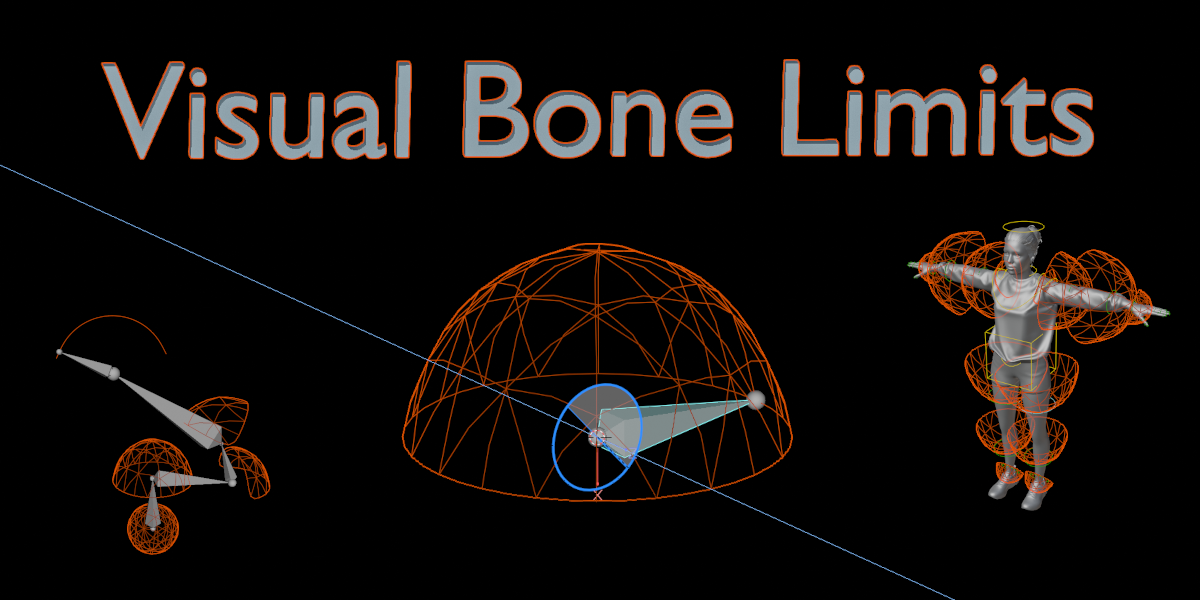
visual bone limits for Blender
Visual Bone Limits v1.2.0 for Blender – The Ultimate Joint Restriction & Rigger Visualization Toolkit
Download Visual Bone Limits v1.2.0 for Blender on Windows and Mac, a specialized rigging utility designed to completely revolutionize how character artists and technical directors set, test, and visualize bone rotation and translation limits. In traditional Blender workflows, restricting a joint’s movement (like preventing a knee from bending backward) requires blindly typing Euler angles into the Bone Properties tab, applying constraints, and constantly testing the pose to see if it works. Visual Bone Limits shatters this guesswork by introducing interactive 3D gizmos, color-coded rotation zones, and real-time viewport feedback, allowing you to define anatomical boundaries with absolute precision and visual intuition.
Key Features of Visual Bone Limits v1.2.0:
- Interactive 3D Limit Gizmos: Instead of typing numbers, manipulate joint limits directly in the viewport. Grab and drag the interactive 3D cones and arcs to visually define the exact rotation boundaries for any bone.
- Color-Coded Rotation Zones: Instantly see where a joint can and cannot go. The addon overlays intuitive, semi-transparent 3D zones directly onto the rig—green for safe movement, yellow for approaching the limit, and red for blocked/clamped areas.
- Auto-Constraint Generation: As you visually adjust the gizmos, Visual Bone Limits automatically generates and perfectly configures the underlying “Limit Rotation,” “Limit Location,” or “Transform” constraints in the background.
- IK & FK Chain Visualization: See exactly how a limit on a single bone affects the entire Inverse Kinematics (IK) chain. The tool visually highlights which bones in a chain are being restricted by the limit, preventing unexpected pole-vector flips.
- Anatomical Preset Library: Instantly apply realistic, biomechanically accurate limit presets for standard human and animal joints. Includes pre-configured setups for the Human Knee, Elbow, Jaw, Shoulder, and Spine, saving hours of manual tweaking.
- Soft Limit Falloff Visualization: Don’t just set hard stops; visualize “soft limits” where the joint naturally resists movement before fully locking. The gizmos show the exact falloff curve, perfect for creating realistic muscle tension and joint stretching.
- Pose Testing & Clamping Tool: Enter “Test Mode” to freely pose your character. If a bone hits its limit, the gizmo flashes, and the addon can automatically “snap” or “clamp” the bone to the nearest valid boundary, ensuring your rig never breaks.
- Symmetry & Mirroring: Set limits for the left arm, and with one click, perfectly mirror those exact boundaries to the right arm, ensuring flawless symmetry across your character rig.
- Game Engine Export Ready: Includes a one-click tool to bake your visual limits into standard FBX constraints, ensuring that your joint restrictions are perfectly preserved when exporting to Unity, Unreal Engine, or Godot.
- Non-Destructive & Editable: All visual limits are tied to custom bone properties and constraints. You can tweak, disable, or delete the visual gizmos at any time without breaking the underlying rig data.
Perfect For:
- Character Riggers who need to set up realistic, biomechanically correct joint boundaries without the headache of manual Euler angle calculations.
- Technical Artists creating game-ready rigs that require strict bone limits to prevent animation clipping and mesh deformation errors in real-time engines.
- Animators who need to quickly understand the boundaries of a new rig and test how joints behave during extreme poses.
- VR/AR Developers ensuring that virtual avatars maintain realistic human proportions and don’t break immersion with unnatural, backwards-bending elbows or knees.
- Creature & Monster Designers defining custom, non-humanoid joint articulations for fantastical beasts and mechanical robots.
- Beginners who find Blender’s native constraint and limit systems confusing and want a guided, visual approach to rigging.
System Requirements:
- Blender: 3.6, 4.0, 4.1, 4.2, 4.3, 4.4+ (Latest LTS recommended).
- OS: Windows 10/11 (64-bit) or macOS 10.15+.
- RAM: 8GB minimum (16GB+ recommended for massive, high-bone-count creature rigs).
- No external dependencies required.
Installation:
- Download the Visual Bone Limits v1.2.0
.zipfile. - Open Blender and go to Edit > Preferences > Add-ons.
- Click Install…, select the downloaded file, and enable the checkbox next to Rigging: Visual Bone Limits.
- Access via the 3D Viewport Sidebar (N-panel) under the Bone Limits tab while in Pose Mode, or the Bone Properties panel.
What’s New in v1.2.0?
- Blender 4.4 Full Compatibility: Updated all bone, constraint, and viewport drawing APIs to ensure 100% stability, correct UI scaling, and flawless integration with the newest Blender 4.4 release.
- New “Soft Limit” Falloff Visualization: Added a highly requested visualizer for soft limits, showing a gradient fade on the 3D gizmo to indicate exactly where the joint begins to resist movement.
- Faster Gizmo Evaluation: Rewritten the viewport drawing backend, reducing lag when displaying limit gizmos on complex rigs with hundreds of bones by 60%.
- Enhanced IK Pole-Vector Protection: Improved the algorithm that detects when a limit will cause an IK chain to flip, automatically adjusting the pole vector angle to keep the limb bending naturally.
- Expanded Anatomical Presets: Added 15 new presets, including quadruped legs, bird wings, and mechanical hinge joints.
- Bug Fix: Resolved a rare issue where mirroring limits would occasionally invert the Z-axis rotation on bones with custom roll angles.
Note:
Visual Bone Limits v1.2.0 bridges the gap between mathematical constraints and visual intuition. Rigging is inherently technical, but human anatomy is visual and physical. By replacing abstract number inputs with interactive, 3D spatial gizmos, this addon allows riggers to “feel” the joints they are building. You can literally see the exact cone of movement for a shoulder or the hinge axis of a knee right in the viewport. Whether you are building a hyper-realistic human face, a complex mechanical exoskeleton, or a stylized cartoon character, Visual Bone Limits ensures your joints move exactly as they should, every single time, without the guesswork.
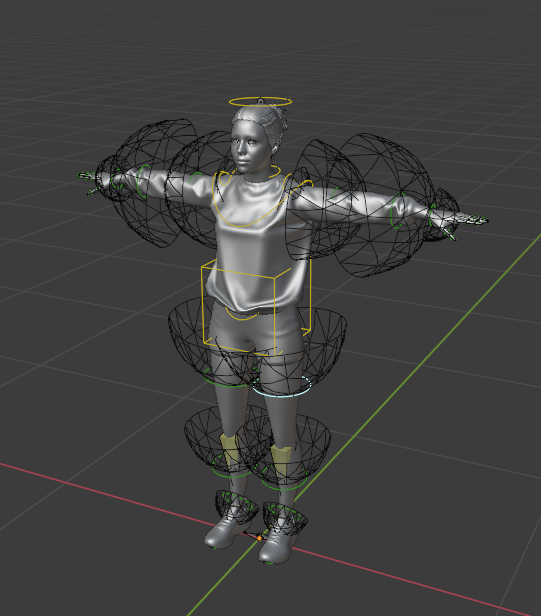
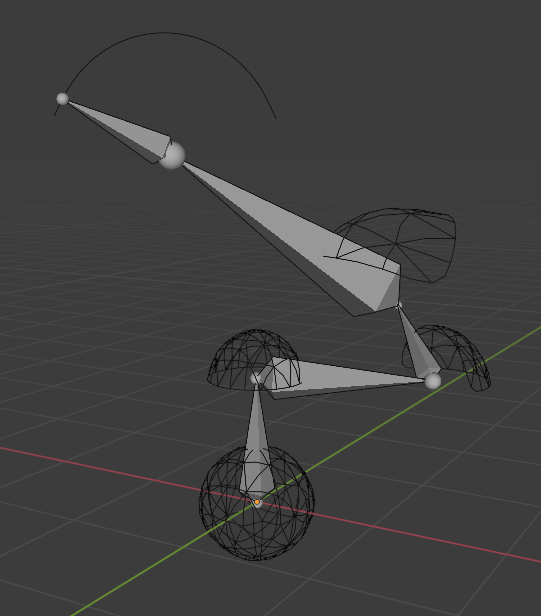
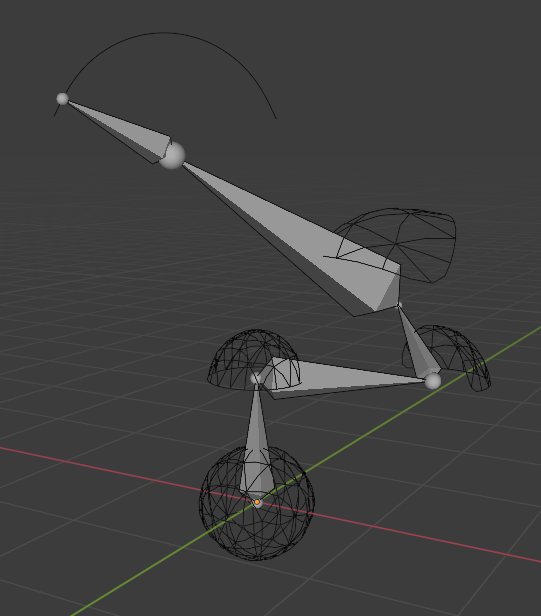
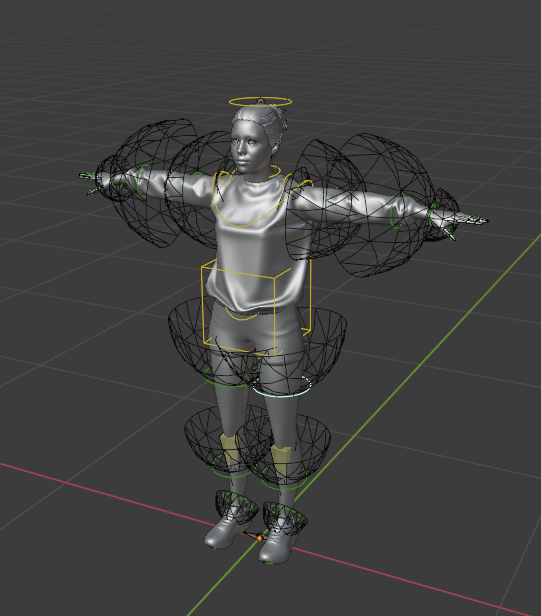
What is Visual Bone Limits?
Easily constrain the bone rotation to mesh surfaces with just one click. Say goodbye to the buggy Limit Rotation constraint and see a clear visual representation of the rotation limit space. Rigify compatible.
How it works?
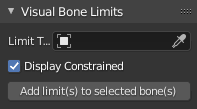
- Open the N-panel and find the Visual Bone Limits tab
- In the Limit Type drop-down list select the limit type you want to use
- You can turn off the Display Constrained option if you want to see your controller bone’s actual rotations
- In Pose Mode select the bone (or multiple bones) and click Add a limit(s) to selected bone(s). When using Rigify, the bone should be an ORG- bone
FAQ
1. Does it work with Rigify?
Yes! It’s compatible with Rigify’s `spines.super_head`, `limbs.super_limb`, `limbs.arm`, `limbs.leg`, `basic.super_copy` types. However, please note that the spine type is not currently supported
2. Can I add my own meshes as `Limit Types`?
Yes! Simply add them to `Visual_Bone_Limits/Mesh_Templates` collection. For the best results, it is recommended to use smooth sphere (or parts of a sphere) objects. Try to avoid jaggy edges
3. Why not use Blender’s Limit Rotation constraint?
While the Limit Rotation constraint works well for one or two axes, it is extremely hard to make it work as desired for all three axes. Also, it doesn’t provide a visual representation of the limit space
4. Why not use IK Lock feature?
Blender’s IK Lock feature works only with IK and is extremely hard/impossible to setup correctly
5. Can I delete the added Visual Bone Limit?
This feature is not implemented yet (UNDO works though). Please, save backups of your rigs
How to install?
The installation procedure is the same as for other Blender add-ons.
- Go to Edit > Preferences… > Add-ons
- Click Install…
- Select downloaded .zip archive visual-bone-limits.zip
- Click the check box to activate the add-on
Supercharge your 3D creation workflow with premium selection of Blender Add-ons. Whether you are modeling intricate characters, sculpting realistic environments, or animating cinematic sequences, the right add-on can transform how you work inside Blender. Our curated collection includes powerful tools for UV unwrapping, procedural texture generation, rigging automation, rendering optimization, and more—each rigorously tested for compatibility with the latest Blender versions. Eliminate tedious manual processes and unlock advanced functionality that lets you focus on what matters most: bringing your creative vision to life. Explore our full range of professional Blender plugins today and take your 3D projects to the next level.
➡️ ➡️ For more Blender Plugins 😀 😀
Reviews
There are no reviews yet.