
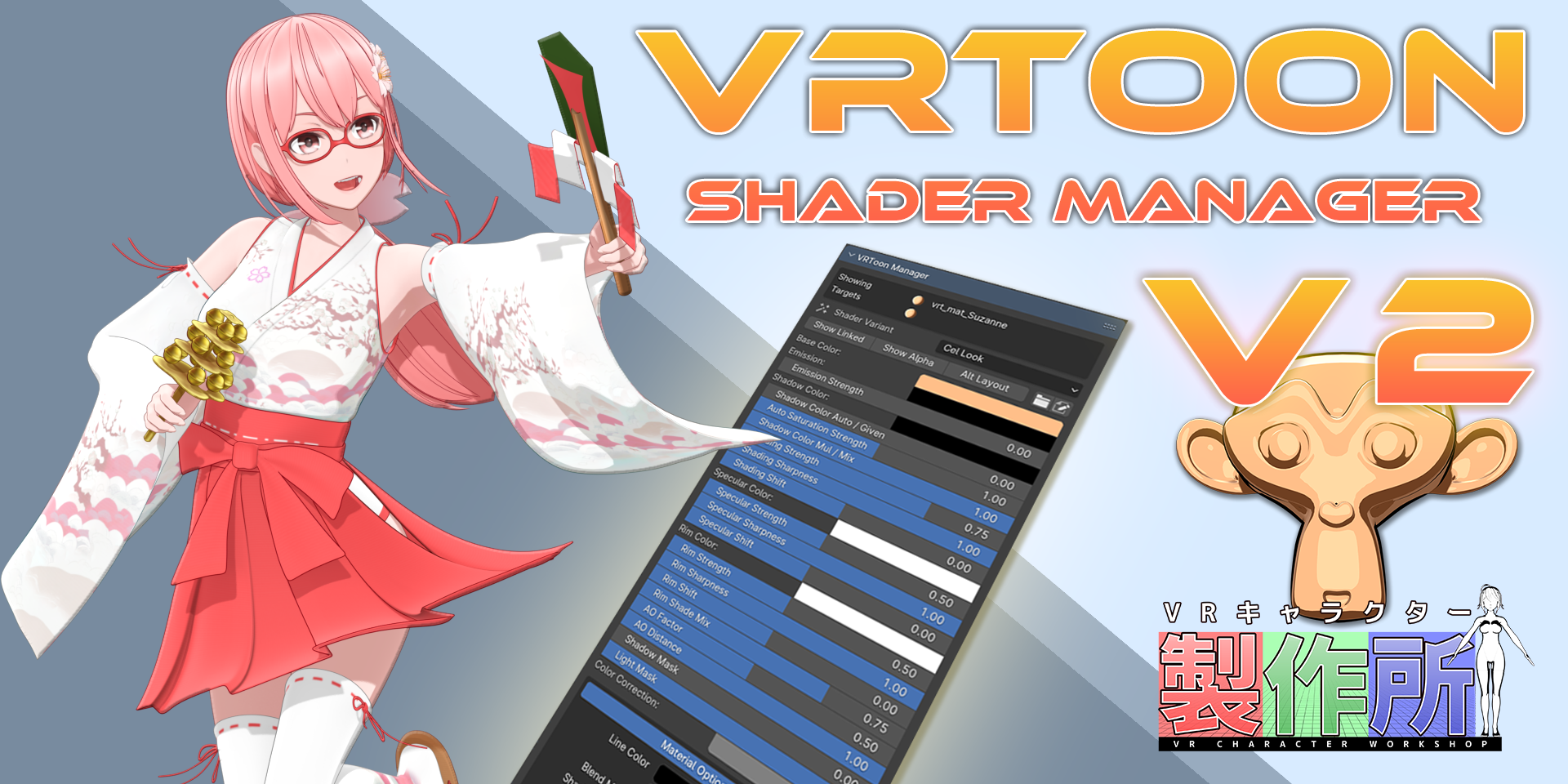
vrtoon shader manager for Blender
VRToon Shader Manager v2.1.7 for Blender
The Ultimate Non-Photorealistic Shading and Outline Control System for Eevee
Download VRToon Shader Manager v2.1.7 today. Consequently, you can create professional anime-style renders with a comprehensive system that handles both shading and outlines through an intuitive management interface. Because non-photorealistic rendering for anime characters and stylized scenes demands precise control over cel shading, rim lights, and contours, having access to a specialized NPR toolset is absolutely essential. Nevertheless, building toon shaders from scratch in Blender requires complex Shader-to-RGB setups and manual outline creation, a process that often consumes hours of production time. Fortunately, this addon eliminates that bottleneck entirely. Moreover, it provides two highly customizable NPR shaders—Cel Look for hard-edged cel shading and Semi Real for softer anime-style rendering—within a unified interface that enables batch control across entire models . In short, you can achieve professional cartoon shading and outline effects with just a few clicks.
Core Shading System and Parameter Control
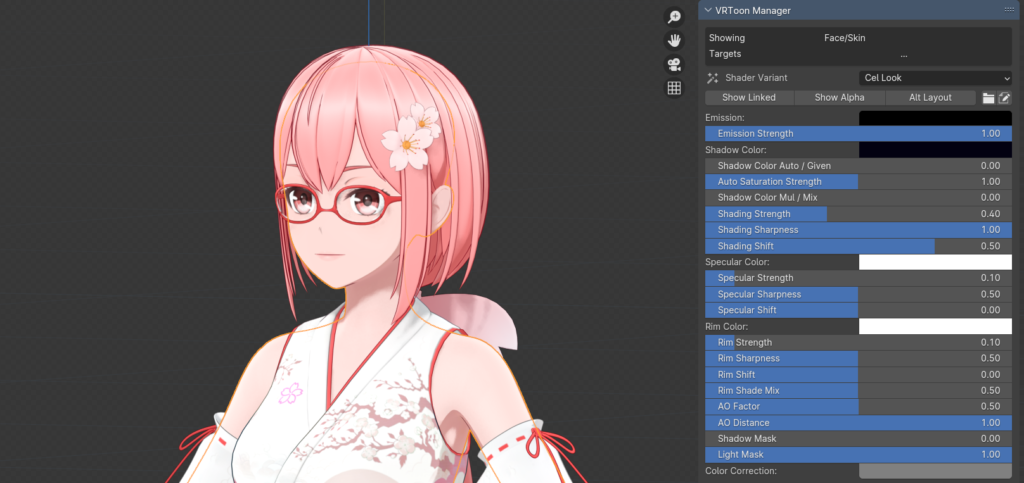
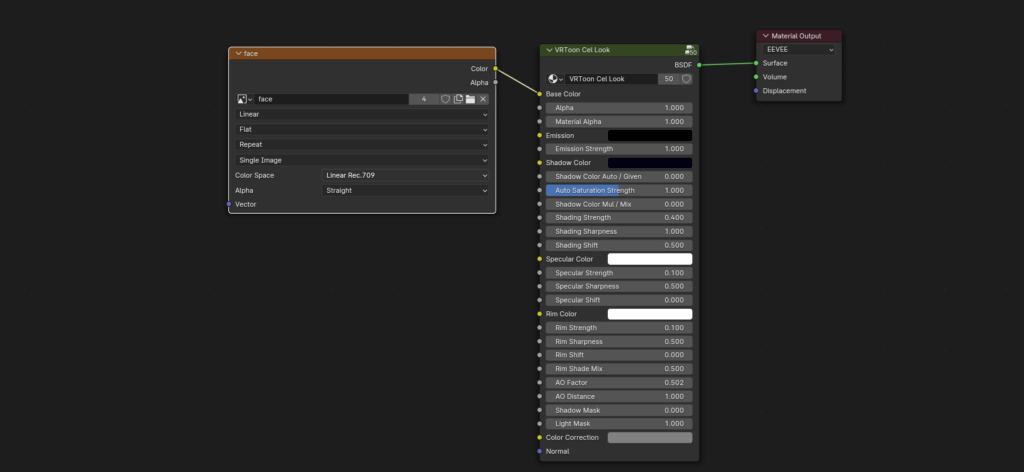
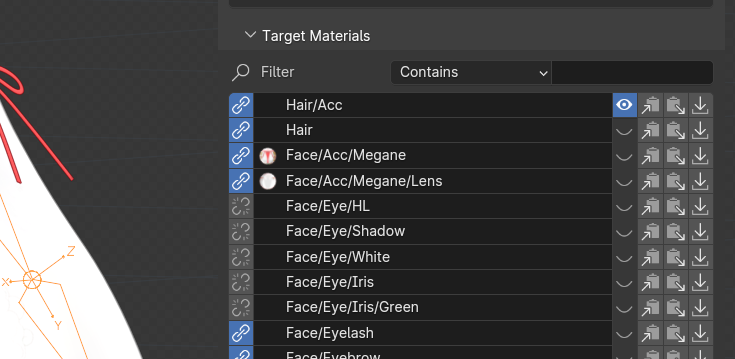
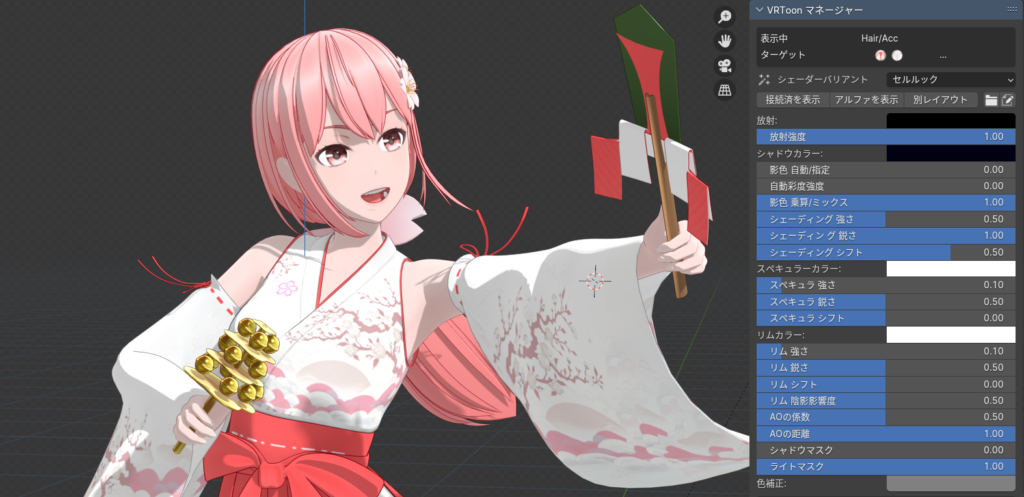
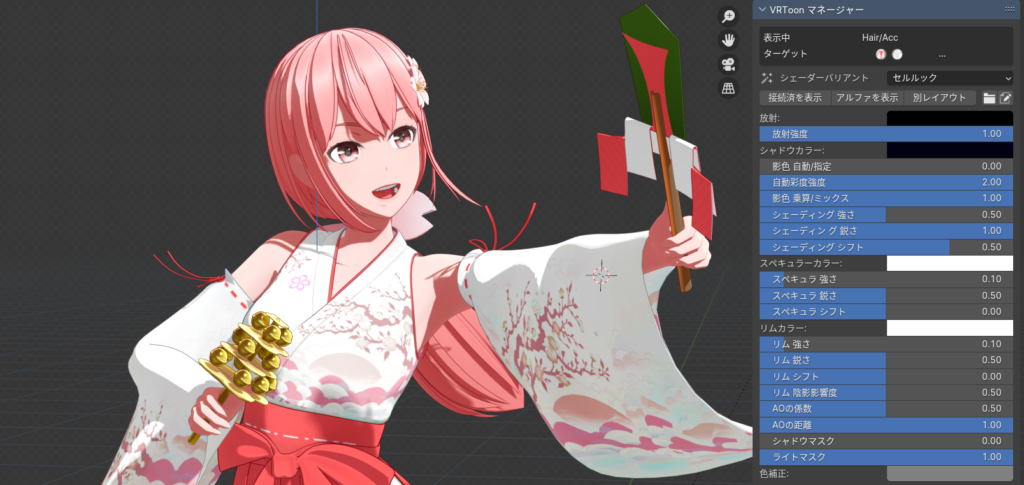
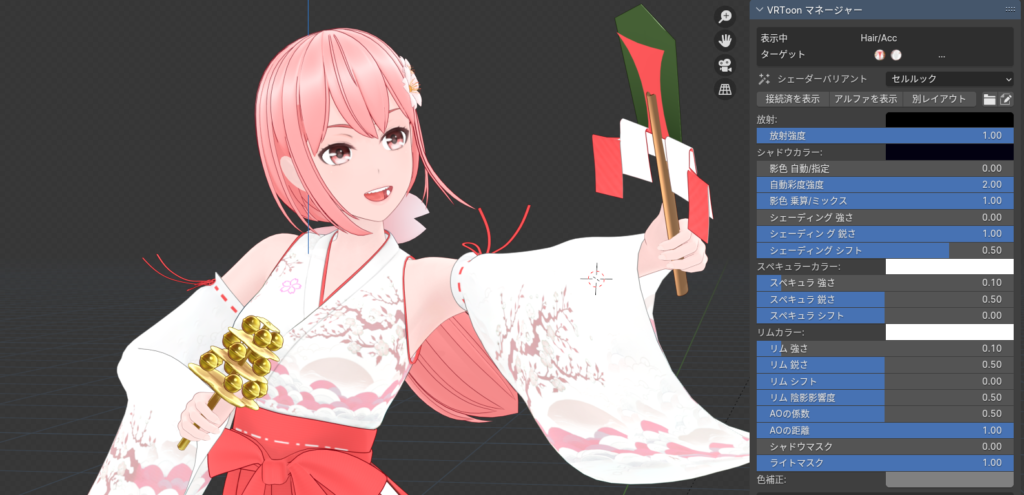
The foundation of this addon lies in its efficient approach to NPR shading. For instance, you can set up shaders for your entire model with a single click, eliminating the need to manually connect complex nodes for each material . Furthermore, the VRToon Manager allows you to adjust shading parameters—including color, shadow regions, specular highlights, rim light, transparency, and normal detail—across all materials simultaneously . Since the system supports any shader that exists as a Node Group, you can even integrate custom shaders into the management framework . Consequently, your character and scene shading workflow becomes significantly faster and more consistent.
Flexible Shader Variants and Preset Management
Professional projects often require experimentation with different visual styles. Therefore, the addon supports multiple shader variants beyond the standard Cel Look and Semi Real, including Unlit for base color checking, MatCap for volume visualization during modeling, and PBR variants for bridging to physically-based workflows . You can easily switch between variants via the manager panel, with compatible settings automatically carrying over between transitions . Additionally, the Shadow Preset feature allows you to save and load all material parameters and node trees from your workspace, making it easy to reuse setups across characters and scenes . Thus, you can iterate on visual styles without rebuilding your shading configuration from scratch.
Advanced Outline Generator with Curvature Control
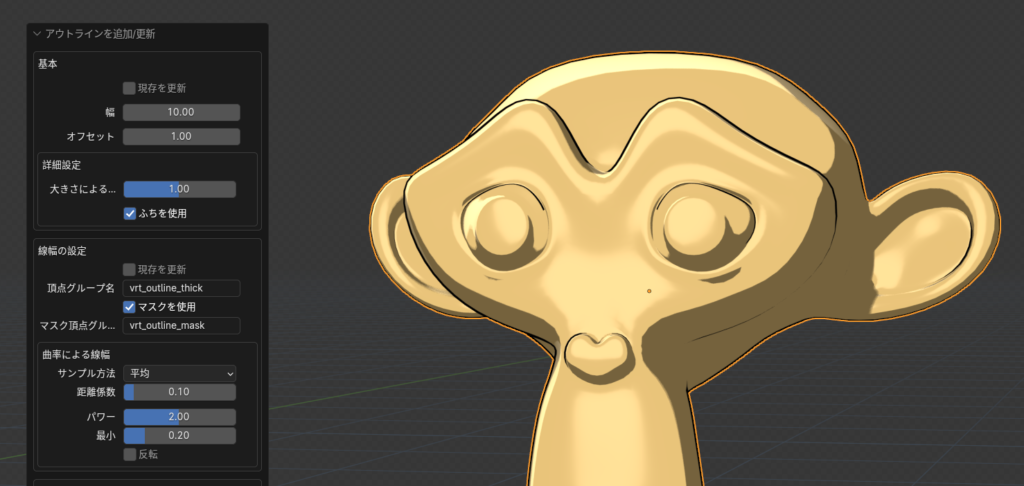
Professional NPR rendering requires more than just shading—outlines are essential for achieving the characteristic anime look. Accordingly, the VRToon Manager includes a powerful flipped-normal outline generator that uses the solidify modifier for fast rendering . The outline thickness is intelligently controlled based on mesh curvature, reproducing the beautiful, hand-drawn touch of manga or anime . You can also manually adjust line width through the default vrt_outline_thick vertex group, or use specialized parameters including Median (flat surface thickness), Sharp Scale (edge thickness scaling), and Scale by Size (adjustment based on face size) . Furthermore, the outline supports AOV output for compositing, allowing you to isolate and adjust lines in the compositor independently .
MMD Compatibility and Context Menu Access
For artists working with MMD models, the addon includes specialized integration. You can convert outlines to mmd_edge_scale for use with mmd_tools export with one click . Additionally, a “Process hidden objects” option ensures that all objects within a model, including hidden ones, are processed when converting . The addon also provides convenient context menu access: simply right-click or press W to access the VRToon submenu for adding, deleting, or converting outlines . Consequently, the tool integrates seamlessly into existing workflows.
Perfect for Character Artists, Animators, and Game Developers
This addon is particularly well-suited for character artists creating anime-style characters, game developers working on stylized projects, and animators producing short films or series . Its batch control capabilities make it especially valuable when managing multiple objects—such as skin, hair, clothing, and accessories—that require consistent shading across all materials . Ultimately, VRToon Shader Manager accelerates your entire NPR rendering pipeline .
System Requirements and Compatibility
The addon supports Blender versions 3.4 through 4.3 for v2.1.7, with later versions extending compatibility up to Blender 5.0 . Furthermore, it is designed specifically for the Eevee render engine. It works across all major operating systems including Windows, macOS, and Linux. You will need a standard workstation with at least 8GB of RAM, though system requirements are minimal given the addon’s efficient design.
Installation and Usage Guide
To install, first download the ZIP file from your library. Next, open Blender and navigate to Edit Preferences. Then, select Add-ons and click Install. For Blender 4.1 and above, use the “Install from Disk” option from the dropdown menu . After that, locate and select the downloaded ZIP file, then enable the VRToon Shader Manager. Finally, select your model, open the VRToon panel in the 3D viewport sidebar, choose your shader variant, adjust parameters, and add outlines as needed . Thus, your professional NPR rendering workflow will be ready instantly.
What is Included Inside?
The pack contains the complete VRToon Shader Manager v2.1.7 addon . Furthermore, it includes the Cel Look and Semi Real shaders, the advanced outline generator, and the Shadow Preset system . Additionally, you receive full batch control capabilities and context menu integration . Ultimately, you receive everything needed for professional NPR shading and outline control.
Final Thoughts on the Addon
Effortless NPR shading and outline control evokes profound creative freedom. Therefore, this addon provides the ultimate foundation for your anime rendering workflows. You can achieve professional cartoon effects with unprecedented speed and simplicity. Consequently, your stylized rendering vision becomes a stunning reality.
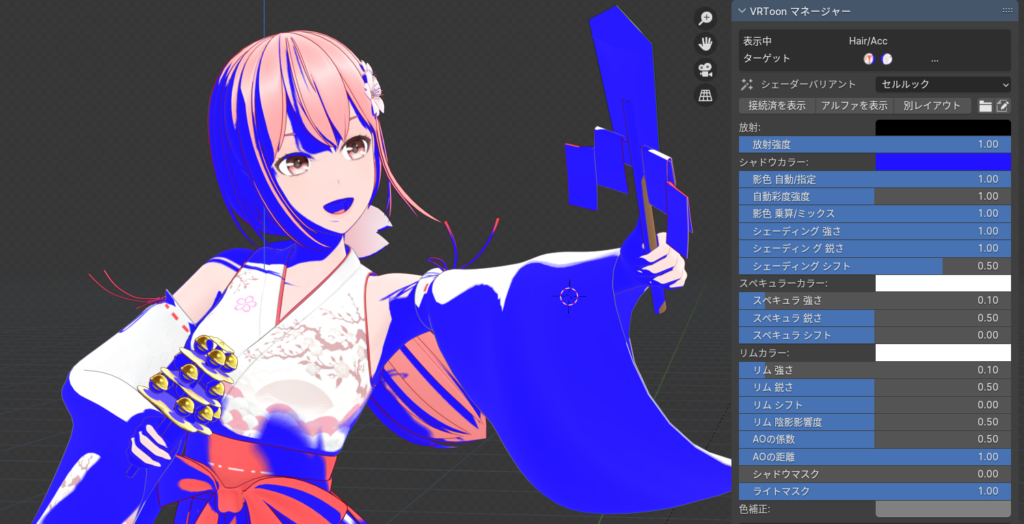
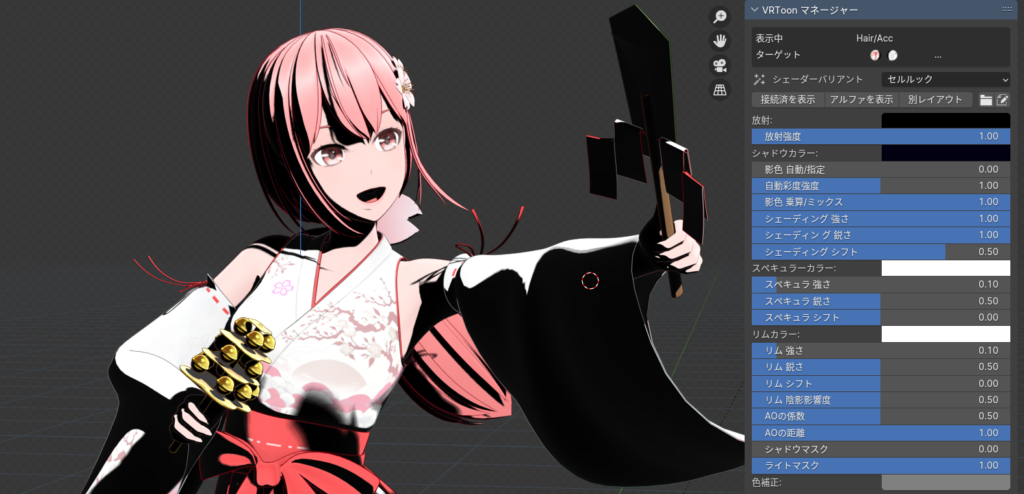
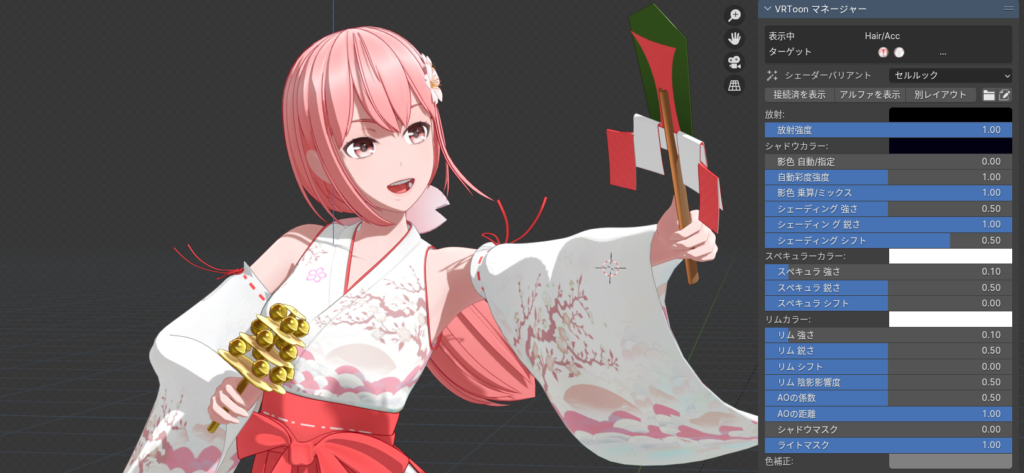
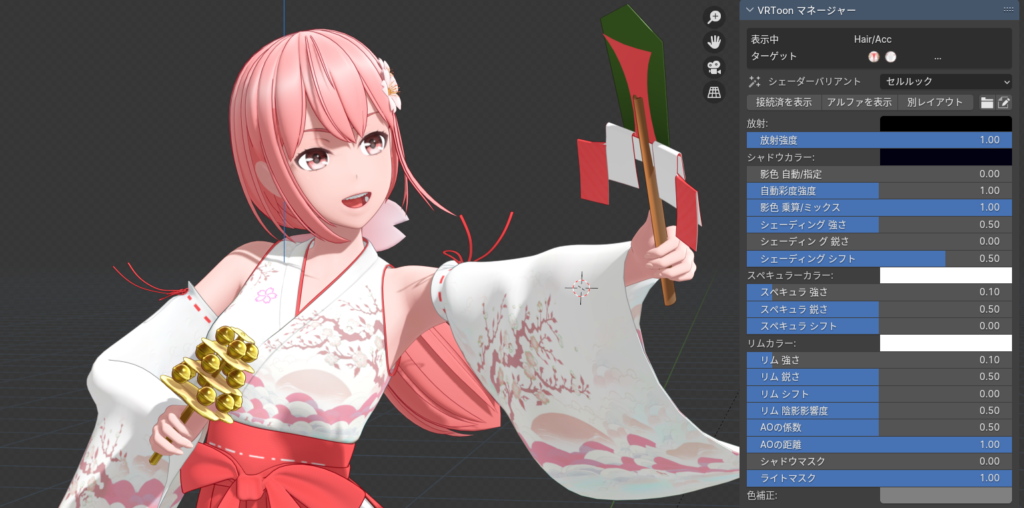
🔥🔥🔥The Ultimate NPR Shading Solution for Blender🔥🔥🔥
Highly customizable, batch control, high quality anime-looking in a few seconds!
Unleashing Blender Eevee’s potential, this add-on brings state-of-art NPR shaders with insanely advanced Shader Manager UI.
Let’s create best anime-looking characters and scenes with minimum effort!😍😍😍
| * VRToon Shader Manager V2 is hugely upgraded from the former “VRToon Shader” add-on. It is now considered a completely new product, standing on its own * |
Key Features
- Cel Look and Semi Real VRToon Shaders:
- This add-on comes with 2 highly customizable NPR Shaders, covers different needs. And you can switch between shaders in a blink of time.
- Parametric, Productive, Flexible :
- Default shaders generates NPR results parametrically, produces best looking with great flexibility.
- Extremely easy to Set-up:
- With the VRToon Shader Manager, just 1 click to setup the shader for your entire model.
- Rapid tweaking:
- The VRToon Manager allows you to tweak shading parameters on entire model at once.
- Put your own shaders in:
- The VRToon Manager can handle any shader, as long as it is a Node Group.
- Advanced outline generator:
- You can add advanced, beautiful outline to your model easily with VRToon Manager.
Original character “Sakura Haru” – Rendered with VRToon Cel-Look
Original character “Ryoka F Wendel V2” – Rendered with VRToon Cel-Look. Using some settings for hard surfaces and emission effects.
Suzanne – Rendered with VRToon Cel-Look. Explicit Specular and Rim light effects.
For more information, please refer the online documents:
Change Log
– 2025/12/05: v2.3.7
– Outline:
– Fixed issue which cause error on adding outline on Blender 5.0 or later.
– The issue was caused by change on driver behavior in Blender 5.0.
– 2025/10/19: v2.3.6
– Outline:
– Fixed issue which cause error on curvature calculation:
– Zero area faces/vertices linked to zero length edges
– Brightness for outline color generation from texture changed to 0.20 (from 0.5).
– This change makes outline color more visible on sRGB color space.
– Core:
– Fixed issue when changing shader variant sometimes loses links from other nodes to the VRToon node group.
– Shader:
– Fixed issue on Cel Look shader (4.2.0) where normal map was not working.
– General:
– Blender 5.0 compatibility has been confirmed.
– 2025/08/11: v2.3.5
– Outline:
– Fixed issue which cause errors on curvature calculation:
– Object contains orphan vertices
– Object contains no geometry
– 2025/02/28: v2.3.4
– Manager:
– Improved object targeting algorithm for better consistency.
– When a material that has a disabled link to the VRToon node group is active, the link will be displayed in a grayed-out state on the panel.
– This change improves the consistency of the display layout.
– Outline:
– Add Outline operator now has “Render Method” and “Use AOV” options.
– Render Method:
– Blended: The outline will be rendered by alpha blending. Use it for base materials with transparent parts.
– Dithered: The outline will be rendered by dithering. This is necessary for use AOV or cryptomatte in the compositor.
– Use AOV:
– When enabled, the outline material will have AOV output (which can be used in the compositor). You can specify AOV name on the operator panel.
– Convert outline for mmd_tools now has “Process hidden objects” option (default:True).
– When enabled and the active object is an armature, it will process all objects within the model including hidden ones.
– Convert to VRToon:
– Fixed bug where the operator was targeting VRToon Outline materials.
– Core:
– Improved material targeting code for better performance and consistency.
– General:
– Minor UI improvements.
– 2024/12/10: v2.3.3
– Outline: Improved curvature calculation for better outline thickness.
– Removed “Sample Method” and “Distance Factor” options from curvature calculation.
– Added “Median” option for curvature calculation. This value represents the thickness value on flat surfaces.
– Added “Sharp Scale” option for curvature calculation. This parameter is used for scale thickness values on vertices which belong to sharp edges.
– Added “Scale by Size” option for curvature calculation. This parameter is used for scale thickness values on vertices by the size of their connecting faces.
– This operator is now callable from the Weight Paint context menu.
– 2024/11/26: v2.3.2
– Core: Improved core codes for better performance and stability.
– Save/Load Manager Parameters: Rewrited to fix bugs that prevents loading parameters correctly.
– 2024/11/21: v2.3.1
– General: Aded blender_manifest.toml for working as an Extension.
– Manager: Added `Shading Preset` feature.
– You can now save and load the all material parameters within the workspace as a preset.
– When saving a preset, it saves all material parameters and node_trees within the workspace.
– When loading a preset, it restores material parameters and node_trees, but only on existing materials (match by name).
– This feature is still experimental and may have some issues.
– Core:
– Fixed an issue where the addon removes all duplicated node trees when loading VRToon node groups. It now removes only the duplicated node trees that are just loaded from the addon file.
– Refactored register/unregister functions on all modules for better adaption as an Extension.
– Outline:
– Disabling `Allow Outline` on object now removes outline on it.
– Add/Update Outline:
– default value of thickness `Minimum` changed to 0.2.
– Added `Maximum` thickness parameter.
– 2024/11/14: v.2.3.0
– Added blender_manifest.toml for working as an Extension.
– Core: Improved node link preservation on shader variant switching and shader update.
– It now preserves all links that are connected to the VRToon node group.
– Links are identified by the socket name, so it is recommended to use the same socket name for the same purpose.
– Core: Fixed an issue where the manager panel is not updated when switching shader variants.
– Shader:
– Added Unlit shader variant.
– It is a very simple shader that doesn’t react to light.
– Useful for texture paint or review diffuse textures.
– Added MatCap shader variant.
– It is a shader that produces procedural MatCap effect.
– Useful for reviewing models shape and form.
– Added PBR shader variant.
– It is a wrapper shader for Principled BSDF.
– Useful for working with PBR materials.
– Semi Real and Cel Look: Fixed handling of Normal input.
– Now it works as same as other built-in shaders.
– All Shaders: Tweaked all socket types for better usability.
– Manager: Improved panel sync. Now it updates the panel when the shader variant is switched.
– Manager: Added parameter type BOOLEAN and INT for more compatibility with Blender 4.2 or later.
– Manager: Show Alpha on parameter panel is now default to True.
– UI: Minor UI improvements.
– General: Fixed several minor bugs.
Supercharge your 3D creation workflow with premium selection of Blender Add-ons. Whether you are modeling intricate characters, sculpting realistic environments, or animating cinematic sequences, the right add-on can transform how you work inside Blender. Our curated collection includes powerful tools for UV unwrapping, procedural texture generation, rigging automation, rendering optimization, and more—each rigorously tested for compatibility with the latest Blender versions. Eliminate tedious manual processes and unlock advanced functionality that lets you focus on what matters most: bringing your creative vision to life. Explore our full range of professional Blender plugins today and take your 3D projects to the next level.
➡️ ➡️ For more Blender Plugins 😀 😀
Reviews
There are no reviews yet.