
Wireframe Color Tools for Blender
wireframe color tools addon
Wireframe Color Tools for Blender – Advanced Wireframe Styling & Material Management
Download Wireframe Color Tools for Blender on Windows, Mac, and Linux, a powerful add-on that gives you complete control over wireframe colors, materials, and display settings. Perfect for technical illustrators, architects, and 3D artists who need customizable wireframe overlays for presentations, blueprints, and technical visualizations .
Key Features of Wireframe Color Tools:
- Wireframe Color Control: Adjust wireframe color independently from object materials
- Material Override: Apply temporary wireframe materials without affecting final render
- Edge Highlighting: Highlight specific edges with custom colors and thickness
- Gradient Wireframes: Apply color gradients along edge loops
- Wireframe Presets: Save and load wireframe style configurations
- Render Control: Render wireframes as overlays or separate passes
- Batch Apply: Apply wireframe styles to multiple objects
- Real-Time Preview: See wireframe updates instantly in the viewport
Perfect For:
- Technical illustrators preparing presentation materials
- Architects creating blueprint-style visualizations
- 3D artists adding wireframe overlays to renders
- Game developers debugging mesh topology
- Anyone needing customizable wireframe styling
System Requirements:
- Blender 3.6, 4.0, 4.1, 4.2, 4.3
- Windows 10/11 (64-bit), macOS, or Linux
- 4GB RAM minimum (8GB+ recommended)
- 5MB available disk space
Installation:
- Download the add-on zip file
- In Blender, go to Edit > Preferences > Add-ons
- Click “Install” and select the downloaded zip file
- Enable the add-on by checking the box next to “Wireframe Color Tools”
Note: Wireframe Color Tools provides advanced wireframe styling for Blender, giving you complete control over wireframe colors, materials, and display settings . The gradient wireframes and preset system make it essential for technical illustrators, architects, and 3D artists . Designed for Blender 3.6 and above . Perfect for technical visualization . Essential for wireframe styling .
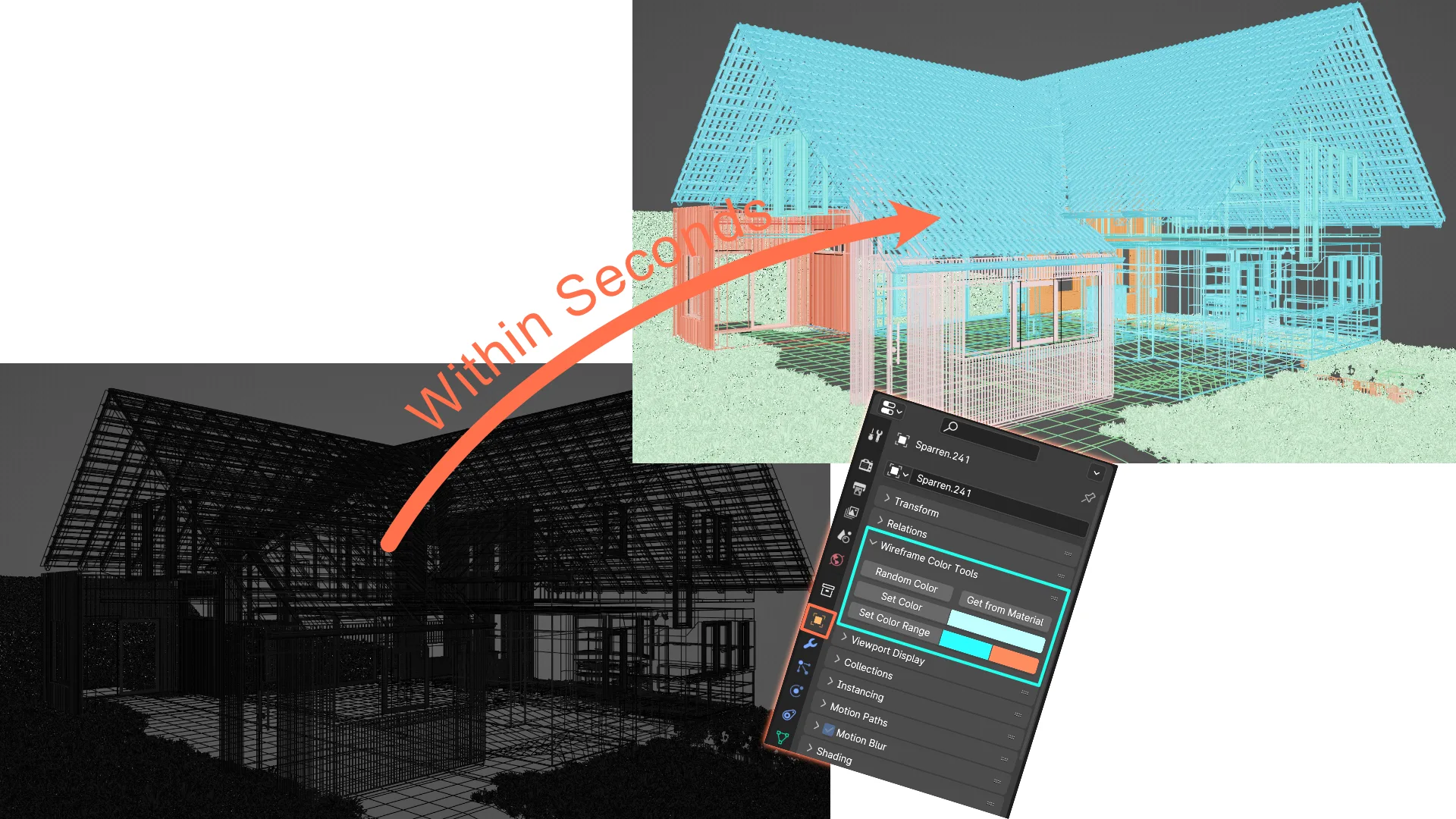
This addon makes it really easy to turn messy viewports caused by overlapping wire frames into clearly readable ones.
This set of tools makes use of object colors. Be sure to set your viewport shading up to display object colors. Otherwise you will to see the addons effect. There are two images attached demonstrating how to do this in wireframe and solid mode.
Features: Set Color: Set the object color of multiple objects at once
Set Color Range: Set your objects to a range of colors of your choice
Random Color: Sets your selected objects to a random object color
Get from Material: Sets your selected objects to the color of the objects materials viewport color
Supercharge your 3D creation workflow with premium selection of Blender Add-ons. Whether you are modeling intricate characters, sculpting realistic environments, or animating cinematic sequences, the right add-on can transform how you work inside Blender. Our curated collection includes powerful tools for UV unwrapping, procedural texture generation, rigging automation, rendering optimization, and more—each rigorously tested for compatibility with the latest Blender versions. Eliminate tedious manual processes and unlock advanced functionality that lets you focus on what matters most: bringing your creative vision to life. Explore our full range of professional Blender plugins today and take your 3D projects to the next level.
➡️ ➡️ For more Blender Plugins 😀 😀
Reviews
There are no reviews yet.