
X Pose Picker for Blender
X-Pose Picker v4.1 for Blender
The Ultimate Universal Control System for Rigs and Animation
Download X-Pose Picker v4.1 today. Consequently, you can replace complex bone selection workflows with a clean, visual interface that dramatically speeds up character posing and animation. Because professional animation requires efficient rig control, having access to a tool that streamlines selection and posing is absolutely essential. Nevertheless, navigating Blender’s outliner or viewport to find specific bones can break creative flow. Fortunately, X-Pose Picker eliminates this frustration entirely. Moreover, v4.1 continues the tool’s evolution as part of the Epic MegaGrants program, bringing enhanced stability and performance improvements . In short, you can focus on creativity rather than technical navigation.
Universal Rig Compatibility and Workflow
The foundation of this addon lies in its remarkable versatility across different rigging systems. For instance, X-Pose Picker works with any rig, including Rigify, Auto-Rig Pro, Blenrig, Mixamo, and custom setups . Furthermore, v4.0 introduced full support with x-mirror for new Rigify, making it even more powerful for character work . Since the tool is designed as a universal, multi-platform solution, it adapts seamlessly to your existing pipeline.
Core Features for Animation Efficiency
X-Pose Picker is packed with features designed to accelerate your workflow. For example, you can create multiple tab projects and combine layouts from different projects using additional tab functionality . Additionally, the powerful single-click x-mirror function allows you to quickly mirror poses across your character, saving significant time during animation. The tool also includes full SVG custom button shape support, allowing you to create highly personalized and visually intuitive interfaces .
Advanced Customization and Scripting
Professional animators demand flexibility and control. Therefore, X-Pose Picker includes extensive customization options. For instance, you can use the namespace logic for better selection control when handling multiple characters and complex scenes . Moreover, the script hosting execution and embedded simple Python script editor allow you to create custom automation and extend the tool’s functionality . You can even use the self.pickerNamespace variable in your scripting to use identical script code across all picker tabs .
Smart Workflow Enhancements
The addon includes intelligent features that improve your overall experience. For instance, the auto-focus functionality automatically focuses on the host application, and the auto-move mouse cursor feature makes multi-screen configurations effortless . Additionally, you can trigger scripts automatically on active tab changes, ensuring your custom tools are always ready when you need them .
Future-Proof Compatibility
X-Pose Picker is actively maintained and updated for modern Blender versions. The developer has confirmed that all k44dev software apps, including X-Pose Picker, will receive Blender 5.0 support to accommodate API changes related to bones and armatures . Furthermore, the development team is working on enhanced window controls and improved stability in upcoming releases. Thus, you can invest in this tool with confidence, knowing it will continue to evolve with Blender.
Perfect for Animators and Riggers
This addon is particularly well-suited for character animators who need to speed up their posing and animation workflow. Similarly, riggers can create custom pickers for their characters, making them more accessible for animators. Additionally, studios working with multiple characters will benefit from the universal compatibility and easy picker reuse. Ultimately, X-Pose Picker accelerates your entire animation pipeline.
System Requirements and Compatibility
X-Pose Picker supports Blender versions 2.83 through 4.3, with upcoming compatibility for Blender 5.0 . The addon is available for Windows x86_64, macOS (M processors only), and Linux platforms . You will need a standard workstation with at least 8GB of RAM.
Installation and Usage Guide
To install, first download the ZIP file from your library. Next, open Blender and navigate to Edit Preferences. Then, select Add-ons and click Install. For Blender 4.1 and above, use the “Install from Disk” option from the dropdown menu. After that, locate and select the downloaded ZIP file, then enable the X-Pose Picker addon. Finally, access the tool from the 3D viewport sidebar, create or load a picker layout for your rig, and begin controlling your character instantly.
Final Thoughts on the Addon
Effortless visual rig control evokes profound creative freedom. Therefore, this addon provides the ultimate foundation for your animation workflows. You can pose and animate characters with unprecedented speed and simplicity. Consequently, your animation vision becomes a stunning reality.
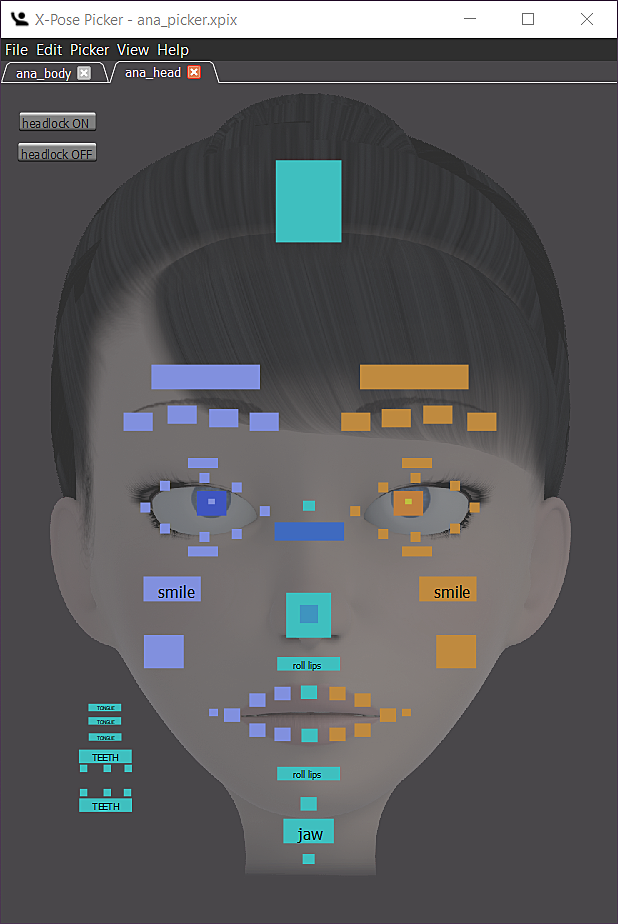
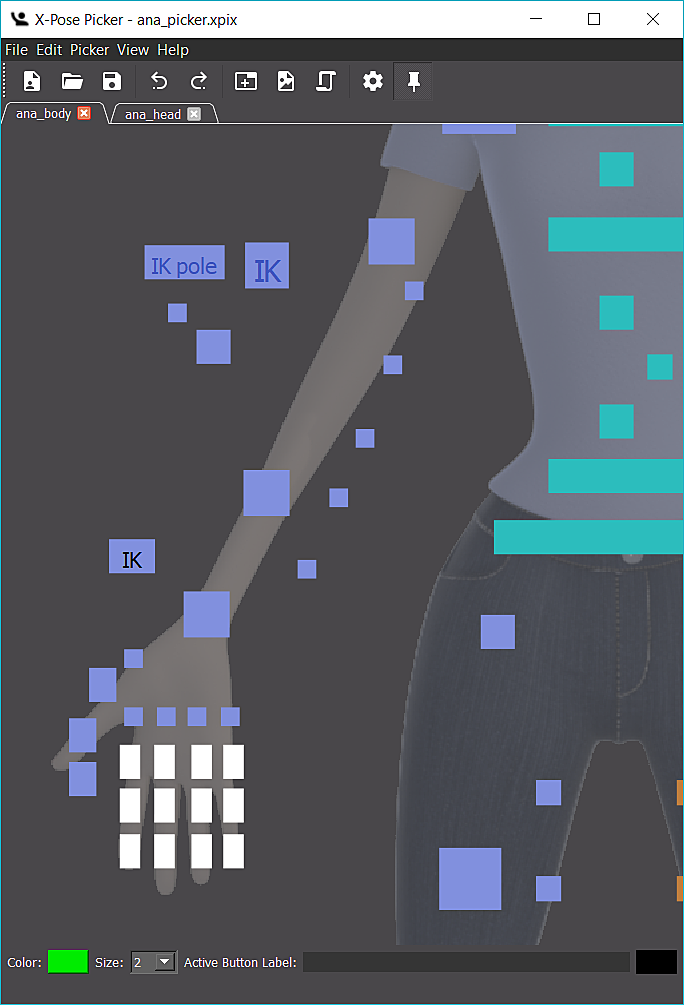
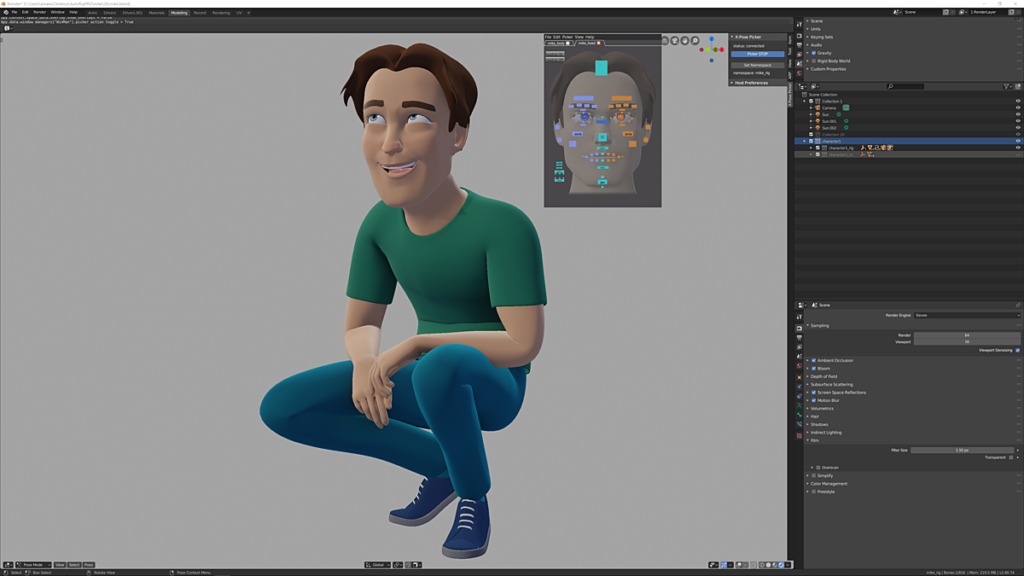
X-Pose Picker is designed as a universal, multi-platform tool for riggers and animators. It is a way to select things and control things inside of Blender and other supported software. just like it’s used in professional studios. With X-Pose Picker you’re able to create layouts and control your character easier and faster than ever before. Add-on lets you focus on the design, creativity and to significantly speed up the workflow with extremal learning curve.
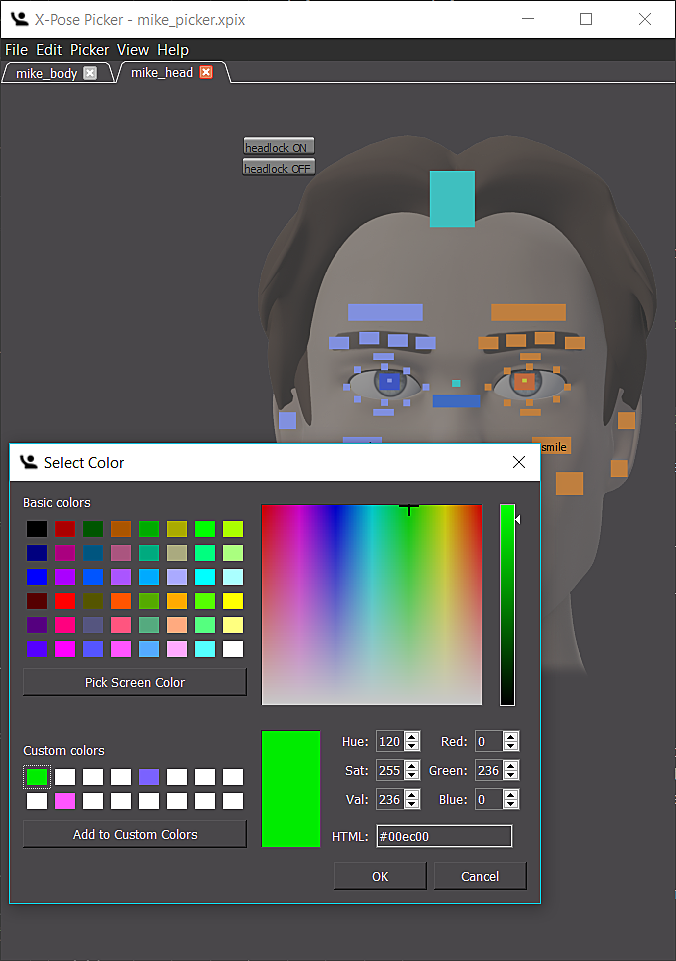
Mike and Anna body and head *.xpix pickers included! Download Mike (by Artell), free character rigged with Auto-Rig Pro here and check out its capabilities. (X-Pose Picker installation required).
X-Pose Picker is now part of #EpicMegaGrants program.
With X-Pose Picker add-on purchase some exclusive materials and services are provided:
- X-Pose Picker Blender add-on download access for all available platforms: Mac, Linux and Windows PC
- access to the documentation, templates, examples and tutorials
- easy integration with multiple 3D Software making your picker universal, favorite tool
- Product lifetime Support and Updates
Main X-Pose Picker features:
- simple but flexible *.xpix file format based on open source software solutions
- powerful, single click x-mirror feature
- works with any rig (Rigify, Auto-Rig Pro, Blenrig5, Mixamo, others including custom rigs)
- full svg custom button shapes support
- copy, paste buttons also between tabs
- undo, redo to make errors more forgivable
- tabs duplication
- custom keymap
- three button types with update function
- namespace logic for better selection control and work on multiple characters and complex scenes
- script host execution and embed simple python script editor
- multiple tab projects
- append tab feature allows composition of layouts from different projects
- highly customizable window layout
- powerful viewport navigation tools
- z-order option for advanced layout creation
- buttons alignment and distribution tools
- cross-platform
- easily reusable pickers for other characters
- easy to integrate with existing 3d software
- left or right mouse button selection
- auto-focus on host application and auto-move mouse cursor allowing to work on multi-screen configuration with ease
- generic rig layout templates
- drag’n’drop for xpix project files, backgrounds and svg button shapes
- automatic script triggering on active tab change.
- at last but not least, can be used as an extra tool for custom UI getting all useful options organized in one place
The purpose of the X-Pose Picker is to provide set of tools allowing to create picking layouts, interfaces for selection and controlling characters and 3d objects at maximum fidelity. Highly customizable and easy in use at same time is perfect tool not only for professionals but also ones who’s just started their experience with 3D graphics and animation.
Main motivation is to make X-Pose Picker the tool of choice for riggers and animators on daily basis. That’s why it’s designed as a multi-platform program, equipped in simplified python script editor and easy to implement host server, which gives possibility in the future to use it in 3D Software like Maya, Unreal Engine or Unity by writing extensions. Easy to share *.xpix file format has been designed with teamwork in mind. This allows studios to improve their production pipeline from rigging to animating their CG characters.
Clean up your viewport!
Change this…
…into this!
Flexible Interface
Play with Picker’s User Interface. Name and organize Tabs, hide window frame and clean your workspace from menus.
Be precise and fast like a laser!
Thanks to alignment tools all of your pickers will always look great, with no additional effort from your side.
Button overshadowed by its neighbor? Bring it to the top with no struggle.
Use X-Mirror, be smart.
Don’t waste your time on repetitive tasks! Use X-Mirror, be smart! With various available tools for pasting your work will be easy and fast.
Unleash the power of scripting!
execute Blender script snippets with picker’s interface.
Supercharge your 3D creation workflow with premium selection of Blender Add-ons. Whether you are modeling intricate characters, sculpting realistic environments, or animating cinematic sequences, the right add-on can transform how you work inside Blender. Our curated collection includes powerful tools for UV unwrapping, procedural texture generation, rigging automation, rendering optimization, and more—each rigorously tested for compatibility with the latest Blender versions. Eliminate tedious manual processes and unlock advanced functionality that lets you focus on what matters most: bringing your creative vision to life. Explore our full range of professional Blender plugins today and take your 3D projects to the next level.
➡️ ➡️ For more Blender Plugins 😀 😀
Reviews
There are no reviews yet.