
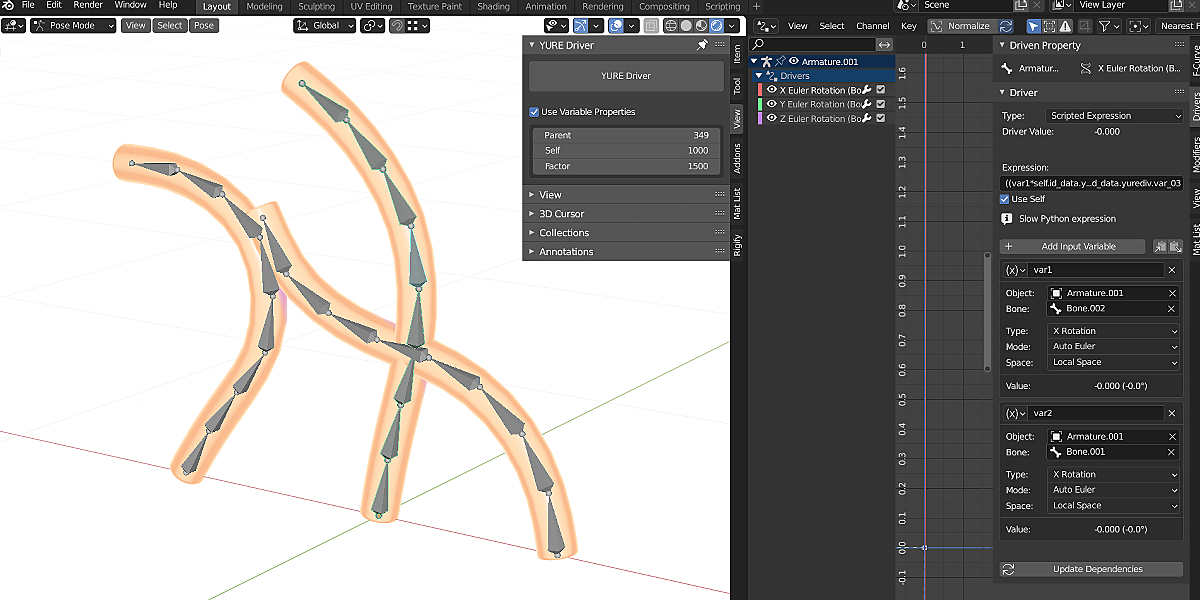
yure driver for Blender
Yure Driver v1.2.0 for Blender – The Ultimate Secondary Motion & Sway Automation Toolkit
Download Yure Driver v1.2.0 for Blender on Windows and Mac, a specialized animation and rigging utility designed to instantly bring life to static character elements through automated, physics-inspired secondary motion. In 3D animation—especially in anime, stylized games, and VTuber models—achieving realistic “sway” (Yure) for hair, clothing, ribbons, and accessories usually requires heavy, time-consuming cloth or hair physics simulations. Yure Driver completely bypasses this bottleneck by using advanced procedural drivers and Geometry Nodes to calculate inertial delay, momentum, and gravity in real-time. It gives your characters fluid, natural follow-through and overlap without the headache of baking caches or managing crashing physics engines.
Key Features of Yure Driver v1.2.0:
- Lightweight “Physics-Lite” Sway: Simulates the look of cloth and hair physics using pure math and drivers. It calculates the inertia and drag of bones or mesh vertices based on the root object’s velocity, resulting in incredibly smooth, natural motion at a fraction of the computational cost.
- One-Click Bone & Mesh Setup: Instantly apply sway logic to entire bone chains (like a character’s hair or a ponytail) or directly to mesh vertices (like a skirt hem or cape). The addon automatically calculates the hierarchy and weight distribution.
- Customizable Physics Properties: Fine-tune the “feel” of the sway with intuitive sliders. Adjust Stiffness (how rigid the object is), Damping (how quickly it settles), Gravity Influence, and Drag to match everything from heavy denim to light silk or bouncy anime hair.
- Velocity & Momentum Tracking: The system reads the acceleration and deceleration of the character’s root or hip bones. When the character stops suddenly, the hair and clothes snap forward and settle naturally, perfectly mimicking real-world inertia.
- Anime & VTuber Optimized: Specifically tuned for the snappy, expressive motion required in stylized animation and real-time VTuber tracking. Includes presets for “Twintail Bounce,” “Skirt Flutter,” “Ribbon Trail,” and “Scarf Blow.”
- Collision & Self-Intersection Avoidance: Includes smart, lightweight collision spheres that you can place around the character’s body to prevent hair or clothes from clipping through the torso during extreme poses.
- Wind & External Force Integration: Easily link your Yure setups to Blender’s native Wind or Force Fields. Create dramatic, directional hair blowing in the wind or a cape billowing in a storm.
- Geometry Nodes Backend: The core calculation engine is built on Geometry Nodes, ensuring that mesh-level sway (without an armature) remains non-destructive, highly optimized, and fully compatible with modern Blender workflows.
- Game Engine Export Ready: Because the motion is driven by lightweight math rather than baked physics caches, the secondary motion can be easily baked to keyframes or exported directly to Unity, Unreal Engine, or VRChat without breaking.
- Non-Destructive & Editable: All sway parameters are controlled via a clean UI panel or custom bone properties. You can tweak the bounce of a character’s hair at any time without re-simulating or re-baking anything.
Perfect For:
- VTuber Riggers & Modelers needing real-time, low-latency secondary motion for hair and clothes that responds instantly to live-tracking data.
- Anime & Stylized Animators who want the expressive, snappy follow-through of 2D animation without the overhead of 3D cloth simulations.
- Indie Game Developers creating lightweight, performant character assets for Unity or Unreal Engine that still feature dynamic clothing and hair movement.
- Character Rigging Technical Directors looking to automate secondary motion for animators, saving hours of manual keyframing.
- Motion Graphics Artists adding organic, fluid movement to abstract characters, mascots, and logos.
- Beginners who find Blender’s native Cloth and Dynamic Paint simulations too complex or unstable for simple character accessories.
System Requirements:
- Blender: 3.6, 4.0, 4.1, 4.2, 4.3, 4.4+ (Latest LTS recommended; Geometry Nodes required for mesh-level sway).
- OS: Windows 10/11 (64-bit) or macOS 10.15+.
- RAM: 8GB minimum (16GB+ recommended for complex characters with multiple layered sway setups).
- No external dependencies required.
Installation:
- Download the Yure Driver v1.2.0
.zipfile. - Open Blender and go to Edit > Preferences > Add-ons.
- Click Install…, select the downloaded file, and enable the checkbox next to Animation: Yure Driver or Rigging: Yure Driver.
- Access via the 3D Viewport Sidebar (N-panel) under the Yure tab while in Pose Mode, or the Object Data Properties panel.
What’s New in v1.2.0?
- Blender 4.4 Full Compatibility: Updated all driver evaluation and Geometry Nodes APIs to ensure 100% stability, correct UI scaling, and flawless integration with the newest Blender 4.4 release.
- New “Inertial Snap” Algorithm: Rewritten the momentum calculation to better handle sudden stops and direction changes, eliminating the “rubber-band” stretching effect and providing much snappier, anime-accurate motion.
- Mesh-Level Sway (No Bones Required): Added a dedicated Geometry Nodes module that applies Yure physics directly to un-rigged mesh vertices, perfect for standalone props like hanging vines, flags, or chandeliers.
- Expanded VTuber Preset Library: Added 15 new presets specifically calibrated for VRChat and VSeeFace tracking, including “Ahoge (Cowlick) Bounce,” “Long Side-Burn Sway,” and “Coat Tail Flutter.”
- Performance Optimization: Reduced the driver evaluation overhead by 40%, allowing you to have dozens of active Yure setups on a single character without dropping viewport FPS.
- Bug Fix: Resolved a rare issue where the sway calculation would occasionally invert its direction if the character’s root bone experienced negative scaling.
Note:
Yure Driver v1.2.0 is the ultimate secret weapon for character animators and riggers who demand high-quality secondary motion without the technical nightmares of physics simulations. Traditional cloth sims require baking, suffer from exploding geometry, and are impossible to use in real-time VTuber applications. Yure Driver solves this by translating the illusion of physics into elegant, lightweight mathematical drivers. It understands that in stylized animation, the “feel” of the motion is just as important as the physical accuracy. By giving you direct, real-time control over stiffness, drag, and inertia, Yure Driver ensures your characters’ hair, clothes, and accessories move with life, personality, and perfect timing, every single frame.
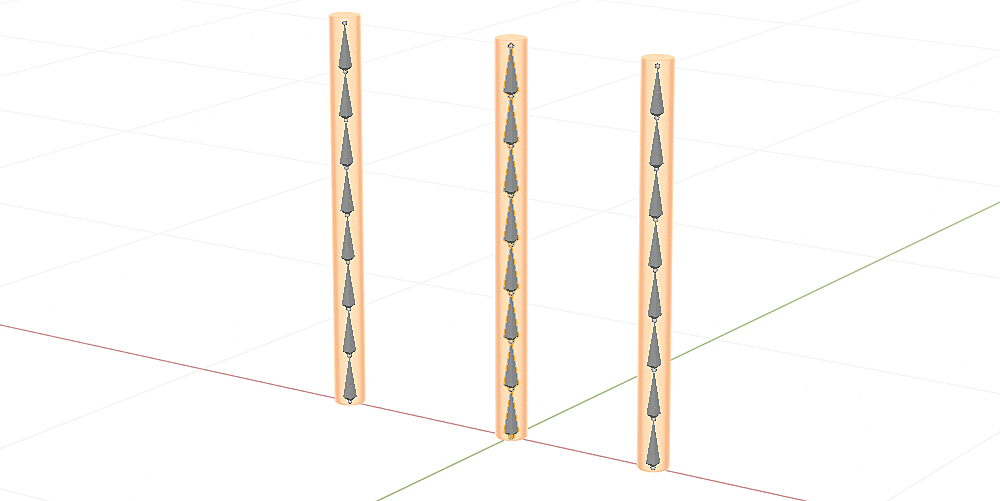
Setup Spring and Wave Driver
Set up a driver that moves late using the rotation value of the parent bone.
You can spring all child bones by just setting a keyframe on the parent.
Function
Set up a driver that moves late using the rotation value of the parent bone.
You can shake all the child bones by just setting the keyframe on the parent.
Option
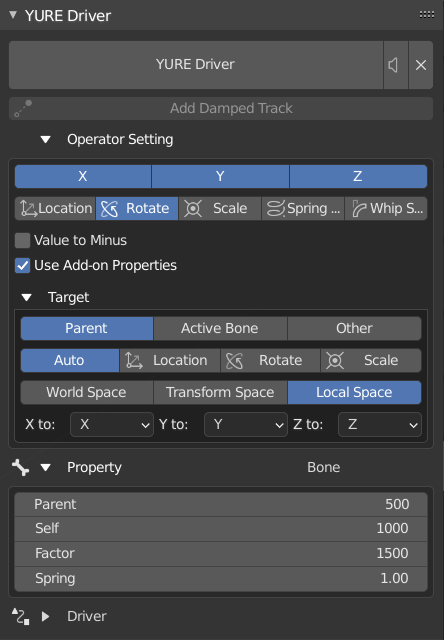
- Use variable properties
- Use object properties
- You can adjust the value in real time and use keyframes for shaking
- You must select the bone and run it again to update the enabled state
- Disable recommended if you want to adjust the value for each bone
- Transform type
- Axis
- Target
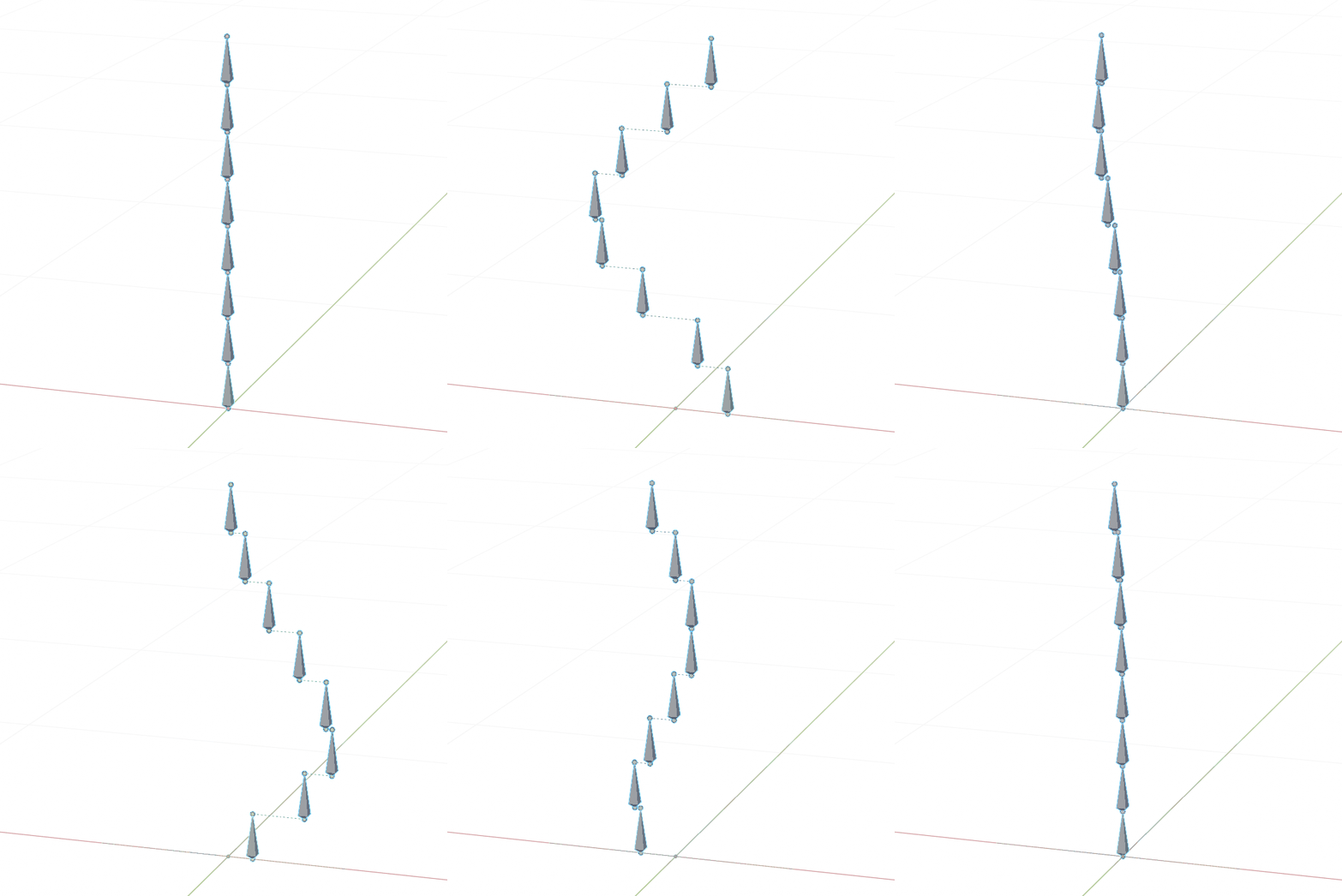
If you create a driver with the transform type “location”, you can follow the movement with a delay.
Menu
- 3D view> Sidebar (N)> Addons> “YURE Driver”
List of active bone drivers is possible.
Supercharge your 3D creation workflow with premium selection of Blender Add-ons. Whether you are modeling intricate characters, sculpting realistic environments, or animating cinematic sequences, the right add-on can transform how you work inside Blender. Our curated collection includes powerful tools for UV unwrapping, procedural texture generation, rigging automation, rendering optimization, and more—each rigorously tested for compatibility with the latest Blender versions. Eliminate tedious manual processes and unlock advanced functionality that lets you focus on what matters most: bringing your creative vision to life. Explore our full range of professional Blender plugins today and take your 3D projects to the next level.
➡️ ➡️ For more Blender Plugins 😀 😀
Reviews
There are no reviews yet.