
Zen Sets for Blender
Zen Sets v2.4.5.0 for Blender
The Ultimate Selection Sets, Vertex Group, and Scene Organization Tool
Download Zen Sets v2.4.5.0 today. Consequently, you can create, manage, and visualize native Vertex Groups, Face Maps, and custom selection sets based on Objects, Collections, and Mesh Elements with remarkable efficiency . Because complex 3D projects often involve hundreds of objects and millions of vertices, having access to an intuitive organizational system is absolutely essential. Nevertheless, Blender’s native management tools can become cumbersome when dealing with intricate hard-surface models, character topology, or UV layouts. Fortunately, Zen Sets solves this problem comprehensively. Moreover, it provides a visual color-coding system that displays your groups directly in the 3D Viewport and UV Editor, making it easy to identify and select specific regions of your model at a glance . In short, you can organize your geometry with unprecedented clarity and speed.
Core Group Management and Visualization System
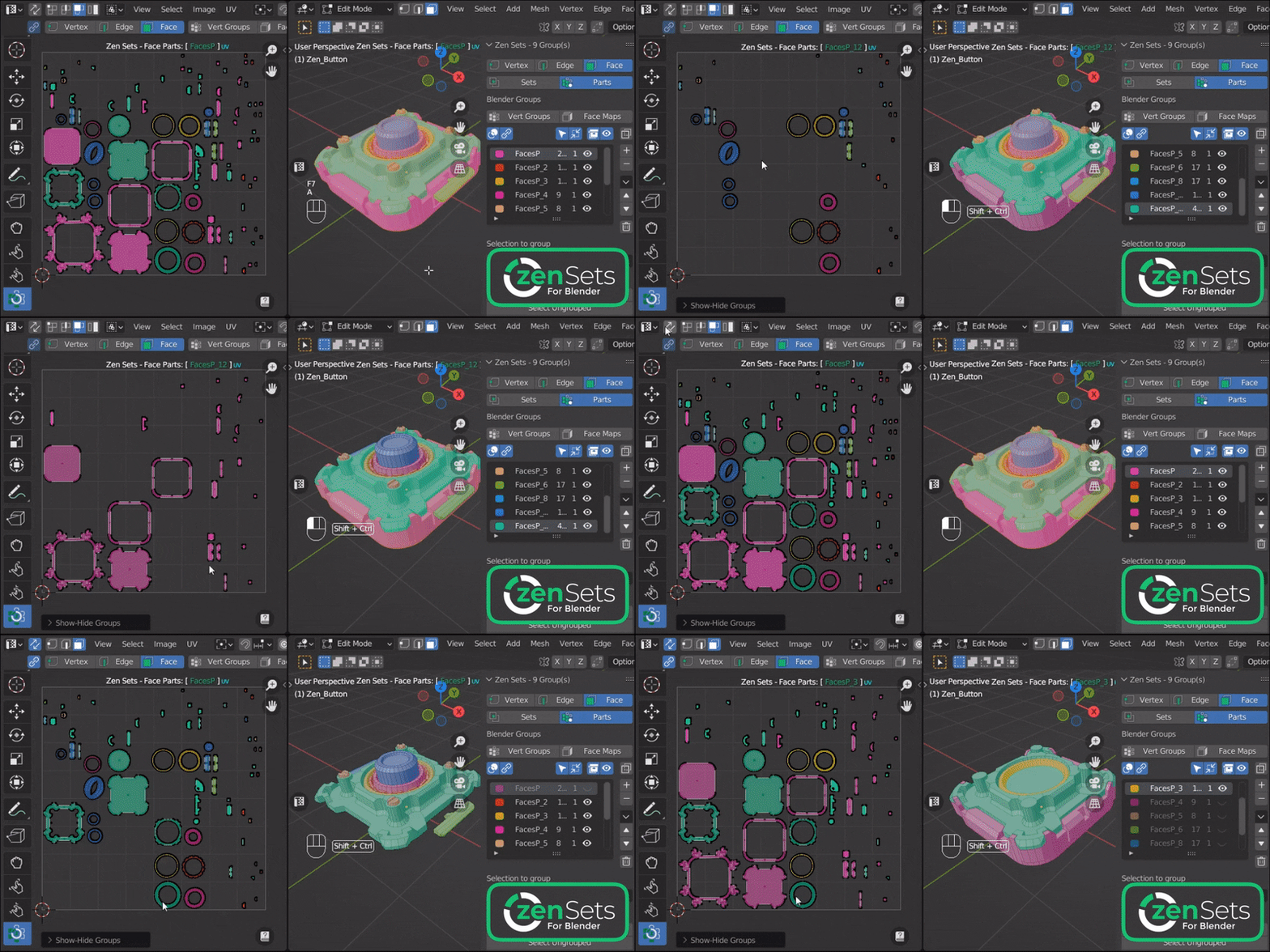
The foundation of this addon lies in its powerful dual-mode system for organizing mesh elements. For instance, the Sets Mode allows each vertex, edge, or face to belong to multiple groups simultaneously—perfect for overlapping selection sets like “Hard Surface” and “Needs UV Adjustment” . Conversely, the Parts Mode restricts each element to a single group, simulating the behavior of ZBrush Polygroups and enabling clean, non-overlapping region management . Furthermore, the visual Display System assigns distinct colors to each group, instantly revealing your model’s structure in both the viewport and UV editor . Consequently, you can navigate even the most complex meshes with confidence and precision.
Versatile Group Creation and Automation Tools
Professional workflows require intelligent automation to eliminate repetitive tasks. Therefore, Zen Sets includes a comprehensive suite of Auto Groups operators . For example, you can automatically create groups from linked faces, materials, seams, sharp edges, UV islands, or even custom conditions . This capability is invaluable for quickly organizing UV islands or preparing geometry for texturing. Additionally, the Create Objects from Groups operator divides a single mesh into separate objects based on your Zen Sets groups . Similarly, the Assign Materials to Groups operator applies materials instantly to specific regions, making complex multi-material models easy to manage . Thus, your workflow remains fluid and efficient.
Advanced Object and Collection Management
Beyond mesh editing, Zen Sets extends powerful management capabilities to Object Mode. For instance, the addon facilitates seamless conversion between Collections and Empty objects while preserving hierarchy and object positions . This feature is essential for restructuring complex scenes without breaking parent-child relationships. Moreover, you can duplicate collections with options for linked duplicates or instances, enabling efficient scene population . You can also batch rename collections and vertex groups, sort collections using Human Sort (which treats multi-digit numbers atomically), and quickly select objects that contain specific vertex groups, face maps, or modifiers . Consequently, your entire scene stays organized and manageable.
Sculpt and Modifier Integration
For sculpting and non-destructive workflows, Zen Sets provides specialized tools. For example, the Set Sculpt Mask operator allows you to isolate specific groups or selections in Sculpt Mode, perfect for detailed area work . Additionally, the Create Modifier Mask operator generates vertex group masks from your Zen Sets groups, enabling targeted modifier effects . Furthermore, the Remove Vertex Group Values tool can eliminate vertices with zero weight, cleaning up your data for export . Thus, Zen Sets integrates seamlessly across your entire pipeline.
Import/Export and Geometry Nodes Compatibility
Flexibility is key for any production tool. Therefore, Zen Sets supports full bidirectional import and export between native Vertex Groups, Face Maps, Vertex Colors, and Zen Sets groups . This ensures compatibility with other addons and external pipelines. Notably, every Zen Sets group is accessible in Blender’s Geometry Nodes through attributes, and group colors can be exposed as RGB values for advanced procedural workflows .
Perfect for Modelers, Texture Artists, and Scene Layout Specialists
This addon is particularly well-suited for hard-surface modelers and character artists who need to manage complex topology . Similarly, texture artists and UV editors will appreciate the color-coded display in the UV Editor . Additionally, scene layout specialists and technical artists will benefit from the comprehensive object and collection management features. Ultimately, Zen Sets v2.4.5.0 accelerates your entire modeling, texturing, and scene organization pipeline.
System Requirements and Compatibility
Zen Sets v2.4.5.0 supports Blender versions 2.92 through 4.4 . The addon works across all major operating systems including Windows, macOS, and Linux. You will need a standard workstation with at least 8GB of RAM, though system requirements are minimal given the addon’s efficient design.
Installation and Usage Guide
To install, first download the ZIP file from your library. Next, open Blender and navigate to Edit > Preferences > Add-ons. Then, click Install and select the downloaded ZIP file. After that, enable Zen Sets. Finally, access the addon from the N-panel in the 3D Viewport, explore the Workspace Tool and Pie Menu, and begin organizing your geometry, creating groups, and visualizing your selections with color . Thus, your professional scene organization workflow will be ready instantly.
What is Included Inside?
The pack contains the complete Zen Sets v2.4.5.0 addon . Furthermore, it includes the dual Sets and Parts modes, the visual Display System, Auto Groups operators, and full import/export capabilities. Additionally, you receive the Workspace Tool for fast switching between elements, sculpt and modifier integration, and comprehensive object and collection management features. Ultimately, you receive everything needed for professional selection set and scene organization.
Final Thoughts on the Addon
Effortless selection set management and visual organization evoke profound creative freedom. Therefore, this addon provides the ultimate foundation for your modeling and scene management workflows. You can organize complex geometry with unprecedented speed and clarity. Consequently, your organizational vision becomes a stunning reality.
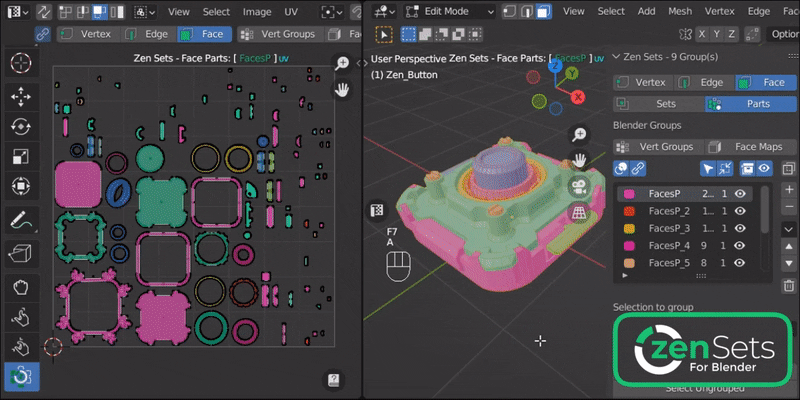
Organize, select, and visualize anything in Blender
Zen Sets turns mesh elements, objects, and collections into reusable named groups. Recall complex selections, manage large scenes, and see every group clearly in the 3D Viewport and UV Editor.
01
Save complex selections
Store vertices, edges, faces, objects, and collections as named groups you can recall at any time.
02
Control large scenes
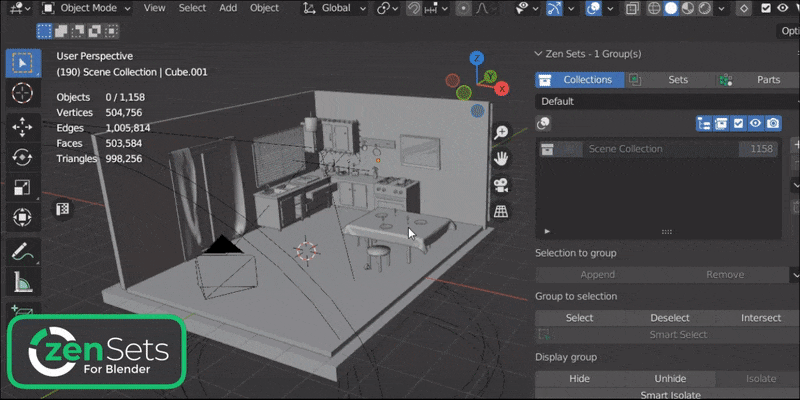
Select, hide, isolate, sort, rename, and restructure groups without fighting the Outliner.
03
Understand structure instantly
Display groups by color in the 3D Viewport and UV Editor to read complex models at a glance.
Core workflows
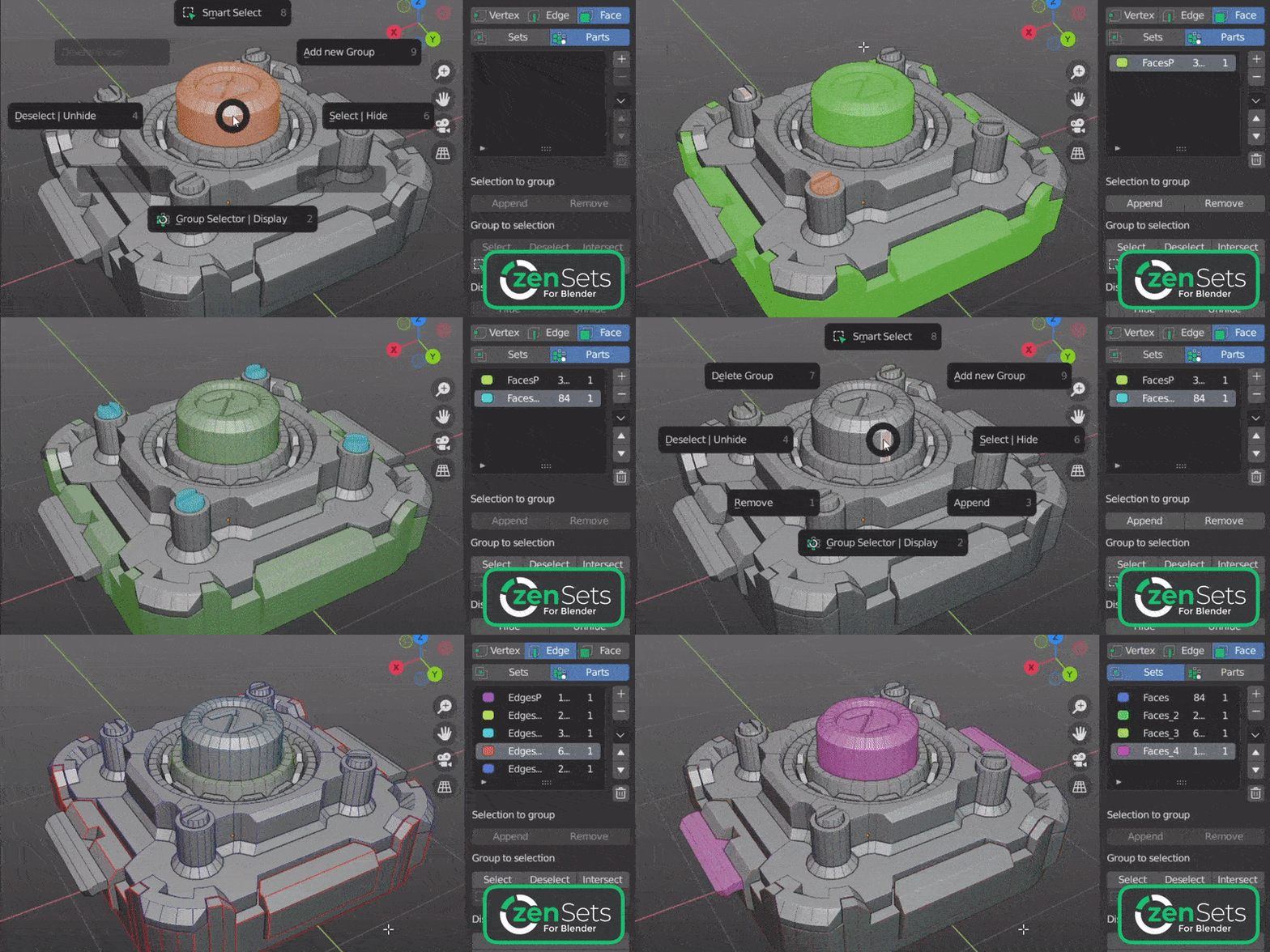
Group Selector
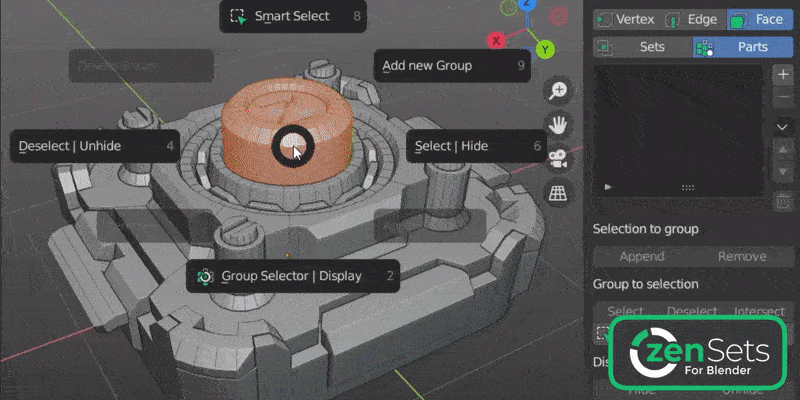
Select, hide, isolate, and switch groups directly on the model with the Workspace Tool.
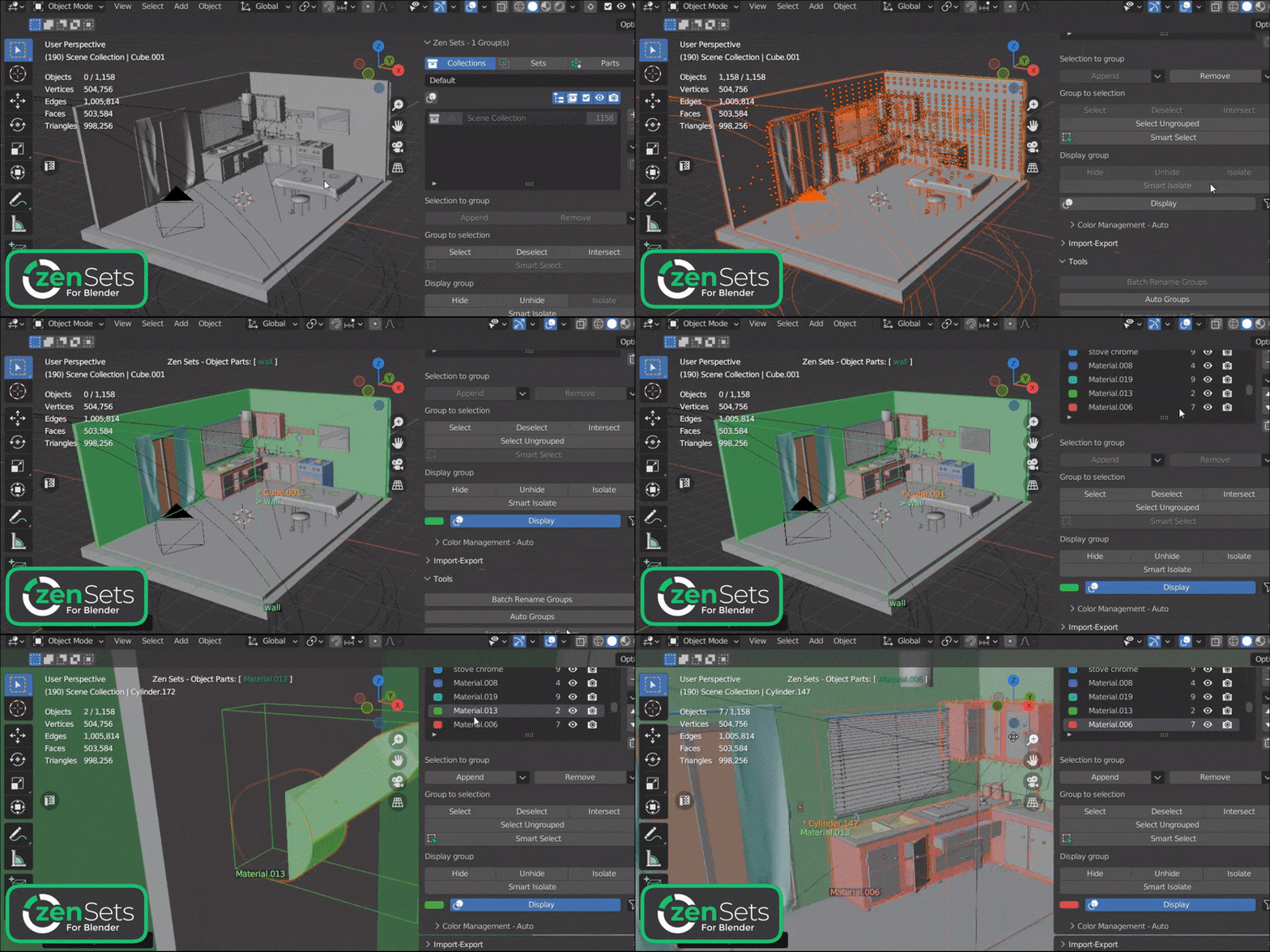
Object Groups
Organize and recall related objects without changing Blender’s native collection structure.
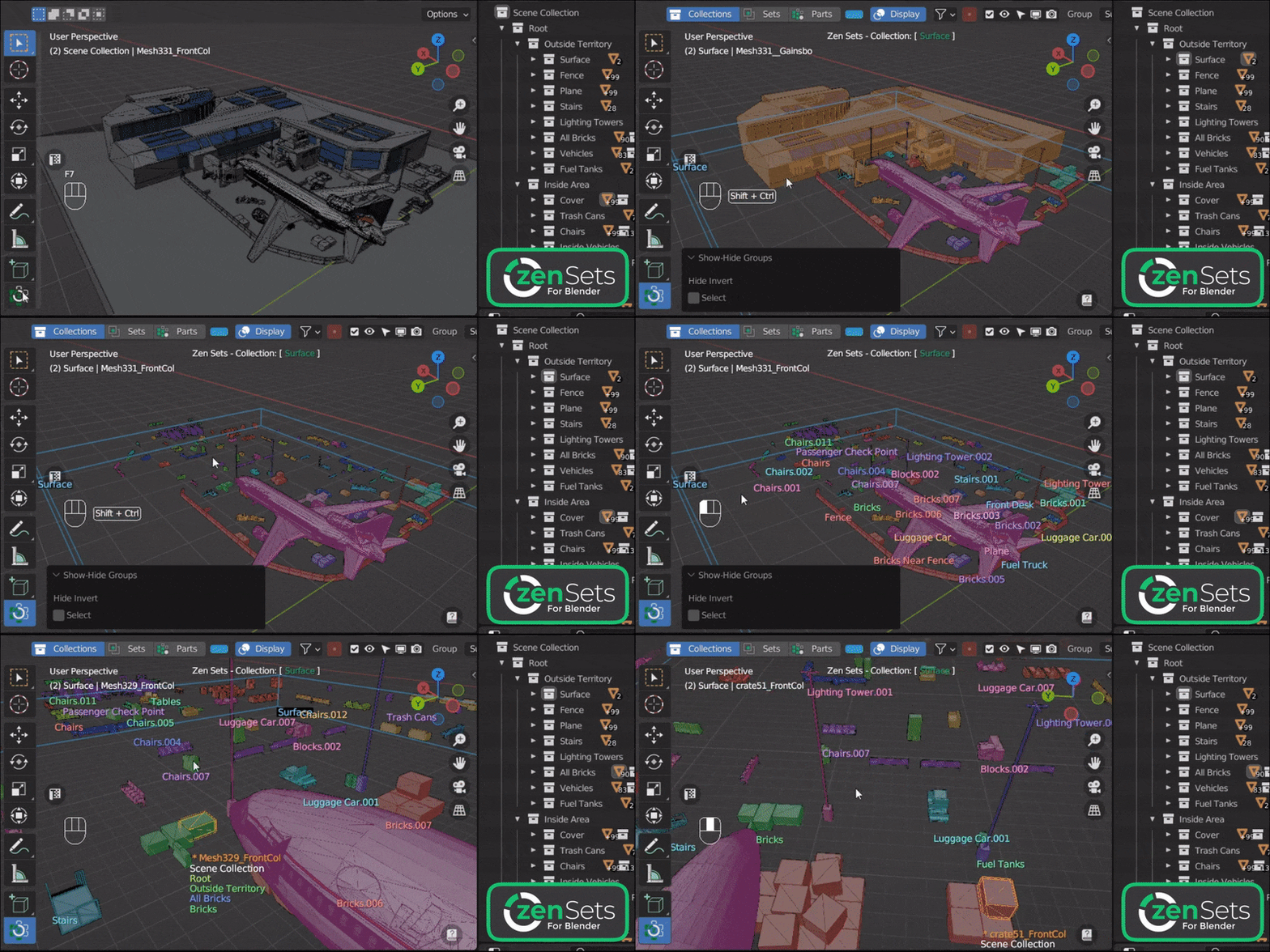
Collection Control
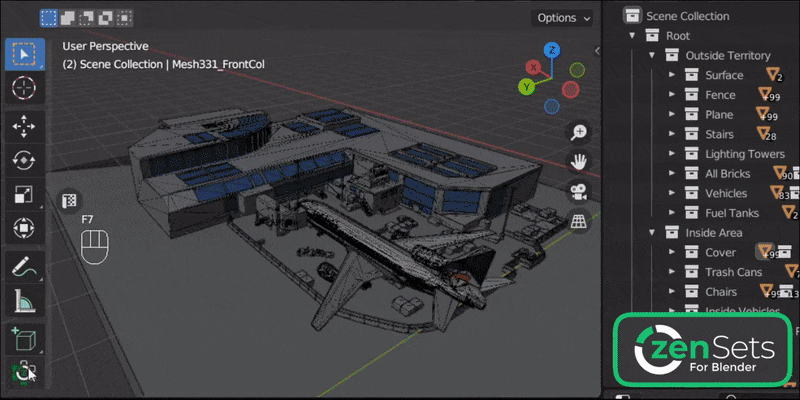
Navigate, select, hide, isolate, and manage nested collections from the 3D Viewport.
Color Display
Visualize mesh groups by color in both the 3D Viewport and UV Editor.
A complete organization toolkit
Use Zen Sets at the mesh, object, collection, and pipeline level. Feature names open the corresponding documentation.
Mesh Groups & Selection
Store selections of vertices, edges, or faces and bring them back without rebuilding them.
Sets Mode · Parts Mode · Vertex / Edge / Face Groups · Vertex Groups & Face Maps · Multi-Object Editing
Objects & Collections
Create flexible object groups or work directly with Blender collections and their hierarchies.
Collections Mode · Object Sets · Object Parts · Objects Panel · Sort Collections · Batch Rename
Display & Interaction
Read group structure visually and work from the panel, Pie Menu, or directly on the model.
N-Panel · Workspace Tool · Group Operators · UV Editor Display · Smart Select
Automation & Conversion
Build groups automatically, convert data between systems, and turn groups into useful scene structures.
Auto Groups · Create Objects from Groups · Assign Materials · Join Objects with Groups · Import / Export
Pipeline & Advanced Tools
Carry group data into procedural, sculpting, and custom production workflows.
Geometry Nodes · Sculpt Masks · Clipboard Transfer · Object / Collection Conversion · Zen Sets API
Latest Updates
See the Zen Sets 2.3 Geometry Nodes workflow, Blender integration, and other major improvements in action.
Help and resources
Explore tutorials and release notes, install Zen Sets, browse the complete manual, or get help from the support forum.
YouTube Playlist
Watch feature overviews, release videos, and workflow demonstrations.
Main Features Guide
Understand Sets, Parts, Collections, Object Groups, and the visual display system.
Full Changelog
Browse the complete history of new features, improvements, compatibility updates, and fixes.
Installation
Install or update Zen Sets and confirm that the add-on is ready in Blender.
Documentation
Browse every mode, operator, setting, and workflow in the Zen Sets manual.
Supercharge your 3D creation workflow with premium selection of Blender Add-ons. Whether you are modeling intricate characters, sculpting realistic environments, or animating cinematic sequences, the right add-on can transform how you work inside Blender. Our curated collection includes powerful tools for UV unwrapping, procedural texture generation, rigging automation, rendering optimization, and more—each rigorously tested for compatibility with the latest Blender versions. Eliminate tedious manual processes and unlock advanced functionality that lets you focus on what matters most: bringing your creative vision to life. Explore our full range of professional Blender plugins today and take your 3D projects to the next level.
➡️ ➡️ For more Blender Plugins 😀 😀
Reviews
There are no reviews yet.