
zenuvchecker for Blender
Zen UV Checker v1.4.12 for Blender
The Ultimate One-Click UV Inspection and Checker Texture Tool
Download Zen UV Checker v1.4.12 today. Consequently, you can instantly apply checker textures to your models without damaging or replacing your existing materials. Because proper UV mapping is essential for texturing and shading, having access to a fast, non-destructive inspection tool is absolutely critical. Nevertheless, setting up checker textures manually often involves creating new materials and breaking your existing shader setup. Fortunately, Zen UV Checker eliminates this problem entirely. Moreover, it provides a node-based system that overlays clear, easy-to-read checker patterns directly onto your model. In short, you can inspect UV scale, orientation, and distortion with unmatched speed and simplicity.
Instant Checker Texture Application
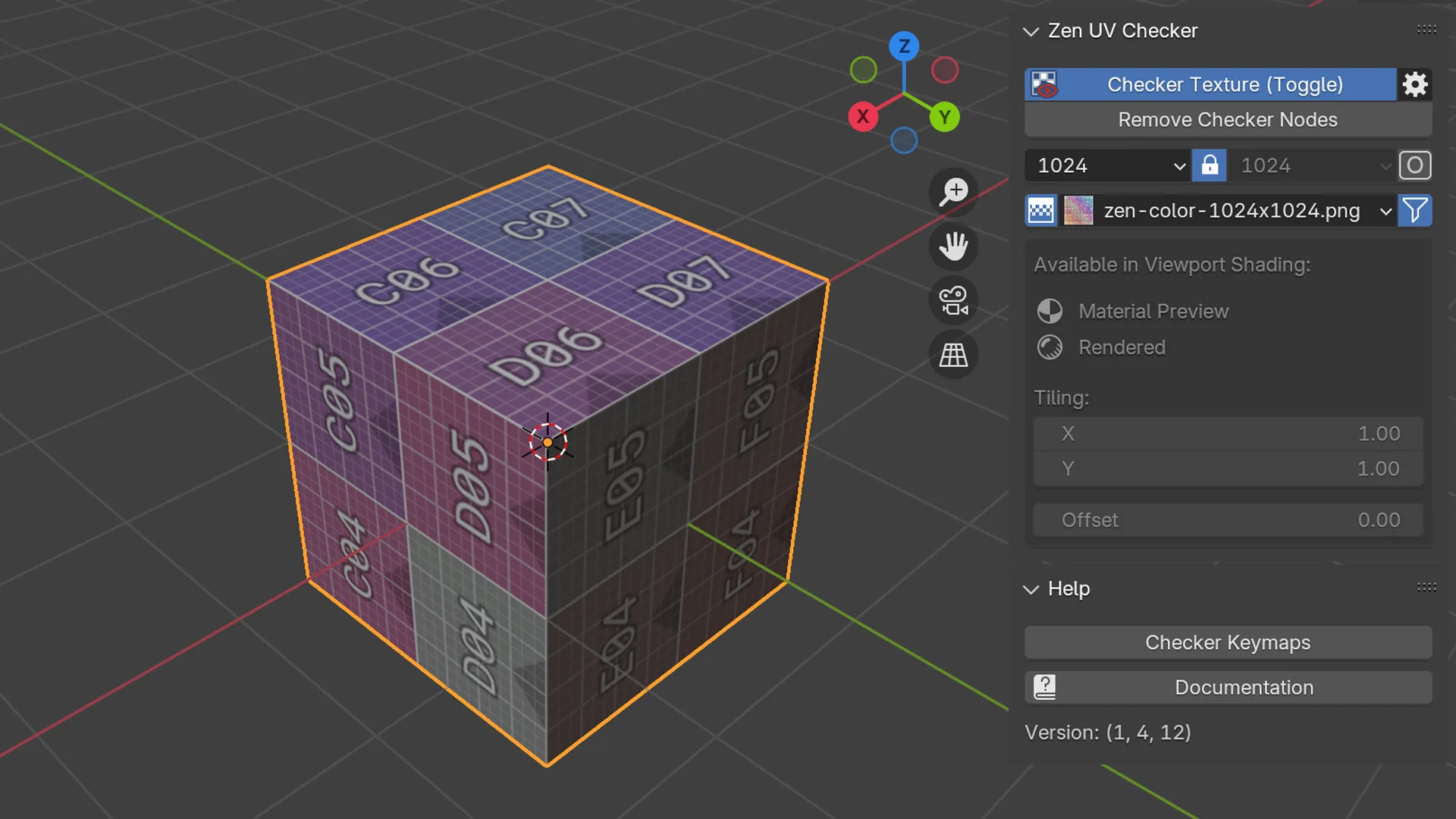
The core of this addon lies in its simple, one-click workflow. For instance, you can press the default hotkey Alt+T to apply a checker texture to your selected model instantly. Furthermore, the addon provides both color and monochrome checker patterns designed to make UV problems easy to spot at a glance. Since the entire system is built on nodes, your original materials remain completely untouched and intact. Consequently, you can quickly toggle the checker on and off without any destructive changes to your scene.
Flexible Texture Library and Customization
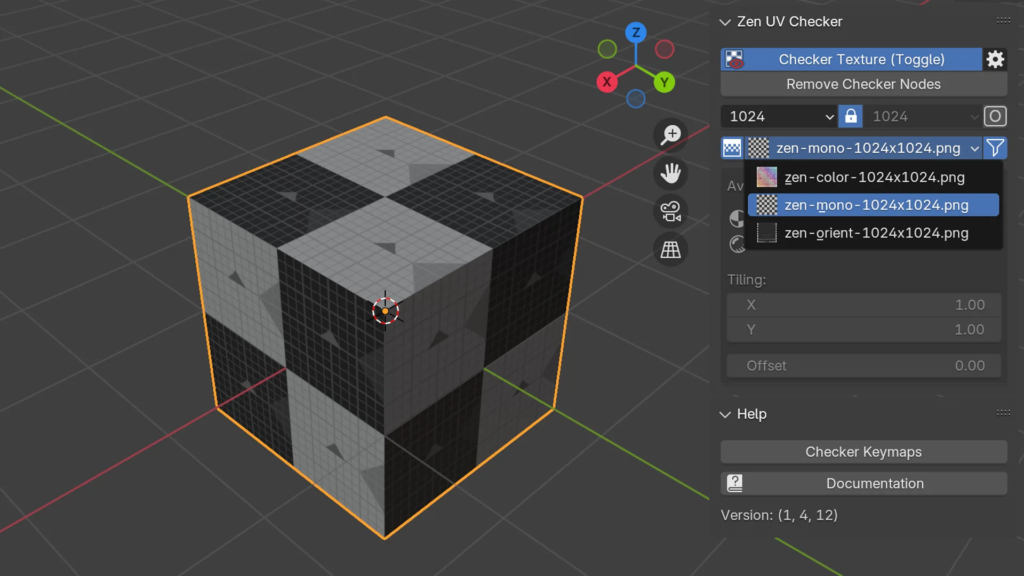
Professional artists demand control over their inspection tools. Therefore, Zen UV Checker allows you to filter existing textures by resolution, square or rectangular format, and even add your own custom checker images or entire texture libraries. This flexibility ensures you can use the exact checker pattern that best reveals distortion or stretching for your specific project. Additionally, v1.4.12 is fully compatible with the broader Zen UV ecosystem, making it a natural entry point into professional UV workflows.
Seamless Workflow and Broad Compatibility
The addon is available for free through the official Blender Extensions platform. Furthermore, it supports Blender 4.0 and above, with full compatibility confirmed for Blender 4.2 LTS. It works across all major operating systems including Windows, macOS, and Linux. You will need a standard workstation with at least 8GB of RAM, though system requirements are minimal given the addon’s lightweight nature.
Perfect for Texture Artists, Modelers, and Game Developers
This addon is particularly well-suited for texture artists who need to verify UV layout quality before painting. Similarly, 3D modelers will appreciate the ability to quickly spot stretching or distorted UV shells. Additionally, game developers optimizing assets will find the tool invaluable for maintaining consistent texel density across their projects. Ultimately, Zen UV Checker accelerates your entire UV inspection and texturing pipeline.
Installation and Usage Guide
To install, first open Blender and navigate to Edit > Preferences > Add-ons. Next, click the arrow in the top right corner and select “Install from Disk.” Then, locate and select the downloaded ZIP file, and enable the Zen UV Checker addon. Finally, select your model, press Alt+T to apply a checker texture, and use the panel to switch between different patterns, adjust resolution, or load your own textures. To remove the checker, simply press Alt+T again or use the clear option in the panel. Thus, your professional UV inspection workflow will be ready instantly.
What is Included Inside?
The pack contains the complete Zen UV Checker v1.4.12 addon. Furthermore, it includes the node-based checker system, built-in color and monochrome patterns, and texture filtering by resolution and format. Additionally, you receive full compatibility with Blender 4.0+ and the ability to add custom texture libraries. Ultimately, you receive everything needed for professional, non-destructive UV inspection.
Final Thoughts on the Addon
Effortless one-click UV inspection evokes profound creative freedom. Therefore, this addon provides the ultimate foundation for your UV mapping and texturing workflows. You can detect UV issues with unprecedented speed and simplicity. Consequently, your UV inspection vision becomes a stunning reality.
Set Checker Texure in one Click! (Default Shortcut – Alt+T)
Node-Based System. Apply Checker textures to the model without ruining existing and adding new materials.
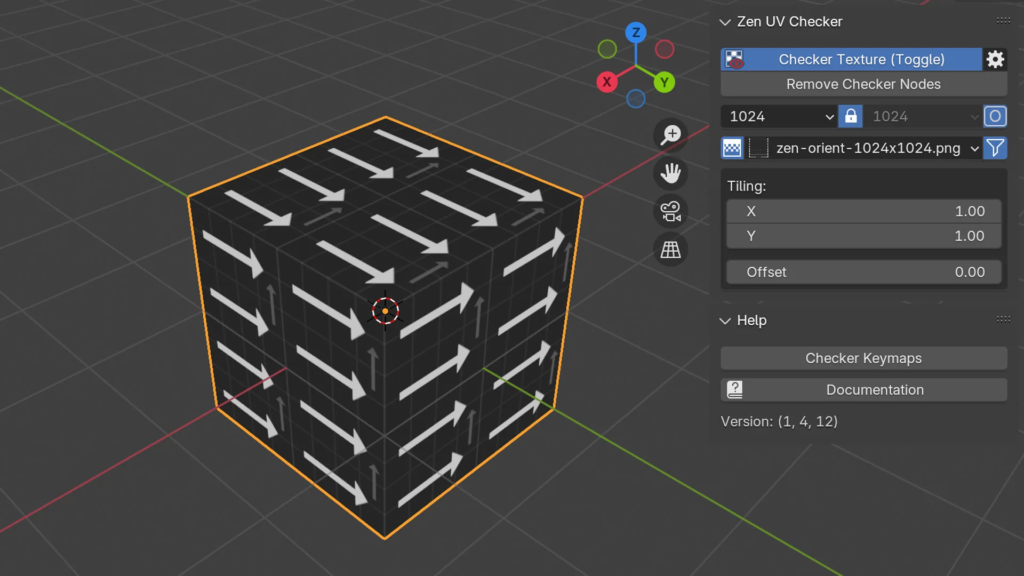
Zen UV Checkers. Specially designed color and monochrome well-readable Checker sets with different texture sizes.
Filter Resolution System. Filter existing textures by resolution, square and rectangular formats. Add Your Checker Texture or even the whole texture library!
Supercharge your 3D creation workflow with premium selection of Blender Add-ons. Whether you are modeling intricate characters, sculpting realistic environments, or animating cinematic sequences, the right add-on can transform how you work inside Blender. Our curated collection includes powerful tools for UV unwrapping, procedural texture generation, rigging automation, rendering optimization, and more—each rigorously tested for compatibility with the latest Blender versions. Eliminate tedious manual processes and unlock advanced functionality that lets you focus on what matters most: bringing your creative vision to life. Explore our full range of professional Blender plugins today and take your 3D projects to the next level.
➡️ ➡️ For more Blender Plugins 😀 😀
Reviews
There are no reviews yet.