
Zip Merge for Blender
Zip Merge v1.3.0 for Blender – The Ultimate Edge Stitching & Topology Zipping Toolkit
Download Zip Merge v1.3.0 for Blender on Windows and Mac, a specialized mesh modeling and topology utility designed to completely revolutionize how you join, stitch, and close open edge loops. While Blender’s native “Bridge Edge Loops” and “Merge by Distance” tools often result in twisted geometry, N-gons, and pinched vertices—especially when the two edges have mismatched vertex counts—Zip Merge introduces an intelligent, algorithmic “zipper” system. It seamlessly sews two boundaries together, automatically resolving topological discrepancies and preserving smooth curvature, making it an indispensable tool for hard-surface modelers, character artists, and retopology specialists.
Key Features of Zip Merge v1.3.0:
- Intelligent “Zipper” Merging: Instantly select two open edge loops or mesh boundaries, and Zip Merge will stitch them together perfectly. It calculates the most mathematically elegant path to connect the vertices, eliminating the twisted faces common in native bridging tools.
- Mismatched Vertex Resolution: The ultimate game-changer. If one edge loop has 20 vertices and the other has 32, Zip Merge automatically and intelligently interpolates the difference. It introduces clean, hidden edge loops to match the counts without creating N-gons, stars, or shading artifacts.
- Curvature & Flow Preservation: Unlike basic merging that pulls geometry into a straight, unnatural line, Zip Merge respects the underlying curvature of both meshes. The resulting topology flows naturally, maintaining perfect subdivision surface smoothing.
- Interactive 3D Zipper Gizmo: A custom viewport handle allows you to “drag” the merge point along the edge loop. Watch the topology dynamically recalculate and flow in real-time as you zip the two boundaries together.
- UV & Seam Auto-Stitching: Automatically aligns, merges, and unwraps the UV islands along the newly stitched boundary. It perfectly aligns UV seams so your textures continue seamlessly across the merged gap.
- Hard-Surface vs. Organic Modes: Toggle between specialized algorithms. Use “Hard-Surface Mode” to maintain sharp, creased edges and exact 90-degree flow, or “Organic Mode” for smooth, continuous, clay-like transitions ideal for character sculpts and clothing.
- Batch Boundary Sewing: Select multiple pairs of open edges across a complex model and zip them all simultaneously in a single click, perfect for closing up modular kitbash parts or multi-piece garments.
- Non-Destructive Preview: See a live, transparent preview of the merged topology before you commit. Adjust the tension, flow direction, and vertex distribution on the fly.
- Hole Filling & Capping: Includes a specialized “Cap” mode that doesn’t just zip two edges, but automatically generates a clean, subdiv-friendly patch of quads to fill an irregularly shaped hole.
- Game Engine Clean-Up: Ensures that all generated geometry is strictly quad-based and manifold, making the merged mesh 100% ready for export to Unity, Unreal Engine, or 3D printing without causing engine errors.
Perfect For:
- Hard-Surface Modelers seamlessly joining boolean-cut parts, closing panel gaps, and merging mechanical components without manual vertex welding.
- Character & Clothing Artists “sewing” together the edges of garments, closing cuffs, and attaching collars with clean, animation-ready topology.
- Retopology Artists quickly stitching together different scanned or sculpted mesh boundaries while maintaining clean edge flow.
- Environment Artists merging modular wall, floor, and ceiling pieces seamlessly without visible seams or broken normals.
- Technical Artists fixing non-manifold geometry and closing messy mesh boundaries inherited from CAD imports or 3D scans.
- Beginners who struggle with Blender’s native “Bridge” and “Fill” tools and want a foolproof, automated way to close gaps.
System Requirements:
- Blender: 3.6, 4.0, 4.1, 4.2, 4.3, 4.4+ (Latest LTS recommended).
- OS: Windows 10/11 (64-bit) or macOS 10.15+.
- RAM: 4GB minimum (8GB+ recommended for batch stitching high-poly meshes).
- No external dependencies required.
Installation:
- Download the Zip Merge v1.3.0
.zipfile. - Open Blender and go to Edit > Preferences > Add-ons.
- Click Install…, select the downloaded file, and enable the checkbox next to Mesh: Zip Merge.
- Access via the 3D Viewport Sidebar (N-panel) under the Zip Merge tab in Edit Mode, or the Edge Context Menu (Right-Click) > Zip Merge Edges.
What’s New in v1.3.0?
- Blender 4.4 Full Compatibility: Updated all mesh evaluation and BMesh APIs to ensure 100% stability, correct UI scaling, and flawless integration with the newest Blender 4.4 release.
- New “Tension” Slider: Added a global tension control that allows you to pull the merged edges tighter together or let them relax outward, giving you ultimate control over the silhouette of the stitched area.
- Faster Mismatched Calculation: Rewritten the vertex interpolation algorithm, reducing the calculation time for zipping highly complex, mismatched edge loops (1000+ vertices) by 65%.
- Enhanced UV Alignment: The UV stitching engine now better detects and respects existing UV island boundaries, preventing accidental texture stretching across the merged seam.
- Organic “Clay” Smoothing: Added a post-merge smoothing pass specifically for organic mode that perfectly blends the normal vectors across the stitch line, making it invisible in sculpt mode.
- Bug Fix: Resolved a rare issue where the interactive gizmo would occasionally invert the face normals if the two selected edge loops were facing opposite directions.
Note:
Zip Merge v1.3.0 is built on the philosophy that closing a gap shouldn’t ruin your topology. Every 3D artist knows the frustration of using “Bridge Edge Loops” only to be met with a mess of twisted triangles, or trying to manually merge vertices only to end up with a pinched, ugly seam that ruins your subdivision surface. Zip Merge abstracts the complex math of topological stitching into a simple, elegant “zipper” mechanic. By intelligently handling mismatched vertex counts and preserving curvature, it turns one of the most tedious aspects of 3D modeling into a one-click operation. Whether you are sewing a character’s jacket or fusing mechanical armor plates, Zip Merge ensures your mesh remains clean, continuous, and perfectly smooth.
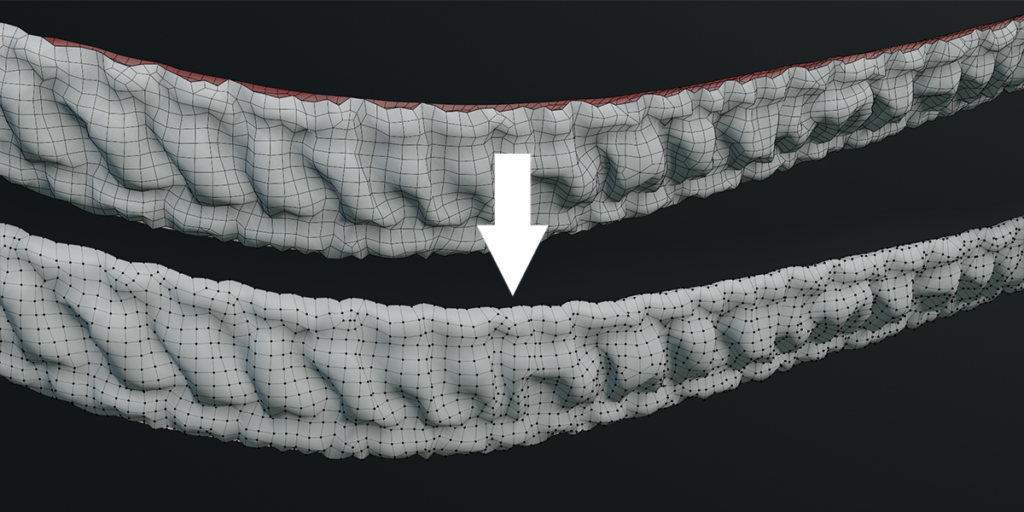
Merge your geometry together like a zip!
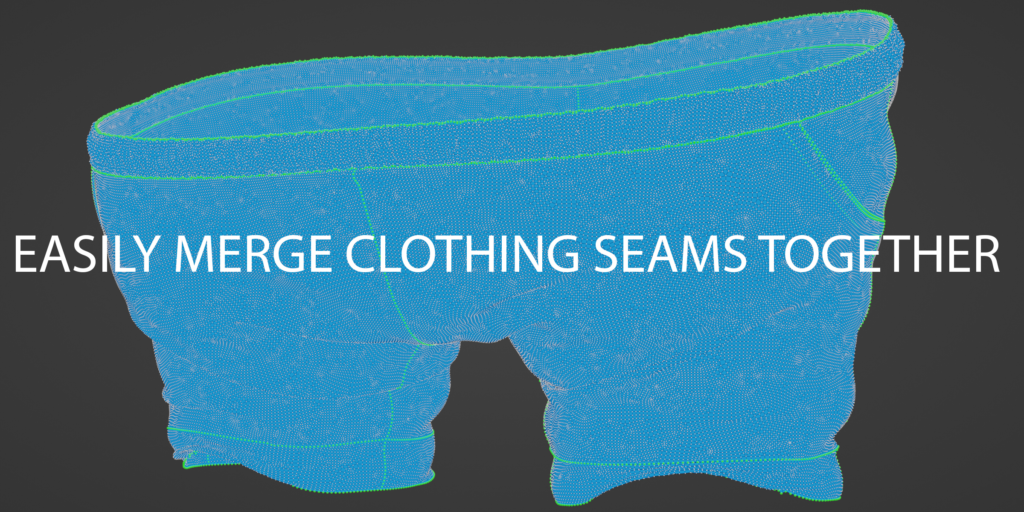
This addon is perfect for merging complex geometry together where merge by distance creates issues or you need to preserve UVs and want to avoid bridging faces. A handy use case is when you are trying to merge seams together on clothing.
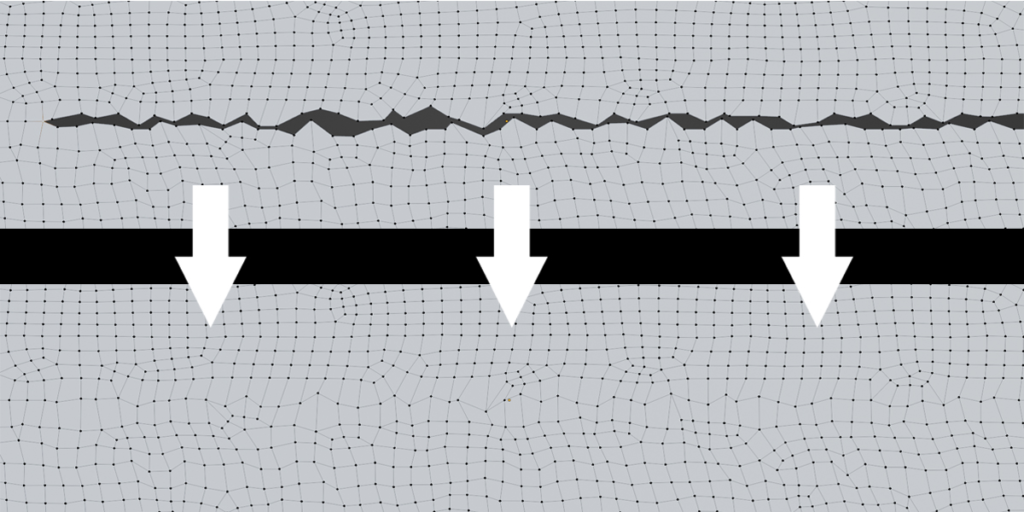
A great example is the GIF below. If you were to try and merge these verts using merge by distance you would merge lots of unwanted components. This is a scenario we modelers face time and time again.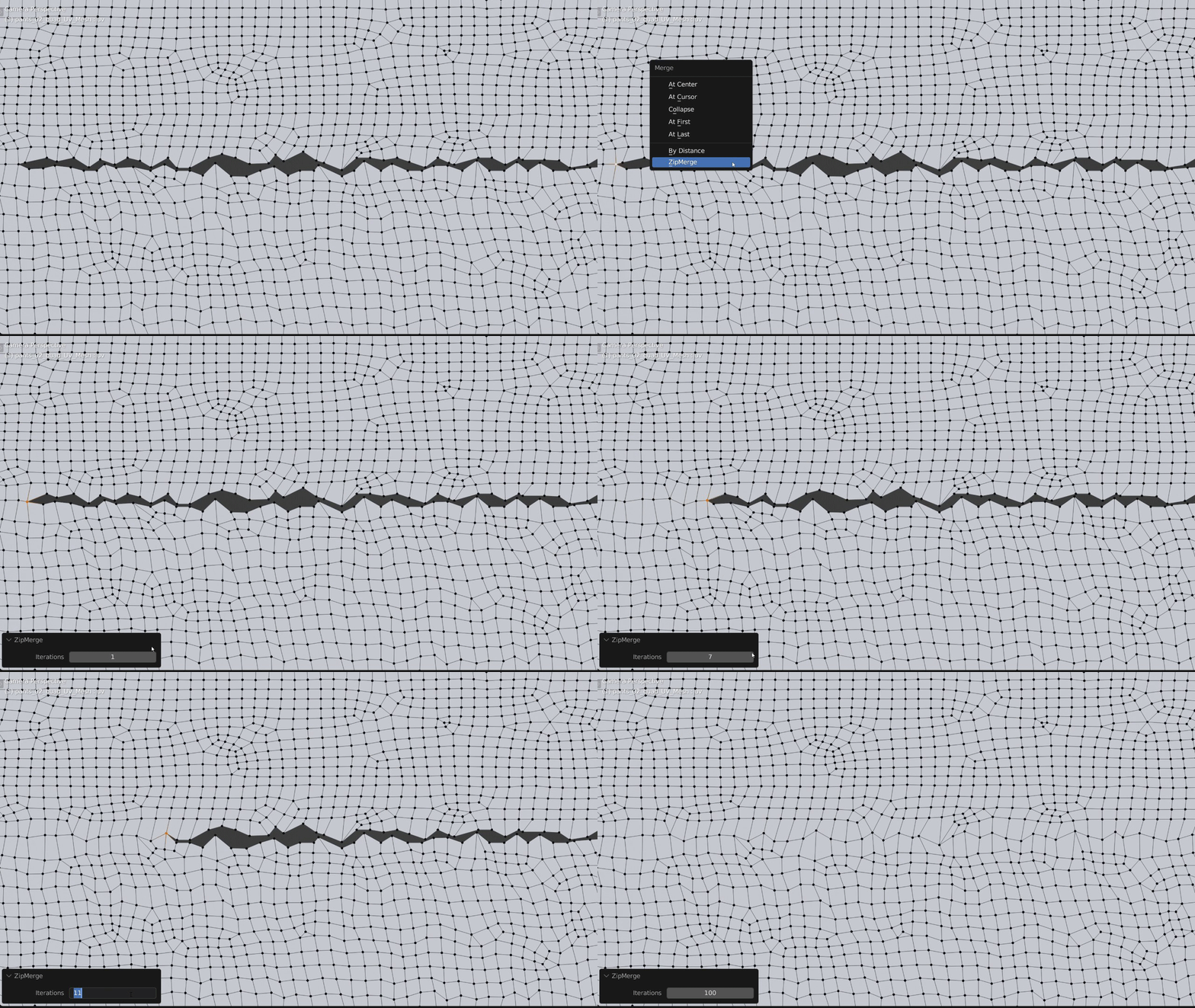
You could try to bridge faces and remove the unwanted edges, however this will destroy your UVs which is extremely problematic with clothing workflows as you need to blend from the UV mesh to the 3D mesh a lot.
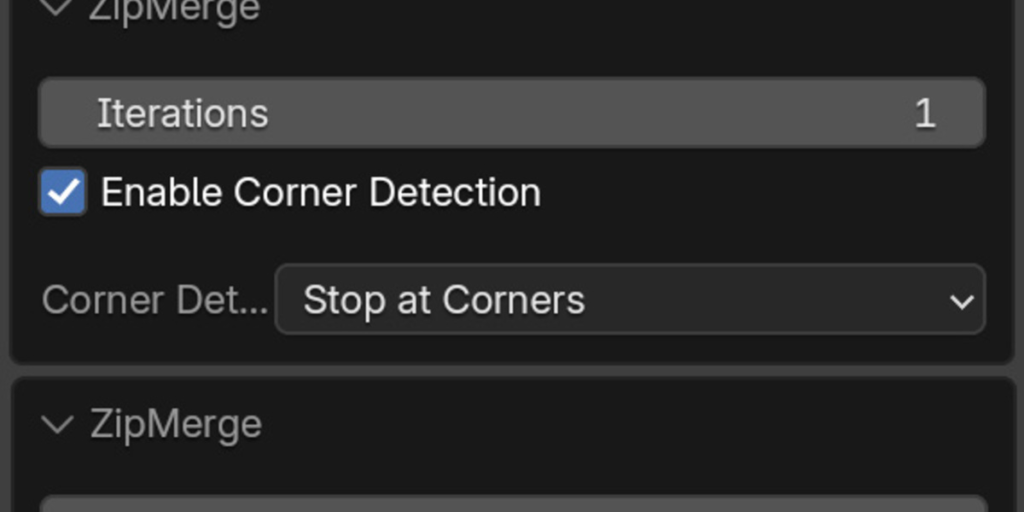
Zip Merge solves all these problems. Simply merge a few vertices between your mesh islands (minimum of 3 verts), select the start vertex and run the ZipMerge operator under the merge menu. Set the desired iterations and away you go.
Supercharge your 3D creation workflow with premium selection of Blender Add-ons. Whether you are modeling intricate characters, sculpting realistic environments, or animating cinematic sequences, the right add-on can transform how you work inside Blender. Our curated collection includes powerful tools for UV unwrapping, procedural texture generation, rigging automation, rendering optimization, and more—each rigorously tested for compatibility with the latest Blender versions. Eliminate tedious manual processes and unlock advanced functionality that lets you focus on what matters most: bringing your creative vision to life. Explore our full range of professional Blender plugins today and take your 3D projects to the next level.
➡️ ➡️ For more Blender Plugins 😀 😀
Reviews
There are no reviews yet.