
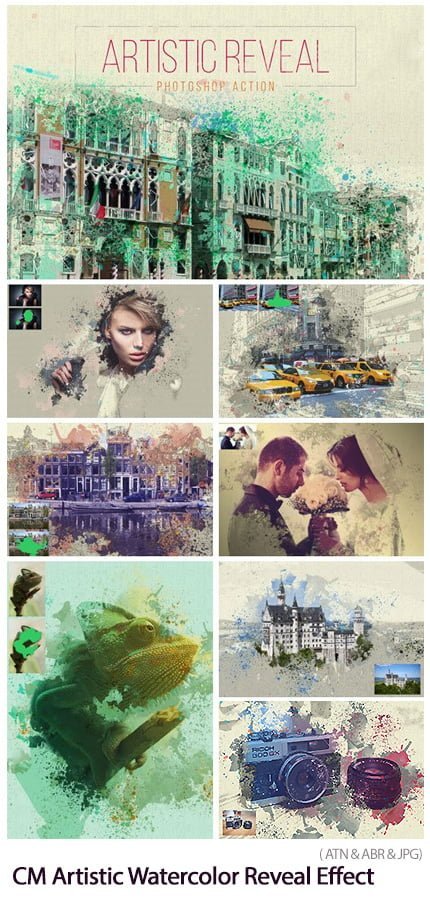
Artistic Watercolor Reveal Effect Photoshop Action Converts Images to Art Watercolor Painting | 15.7 MB | Comes with preview | ATN & ABR & JPG format
In this collection, you can see another example of the effect of images in the form of action and the title of converting images into artistic watercolor painting, which has been placed on the site for download in ATN, ABR and JPG formats.
Artistic Watercolor Reveal Effect

HELP FILE INCLUDED
How about save hours of work and get this beautiful effect in MINUTES? Create highly detailed design effects from your photos with no effort at all. Designed to save you a huge amount of time and work per photo.
Watch the video tutorial to see how easy is to use the action: https://youtu.be/xmz6kiQJTCk
Bring your images a new perspective with Artistic Watercolor Reveal Effect, lots of options, and REALY easy to use! It’s quick, simple and amazingly effective.
Images used in the previews are not included
How to configure Photoshop to work with actions.
Make sure you are using the English version of Photoshop. Each action has been created and optimized to work only with the English version of Photoshop, so please make sure that you are using this version. If not, don’t worry: you can change the language of your version of Photoshop to English (and switch back again) using this method https://youtu.be/GJAiu5W2gLE
Use the RGB Mode and 8 Bits color. To check these settings, go to Image-Mode and check the “RGB color” and “8 Bits/Channel”.
Make sure that the option “Add ‘copy’ to Copied Layers and Groups” is turned on. This option applies only to CS5 and later versions of Photoshop. On the “LAYERS” panel, click on the menu icon, go to “Panel Options…”, and check that the “Add ‘copy’ to Copied Layers and Groups” is turned on.
Set the Opacity of brush to 100%. Set the Opacity of the brush to 100%. Select the “Brush Tool” and move the opacity slider to 100%.
Ready to go. Tips & Help
There is a HELP file inside this pack, it cover the basics of the action, and show some ideias to you experiment yourself!
Tested
Each action is thoroughly tested across between 50 – 150 different photos to ensure there are no errors. In the case where you do experience an error
The Best Results
For the best results, it is recommended to use high resolution photos in the range of 1500px – 3500px. The optimal range is from 2500px – 3500px. The detail and clarity in the effects generated by the actions reduce the smaller your photo is.
Organised
After each action has finished playing, it creates a organised layer structure, labeled, masked and colored. Each layer and folder named appropriately and color coded to create a neat working environment for you.
A Photoshop action is an incredible feature tool that allows you to record a series of steps
To achieve remarkable effects, and then play the sequence back to apply those effects on any image.
Because these actions are reusable you can improve your workflow by chopping countless hours off your design process.
you can transform your images into polished works of art while saving a lot of time and money.
Designed to save you time in the editing process for actions that you do repeatedly and create lots more elements that can be edited manually.
Exclusively designed for graphic designers & photographers .
we’ve cut out the hard work for you by putting the best collection of excellent Premium Photoshop actions!
Photoshop actions are perfect for both beginners and advanced Photoshop users
➡️ ➡️ For More Actions Photoshop 😀 😀
System Requirement For Photoshop CC
How to Change Language Setting


Reviews
There are no reviews yet.